
How to Create the Best Dropshipping Product Photos in 2026
Dropshipping inventory management
Author:
Contents
Launching your dropshipping store? Don’t overlook your visuals, your dropshipping product photos are what make people click, trust, and buy. A sharp, professional, and persuasive image is often the difference between a browser and a customer.
The good news? You don’t need to be a professional photographer or pay for expensive software to get stunning product images. With the right free tools, transform an ordinary photo into an image that inspires confidence, improves inventory management, and showcases your products.
But, which are the best free tools to edit photos for dropshipping products? Let’s find out.
Minea
Minea takes care of everything for you
Access winning ads, products, and stores in real time, get inspired, learn, then get started.

Top 13 Best Free Tools to Edit Your Dropshipping Product Photos
Looking for the best tool to enhance your dropshipping product photos? Here’s our curated list of the most efficient free photo editing solutions available in 2026.
Canva
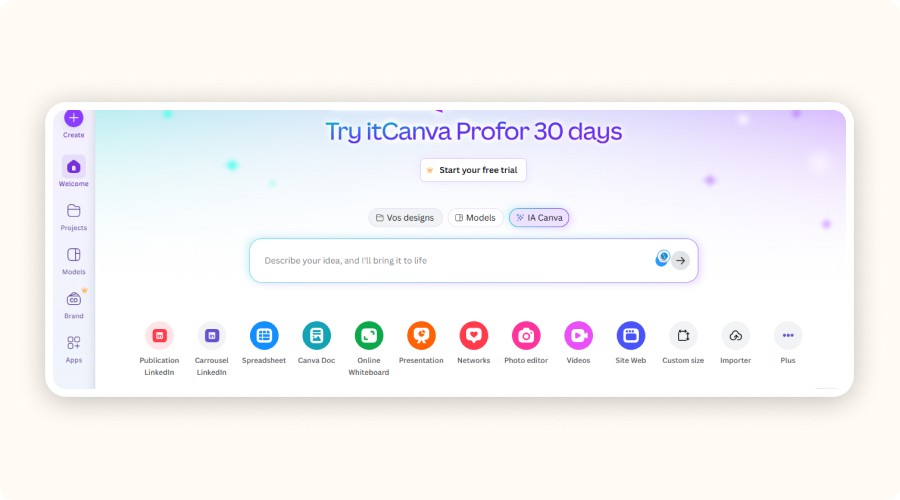
Canva is a photo editor + design tool (web & mobile) that’s great for quickly creating ecommerce visuals: clean product images, “before/after” comparisons, banners, and ad creatives. You can crop, adjust brightness/contrast/saturation, add text, and build visuals from templates, ideal for keeping a consistent brand look across your store.
For dropshipping product photos, here’s what matters: the Background Remover saves a lot of time, but it’s tied to Canva Pro with limits (up to 500 images per 24 hours, images under 9 MB, and files over 10 MP are reduced to 10 MP after background removal). Magic Eraser (also Pro) helps remove unwanted objects in a few brush strokes.
Pros | Cons |
|---|---|
|
|
Pixlr
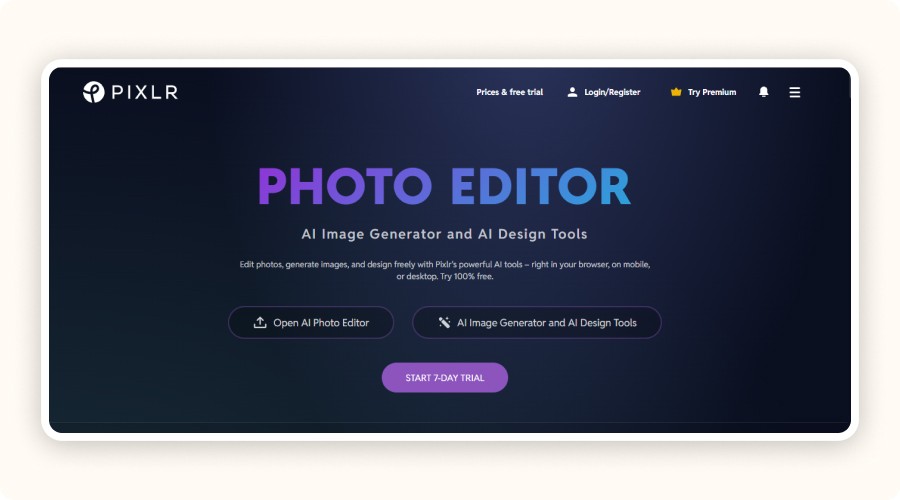
Pixlr is an online photo editor (works in your browser + mobile) that’s great for dropshipping product photos when you need fast, clean edits without installing anything. It comes in two main versions: Pixlr X (quick edits) and Pixlr E (more advanced work with layers). You can handle the essentials for ecommerce: crop/resize, light & color fixes, plus AI tools like Remove Background, Remove Object, and Generative Fill / Expand for quick cleanups.
If you have a catalog to standardize, Pixlr’s AI Batch Editor lets you edit 100+ images at once (useful for consistent dimensions and style).
Pricing-wise, the Plus plan includes 80 monthly AI credits and is listed at $2.49/month, or $1.49/month billed yearly (promo/annual pricing).
Pros | Cons |
|---|---|
|
|
Photoshop Express
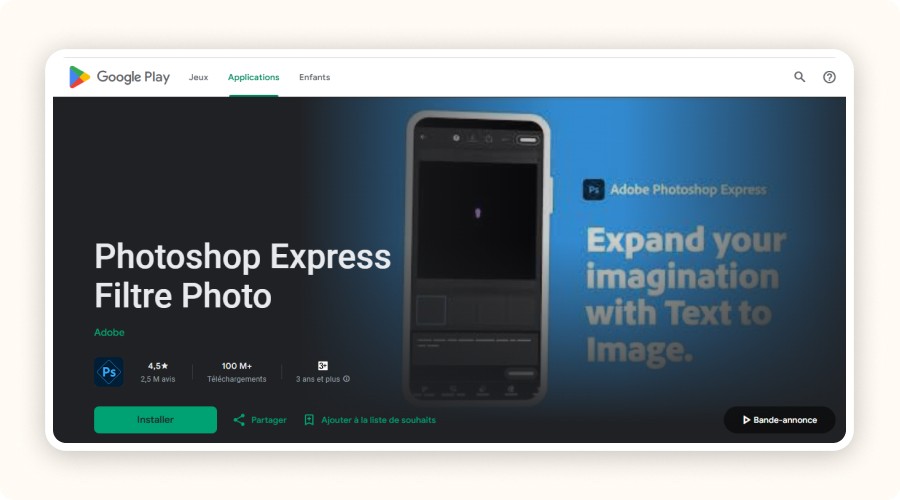
Adobe Photoshop Express is a mobile photo editor (iOS/Android) built for fast, clean dropshipping product photos: quick crop/resize, light & color adjustments, and easy “ready-to-post” edits. It also includes a collage maker and supports importing RAW, TIFF, and PNG files.
It’s freemium: Photoshop Express Premium unlocks extra features and more precise controls.
On iPhone, Adobe highlights Generative Fill and Text to Image powered by Adobe Firefly (iPhone-only).
Pros | Cons |
|---|---|
|
|
Photopea
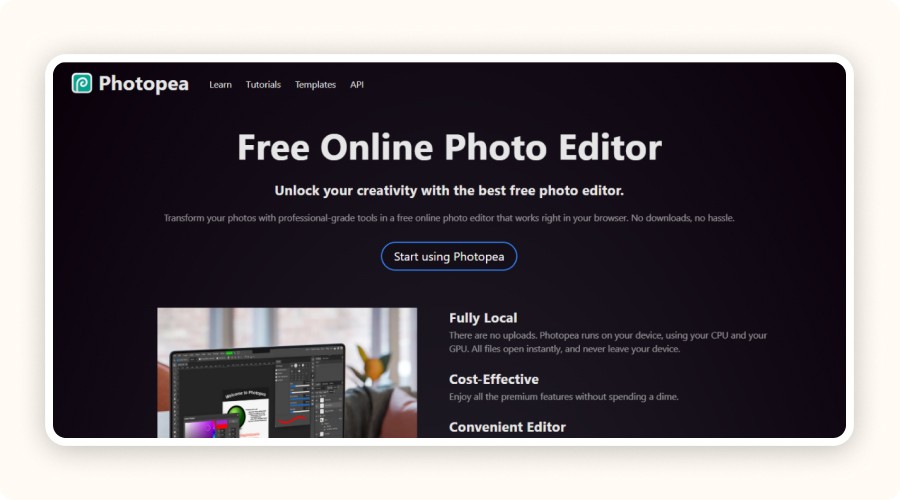
Photopea is a free online photo editor that’s especially handy for dropshipping product photos when you need “Photoshop-like” control without installing anything. It supports layers, masks, blending, Smart Objects, and you can open + save PSD files (PSD is its main format).
Big thing to know: it’s fully local no uploads, it runs on your device (CPU/GPU) and your files never leave your computer.
It also handles tons of formats (PNG/JPG/WebP/SVG/PDF/AI and many more).
For an ad-free experience, Photopea offers Premium at $5/month.
Pros | Cons |
|---|---|
|
|
Fotor
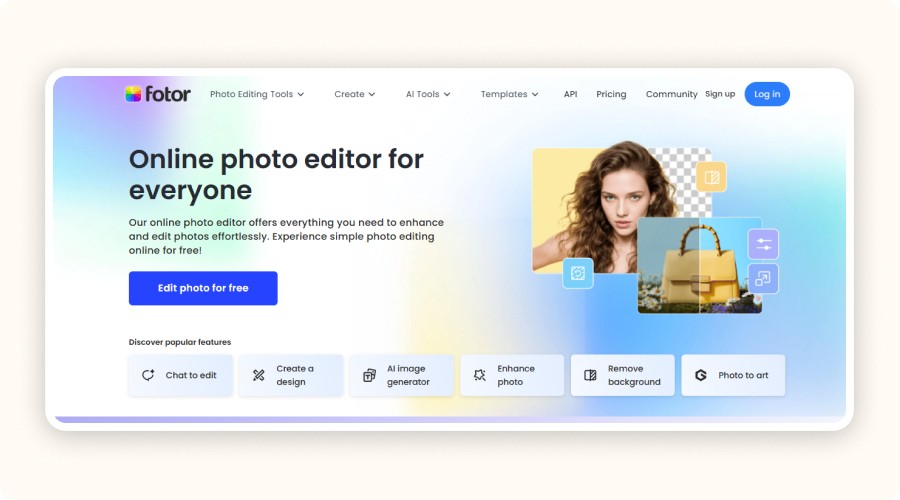
Fotor is an online photo editor (web + mobile) that works well for dropshipping product photos when you need fast, clean results: crop/resize, quick light & color corrections, and one-click AI tools like Background Remover (Fotor highlights Free HD download, No watermarks, and No sign-up required on its background-remover feature page).
For catalog work, Fotor’s batch editor is a big time-saver: it supports uploading up to 50 images per upload to apply edits in bulk (resize, crop, basic adjustments, etc.).
Pros | Cons |
|
|
GIMP
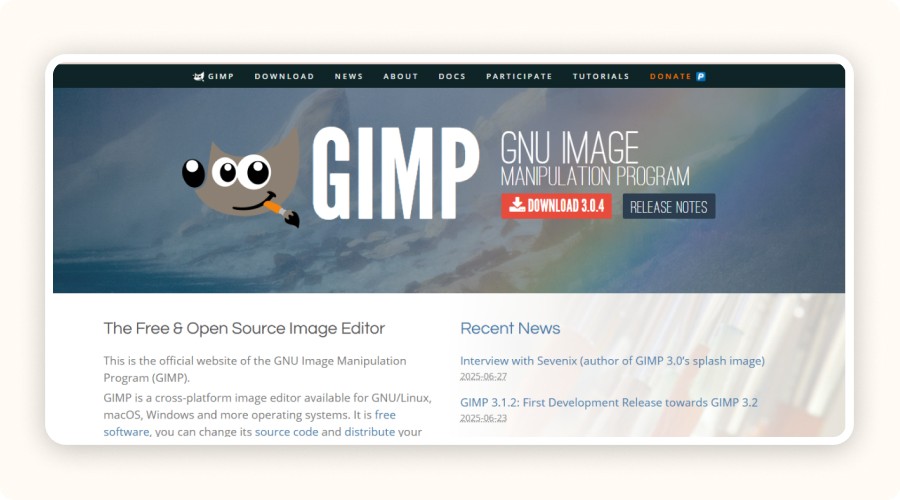
GIMP (GNU Image Manipulation Program) is a free, open-source desktop editor for Windows, macOS, and Linux, ideal for dropshipping product photos when you need full control over clean, “trust-building” visuals. It handles layers, layer masks, precise selections, clone/heal for removing dust or defects, and detailed color/light corrections, then you can export optimized JPG/PNG/WebP files for Shopify or ads. The official site lists the current stable version as GIMP 3.2.4 (2026-04-17).
For product cutouts and clean packshots, layer masks are a core tool in GIMP’s workflow.
It also supports plug-ins and automation/scripting (useful when you’re editing many images), but there’s a learning curve compared to Canva/Pixlr.
Pros | Cons |
|---|---|
|
|
Paint.NET
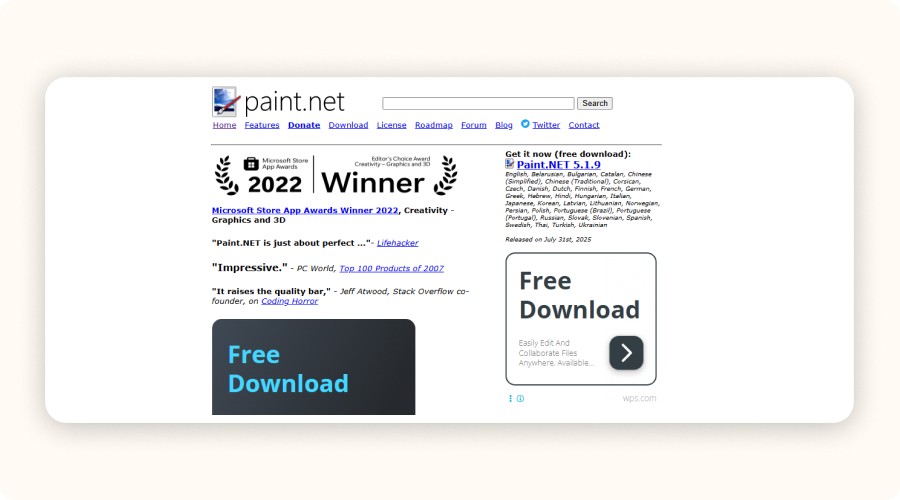
Paint.NET is a Windows-only desktop editor that’s great for dropshipping product photos when you want something faster than GIMP but still “serious.” It includes layers, unlimited undo, and built-in effects, so you can quickly crop/resize (e.g., square images for product pages), clean up small defects, and export clean JPG/PNG/WebP visuals for your store and ads.
Pros | Cons |
|---|---|
|
|
Photo Pos Pro
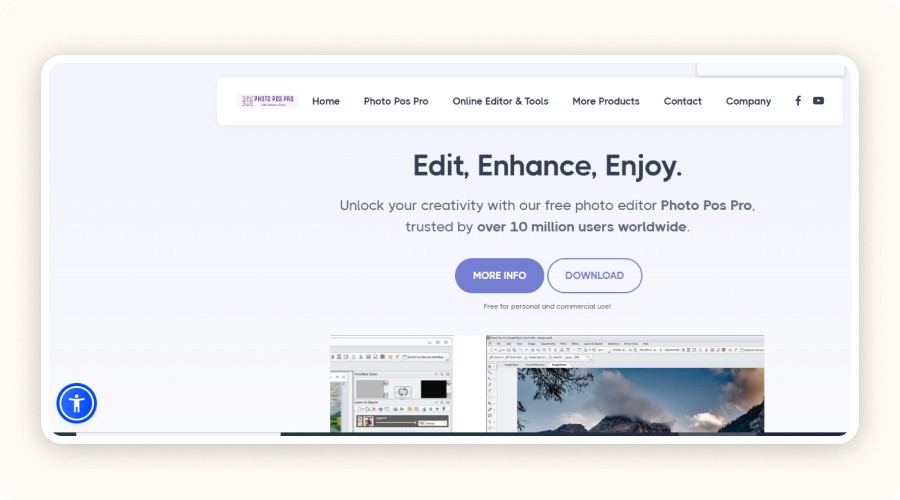
Photo Pos Pro is a free Windows photo editor that works well for dropshipping product photos when you want a desktop tool (no browser) with “pro” basics. It supports layers and masks (useful for clean cutouts, shadows, and non-destructive edits), plus common pro features like filters, curves, scripts, and effects.
If you’re cleaning up a catalog, it also includes Scripts & Batch Operations (handy for repetitive tasks like converting/exporting multiple files).
Licensing: the publisher states it’s free for personal and commercial use, and claims 10M+ users. If you want the paid version, the official site lists a $34.90 one-time Premium license (includes 1 year of updates).
Pros | Cons |
|---|---|
|
|
BeFunky
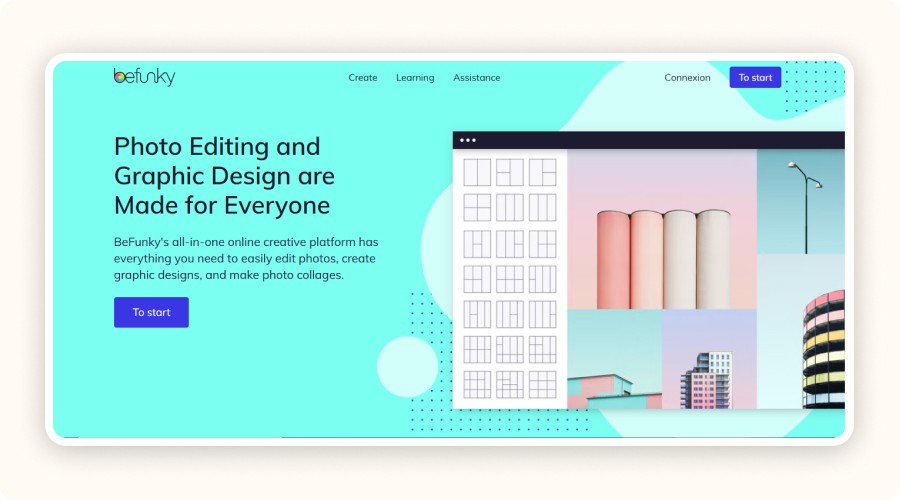
BeFunky is a web + mobile photo editor that’s useful for dropshipping product photos when you want fast, clean edits without complexity. It’s strong for “quick wins” like crop/resize, one-tap Image Enhancer, and AI tools such as Background Remover (auto-detects the subject and creates a transparent background in one click).
On Android, the app shows 10M+ downloads, 3.5★, and ~212K reviews (Google Play).
On iOS (US App Store), it’s rated 4.7★ (11K ratings), and BeFunky Plus is listed at $14.99/month or $83.90/year.
Pros | Cons |
|---|---|
|
|
PicMonkey
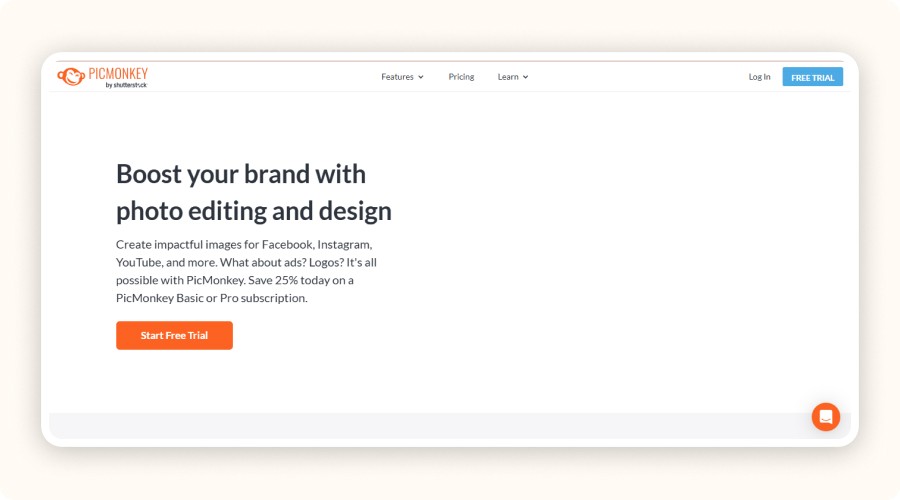
PicMonkey is a photo + design tool (web + mobile) that’s great for dropshipping product photos when you also need fast marketing creatives: product thumbnails, store icons, banners, and social ads. On mobile, it includes Cutout to erase backgrounds (auto or manual), plus crop & resize presets for platforms like Instagram/Etsy/Pinterest, and quick “Presto” auto-adjustments for light and color.
It’s freemium with in-app purchases: subscriptions start at $7.99/month or $72/year, with a 7-day free trial.
Pros | Cons |
|---|---|
|
|
Adobe Lightroom (Freemium)
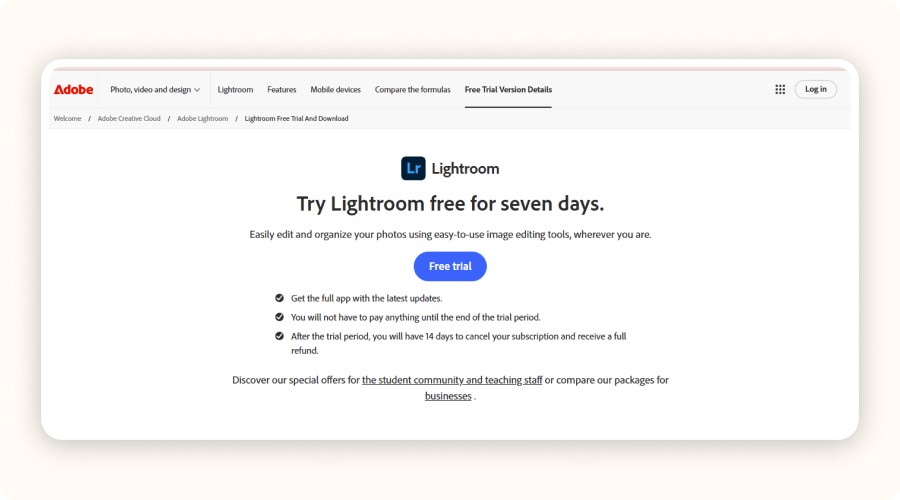
Adobe Lightroom is ideal for dropshipping product photos when your goal is consistent, “brand-clean” visuals across a whole catalog (same light, same colors, same vibe). It’s best for color correction, presets, and a fast workflow: you can edit one image, then copy/paste the same settings to multiple photos to batch-fix a series.
It’s freemium (in-app purchases) and can sync edits across devices if you work within the Lightroom ecosystem.
Lightroom plan starts at US$11.99/month (annual, billed monthly) or US$119.88/year.
Pros | Cons |
|---|---|
|
|
Adobe Photoshop (Freemium)
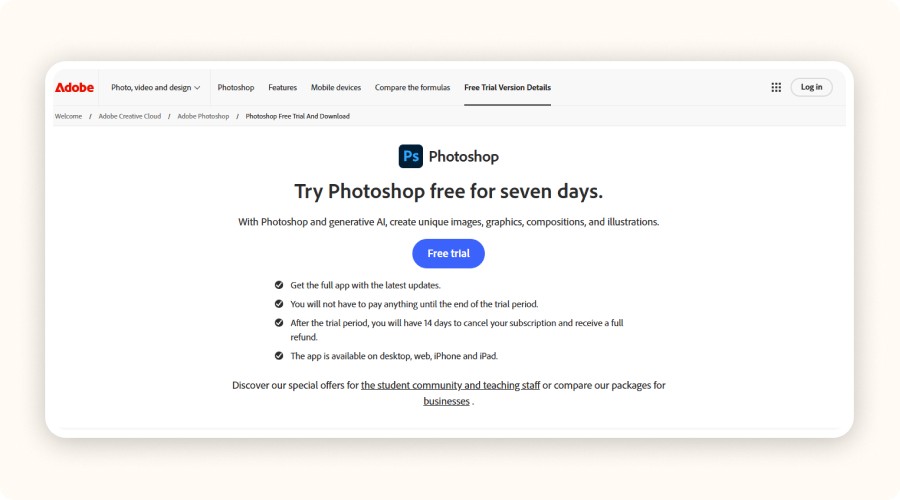
Adobe Photoshop is the go-to “full control” tool for dropshipping product photos when you need flawless results:
precise cutouts (clean white/transparent backgrounds)
object removal (dust, scratches, unwanted logos)
detailed light/color fixes.
It’s also great for scaling a catalog because you can automate repetitive edits using Actions (e.g., resize + sharpen + export) so every product image stays consistent. For fast creative tweaks, Generative Fill (powered by Adobe Firefly) lets you add/remove content and expand backgrounds with a text prompt handy when supplier photos look messy or too tight.
Photoshop as a standalone app is listed at US$22.99/month (annual, billed monthly) or US$263.88/year (annual, prepaid).
Pros | Cons |
|---|---|
|
|
Darktable
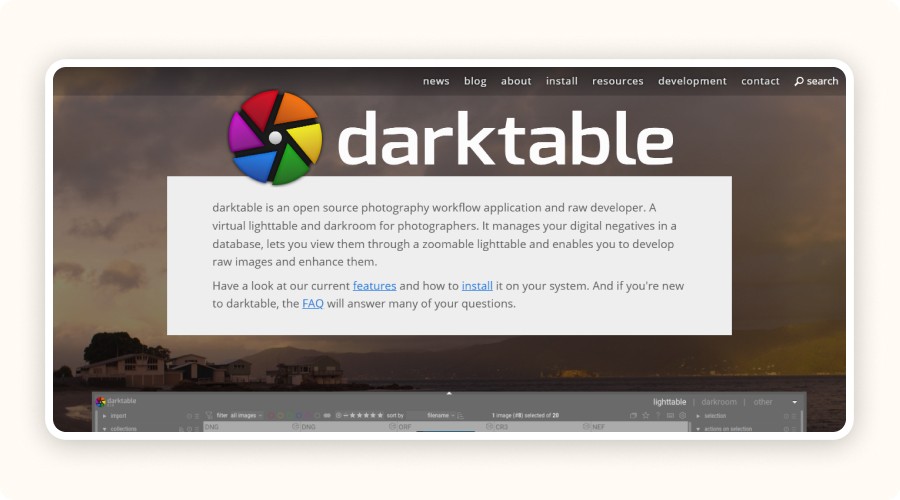
Darktable is a free, open-source RAW workflow tool—perfect for dropshipping product photos when you shoot your own images and want a consistent, “brand-clean” look across your whole catalog (same exposure, colors, contrast). It works non-destructively: your original files are never modified, and your edits + full history are stored in separate .XMP sidecar files next to the original image.
Darktable uses a Lighttable (to organize and select photos) and a Darkroom (to develop/edit), then you can export one image or batch export multiple images as JPEG for your store or ads.
Pros | Cons |
|---|---|
|
|
Minea
Reach $1,000 per day or get your money back

Launching your dropshipping store? Don’t overlook your visuals, your dropshipping product photos are what make people click, trust, and buy. A sharp, professional, and persuasive image is often the difference between a browser and a customer.
The good news? You don’t need to be a professional photographer or pay for expensive software to get stunning product images. With the right free tools, transform an ordinary photo into an image that inspires confidence, improves inventory management, and showcases your products.
But, which are the best free tools to edit photos for dropshipping products? Let’s find out.
Minea
Minea takes care of everything for you
Access winning ads, products, and stores in real time, get inspired, learn, then get started.
Top 13 Best Free Tools to Edit Your Dropshipping Product Photos
Looking for the best tool to enhance your dropshipping product photos? Here’s our curated list of the most efficient free photo editing solutions available in 2026.
Canva
Canva is a photo editor + design tool (web & mobile) that’s great for quickly creating ecommerce visuals: clean product images, “before/after” comparisons, banners, and ad creatives. You can crop, adjust brightness/contrast/saturation, add text, and build visuals from templates, ideal for keeping a consistent brand look across your store.
For dropshipping product photos, here’s what matters: the Background Remover saves a lot of time, but it’s tied to Canva Pro with limits (up to 500 images per 24 hours, images under 9 MB, and files over 10 MP are reduced to 10 MP after background removal). Magic Eraser (also Pro) helps remove unwanted objects in a few brush strokes.
Pros | Cons |
|---|---|
|
|
Pixlr
Pixlr is an online photo editor (works in your browser + mobile) that’s great for dropshipping product photos when you need fast, clean edits without installing anything. It comes in two main versions: Pixlr X (quick edits) and Pixlr E (more advanced work with layers). You can handle the essentials for ecommerce: crop/resize, light & color fixes, plus AI tools like Remove Background, Remove Object, and Generative Fill / Expand for quick cleanups.
If you have a catalog to standardize, Pixlr’s AI Batch Editor lets you edit 100+ images at once (useful for consistent dimensions and style).
Pricing-wise, the Plus plan includes 80 monthly AI credits and is listed at $2.49/month, or $1.49/month billed yearly (promo/annual pricing).
Pros | Cons |
|---|---|
|
|
Photoshop Express
Adobe Photoshop Express is a mobile photo editor (iOS/Android) built for fast, clean dropshipping product photos: quick crop/resize, light & color adjustments, and easy “ready-to-post” edits. It also includes a collage maker and supports importing RAW, TIFF, and PNG files.
It’s freemium: Photoshop Express Premium unlocks extra features and more precise controls.
On iPhone, Adobe highlights Generative Fill and Text to Image powered by Adobe Firefly (iPhone-only).
Pros | Cons |
|---|---|
|
|
Photopea
Photopea is a free online photo editor that’s especially handy for dropshipping product photos when you need “Photoshop-like” control without installing anything. It supports layers, masks, blending, Smart Objects, and you can open + save PSD files (PSD is its main format).
Big thing to know: it’s fully local no uploads, it runs on your device (CPU/GPU) and your files never leave your computer.
It also handles tons of formats (PNG/JPG/WebP/SVG/PDF/AI and many more).
For an ad-free experience, Photopea offers Premium at $5/month.
Pros | Cons |
|---|---|
|
|
Fotor
Fotor is an online photo editor (web + mobile) that works well for dropshipping product photos when you need fast, clean results: crop/resize, quick light & color corrections, and one-click AI tools like Background Remover (Fotor highlights Free HD download, No watermarks, and No sign-up required on its background-remover feature page).
For catalog work, Fotor’s batch editor is a big time-saver: it supports uploading up to 50 images per upload to apply edits in bulk (resize, crop, basic adjustments, etc.).
Pros | Cons |
|
|
GIMP
GIMP (GNU Image Manipulation Program) is a free, open-source desktop editor for Windows, macOS, and Linux, ideal for dropshipping product photos when you need full control over clean, “trust-building” visuals. It handles layers, layer masks, precise selections, clone/heal for removing dust or defects, and detailed color/light corrections, then you can export optimized JPG/PNG/WebP files for Shopify or ads. The official site lists the current stable version as GIMP 3.2.4 (2026-04-17).
For product cutouts and clean packshots, layer masks are a core tool in GIMP’s workflow.
It also supports plug-ins and automation/scripting (useful when you’re editing many images), but there’s a learning curve compared to Canva/Pixlr.
Pros | Cons |
|---|---|
|
|
Paint.NET
Paint.NET is a Windows-only desktop editor that’s great for dropshipping product photos when you want something faster than GIMP but still “serious.” It includes layers, unlimited undo, and built-in effects, so you can quickly crop/resize (e.g., square images for product pages), clean up small defects, and export clean JPG/PNG/WebP visuals for your store and ads.
Pros | Cons |
|---|---|
|
|
Photo Pos Pro
Photo Pos Pro is a free Windows photo editor that works well for dropshipping product photos when you want a desktop tool (no browser) with “pro” basics. It supports layers and masks (useful for clean cutouts, shadows, and non-destructive edits), plus common pro features like filters, curves, scripts, and effects.
If you’re cleaning up a catalog, it also includes Scripts & Batch Operations (handy for repetitive tasks like converting/exporting multiple files).
Licensing: the publisher states it’s free for personal and commercial use, and claims 10M+ users. If you want the paid version, the official site lists a $34.90 one-time Premium license (includes 1 year of updates).
Pros | Cons |
|---|---|
|
|
BeFunky
BeFunky is a web + mobile photo editor that’s useful for dropshipping product photos when you want fast, clean edits without complexity. It’s strong for “quick wins” like crop/resize, one-tap Image Enhancer, and AI tools such as Background Remover (auto-detects the subject and creates a transparent background in one click).
On Android, the app shows 10M+ downloads, 3.5★, and ~212K reviews (Google Play).
On iOS (US App Store), it’s rated 4.7★ (11K ratings), and BeFunky Plus is listed at $14.99/month or $83.90/year.
Pros | Cons |
|---|---|
|
|
PicMonkey
PicMonkey is a photo + design tool (web + mobile) that’s great for dropshipping product photos when you also need fast marketing creatives: product thumbnails, store icons, banners, and social ads. On mobile, it includes Cutout to erase backgrounds (auto or manual), plus crop & resize presets for platforms like Instagram/Etsy/Pinterest, and quick “Presto” auto-adjustments for light and color.
It’s freemium with in-app purchases: subscriptions start at $7.99/month or $72/year, with a 7-day free trial.
Pros | Cons |
|---|---|
|
|
Adobe Lightroom (Freemium)
Adobe Lightroom is ideal for dropshipping product photos when your goal is consistent, “brand-clean” visuals across a whole catalog (same light, same colors, same vibe). It’s best for color correction, presets, and a fast workflow: you can edit one image, then copy/paste the same settings to multiple photos to batch-fix a series.
It’s freemium (in-app purchases) and can sync edits across devices if you work within the Lightroom ecosystem.
Lightroom plan starts at US$11.99/month (annual, billed monthly) or US$119.88/year.
Pros | Cons |
|---|---|
|
|
Adobe Photoshop (Freemium)
Adobe Photoshop is the go-to “full control” tool for dropshipping product photos when you need flawless results:
precise cutouts (clean white/transparent backgrounds)
object removal (dust, scratches, unwanted logos)
detailed light/color fixes.
It’s also great for scaling a catalog because you can automate repetitive edits using Actions (e.g., resize + sharpen + export) so every product image stays consistent. For fast creative tweaks, Generative Fill (powered by Adobe Firefly) lets you add/remove content and expand backgrounds with a text prompt handy when supplier photos look messy or too tight.
Photoshop as a standalone app is listed at US$22.99/month (annual, billed monthly) or US$263.88/year (annual, prepaid).
Pros | Cons |
|---|---|
|
|
Darktable
Darktable is a free, open-source RAW workflow tool—perfect for dropshipping product photos when you shoot your own images and want a consistent, “brand-clean” look across your whole catalog (same exposure, colors, contrast). It works non-destructively: your original files are never modified, and your edits + full history are stored in separate .XMP sidecar files next to the original image.
Darktable uses a Lighttable (to organize and select photos) and a Darkroom (to develop/edit), then you can export one image or batch export multiple images as JPEG for your store or ads.
Pros | Cons |
|---|---|
|
|
Minea
Reach $1,000 per day or get your money back
Launching your dropshipping store? Don’t overlook your visuals, your dropshipping product photos are what make people click, trust, and buy. A sharp, professional, and persuasive image is often the difference between a browser and a customer.
The good news? You don’t need to be a professional photographer or pay for expensive software to get stunning product images. With the right free tools, transform an ordinary photo into an image that inspires confidence, improves inventory management, and showcases your products.
But, which are the best free tools to edit photos for dropshipping products? Let’s find out.
Minea
Minea takes care of everything for you
Access winning ads, products, and stores in real time, get inspired, learn, then get started.
Top 13 Best Free Tools to Edit Your Dropshipping Product Photos
Looking for the best tool to enhance your dropshipping product photos? Here’s our curated list of the most efficient free photo editing solutions available in 2026.
Canva
Canva is a photo editor + design tool (web & mobile) that’s great for quickly creating ecommerce visuals: clean product images, “before/after” comparisons, banners, and ad creatives. You can crop, adjust brightness/contrast/saturation, add text, and build visuals from templates, ideal for keeping a consistent brand look across your store.
For dropshipping product photos, here’s what matters: the Background Remover saves a lot of time, but it’s tied to Canva Pro with limits (up to 500 images per 24 hours, images under 9 MB, and files over 10 MP are reduced to 10 MP after background removal). Magic Eraser (also Pro) helps remove unwanted objects in a few brush strokes.
Pros | Cons |
|---|---|
|
|
Pixlr
Pixlr is an online photo editor (works in your browser + mobile) that’s great for dropshipping product photos when you need fast, clean edits without installing anything. It comes in two main versions: Pixlr X (quick edits) and Pixlr E (more advanced work with layers). You can handle the essentials for ecommerce: crop/resize, light & color fixes, plus AI tools like Remove Background, Remove Object, and Generative Fill / Expand for quick cleanups.
If you have a catalog to standardize, Pixlr’s AI Batch Editor lets you edit 100+ images at once (useful for consistent dimensions and style).
Pricing-wise, the Plus plan includes 80 monthly AI credits and is listed at $2.49/month, or $1.49/month billed yearly (promo/annual pricing).
Pros | Cons |
|---|---|
|
|
Photoshop Express
Adobe Photoshop Express is a mobile photo editor (iOS/Android) built for fast, clean dropshipping product photos: quick crop/resize, light & color adjustments, and easy “ready-to-post” edits. It also includes a collage maker and supports importing RAW, TIFF, and PNG files.
It’s freemium: Photoshop Express Premium unlocks extra features and more precise controls.
On iPhone, Adobe highlights Generative Fill and Text to Image powered by Adobe Firefly (iPhone-only).
Pros | Cons |
|---|---|
|
|
Photopea
Photopea is a free online photo editor that’s especially handy for dropshipping product photos when you need “Photoshop-like” control without installing anything. It supports layers, masks, blending, Smart Objects, and you can open + save PSD files (PSD is its main format).
Big thing to know: it’s fully local no uploads, it runs on your device (CPU/GPU) and your files never leave your computer.
It also handles tons of formats (PNG/JPG/WebP/SVG/PDF/AI and many more).
For an ad-free experience, Photopea offers Premium at $5/month.
Pros | Cons |
|---|---|
|
|
Fotor
Fotor is an online photo editor (web + mobile) that works well for dropshipping product photos when you need fast, clean results: crop/resize, quick light & color corrections, and one-click AI tools like Background Remover (Fotor highlights Free HD download, No watermarks, and No sign-up required on its background-remover feature page).
For catalog work, Fotor’s batch editor is a big time-saver: it supports uploading up to 50 images per upload to apply edits in bulk (resize, crop, basic adjustments, etc.).
Pros | Cons |
|
|
GIMP
GIMP (GNU Image Manipulation Program) is a free, open-source desktop editor for Windows, macOS, and Linux, ideal for dropshipping product photos when you need full control over clean, “trust-building” visuals. It handles layers, layer masks, precise selections, clone/heal for removing dust or defects, and detailed color/light corrections, then you can export optimized JPG/PNG/WebP files for Shopify or ads. The official site lists the current stable version as GIMP 3.2.4 (2026-04-17).
For product cutouts and clean packshots, layer masks are a core tool in GIMP’s workflow.
It also supports plug-ins and automation/scripting (useful when you’re editing many images), but there’s a learning curve compared to Canva/Pixlr.
Pros | Cons |
|---|---|
|
|
Paint.NET
Paint.NET is a Windows-only desktop editor that’s great for dropshipping product photos when you want something faster than GIMP but still “serious.” It includes layers, unlimited undo, and built-in effects, so you can quickly crop/resize (e.g., square images for product pages), clean up small defects, and export clean JPG/PNG/WebP visuals for your store and ads.
Pros | Cons |
|---|---|
|
|
Photo Pos Pro
Photo Pos Pro is a free Windows photo editor that works well for dropshipping product photos when you want a desktop tool (no browser) with “pro” basics. It supports layers and masks (useful for clean cutouts, shadows, and non-destructive edits), plus common pro features like filters, curves, scripts, and effects.
If you’re cleaning up a catalog, it also includes Scripts & Batch Operations (handy for repetitive tasks like converting/exporting multiple files).
Licensing: the publisher states it’s free for personal and commercial use, and claims 10M+ users. If you want the paid version, the official site lists a $34.90 one-time Premium license (includes 1 year of updates).
Pros | Cons |
|---|---|
|
|
BeFunky
BeFunky is a web + mobile photo editor that’s useful for dropshipping product photos when you want fast, clean edits without complexity. It’s strong for “quick wins” like crop/resize, one-tap Image Enhancer, and AI tools such as Background Remover (auto-detects the subject and creates a transparent background in one click).
On Android, the app shows 10M+ downloads, 3.5★, and ~212K reviews (Google Play).
On iOS (US App Store), it’s rated 4.7★ (11K ratings), and BeFunky Plus is listed at $14.99/month or $83.90/year.
Pros | Cons |
|---|---|
|
|
PicMonkey
PicMonkey is a photo + design tool (web + mobile) that’s great for dropshipping product photos when you also need fast marketing creatives: product thumbnails, store icons, banners, and social ads. On mobile, it includes Cutout to erase backgrounds (auto or manual), plus crop & resize presets for platforms like Instagram/Etsy/Pinterest, and quick “Presto” auto-adjustments for light and color.
It’s freemium with in-app purchases: subscriptions start at $7.99/month or $72/year, with a 7-day free trial.
Pros | Cons |
|---|---|
|
|
Adobe Lightroom (Freemium)
Adobe Lightroom is ideal for dropshipping product photos when your goal is consistent, “brand-clean” visuals across a whole catalog (same light, same colors, same vibe). It’s best for color correction, presets, and a fast workflow: you can edit one image, then copy/paste the same settings to multiple photos to batch-fix a series.
It’s freemium (in-app purchases) and can sync edits across devices if you work within the Lightroom ecosystem.
Lightroom plan starts at US$11.99/month (annual, billed monthly) or US$119.88/year.
Pros | Cons |
|---|---|
|
|
Adobe Photoshop (Freemium)
Adobe Photoshop is the go-to “full control” tool for dropshipping product photos when you need flawless results:
precise cutouts (clean white/transparent backgrounds)
object removal (dust, scratches, unwanted logos)
detailed light/color fixes.
It’s also great for scaling a catalog because you can automate repetitive edits using Actions (e.g., resize + sharpen + export) so every product image stays consistent. For fast creative tweaks, Generative Fill (powered by Adobe Firefly) lets you add/remove content and expand backgrounds with a text prompt handy when supplier photos look messy or too tight.
Photoshop as a standalone app is listed at US$22.99/month (annual, billed monthly) or US$263.88/year (annual, prepaid).
Pros | Cons |
|---|---|
|
|
Darktable
Darktable is a free, open-source RAW workflow tool—perfect for dropshipping product photos when you shoot your own images and want a consistent, “brand-clean” look across your whole catalog (same exposure, colors, contrast). It works non-destructively: your original files are never modified, and your edits + full history are stored in separate .XMP sidecar files next to the original image.
Darktable uses a Lighttable (to organize and select photos) and a Darkroom (to develop/edit), then you can export one image or batch export multiple images as JPEG for your store or ads.
Pros | Cons |
|---|---|
|
|
Minea
Reach $1,000 per day or get your money back
Why High-Quality Product Photos Are Essential in Dropshipping
A product photo isn’t just an image, it’s your first sales pitch. It’s the first thing potential buyers notice before reading your product description.
Impact of photos on conversions
In dropshipping, your visuals are your best weapon. A visitor doesn’t read everything, they look at your product images, and you have about three seconds to make an impact. If your photo fails to grab attention, they’ll leave instantly, no matter how good your price or description is.
Your photo replaces the physical experience of touching or seeing the product in person. It needs to attract, convince, and reassure. A bright, sharp, and well-framed image can double your click-through rate, while a blurry or copied photo will scare customers away.
Strong, consistent, and optimized visuals directly influence your conversion rate, ad performance, and overall sales. In short, quality photos sell.
Branding, Customer Trust, and Return Rate
Working on your branding? Then your visuals matter even more.
In dropshipping, poor-quality photos (blurry, pixelated, or inconsistent) send the wrong signal. They make customers doubt your store’s legitimacy.
Harmonized images, with a consistent and professional style, reinforce your credibility. They help set the right expectations, reducing misunderstandings and complaints after e-commerce delivery. Clear, accurate product photos reduce return rates and customer support issues.
When buyers know exactly what they’ll receive, they’re happier, which means fewer disputes, better reviews, and higher retention.
Where to Find Photos for Your Dropshipping Products
Using supplier photos is the fastest way to get started. Platforms like AliExpress, CJ Dropshipping, and Zendrop often provide full product galleries ready for download.
However, these images are rarely ideal, they’re often poorly lit, generic, or reused across hundreds of stores. That lack of uniqueness hurts your brand’s credibility.
Some photos may even be over-edited or watermarked, which can harm your professional image.
The solution:
Always verify image usage rights.
Adjust brightness, contrast, and background to make your visuals unique.
Doing so not only protects your brand but also helps your store stand out visually.
Create Your Own Product Photos (Smartphone + Lightbox)
Want visuals that truly represent your brand? The simplest method is the most effective: shoot your own photos. Order a sample, place it on a clean background (white paper or a lightbox), and photograph it with your smartphone.
No need for expensive equipment: natural light, good framing, and minor editing are enough to get professional-looking results. You can even add dropshipping product videos to show your items in action or highlight key features.
The result? Unique photos that perfectly match your branding, with every angle, color, and composition under your control. That’s how you create visuals that make your product listings and ad campaigns stand out.
Use Royalty-Free Image Banks (Unsplash, Pexels, Pixabay)
Need lifestyle or contextual product photos?
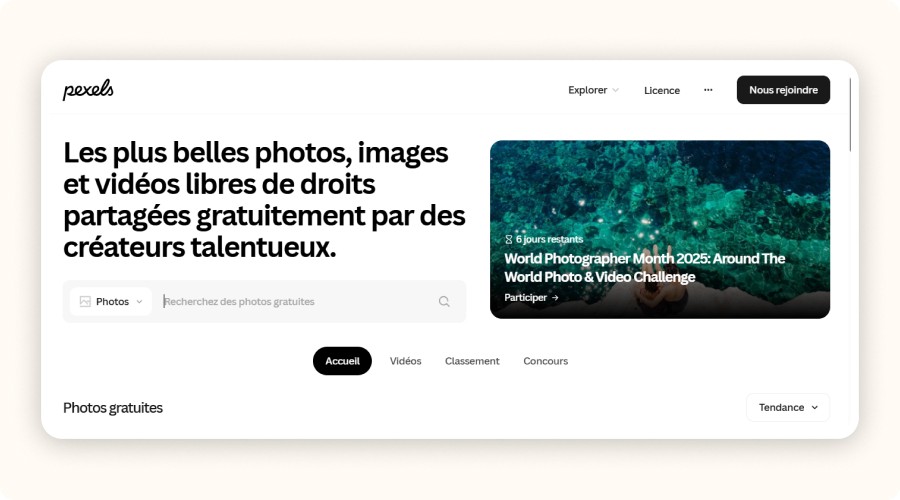
Free photo libraries like Unsplash, Pexels, and Pixabay offer high-quality, royalty-free visuals that are well-composed and ready to use.
However, avoid using them to represent your products directly. Instead, use them to enhance your brand identity, strengthen your store design, or create a consistent aesthetic in your marketing materials. The best strategy? Combine your own photos with complementary stock images for a professional, cohesive look.
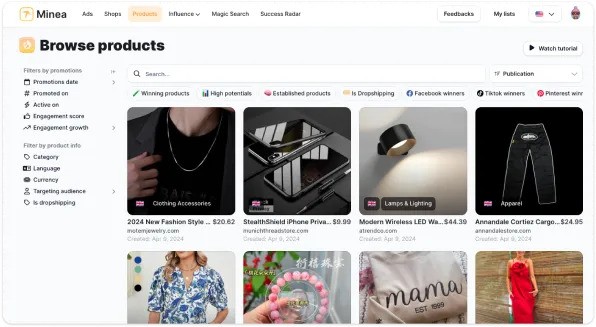
Pro tip: with tools like Minea Dropship Spy, you can even find and reuse high-performing product visuals from other successful stores.


How to Choose the Right Photo Editing Tool
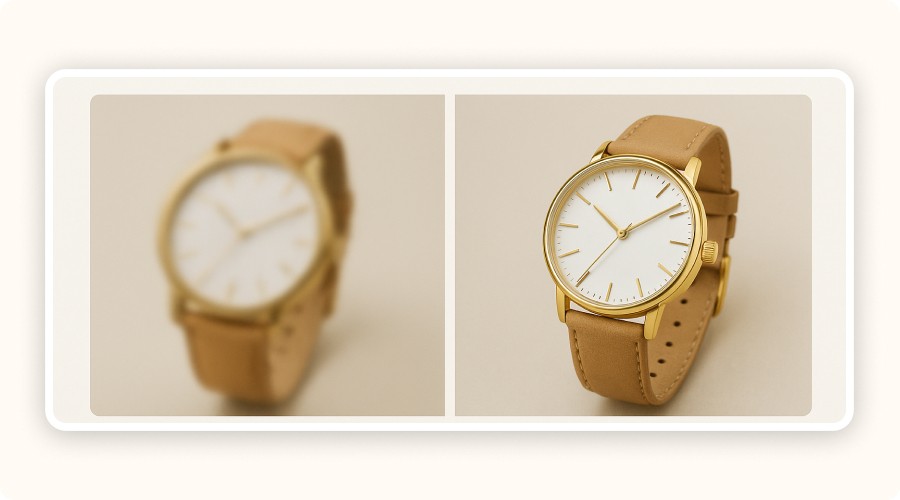
Wondering which photo editing tool to use for your dropshipping product photos?
There’s no need for complex professional software, what matters is finding a tool that’s simple, fast, and delivers professional results.
Here are four essential criteria to consider when choosing your photo editing software in dropshipping: ease of use, time efficiency, key features, and final quality.
Ease of Use (Perfect for Beginners)
Ease of use is the first thing to look for. You’re not a graphic designer, and that’s perfectly fine. You just need an intuitive tool that can transform your images in a few clicks.
Apps like Canva, Fotor, or Pixlr do exactly that.
With simple drag-and-drop interfaces, you can import a product image, remove the background, apply filters, and export your file instantly.
If the interface feels complicated, you’ll waste time, and in dropshipping, time is money.
Key Features (Background Removal, Filters, Resizing)
Your photo editor should include essential tools, no unnecessary complexity.
The three must-haves for dropshipping product images are:
Background removal: isolate your product on a clean white background, a standard in e-commerce.
Filters and adjustments: enhance sharpness, brightness, and contrast for a professional finish.
Resizing options: adapt your product photos to the formats required by Shopify, Facebook Ads, or Etsy.
If a tool doesn’t offer these three, skip it. Editors like Canva, Photopea, and Pixlr include them all free and easy to use.
E-Commerce Platform Compatibility (Shopify, WooCommerce)
e-commerce platform compatibility is key when working with dropshipping product photos. A good tool should export your images in optimized formats like JPEG or PNG, ideally on a white background and at 1200x1200 px resolution. Some editors even provide templates optimized for platforms such as Shopify, Amazon, or eBay, saving you hours of resizing and layout adjustments.
Pro tip: Keep your file sizes under 300 KB. This ensures faster loading times and a smoother customer experience.
Advanced Features (AI, Batch Editing, RAW Format)
If your store has many products, advanced features can make a huge difference in workflow and image quality.
Batch editing: apply the same adjustments to multiple photos at once.
Artificial Intelligence: remove backgrounds, correct lighting, and enhance color automatically.
RAW file support: retain every detail and achieve a professional-grade finish.
Free tools like Photopea, Pixlr, or GIMP already cover most of these features. For more advanced users, Claid.ai or Lightroom offer AI-driven automation and color precision for stunning visuals.
Tips to Optimize Your Dropshipping Product Images
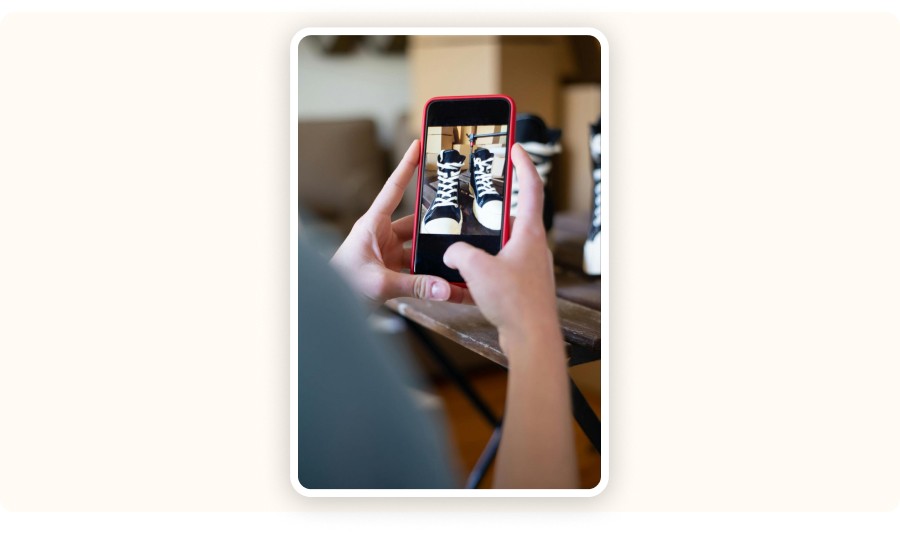
A product photo isn’t just for your listing, it directly influences your visitor’s decision to buy.
Remove Backgrounds Easily with AI Tools
A clean, distraction-free background is the foundation of any high-performing product image.
Tools like Remove.bg, Pixlr, or Canva Pro can automatically erase backgrounds in seconds, no editing skills needed.
AI handles the entire cutout process for you, delivering sharp and professional visuals ready for your product pages. Minimalist backgrounds make your products stand out, your pages load faster, and your dropshipping store looks more trustworthy. If you take your own photos, shoot directly on a white background to simplify post-editing.
Create Visual Consistency (Branding)
Editing one great product photo isn’t enough. To truly stand out, build a consistent visual identity across your entire catalog. Using the same lighting, background color, and dimensions for all your dropshipping product images makes your store look cohesive, like a real brand, not a random collection of supplier photos.
Tools like Canva or Photopea let you create reusable templates so every photo follows the same layout and color tone. This consistency builds trust and gives your products a “collection” feel professional, reliable, and instantly recognizable.
Adapt Image Formats to Each Platform (Shopify, Facebook Ads, Instagram)
Every platform has its own preferred photo format and aspect ratio:
Shopify: square, lightweight visuals (1200x1200 px)
Facebook Ads: horizontal images with strong visual impact
Instagram: vertical, immersive visuals optimized for mobile
Resizing tools like Fotor, BeFunky, or Lightroom ensure your images display correctly without cropping or distortion. A well-optimized format enhances professionalism, prevents stretched visuals, and improves ad performance across platforms.
FAQ
How can I create high-quality photos for my dropshipping products?
You can use free tools like Canva, Pixlr, or Photopea to remove backgrounds, adjust lighting, and enhance colors. Always keep images bright, clear, and consistent across your store.
Where do you get photos for your dropshipping products?
You can use supplier images from AliExpress or CJ Dropshipping, create your own photos using a smartphone and lightbox, or use royalty-free sites like Pexels and Unsplash.
Why are high-quality images important for dropshipping?
Clear, professional photos increase customer trust, improve click-through rates, and reduce return rates. Quality visuals directly influence conversions and brand credibility.
Do I need to hire a professional photographer for product photos?
Not necessarily. A good smartphone, natural lighting, and free editing tools are enough to produce professional-level dropshipping product photos.
Why High-Quality Product Photos Are Essential in Dropshipping
A product photo isn’t just an image, it’s your first sales pitch. It’s the first thing potential buyers notice before reading your product description.
Impact of photos on conversions
In dropshipping, your visuals are your best weapon. A visitor doesn’t read everything, they look at your product images, and you have about three seconds to make an impact. If your photo fails to grab attention, they’ll leave instantly, no matter how good your price or description is.
Your photo replaces the physical experience of touching or seeing the product in person. It needs to attract, convince, and reassure. A bright, sharp, and well-framed image can double your click-through rate, while a blurry or copied photo will scare customers away.
Strong, consistent, and optimized visuals directly influence your conversion rate, ad performance, and overall sales. In short, quality photos sell.
Branding, Customer Trust, and Return Rate
Working on your branding? Then your visuals matter even more.
In dropshipping, poor-quality photos (blurry, pixelated, or inconsistent) send the wrong signal. They make customers doubt your store’s legitimacy.
Harmonized images, with a consistent and professional style, reinforce your credibility. They help set the right expectations, reducing misunderstandings and complaints after e-commerce delivery. Clear, accurate product photos reduce return rates and customer support issues.
When buyers know exactly what they’ll receive, they’re happier, which means fewer disputes, better reviews, and higher retention.
Where to Find Photos for Your Dropshipping Products
Using supplier photos is the fastest way to get started. Platforms like AliExpress, CJ Dropshipping, and Zendrop often provide full product galleries ready for download.
However, these images are rarely ideal, they’re often poorly lit, generic, or reused across hundreds of stores. That lack of uniqueness hurts your brand’s credibility.
Some photos may even be over-edited or watermarked, which can harm your professional image.
The solution:
Always verify image usage rights.
Adjust brightness, contrast, and background to make your visuals unique.
Doing so not only protects your brand but also helps your store stand out visually.
Create Your Own Product Photos (Smartphone + Lightbox)
Want visuals that truly represent your brand? The simplest method is the most effective: shoot your own photos. Order a sample, place it on a clean background (white paper or a lightbox), and photograph it with your smartphone.
No need for expensive equipment: natural light, good framing, and minor editing are enough to get professional-looking results. You can even add dropshipping product videos to show your items in action or highlight key features.
The result? Unique photos that perfectly match your branding, with every angle, color, and composition under your control. That’s how you create visuals that make your product listings and ad campaigns stand out.
Use Royalty-Free Image Banks (Unsplash, Pexels, Pixabay)
Need lifestyle or contextual product photos?
Free photo libraries like Unsplash, Pexels, and Pixabay offer high-quality, royalty-free visuals that are well-composed and ready to use.
However, avoid using them to represent your products directly. Instead, use them to enhance your brand identity, strengthen your store design, or create a consistent aesthetic in your marketing materials. The best strategy? Combine your own photos with complementary stock images for a professional, cohesive look.
Pro tip: with tools like Minea Dropship Spy, you can even find and reuse high-performing product visuals from other successful stores.
How to Choose the Right Photo Editing Tool
Wondering which photo editing tool to use for your dropshipping product photos?
There’s no need for complex professional software, what matters is finding a tool that’s simple, fast, and delivers professional results.
Here are four essential criteria to consider when choosing your photo editing software in dropshipping: ease of use, time efficiency, key features, and final quality.
Ease of Use (Perfect for Beginners)
Ease of use is the first thing to look for. You’re not a graphic designer, and that’s perfectly fine. You just need an intuitive tool that can transform your images in a few clicks.
Apps like Canva, Fotor, or Pixlr do exactly that.
With simple drag-and-drop interfaces, you can import a product image, remove the background, apply filters, and export your file instantly.
If the interface feels complicated, you’ll waste time, and in dropshipping, time is money.
Key Features (Background Removal, Filters, Resizing)
Your photo editor should include essential tools, no unnecessary complexity.
The three must-haves for dropshipping product images are:
Background removal: isolate your product on a clean white background, a standard in e-commerce.
Filters and adjustments: enhance sharpness, brightness, and contrast for a professional finish.
Resizing options: adapt your product photos to the formats required by Shopify, Facebook Ads, or Etsy.
If a tool doesn’t offer these three, skip it. Editors like Canva, Photopea, and Pixlr include them all free and easy to use.
E-Commerce Platform Compatibility (Shopify, WooCommerce)
e-commerce platform compatibility is key when working with dropshipping product photos. A good tool should export your images in optimized formats like JPEG or PNG, ideally on a white background and at 1200x1200 px resolution. Some editors even provide templates optimized for platforms such as Shopify, Amazon, or eBay, saving you hours of resizing and layout adjustments.
Pro tip: Keep your file sizes under 300 KB. This ensures faster loading times and a smoother customer experience.
Advanced Features (AI, Batch Editing, RAW Format)
If your store has many products, advanced features can make a huge difference in workflow and image quality.
Batch editing: apply the same adjustments to multiple photos at once.
Artificial Intelligence: remove backgrounds, correct lighting, and enhance color automatically.
RAW file support: retain every detail and achieve a professional-grade finish.
Free tools like Photopea, Pixlr, or GIMP already cover most of these features. For more advanced users, Claid.ai or Lightroom offer AI-driven automation and color precision for stunning visuals.
Tips to Optimize Your Dropshipping Product Images
A product photo isn’t just for your listing, it directly influences your visitor’s decision to buy.
Remove Backgrounds Easily with AI Tools
A clean, distraction-free background is the foundation of any high-performing product image.
Tools like Remove.bg, Pixlr, or Canva Pro can automatically erase backgrounds in seconds, no editing skills needed.
AI handles the entire cutout process for you, delivering sharp and professional visuals ready for your product pages. Minimalist backgrounds make your products stand out, your pages load faster, and your dropshipping store looks more trustworthy. If you take your own photos, shoot directly on a white background to simplify post-editing.
Create Visual Consistency (Branding)
Editing one great product photo isn’t enough. To truly stand out, build a consistent visual identity across your entire catalog. Using the same lighting, background color, and dimensions for all your dropshipping product images makes your store look cohesive, like a real brand, not a random collection of supplier photos.
Tools like Canva or Photopea let you create reusable templates so every photo follows the same layout and color tone. This consistency builds trust and gives your products a “collection” feel professional, reliable, and instantly recognizable.
Adapt Image Formats to Each Platform (Shopify, Facebook Ads, Instagram)
Every platform has its own preferred photo format and aspect ratio:
Shopify: square, lightweight visuals (1200x1200 px)
Facebook Ads: horizontal images with strong visual impact
Instagram: vertical, immersive visuals optimized for mobile
Resizing tools like Fotor, BeFunky, or Lightroom ensure your images display correctly without cropping or distortion. A well-optimized format enhances professionalism, prevents stretched visuals, and improves ad performance across platforms.
FAQ
How can I create high-quality photos for my dropshipping products?
You can use free tools like Canva, Pixlr, or Photopea to remove backgrounds, adjust lighting, and enhance colors. Always keep images bright, clear, and consistent across your store.
Where do you get photos for your dropshipping products?
You can use supplier images from AliExpress or CJ Dropshipping, create your own photos using a smartphone and lightbox, or use royalty-free sites like Pexels and Unsplash.
Why are high-quality images important for dropshipping?
Clear, professional photos increase customer trust, improve click-through rates, and reduce return rates. Quality visuals directly influence conversions and brand credibility.
Do I need to hire a professional photographer for product photos?
Not necessarily. A good smartphone, natural lighting, and free editing tools are enough to produce professional-level dropshipping product photos.
Why High-Quality Product Photos Are Essential in Dropshipping
A product photo isn’t just an image, it’s your first sales pitch. It’s the first thing potential buyers notice before reading your product description.
Impact of photos on conversions
In dropshipping, your visuals are your best weapon. A visitor doesn’t read everything, they look at your product images, and you have about three seconds to make an impact. If your photo fails to grab attention, they’ll leave instantly, no matter how good your price or description is.
Your photo replaces the physical experience of touching or seeing the product in person. It needs to attract, convince, and reassure. A bright, sharp, and well-framed image can double your click-through rate, while a blurry or copied photo will scare customers away.
Strong, consistent, and optimized visuals directly influence your conversion rate, ad performance, and overall sales. In short, quality photos sell.
Branding, Customer Trust, and Return Rate
Working on your branding? Then your visuals matter even more.
In dropshipping, poor-quality photos (blurry, pixelated, or inconsistent) send the wrong signal. They make customers doubt your store’s legitimacy.
Harmonized images, with a consistent and professional style, reinforce your credibility. They help set the right expectations, reducing misunderstandings and complaints after e-commerce delivery. Clear, accurate product photos reduce return rates and customer support issues.
When buyers know exactly what they’ll receive, they’re happier, which means fewer disputes, better reviews, and higher retention.
Where to Find Photos for Your Dropshipping Products
Using supplier photos is the fastest way to get started. Platforms like AliExpress, CJ Dropshipping, and Zendrop often provide full product galleries ready for download.
However, these images are rarely ideal, they’re often poorly lit, generic, or reused across hundreds of stores. That lack of uniqueness hurts your brand’s credibility.
Some photos may even be over-edited or watermarked, which can harm your professional image.
The solution:
Always verify image usage rights.
Adjust brightness, contrast, and background to make your visuals unique.
Doing so not only protects your brand but also helps your store stand out visually.
Create Your Own Product Photos (Smartphone + Lightbox)
Want visuals that truly represent your brand? The simplest method is the most effective: shoot your own photos. Order a sample, place it on a clean background (white paper or a lightbox), and photograph it with your smartphone.
No need for expensive equipment: natural light, good framing, and minor editing are enough to get professional-looking results. You can even add dropshipping product videos to show your items in action or highlight key features.
The result? Unique photos that perfectly match your branding, with every angle, color, and composition under your control. That’s how you create visuals that make your product listings and ad campaigns stand out.
Use Royalty-Free Image Banks (Unsplash, Pexels, Pixabay)
Need lifestyle or contextual product photos?
Free photo libraries like Unsplash, Pexels, and Pixabay offer high-quality, royalty-free visuals that are well-composed and ready to use.
However, avoid using them to represent your products directly. Instead, use them to enhance your brand identity, strengthen your store design, or create a consistent aesthetic in your marketing materials. The best strategy? Combine your own photos with complementary stock images for a professional, cohesive look.
Pro tip: with tools like Minea Dropship Spy, you can even find and reuse high-performing product visuals from other successful stores.
How to Choose the Right Photo Editing Tool
Wondering which photo editing tool to use for your dropshipping product photos?
There’s no need for complex professional software, what matters is finding a tool that’s simple, fast, and delivers professional results.
Here are four essential criteria to consider when choosing your photo editing software in dropshipping: ease of use, time efficiency, key features, and final quality.
Ease of Use (Perfect for Beginners)
Ease of use is the first thing to look for. You’re not a graphic designer, and that’s perfectly fine. You just need an intuitive tool that can transform your images in a few clicks.
Apps like Canva, Fotor, or Pixlr do exactly that.
With simple drag-and-drop interfaces, you can import a product image, remove the background, apply filters, and export your file instantly.
If the interface feels complicated, you’ll waste time, and in dropshipping, time is money.
Key Features (Background Removal, Filters, Resizing)
Your photo editor should include essential tools, no unnecessary complexity.
The three must-haves for dropshipping product images are:
Background removal: isolate your product on a clean white background, a standard in e-commerce.
Filters and adjustments: enhance sharpness, brightness, and contrast for a professional finish.
Resizing options: adapt your product photos to the formats required by Shopify, Facebook Ads, or Etsy.
If a tool doesn’t offer these three, skip it. Editors like Canva, Photopea, and Pixlr include them all free and easy to use.
E-Commerce Platform Compatibility (Shopify, WooCommerce)
e-commerce platform compatibility is key when working with dropshipping product photos. A good tool should export your images in optimized formats like JPEG or PNG, ideally on a white background and at 1200x1200 px resolution. Some editors even provide templates optimized for platforms such as Shopify, Amazon, or eBay, saving you hours of resizing and layout adjustments.
Pro tip: Keep your file sizes under 300 KB. This ensures faster loading times and a smoother customer experience.
Advanced Features (AI, Batch Editing, RAW Format)
If your store has many products, advanced features can make a huge difference in workflow and image quality.
Batch editing: apply the same adjustments to multiple photos at once.
Artificial Intelligence: remove backgrounds, correct lighting, and enhance color automatically.
RAW file support: retain every detail and achieve a professional-grade finish.
Free tools like Photopea, Pixlr, or GIMP already cover most of these features. For more advanced users, Claid.ai or Lightroom offer AI-driven automation and color precision for stunning visuals.
Tips to Optimize Your Dropshipping Product Images
A product photo isn’t just for your listing, it directly influences your visitor’s decision to buy.
Remove Backgrounds Easily with AI Tools
A clean, distraction-free background is the foundation of any high-performing product image.
Tools like Remove.bg, Pixlr, or Canva Pro can automatically erase backgrounds in seconds, no editing skills needed.
AI handles the entire cutout process for you, delivering sharp and professional visuals ready for your product pages. Minimalist backgrounds make your products stand out, your pages load faster, and your dropshipping store looks more trustworthy. If you take your own photos, shoot directly on a white background to simplify post-editing.
Create Visual Consistency (Branding)
Editing one great product photo isn’t enough. To truly stand out, build a consistent visual identity across your entire catalog. Using the same lighting, background color, and dimensions for all your dropshipping product images makes your store look cohesive, like a real brand, not a random collection of supplier photos.
Tools like Canva or Photopea let you create reusable templates so every photo follows the same layout and color tone. This consistency builds trust and gives your products a “collection” feel professional, reliable, and instantly recognizable.
Adapt Image Formats to Each Platform (Shopify, Facebook Ads, Instagram)
Every platform has its own preferred photo format and aspect ratio:
Shopify: square, lightweight visuals (1200x1200 px)
Facebook Ads: horizontal images with strong visual impact
Instagram: vertical, immersive visuals optimized for mobile
Resizing tools like Fotor, BeFunky, or Lightroom ensure your images display correctly without cropping or distortion. A well-optimized format enhances professionalism, prevents stretched visuals, and improves ad performance across platforms.
FAQ
How can I create high-quality photos for my dropshipping products?
You can use free tools like Canva, Pixlr, or Photopea to remove backgrounds, adjust lighting, and enhance colors. Always keep images bright, clear, and consistent across your store.
Where do you get photos for your dropshipping products?
You can use supplier images from AliExpress or CJ Dropshipping, create your own photos using a smartphone and lightbox, or use royalty-free sites like Pexels and Unsplash.
Why are high-quality images important for dropshipping?
Clear, professional photos increase customer trust, improve click-through rates, and reduce return rates. Quality visuals directly influence conversions and brand credibility.
Do I need to hire a professional photographer for product photos?
Not necessarily. A good smartphone, natural lighting, and free editing tools are enough to produce professional-level dropshipping product photos.
Similar articles




Our Free Adspys

Find winning products on our Tiktok adspy today!
Find winning products on our Facebook adspy today!
Find winning products on our Tiktok adspy today!
Find winning products on our Facebook adspy today!
Find winning products on our Tiktok adspy today!
Find winning products on our Facebook adspy today!
Find winning products on our Tiktok adspy today!
Find winning products on our Facebook adspy today!
1 winning product everyday.
Follow us!






Find out more
Read more
Minea © 2026
Find out more
Read more
Minea © 2026
Find out more
Read more
Minea © 2026
Find out more
Read more
Minea © 2026
Find out more
Read more
Minea © 2026
Find out more
Read more
Minea © 2026