
Explore our other topics
🏆 Dropshipping Softwares
📈 Comparative Market Analysis Tools
🔍 Customer Service for Dropshipping
📉 Dropshipping Automation Software
🧾 Product Research Tools
®️ Creative tools
📊 Print on demand websites
✅ Inventory management sofware
©️ Best Email Marketing Tools
™️ Best Dropshipping plugins
⭐ Best Shopify apps
🚨 Best dropshipping payment gateway
💯 Dropshipping product importer
🤝🏻 Customer relationship management tools
💻 Best Network Management Software
🔙 Returns Management Software
🚚 Best Ecommerce Fulfillment Center
Contents
What Are the Best Dropshipping Analytics Tools?
If you want to grow a dropshipping store, guessing isn’t a strategy. You need clear data to understand :
what drives sales
where customers drop off
which channels actually bring profit.
That’s exactly why analytics matters. The best dropshipping analytics tools help you track your traffic, measure conversions, monitor product performance, and optimize ad spend with real numbers, not intuition. But with so many platforms available (from free basics to advanced, growth-focused suites), choosing the right one can feel overwhelming.
In this guide, we’ll break down the best dropshipping analytics tools, what they do, and how to pick the smartest option for your stage.
What if we went even further?
Discover all our related articles and resources


The Best Dropshipping Analytics Tools for 2026
Growing a dropshipping store isn’t just about sales you need to understand why you win or lose. That’s what analytics tools do : they reveal performance, visitor behavior, and which marketing channels drive results. Not all tools are equal: some are free and beginner-friendly, others are advanced for testing, optimization, and scaling.
Minea
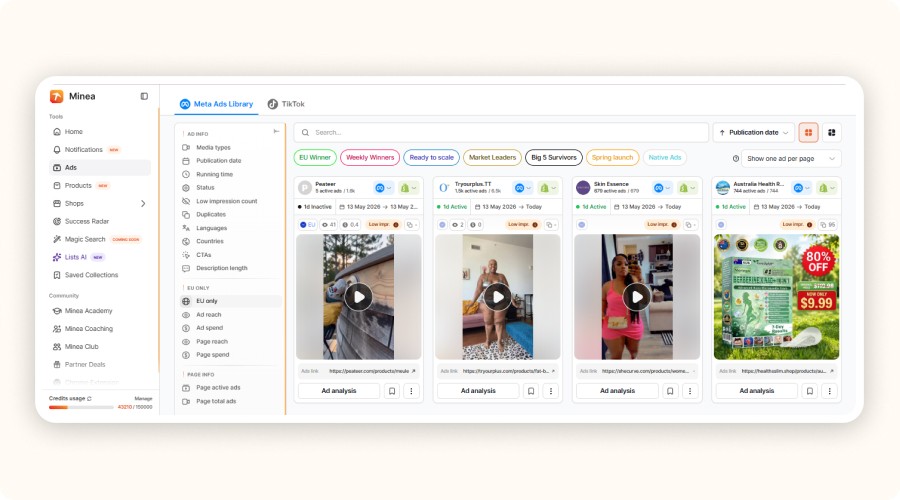
Minea is a dropshipping analytics tool focused on “market intelligence” (ads + products).
Instead of tracking what happens inside your store, it helps you analyze what’s already working outside your store, so you can spot winning products faster.
You get access to a large ad/product library and can break down creatives, marketing angles, and engagement data (likes, comments, shares, etc.) to understand why an ad performs. Its Success Radar (AI) tracks trends and updates multiple times a day, useful to catch products before they’re saturated. Minea also helps with execution: supplier discovery and 1-click Shopify import to
Pros | Cons |
|---|---|
Finds winning ads/products fast | Not made for on-site traffic analytics (sessions, checkout behavior) |
Strong creative + angle + engagement analysis | Paid tool (credit-based plans) |
AI trend tracking (Success Radar) to spot winners early | Features vary depending on the plan |
Supplier discovery + 1-click Shopify import speeds testing | Doesn’t replace GA4/Shopify Analytics for performance tracking |
Useful for competitor inspiration and ad research | Can be overkill if you only need basic store stats |
Google Analytics 4 (GA4)
Google Analytics 4 is a powerful and free analytical tool for ecommerce. It tracks all the action on your site in real time.
You just add a script to your store. GA4 will start tracking everything traffic sources, page views, clicks, conversions, and more. You’ll see how people move through your sales funnel. You’ll find what’s working, and what needs fixing. It’s a great tool for tracking sales performance, especially when you’re just starting out.
Pros | Cons |
|---|---|
Free and packed with features | Interface can be confusing at first |
Tracks customer behavior: scrolls, clicks, conversions | Needs proper setup to work well |
Works with all major ecommerce platforms | No visual heatmaps |
Covers multi-channel traffic: SEO, Google Ads, social media | Takes time to get the most out of it |
Great for beginners and beyond | Not ideal for UX insights on its own |
GA4 is totally free, even for pro use. There’s also a premium version, Google Analytics 360, but that’s for big enterprise stores.
Hotjar
Hotjar isn’t just another spy tool. It’s one of the most useful dropshipping analytics tools if you want to actually see how people use your store.
While Google Analytics gives you numbers, Hotjar shows you the full experience visually. You get:
heatmaps
session recordings
quick feedback forms
You can see exactly where visitors click. How far they scroll. When they lose interest and leave. Want to know why they didn’t convert? Just ask, right from the page. This analytical tool for ecommerce makes it easy to find weak spots in your sales funnel. No coding. No complicated setup. Hotjar’s free plan gives you up to 35 sessions a day. If you want more, paid plans start at €39/month.
Pros | Cons |
|---|---|
Clear heatmaps for clicks, scrolls, and movement | Doesn’t show in-depth metrics or financial KPIs like GA4 |
Session replays help you spot friction fast | Doesn’t track traffic sources or audience segmentation |
Built-in forms let you collect real feedback from users | Free plan limits daily sessions |
Super easy to set up | Not designed for full-scale ecommerce data reporting |
Great for improving product pages and conversion funnels | No multi-channel tracking like other ecommerce analytic tools |
Shopify Analytics
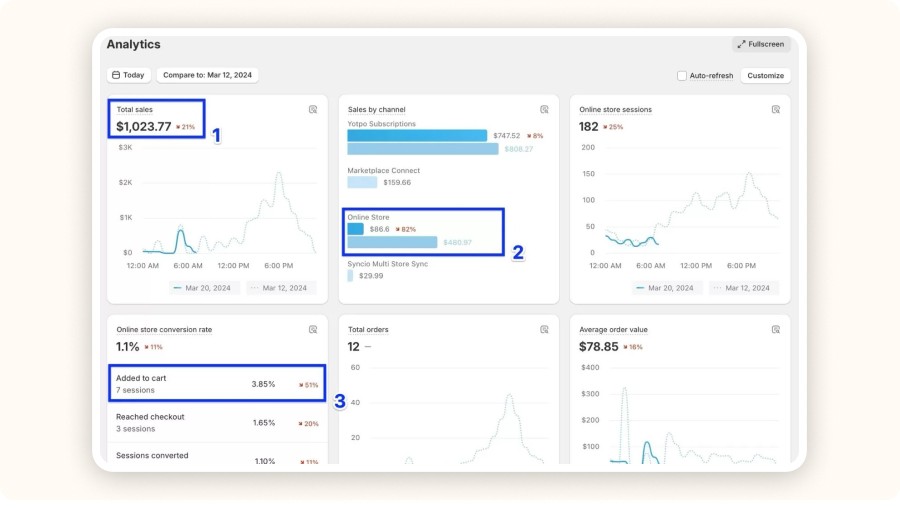
Shopify Analytics is built right into your store. As soon as your shop goes live, it starts tracking your key data (sales, traffic, and customer activity) automatically. No plugins. No manual setup. It’s ready from day one.
The platform gives you clear reports on:
total orders
average order value
your main sales channels
and your conversion rates
This analytical tool for ecommerce business is ideal for sellers who want to keep things simple while staying in control. It’s included in all Shopify plans. If you need deeper insights, you’ll get access to advanced reports starting at the “Shopify” plan ($79/month). It’s one of the most accessible tools for dropshipping, especially for beginners who want fast, reliable data.
Pros | Cons |
|---|---|
Built into Shopify, no plugin needed | No heatmaps or session replays |
Easy-to-use sales tracking tools | Fewer features than third-party analytics tools for ecommerce |
Real-time insights for performance tracking | Advanced reports require higher plans |
Instant access to core ecommerce metrics | No funnel or customer behavior visualization |
Accurate data based on actual transactions | Missing features found in the best analytics tools for ecommerce |
What if we went even further?
Discover all our related articles and resources
Kissmetrics
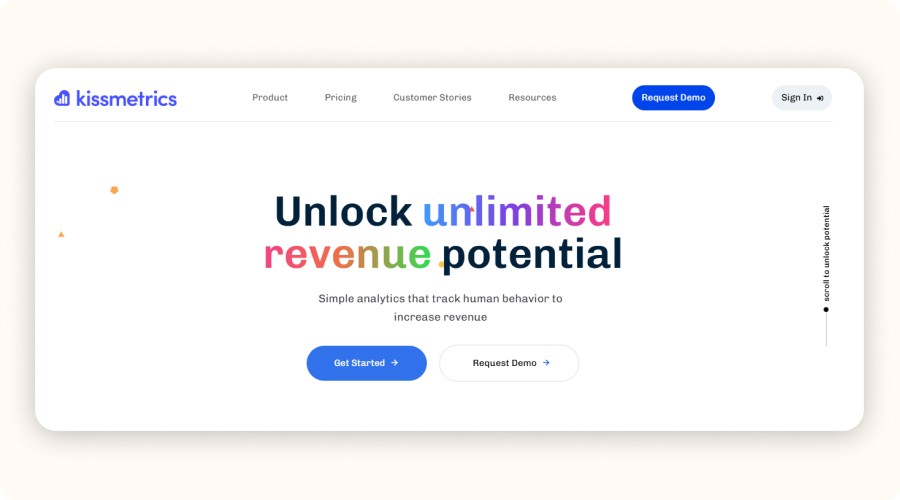
Kissmetrics is more than just dashboards.
This analytical tool for ecommerce tracks every visitor individually and maps out their entire journey, from the first click to repeat purchases. You see exactly how people interact with your store and where they convert, hesitate, or bounce.
It's a powerful performance tracking tool made for sellers who want to scale fast. With cohort tracking, funnel reports, and CLV insights, it helps you turn traffic into long-term customers. No free plan here, pricing starts at $299/month, billed annually. You’ll need to request a demo to get started.
Pros | Cons |
|---|---|
Tracks user journeys from acquisition to retention | Not the easiest tool for beginners |
Advanced funnel and conversion analysis with smart filters | No free version |
Automatically calculates customer lifetime value (CLV) | Higher cost for small or new stores |
Visual dashboards that are ready to use | Learning curve if you're new to analytics tools for ecommerce |
Perfect for refining ad campaigns and testing what works | May not fit limited budgets or early-stage shops |
Mixpanel

Mixpanel is a product-focused analytics tool. It shows you how users interact with your store, from the first click to what happens after they buy. It tracks every action: clicks, scrolls, cart adds, drop-offs. It’s great for understanding what keeps people engaged and what makes them leave.
Its biggest strength? Funnels. You can build custom conversion funnels for every step (visit, add to cart, checkout, purchase) and see where people drop off. Mixpanel is also affordable. The free plan covers up to 20 million events per month. Paid plans start at $20/month.
Pros | Cons |
|---|---|
Custom conversion funnels | Not ideal for beginners or small stores |
Tracks every event in real time | Limited marketing data (traffic sources, SEO) |
Segments users by device, channel, and behavior | Requires setup and some learning |
Great for measuring retention and engagement | Less focused on general traffic stats |
Clean, modern interface, works with Shopify | More technical than basic analytics tools for ecommerce |
Glew.io
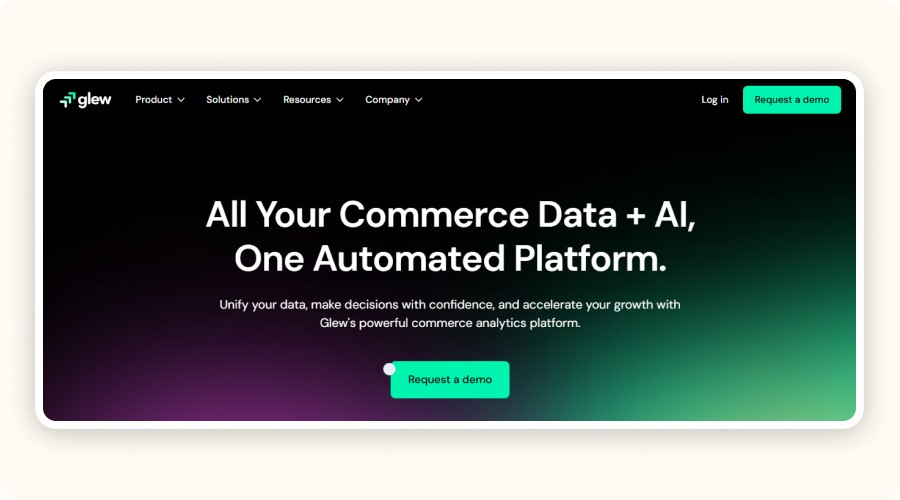
Glew.io pulls all your data into one single dashboard, sales, marketing, and customer insights. It connects with Shopify, WooCommerce, Amazon, Google Ads, Facebook Ads, and more. You get a complete view of your store’s performance in one place.
Where Glew.io really shines is in its advanced customer segmentation and automated lifetime value (LTV) tracking. It helps you answer key questions:
Which products bring in the most profit?
Which customer segments spend the most?
Where do your most valuable buyers come from?
You get a free trial, then paid plans start at $79/month, billed annually.
Pros | Cons |
|---|---|
All-in-one dashboard for sales, campaigns, and customer data | Steeper learning curve for beginners |
Deep customer lifetime value (CLV) analysis | Interface can feel heavy at first |
Powerful segmentation by channel, product, or customer | Free version has limited features |
Works with most major ecommerce and marketing platforms | Less suited for small stores without a multichannel strategy |
Great for brands selling across multiple channels | May require a paid plan early on to unlock key features |
Matomo
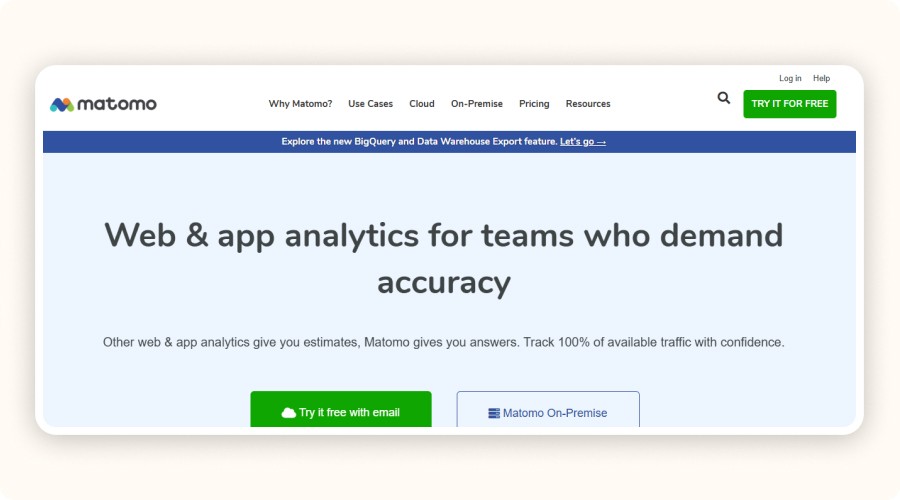
Matomo is an open-source alternative to Google Analytics, made for ecommerce brands that care about data privacy. Unlike Google, Matomo gives you full control over your data. You can even host it on your own server, completely free.
With Matomo, you can track:
visits
conversions
page views
marketing campaigns
and user behavior
It’s a transparent ecommerce analytic tool, perfect for GDPR compliance, especially if you sell in Europe.
Pros | Cons |
|---|---|
Strong privacy focus, no data sharing with third parties | Not as intuitive as GA4 or Hotjar |
Clear, easy-to-use interface | Needs technical setup if self-hosted |
Custom reports aligned with ecommerce goals | Lacks predictive or behavior-based features |
Can be hosted on your own server for full control | Fewer built-in marketing tools compared to other analytics tools for ecommerce |
Compatible with WooCommerce and Shopify via plugins | May not suit beginners looking for plug-and-play simplicity |
Supermetrics
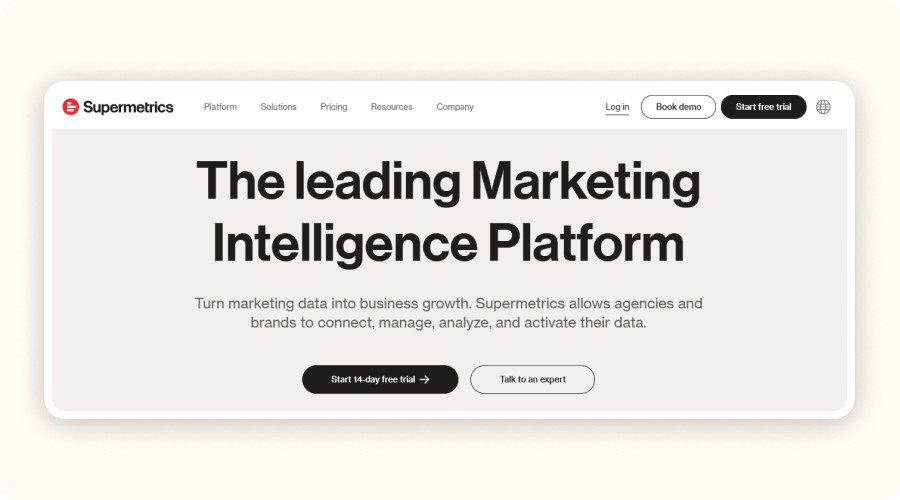
Supermetrics helps you collect and organize all your marketing data in one place, no more jumping between platforms.
It pulls data from Google Ads, Facebook Ads, Shopify, Google Analytics, and over 90 other sources. The result? Clean dashboards without the messy exports. This is one of the best analytics tools for ecommerce if you're managing several traffic sources and want everything centralized.
You can plug Supermetrics into Google Sheets, Excel, Looker Studio, or BigQuery. It’s perfect for tracking your ecommerce performance across all channels in one dashboard. You get a 14-day free trial. After that, plans start at €39/month, depending on how many sources you connect.
Pros | Cons |
|---|---|
Big time-saver for reporting | Not great if you only use one sales channel |
Connects with 90+ data sources | Doesn’t analyze customer behavior or UX |
Easy to link with Excel, Google Sheets, Looker, and more | Interface is English-only |
Ideal for tracking dropshipping performance across platforms | More for reporting than a full performance tracking tool |
Great for automating KPIs and client dashboards | Doesn’t include conversion or funnel analysis |
Triple Whale
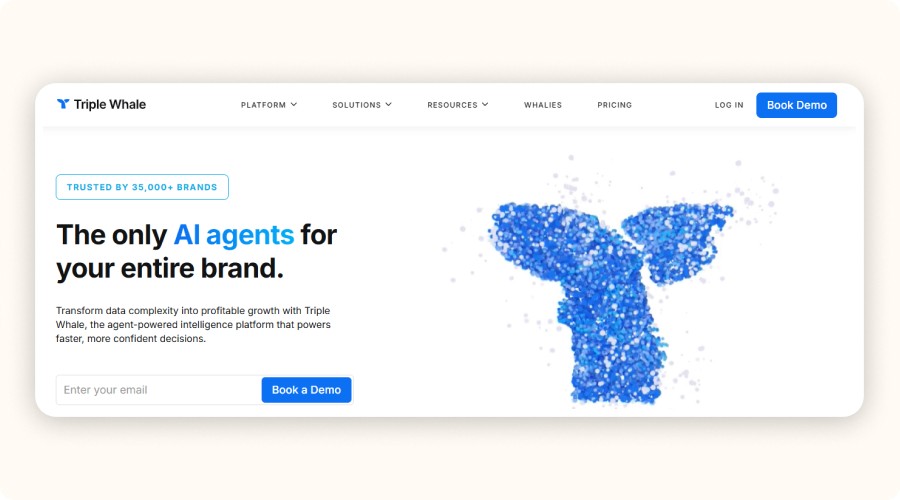
Triple Whale is built for DTC (direct-to-consumer) brands. It brings together your ad data, sales, and customer performance into one clear and visual dashboard.
It’s especially useful for stores that run ads like Meta Ads, TikTok Ads, or Google Ads. Why? Because it gives you:
accurate ad attribution
real-time ROAS tracking (Return On Ad Spend)
advanced customer lifetime value (LTV) modeling
It also connects natively to Shopify, so you can sync your store data easily and instantly. Pricing starts at $1,290/year, depending on your plan and feature needs.
Pros | Cons |
|---|---|
Full dashboard for ad-focused ecommerce brands | No free version, premium plan is expensive |
Reliable multi-channel attribution | Not useful if you don’t run paid ads |
LTV and CAC modeling | Limited French localization (English-only interface) |
Real-time, visual data display | High pricing may not suit smaller stores |
Great for aggressive scaling strategies | May be overkill for basic tracking needs |
Comparison table of the various tools
Tool | What it’s for (1 line) | Best if… |
|---|---|---|
Minea | Find winning products/ads (market + ad intelligence) | You want to see what’s already working |
GA4 (Google Analytics 4) | Track everything on your site (traffic + sales) | You want a strong free foundation |
Hotjar | See real user behavior (heatmaps + recordings) | You want to know why people don’t convert |
Shopify Analytics | Basic stats inside Shopify | You want quick data with zero setup |
Mixpanel | Funnels + event tracking (clicks, drop-offs, retention) | You optimize the customer journey deeply |
Glew.io | All-in-one dashboard (sales + ads + customers) | You sell across multiple channels |
Supermetrics | Automate reporting dashboards (Sheets/Looker/Excel) | You need clean KPI reporting fast |
Triple Whale | Attribution + ROAS for paid ads (DTC) | You scale heavily with Meta/TikTok/Google |
Matomo | Privacy-first analytics (GA alternative) | You want full data control / GDPR focus |
Kissmetrics | Customer journey + LTV/CLV (advanced) | You’re already scaling and want deeper insights |
What if we went even further?
Discover all our related articles and resources
Why Analytics Tools Are Crucial for Dropshipping Success
Dropshipping is all about fast testing, new products, new ads, new pages. But without solid data from ecommerce analytic tools, those tests are just guesses. You can’t grow a serious business on hunches. You need real numbers. Clear insights. That’s where dropshipping analytics tools come in. They help you stop guessing and start making decisions that actually move the needle.
The Risks of Running Without Data

Running your dropshipping store without analytics is like flying without instruments. You have no idea what’s working or what’s not. Without data, here’s what you miss:
Where your traffic really comes from TikTok, Google, Facebook Ads?
Which products pull people in… and which ones drive them away
Why some pages convert and others don’t, why suppliers are better than others.
Where your sales funnel breaks
That’s a problem. You end up testing blindly, wasting your ad budget, and not learning from it. This is why you need sales tracking tools and at least one performance tracking tool from the start. The best analytics tools for ecommerce help you track what matters, test smarter, and scale faster all while staying in control.
The Benefits of Using Analytics in Dropshipping

A good analytical tool for ecommerce doesn’t just show numbers, it shows what actually drives your results. Instead of trusting gut feelings, you make decisions based on real data. With the right analytics tools for ecommerce, you get clear answers fast.
Here’s what you unlock:
Track your multichannel sales with precision, Google Ads, Meta, email, organic
Validate a product in just a few days using clicks, conversions, and carts
Optimize your ad campaigns by testing the right message, image, and audience
Understand customer behavior in real time, not based on assumptions
When you combine tools for dropshipping with solid sales performance tracking, your store goes from random to reliable. Want to scale faster? Start using a performance tracking tool. It’s the smartest way to stop guessing and start tracking sales performance for real growth.
Bottom line: the best analytics tools for ecommerce can turn a struggling shop into a profitable one — and fast.
How to Choose the Right Analytics Tool for Your Store
Every analytics tool has its strengths and weaknesses. Some are super technical. Others are very visual. Some just don’t offer enough. To save time and money, pick a solution that fits your level, needs, and strategy.
Match the Tool to Your Business Stage

Choose an analytics tool you’ll consistently use and that fits your store’s maturity.
If you’re starting out, prioritize simple setup and core reports, Google Analytics or built-in Shopify/WooCommerce dashboards are usually enough.
As you scale, add tools that support deeper customer segmentation, cohort analysis, and funnel experimentation (e.g., Mixpanel, Glew.io). Check must-have capabilities: conversion funnel and drop-off tracking, product performance (sales, margin, clicks), campaign metrics (ROAS, CPA), easy integrations, and multi-channel attribution.
Finally, compare cost to expected ROI: time saved, decisions improved, learning curve, support quality, and update cadence. Rule of thumb: pay when insights clearly boost profit or cut waste.
How Analytics Improve Your Sales Funnel and Customer Experience
Are your visitors leaving your site without buying? It’s not always about price or product. In 80% of cases, something blocks them inside your sales funnel. Maybe your page is too long, your message is unclear, your CTA is misplaced, or the site loads too slowly. Without data, you can’t spot these problems and you can’t fix them. With the right dropshipping analytics tools and performance tracking tool, you get a clear view of your customer’s journey, from arrival to purchase.
Funnel Visualization and Friction Point Analysis

A good tool shows you exactly where visitors drop off:
Do they stop on the product page?
Do they abandon at checkout?
Knowing this is key to optimizing your store.
Tools like Hotjar, one of the best analytics tools for ecommerce, let you see behavior with heatmaps and session replays. You see where visitors click, scroll, or leave. Mixpanel offers fully customizable funnels. It shows conversion rates at each step. This makes spotting friction points quick and easy. Using these sales tracking tools helps you fix issues and boost tracking sales performance fast.
Boosting Conversion Rates with Data

Found the weak spots? Now act on them:
Test multiple versions of your product pages images, headlines, descriptions
Move or rewrite your CTAs to make them stand out
Shorten forms and simplify checkout steps
Do this while measuring the impact of each test. That’s what being data-driven means: you test, measure, and adjust. The result? A smoother funnel, better customer experience, and rising conversions. Using the right dropshipping analytics tools and sales performance tracking lets you make these smart moves with confidence.
Verdict
Just picking a good product is not enough to build a successful dropshipping business. You need dropshipping analytics tools to see what really works. Real data helps you make smart decisions. Choose the right tools for dropshipping based on your needs quick testing, improving, or fast growth.
Check your numbers often. Don’t wait for sales to drop to use your performance tracking tool or sales tracking tools. Use analytics tools for ecommerce that show you everything traffic, customer behavior, and sales. This way, you find problems early, fix them fast, and grow faster than others.
Remember, tracking sales performance is a must. With the best ecommerce analytic tools, data becomes your biggest ally.
FAQ on Dropshipping Analytics Tools
What are the best analytics tools for dropshipping?
It depends on your level and budget. Google Analytics 4 (free) and Shopify Analytics are enough to track traffic, conversions, and product performance. For more advanced options, try Mixpanel, Hotjar (user behavior), or Glew.io (LTV, customer segmentation). The best tool is the one you actually use.
How do I analyze the performance of an online store?
Follow key KPIs:
Conversion rate
Average order value (AOV)
Customer lifetime value (CLV)
Customer acquisition cost (CAC)
Then, use an analytics tool to see where visitors leave or don’t interact. Mix data on sales and traffic with behavior data like clicks and drop-offs.
What tool should I use to track sales?
If you’re on Shopify, Shopify Analytics is enough to see sales, carts, top products, and conversion rates. Otherwise, use Google Analytics 4 for free sales tracking via conversion events. For precise tracking (multi-channel, LTV, campaigns), use Glew.io or Triple Whale.
How do I test a dropshipping product with data?
Start an ad campaign (Facebook, TikTok…) and watch the data from day one. Look at clicks, cost per add to cart, and conversion rate. Use page data from tools like Hotjar too. In 3 to 5 days, you’ll know if the product is worth pushing or dropping.
What if we went even further?
Discover all our related articles and resources








