payment method for your dropshipping supplier via Shopify

Which Payment Method Should You Choose for Dropshipping? Complete Guide

Dropshipping Fees

Author:

January 24, 2026

Contents

To learn how to pay for dropshipping, you need a payment method that is secure, fast, and accepted by your supplier. Without a reliable payment setup, your business can quickly slow down or break.

In dropshipping, you sell products without holding inventory. Your supplier ships directly to your customers, and in most cases, nothing is fulfilled until the payment is confirmed. On top of that, you must anticipate dropshipping fees such as transaction fees, platform fees, and processing costs. Credit cards, PayPal, Stripe, and bank transfers all have their advantages, but which option is best to manage supplier payments smoothly? Let’s break down how to pay for dropshipping orders safely and efficiently.

Why Supplier Payments Matter in Dropshipping
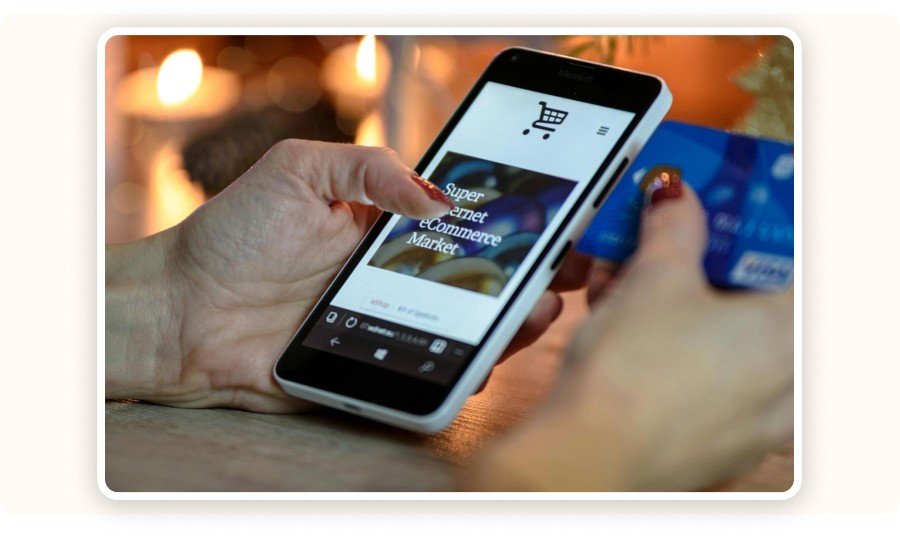
Person making an online payment

To succeed in dropshipping, selling is only part of the equation. You also need to master logistics, especially payments. Supplier payments directly impact shipping speed, service reliability, and long-term customer satisfaction.

Paying your supplier confirms the order. Once payment is processed, the supplier starts fulfillment and shipping. A reliable payment system helps you:

  • reassure suppliers that you are a serious business partner,

  • build long-term relationships,

  • negotiate better terms such as discounts or delayed payments.

On the other hand, late or inconsistent payments can cause fulfillment delays, disputes, or even a breakdown in collaboration, putting your entire business at risk. That’s why choosing the right payment method is essential when deciding how to pay for dropshipping products. Suppliers have different preferences: some favor PayPal, others prefer Stripe or bank transfers. Payment gateways help streamline these transactions and keep operations running smoothly.

To learn how to pay for dropshipping, you need a payment method that is secure, fast, and accepted by your supplier. Without a reliable payment setup, your business can quickly slow down or break.

In dropshipping, you sell products without holding inventory. Your supplier ships directly to your customers, and in most cases, nothing is fulfilled until the payment is confirmed. On top of that, you must anticipate dropshipping fees such as transaction fees, platform fees, and processing costs. Credit cards, PayPal, Stripe, and bank transfers all have their advantages, but which option is best to manage supplier payments smoothly? Let’s break down how to pay for dropshipping orders safely and efficiently.

Why Supplier Payments Matter in Dropshipping

Person making an online payment

To succeed in dropshipping, selling is only part of the equation. You also need to master logistics, especially payments. Supplier payments directly impact shipping speed, service reliability, and long-term customer satisfaction.

Paying your supplier confirms the order. Once payment is processed, the supplier starts fulfillment and shipping. A reliable payment system helps you:

  • reassure suppliers that you are a serious business partner,

  • build long-term relationships,

  • negotiate better terms such as discounts or delayed payments.

On the other hand, late or inconsistent payments can cause fulfillment delays, disputes, or even a breakdown in collaboration, putting your entire business at risk. That’s why choosing the right payment method is essential when deciding how to pay for dropshipping products. Suppliers have different preferences: some favor PayPal, others prefer Stripe or bank transfers. Payment gateways help streamline these transactions and keep operations running smoothly.

To learn how to pay for dropshipping, you need a payment method that is secure, fast, and accepted by your supplier. Without a reliable payment setup, your business can quickly slow down or break.

In dropshipping, you sell products without holding inventory. Your supplier ships directly to your customers, and in most cases, nothing is fulfilled until the payment is confirmed. On top of that, you must anticipate dropshipping fees such as transaction fees, platform fees, and processing costs. Credit cards, PayPal, Stripe, and bank transfers all have their advantages, but which option is best to manage supplier payments smoothly? Let’s break down how to pay for dropshipping orders safely and efficiently.

Why Supplier Payments Matter in Dropshipping

Person making an online payment

To succeed in dropshipping, selling is only part of the equation. You also need to master logistics, especially payments. Supplier payments directly impact shipping speed, service reliability, and long-term customer satisfaction.

Paying your supplier confirms the order. Once payment is processed, the supplier starts fulfillment and shipping. A reliable payment system helps you:

  • reassure suppliers that you are a serious business partner,

  • build long-term relationships,

  • negotiate better terms such as discounts or delayed payments.

On the other hand, late or inconsistent payments can cause fulfillment delays, disputes, or even a breakdown in collaboration, putting your entire business at risk. That’s why choosing the right payment method is essential when deciding how to pay for dropshipping products. Suppliers have different preferences: some favor PayPal, others prefer Stripe or bank transfers. Payment gateways help streamline these transactions and keep operations running smoothly.

To learn how to pay for dropshipping, you need a payment method that is secure, fast, and accepted by your supplier. Without a reliable payment setup, your business can quickly slow down or break.

In dropshipping, you sell products without holding inventory. Your supplier ships directly to your customers, and in most cases, nothing is fulfilled until the payment is confirmed. On top of that, you must anticipate dropshipping fees such as transaction fees, platform fees, and processing costs. Credit cards, PayPal, Stripe, and bank transfers all have their advantages, but which option is best to manage supplier payments smoothly? Let’s break down how to pay for dropshipping orders safely and efficiently.

Why Supplier Payments Matter in Dropshipping

Person making an online payment

To succeed in dropshipping, selling is only part of the equation. You also need to master logistics, especially payments. Supplier payments directly impact shipping speed, service reliability, and long-term customer satisfaction.

Paying your supplier confirms the order. Once payment is processed, the supplier starts fulfillment and shipping. A reliable payment system helps you:

  • reassure suppliers that you are a serious business partner,

  • build long-term relationships,

  • negotiate better terms such as discounts or delayed payments.

On the other hand, late or inconsistent payments can cause fulfillment delays, disputes, or even a breakdown in collaboration, putting your entire business at risk. That’s why choosing the right payment method is essential when deciding how to pay for dropshipping products. Suppliers have different preferences: some favor PayPal, others prefer Stripe or bank transfers. Payment gateways help streamline these transactions and keep operations running smoothly.

To learn how to pay for dropshipping, you need a payment method that is secure, fast, and accepted by your supplier. Without a reliable payment setup, your business can quickly slow down or break.

In dropshipping, you sell products without holding inventory. Your supplier ships directly to your customers, and in most cases, nothing is fulfilled until the payment is confirmed. On top of that, you must anticipate dropshipping fees such as transaction fees, platform fees, and processing costs. Credit cards, PayPal, Stripe, and bank transfers all have their advantages, but which option is best to manage supplier payments smoothly? Let’s break down how to pay for dropshipping orders safely and efficiently.

Why Supplier Payments Matter in Dropshipping

Person making an online payment

To succeed in dropshipping, selling is only part of the equation. You also need to master logistics, especially payments. Supplier payments directly impact shipping speed, service reliability, and long-term customer satisfaction.

Paying your supplier confirms the order. Once payment is processed, the supplier starts fulfillment and shipping. A reliable payment system helps you:

  • reassure suppliers that you are a serious business partner,

  • build long-term relationships,

  • negotiate better terms such as discounts or delayed payments.

On the other hand, late or inconsistent payments can cause fulfillment delays, disputes, or even a breakdown in collaboration, putting your entire business at risk. That’s why choosing the right payment method is essential when deciding how to pay for dropshipping products. Suppliers have different preferences: some favor PayPal, others prefer Stripe or bank transfers. Payment gateways help streamline these transactions and keep operations running smoothly.

To learn how to pay for dropshipping, you need a payment method that is secure, fast, and accepted by your supplier. Without a reliable payment setup, your business can quickly slow down or break.

In dropshipping, you sell products without holding inventory. Your supplier ships directly to your customers, and in most cases, nothing is fulfilled until the payment is confirmed. On top of that, you must anticipate dropshipping fees such as transaction fees, platform fees, and processing costs. Credit cards, PayPal, Stripe, and bank transfers all have their advantages, but which option is best to manage supplier payments smoothly? Let’s break down how to pay for dropshipping orders safely and efficiently.

Why Supplier Payments Matter in Dropshipping

Person making an online payment

To succeed in dropshipping, selling is only part of the equation. You also need to master logistics, especially payments. Supplier payments directly impact shipping speed, service reliability, and long-term customer satisfaction.

Paying your supplier confirms the order. Once payment is processed, the supplier starts fulfillment and shipping. A reliable payment system helps you:

  • reassure suppliers that you are a serious business partner,

  • build long-term relationships,

  • negotiate better terms such as discounts or delayed payments.

On the other hand, late or inconsistent payments can cause fulfillment delays, disputes, or even a breakdown in collaboration, putting your entire business at risk. That’s why choosing the right payment method is essential when deciding how to pay for dropshipping products. Suppliers have different preferences: some favor PayPal, others prefer Stripe or bank transfers. Payment gateways help streamline these transactions and keep operations running smoothly.

Minea

Reach $1,000 per day or get your money back

Baptistin coaching

Minea

Reach $1,000 per day or get your money back

Baptistin coaching

Minea

Reach $1,000 per day or get your money back

Baptistin coaching

Minea

Reach $1,000 per day or get your money back

Baptistin coaching

Minea

Reach $1,000 per day or get your money back

Baptistin coaching

Minea

Reach $1,000 per day or get your money back

Baptistin coaching

Credit Cards and Debit Cards

Visa and Mastercard credit cards

Many dropshippers rely on debit or credit cards to pay suppliers because they are convenient, fast, and widely accepted. Most suppliers, whether on AliExpress, through private agents, or on specialized platforms, accept major cards and modern solutions like Wise or Revolut. Cards are often the simplest answer to how to pay for the customer's product on dropshipping without adding unnecessary complexity.

Visa

Visa card next to a smartphone and earphones

Visa is one of the most widely accepted payment networks worldwide. It allows you to pay suppliers quickly, especially on platforms like AliExpress or CJdropshipping. Payments are secure, traceable, and compatible with most gateways, including PayPal and Stripe. This makes Visa ideal for beginners learning how to pay for your aliexpress dropshipping without friction.

Mastercard
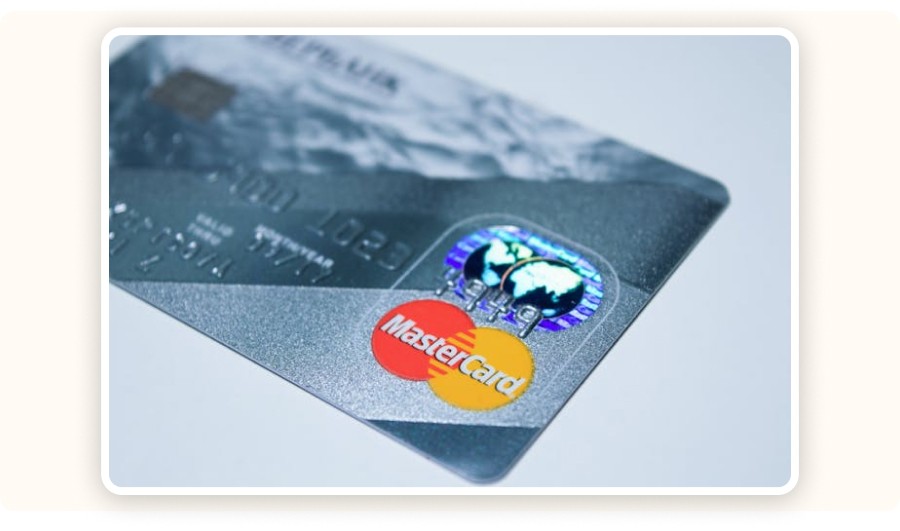
Close-up of a silver Mastercard

Mastercard is a direct alternative to Visa, offering the same benefits in terms of security, speed, and global acceptance. Many international suppliers accept Mastercard, and some premium cards include cashback programs or insurance coverage, useful in case of disputes or non-delivery.

Revolut

Revolut homepage

Revolut is a modern neobank that lets you create virtual cards, manage multiple currencies, and track expenses by category. In dropshipping, Revolut Business helps automate supplier payments and clearly segment costs. Thanks to competitive exchange rates, it’s a smart option when learning how to pay for dropshipping orders while protecting margins and simplifying operations.

Wise

Wise’s official website.

Wise is ideal for international payments. It allows you to pay in 50+ currencies at the real market rate, with no hidden fees. This makes Wise perfect for working with Asian or European suppliers and staying in control of cash flow, especially when figuring out how to pay for dropshipping products across borders.

Benefits of Paying Suppliers by Debit or Credit Card

Using cards remains one of the easiest ways to understand how to pay for the customers product on dropshipping. Key advantages include:

  • instant transactions,

  • easy traceability to prevent disputes,

  • no extra fees, especially with neobanks like Revolut,

  • cashback programs or purchase protection with some cards.

That said, each card has its own rules. Always check:

  • daily or monthly payment limits to avoid blocks,

  • foreign currency support (USD, CNY, etc.) for international suppliers.

For a secure setup at scale, virtual cards (such as those from Wise or Revolut Business) are highly recommended, especially during high-volume processing.

Credit Cards and Debit Cards

Visa and Mastercard credit cards

Many dropshippers rely on debit or credit cards to pay suppliers because they are convenient, fast, and widely accepted. Most suppliers, whether on AliExpress, through private agents, or on specialized platforms, accept major cards and modern solutions like Wise or Revolut. Cards are often the simplest answer to how to pay for the customer's product on dropshipping without adding unnecessary complexity.

Visa

Visa card next to a smartphone and earphones

Visa is one of the most widely accepted payment networks worldwide. It allows you to pay suppliers quickly, especially on platforms like AliExpress or CJdropshipping. Payments are secure, traceable, and compatible with most gateways, including PayPal and Stripe. This makes Visa ideal for beginners learning how to pay for your aliexpress dropshipping without friction.

Mastercard

Close-up of a silver Mastercard

Mastercard is a direct alternative to Visa, offering the same benefits in terms of security, speed, and global acceptance. Many international suppliers accept Mastercard, and some premium cards include cashback programs or insurance coverage, useful in case of disputes or non-delivery.

Revolut

Revolut homepage

Revolut is a modern neobank that lets you create virtual cards, manage multiple currencies, and track expenses by category. In dropshipping, Revolut Business helps automate supplier payments and clearly segment costs. Thanks to competitive exchange rates, it’s a smart option when learning how to pay for dropshipping orders while protecting margins and simplifying operations.

Wise

Wise’s official website.

Wise is ideal for international payments. It allows you to pay in 50+ currencies at the real market rate, with no hidden fees. This makes Wise perfect for working with Asian or European suppliers and staying in control of cash flow, especially when figuring out how to pay for dropshipping products across borders.

Benefits of Paying Suppliers by Debit or Credit Card

Using cards remains one of the easiest ways to understand how to pay for the customers product on dropshipping. Key advantages include:

  • instant transactions,

  • easy traceability to prevent disputes,

  • no extra fees, especially with neobanks like Revolut,

  • cashback programs or purchase protection with some cards.

That said, each card has its own rules. Always check:

  • daily or monthly payment limits to avoid blocks,

  • foreign currency support (USD, CNY, etc.) for international suppliers.

For a secure setup at scale, virtual cards (such as those from Wise or Revolut Business) are highly recommended, especially during high-volume processing.

Credit Cards and Debit Cards

Visa and Mastercard credit cards

Many dropshippers rely on debit or credit cards to pay suppliers because they are convenient, fast, and widely accepted. Most suppliers, whether on AliExpress, through private agents, or on specialized platforms, accept major cards and modern solutions like Wise or Revolut. Cards are often the simplest answer to how to pay for the customer's product on dropshipping without adding unnecessary complexity.

Visa

Visa card next to a smartphone and earphones

Visa is one of the most widely accepted payment networks worldwide. It allows you to pay suppliers quickly, especially on platforms like AliExpress or CJdropshipping. Payments are secure, traceable, and compatible with most gateways, including PayPal and Stripe. This makes Visa ideal for beginners learning how to pay for your aliexpress dropshipping without friction.

Mastercard

Close-up of a silver Mastercard

Mastercard is a direct alternative to Visa, offering the same benefits in terms of security, speed, and global acceptance. Many international suppliers accept Mastercard, and some premium cards include cashback programs or insurance coverage, useful in case of disputes or non-delivery.

Revolut

Revolut homepage

Revolut is a modern neobank that lets you create virtual cards, manage multiple currencies, and track expenses by category. In dropshipping, Revolut Business helps automate supplier payments and clearly segment costs. Thanks to competitive exchange rates, it’s a smart option when learning how to pay for dropshipping orders while protecting margins and simplifying operations.

Wise

Wise’s official website.

Wise is ideal for international payments. It allows you to pay in 50+ currencies at the real market rate, with no hidden fees. This makes Wise perfect for working with Asian or European suppliers and staying in control of cash flow, especially when figuring out how to pay for dropshipping products across borders.

Benefits of Paying Suppliers by Debit or Credit Card

Using cards remains one of the easiest ways to understand how to pay for the customers product on dropshipping. Key advantages include:

  • instant transactions,

  • easy traceability to prevent disputes,

  • no extra fees, especially with neobanks like Revolut,

  • cashback programs or purchase protection with some cards.

That said, each card has its own rules. Always check:

  • daily or monthly payment limits to avoid blocks,

  • foreign currency support (USD, CNY, etc.) for international suppliers.

For a secure setup at scale, virtual cards (such as those from Wise or Revolut Business) are highly recommended, especially during high-volume processing.

Credit Cards and Debit Cards

Visa and Mastercard credit cards

Many dropshippers rely on debit or credit cards to pay suppliers because they are convenient, fast, and widely accepted. Most suppliers, whether on AliExpress, through private agents, or on specialized platforms, accept major cards and modern solutions like Wise or Revolut. Cards are often the simplest answer to how to pay for the customer's product on dropshipping without adding unnecessary complexity.

Visa

Visa card next to a smartphone and earphones

Visa is one of the most widely accepted payment networks worldwide. It allows you to pay suppliers quickly, especially on platforms like AliExpress or CJdropshipping. Payments are secure, traceable, and compatible with most gateways, including PayPal and Stripe. This makes Visa ideal for beginners learning how to pay for your aliexpress dropshipping without friction.

Mastercard

Close-up of a silver Mastercard

Mastercard is a direct alternative to Visa, offering the same benefits in terms of security, speed, and global acceptance. Many international suppliers accept Mastercard, and some premium cards include cashback programs or insurance coverage, useful in case of disputes or non-delivery.

Revolut

Revolut homepage

Revolut is a modern neobank that lets you create virtual cards, manage multiple currencies, and track expenses by category. In dropshipping, Revolut Business helps automate supplier payments and clearly segment costs. Thanks to competitive exchange rates, it’s a smart option when learning how to pay for dropshipping orders while protecting margins and simplifying operations.

Wise

Wise’s official website.

Wise is ideal for international payments. It allows you to pay in 50+ currencies at the real market rate, with no hidden fees. This makes Wise perfect for working with Asian or European suppliers and staying in control of cash flow, especially when figuring out how to pay for dropshipping products across borders.

Benefits of Paying Suppliers by Debit or Credit Card

Using cards remains one of the easiest ways to understand how to pay for the customers product on dropshipping. Key advantages include:

  • instant transactions,

  • easy traceability to prevent disputes,

  • no extra fees, especially with neobanks like Revolut,

  • cashback programs or purchase protection with some cards.

That said, each card has its own rules. Always check:

  • daily or monthly payment limits to avoid blocks,

  • foreign currency support (USD, CNY, etc.) for international suppliers.

For a secure setup at scale, virtual cards (such as those from Wise or Revolut Business) are highly recommended, especially during high-volume processing.

Credit Cards and Debit Cards

Visa and Mastercard credit cards

Many dropshippers rely on debit or credit cards to pay suppliers because they are convenient, fast, and widely accepted. Most suppliers, whether on AliExpress, through private agents, or on specialized platforms, accept major cards and modern solutions like Wise or Revolut. Cards are often the simplest answer to how to pay for the customer's product on dropshipping without adding unnecessary complexity.

Visa

Visa card next to a smartphone and earphones

Visa is one of the most widely accepted payment networks worldwide. It allows you to pay suppliers quickly, especially on platforms like AliExpress or CJdropshipping. Payments are secure, traceable, and compatible with most gateways, including PayPal and Stripe. This makes Visa ideal for beginners learning how to pay for your aliexpress dropshipping without friction.

Mastercard

Close-up of a silver Mastercard

Mastercard is a direct alternative to Visa, offering the same benefits in terms of security, speed, and global acceptance. Many international suppliers accept Mastercard, and some premium cards include cashback programs or insurance coverage, useful in case of disputes or non-delivery.

Revolut

Revolut homepage

Revolut is a modern neobank that lets you create virtual cards, manage multiple currencies, and track expenses by category. In dropshipping, Revolut Business helps automate supplier payments and clearly segment costs. Thanks to competitive exchange rates, it’s a smart option when learning how to pay for dropshipping orders while protecting margins and simplifying operations.

Wise

Wise’s official website.

Wise is ideal for international payments. It allows you to pay in 50+ currencies at the real market rate, with no hidden fees. This makes Wise perfect for working with Asian or European suppliers and staying in control of cash flow, especially when figuring out how to pay for dropshipping products across borders.

Benefits of Paying Suppliers by Debit or Credit Card

Using cards remains one of the easiest ways to understand how to pay for the customers product on dropshipping. Key advantages include:

  • instant transactions,

  • easy traceability to prevent disputes,

  • no extra fees, especially with neobanks like Revolut,

  • cashback programs or purchase protection with some cards.

That said, each card has its own rules. Always check:

  • daily or monthly payment limits to avoid blocks,

  • foreign currency support (USD, CNY, etc.) for international suppliers.

For a secure setup at scale, virtual cards (such as those from Wise or Revolut Business) are highly recommended, especially during high-volume processing.

Credit Cards and Debit Cards

Visa and Mastercard credit cards

Many dropshippers rely on debit or credit cards to pay suppliers because they are convenient, fast, and widely accepted. Most suppliers, whether on AliExpress, through private agents, or on specialized platforms, accept major cards and modern solutions like Wise or Revolut. Cards are often the simplest answer to how to pay for the customer's product on dropshipping without adding unnecessary complexity.

Visa

Visa card next to a smartphone and earphones

Visa is one of the most widely accepted payment networks worldwide. It allows you to pay suppliers quickly, especially on platforms like AliExpress or CJdropshipping. Payments are secure, traceable, and compatible with most gateways, including PayPal and Stripe. This makes Visa ideal for beginners learning how to pay for your aliexpress dropshipping without friction.

Mastercard

Close-up of a silver Mastercard

Mastercard is a direct alternative to Visa, offering the same benefits in terms of security, speed, and global acceptance. Many international suppliers accept Mastercard, and some premium cards include cashback programs or insurance coverage, useful in case of disputes or non-delivery.

Revolut

Revolut homepage

Revolut is a modern neobank that lets you create virtual cards, manage multiple currencies, and track expenses by category. In dropshipping, Revolut Business helps automate supplier payments and clearly segment costs. Thanks to competitive exchange rates, it’s a smart option when learning how to pay for dropshipping orders while protecting margins and simplifying operations.

Wise

Wise’s official website.

Wise is ideal for international payments. It allows you to pay in 50+ currencies at the real market rate, with no hidden fees. This makes Wise perfect for working with Asian or European suppliers and staying in control of cash flow, especially when figuring out how to pay for dropshipping products across borders.

Benefits of Paying Suppliers by Debit or Credit Card

Using cards remains one of the easiest ways to understand how to pay for the customers product on dropshipping. Key advantages include:

  • instant transactions,

  • easy traceability to prevent disputes,

  • no extra fees, especially with neobanks like Revolut,

  • cashback programs or purchase protection with some cards.

That said, each card has its own rules. Always check:

  • daily or monthly payment limits to avoid blocks,

  • foreign currency support (USD, CNY, etc.) for international suppliers.

For a secure setup at scale, virtual cards (such as those from Wise or Revolut Business) are highly recommended, especially during high-volume processing.

Source your winning products on AliExpress in one click

Source your winning products on AliExpress in one click

Source your winning products on AliExpress in one click

Source your winning products on AliExpress in one click

Source your winning products on AliExpress in one click

Source your winning products on AliExpress in one click

Paying Suppliers by Bank Transfer

Person reviewing an invoice 

B2B suppliers and long-term partners often prefer bank transfers. While setup is more complex, this method suits large volumes and is common with European suppliers. Benefits include:

  • stronger security through contracts and invoicing,

  • easy integration with accounting tools.

The downside is processing time, typically 2 to 5 business days, and interbank fees, especially for international transfers. Some Chinese or Turkish suppliers require SWIFT transfers, which can cost $10–$50 per transaction. For established relationships, this method remains reliable when deciding how to pay for dropshipping orders at scale.

Mobile Payments (Apple Pay, Google Pay)
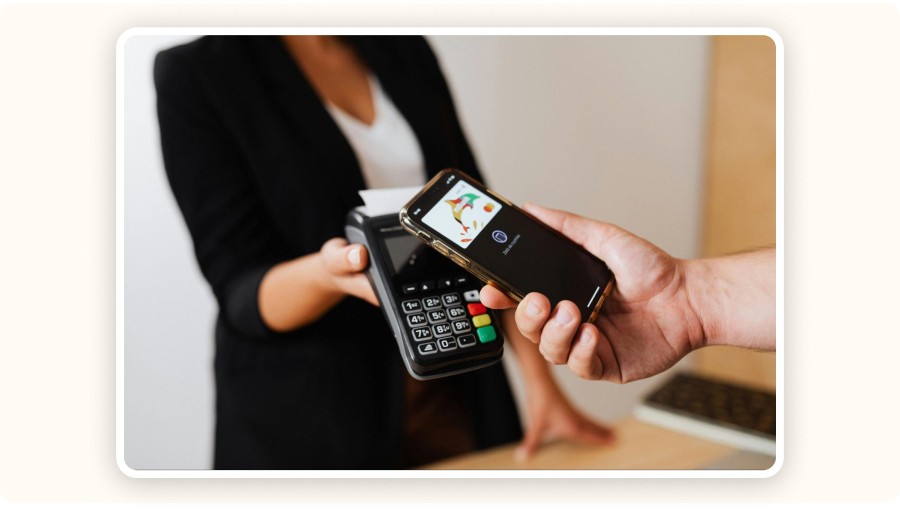
Smartphone making a contactless payment

Mobile payments like Apple Pay and Google Pay have grown fast in recent years. They offer:

  • a smooth user experience,

  • built-in security via Face ID or fingerprint authentication,

  • direct compatibility with Stripe and Shopify Payments, making setup easy.

You can also use mobile payments for quick tests or one-off product purchases through mobile apps. However, many suppliers still don’t accept them. Always confirm compatibility before choosing this option, especially when learning how to pay for dropshipping efficiently

How Do Payment Gateways and Payment Processors Work in Dropshipping?
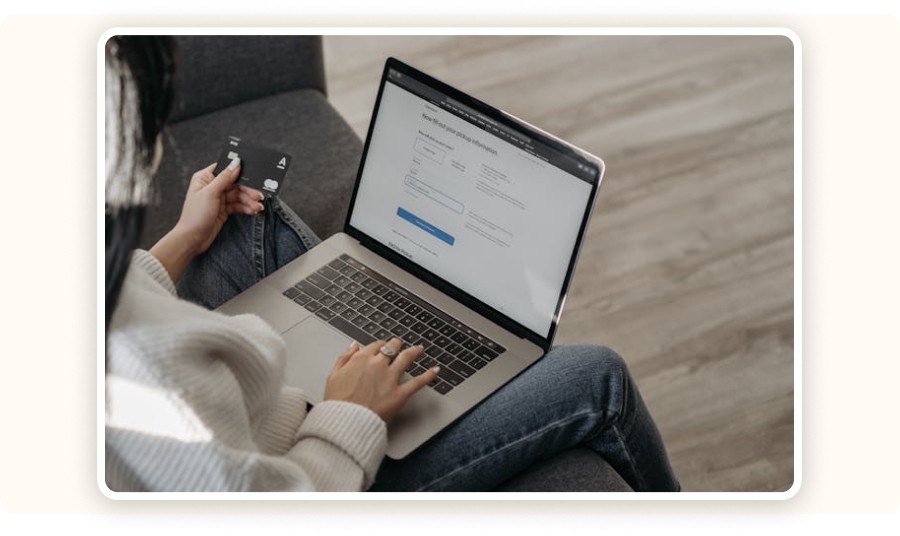
Online payment on a computer

When a customer places an order in your store, it’s not just a simple payment. A series of invisible technical interactions happen behind the scenes. To understand how to pay for dropshipping smoothly, from the customer to the supplier, you need to understand the role of payment gateways and payment processors.

What Is a Payment Gateway?

A payment gateway is a technical intermediary. It securely transmits a customer’s banking information to your payment system. Think of it as a digital bridge between your dropshipping store and the customer’s bank. The gateway does not hold funds; it only ensures secure data transfer.

How it works:

  • The customer submits payment details,

  • The gateway encrypts sensitive data,

  • The information is verified and sent to the payment processor.

This guarantees confidentiality and transaction security.

The most commonly used gateways in dropshipping are:

  • Stripe – known for its smooth interface and powerful API,

  • Shopify Payments – built directly into Shopify for easier management,

  • PayPal – globally recognized and easy to integrate.

What About the Payment Processor?

The payment processor is the service that actually executes the transaction. It communicates with the customer’s bank, checks fund availability, and transfers the money to your merchant account. This happens after the gateway step.

Examples of processors often connected to gateways include First Data, Worldpay, and Adyen. Some solutions, like Stripe and PayPal, act as both gateway and processor.

The key difference:

  • The gateway transmits information,

  • The processor validates and moves the funds.

How They Work Together
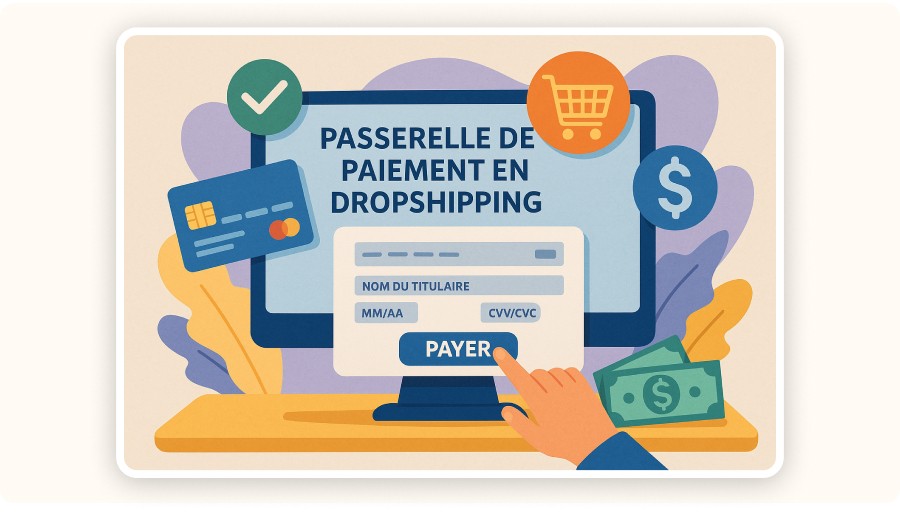
Illustration of a dropshipping payment gateway.

The full payment flow works as a smooth, automated chain:

  1. The customer enters payment details on your store,

  2. The gateway encrypts and transmits the data,

  3. The processor validates the payment and completes the bank transaction,

  4. Funds arrive in your merchant account or an intermediary balance (e.g., PayPal),

  5. You then use these funds to pay your supplier.

This gateway–processor duo ensures a secure, fast, and dropshipping-friendly payment setup, critical when deciding how to pay for dropshipping orders at scale.

Paying Suppliers by Bank Transfer

Person reviewing an invoice 

B2B suppliers and long-term partners often prefer bank transfers. While setup is more complex, this method suits large volumes and is common with European suppliers. Benefits include:

  • stronger security through contracts and invoicing,

  • easy integration with accounting tools.

The downside is processing time, typically 2 to 5 business days, and interbank fees, especially for international transfers. Some Chinese or Turkish suppliers require SWIFT transfers, which can cost $10–$50 per transaction. For established relationships, this method remains reliable when deciding how to pay for dropshipping orders at scale.

Mobile Payments (Apple Pay, Google Pay)

Smartphone making a contactless payment

Mobile payments like Apple Pay and Google Pay have grown fast in recent years. They offer:

  • a smooth user experience,

  • built-in security via Face ID or fingerprint authentication,

  • direct compatibility with Stripe and Shopify Payments, making setup easy.

You can also use mobile payments for quick tests or one-off product purchases through mobile apps. However, many suppliers still don’t accept them. Always confirm compatibility before choosing this option, especially when learning how to pay for dropshipping efficiently

How Do Payment Gateways and Payment Processors Work in Dropshipping?

Online payment on a computer

When a customer places an order in your store, it’s not just a simple payment. A series of invisible technical interactions happen behind the scenes. To understand how to pay for dropshipping smoothly, from the customer to the supplier, you need to understand the role of payment gateways and payment processors.

What Is a Payment Gateway?

A payment gateway is a technical intermediary. It securely transmits a customer’s banking information to your payment system. Think of it as a digital bridge between your dropshipping store and the customer’s bank. The gateway does not hold funds; it only ensures secure data transfer.

How it works:

  • The customer submits payment details,

  • The gateway encrypts sensitive data,

  • The information is verified and sent to the payment processor.

This guarantees confidentiality and transaction security.

The most commonly used gateways in dropshipping are:

  • Stripe – known for its smooth interface and powerful API,

  • Shopify Payments – built directly into Shopify for easier management,

  • PayPal – globally recognized and easy to integrate.

What About the Payment Processor?

The payment processor is the service that actually executes the transaction. It communicates with the customer’s bank, checks fund availability, and transfers the money to your merchant account. This happens after the gateway step.

Examples of processors often connected to gateways include First Data, Worldpay, and Adyen. Some solutions, like Stripe and PayPal, act as both gateway and processor.

The key difference:

  • The gateway transmits information,

  • The processor validates and moves the funds.

How They Work Together

Illustration of a dropshipping payment gateway.

The full payment flow works as a smooth, automated chain:

  1. The customer enters payment details on your store,

  2. The gateway encrypts and transmits the data,

  3. The processor validates the payment and completes the bank transaction,

  4. Funds arrive in your merchant account or an intermediary balance (e.g., PayPal),

  5. You then use these funds to pay your supplier.

This gateway–processor duo ensures a secure, fast, and dropshipping-friendly payment setup, critical when deciding how to pay for dropshipping orders at scale.
Paying Suppliers by Bank Transfer

Person reviewing an invoice 

B2B suppliers and long-term partners often prefer bank transfers. While setup is more complex, this method suits large volumes and is common with European suppliers. Benefits include:

  • stronger security through contracts and invoicing,

  • easy integration with accounting tools.

The downside is processing time, typically 2 to 5 business days, and interbank fees, especially for international transfers. Some Chinese or Turkish suppliers require SWIFT transfers, which can cost $10–$50 per transaction. For established relationships, this method remains reliable when deciding how to pay for dropshipping orders at scale.

Mobile Payments (Apple Pay, Google Pay)

Smartphone making a contactless payment

Mobile payments like Apple Pay and Google Pay have grown fast in recent years. They offer:

  • a smooth user experience,

  • built-in security via Face ID or fingerprint authentication,

  • direct compatibility with Stripe and Shopify Payments, making setup easy.

You can also use mobile payments for quick tests or one-off product purchases through mobile apps. However, many suppliers still don’t accept them. Always confirm compatibility before choosing this option, especially when learning how to pay for dropshipping efficiently

How Do Payment Gateways and Payment Processors Work in Dropshipping?

Online payment on a computer

When a customer places an order in your store, it’s not just a simple payment. A series of invisible technical interactions happen behind the scenes. To understand how to pay for dropshipping smoothly, from the customer to the supplier, you need to understand the role of payment gateways and payment processors.

What Is a Payment Gateway?

A payment gateway is a technical intermediary. It securely transmits a customer’s banking information to your payment system. Think of it as a digital bridge between your dropshipping store and the customer’s bank. The gateway does not hold funds; it only ensures secure data transfer.

How it works:

  • The customer submits payment details,

  • The gateway encrypts sensitive data,

  • The information is verified and sent to the payment processor.

This guarantees confidentiality and transaction security.

The most commonly used gateways in dropshipping are:

  • Stripe – known for its smooth interface and powerful API,

  • Shopify Payments – built directly into Shopify for easier management,

  • PayPal – globally recognized and easy to integrate.

What About the Payment Processor?

The payment processor is the service that actually executes the transaction. It communicates with the customer’s bank, checks fund availability, and transfers the money to your merchant account. This happens after the gateway step.

Examples of processors often connected to gateways include First Data, Worldpay, and Adyen. Some solutions, like Stripe and PayPal, act as both gateway and processor.

The key difference:

  • The gateway transmits information,

  • The processor validates and moves the funds.

How They Work Together

Illustration of a dropshipping payment gateway.

The full payment flow works as a smooth, automated chain:

  1. The customer enters payment details on your store,

  2. The gateway encrypts and transmits the data,

  3. The processor validates the payment and completes the bank transaction,

  4. Funds arrive in your merchant account or an intermediary balance (e.g., PayPal),

  5. You then use these funds to pay your supplier.

This gateway–processor duo ensures a secure, fast, and dropshipping-friendly payment setup, critical when deciding how to pay for dropshipping orders at scale.

Paying Suppliers by Bank Transfer

Person reviewing an invoice 

B2B suppliers and long-term partners often prefer bank transfers. While setup is more complex, this method suits large volumes and is common with European suppliers. Benefits include:

  • stronger security through contracts and invoicing,

  • easy integration with accounting tools.

The downside is processing time, typically 2 to 5 business days, and interbank fees, especially for international transfers. Some Chinese or Turkish suppliers require SWIFT transfers, which can cost $10–$50 per transaction. For established relationships, this method remains reliable when deciding how to pay for dropshipping orders at scale.

Mobile Payments (Apple Pay, Google Pay)

Smartphone making a contactless payment

Mobile payments like Apple Pay and Google Pay have grown fast in recent years. They offer:

  • a smooth user experience,

  • built-in security via Face ID or fingerprint authentication,

  • direct compatibility with Stripe and Shopify Payments, making setup easy.

You can also use mobile payments for quick tests or one-off product purchases through mobile apps. However, many suppliers still don’t accept them. Always confirm compatibility before choosing this option, especially when learning how to pay for dropshipping efficiently

How Do Payment Gateways and Payment Processors Work in Dropshipping?

Online payment on a computer

When a customer places an order in your store, it’s not just a simple payment. A series of invisible technical interactions happen behind the scenes. To understand how to pay for dropshipping smoothly, from the customer to the supplier, you need to understand the role of payment gateways and payment processors.

What Is a Payment Gateway?

A payment gateway is a technical intermediary. It securely transmits a customer’s banking information to your payment system. Think of it as a digital bridge between your dropshipping store and the customer’s bank. The gateway does not hold funds; it only ensures secure data transfer.

How it works:

  • The customer submits payment details,

  • The gateway encrypts sensitive data,

  • The information is verified and sent to the payment processor.

This guarantees confidentiality and transaction security.

The most commonly used gateways in dropshipping are:

  • Stripe – known for its smooth interface and powerful API,

  • Shopify Payments – built directly into Shopify for easier management,

  • PayPal – globally recognized and easy to integrate.

What About the Payment Processor?

The payment processor is the service that actually executes the transaction. It communicates with the customer’s bank, checks fund availability, and transfers the money to your merchant account. This happens after the gateway step.

Examples of processors often connected to gateways include First Data, Worldpay, and Adyen. Some solutions, like Stripe and PayPal, act as both gateway and processor.

The key difference:

  • The gateway transmits information,

  • The processor validates and moves the funds.

How They Work Together

Illustration of a dropshipping payment gateway.

The full payment flow works as a smooth, automated chain:

  1. The customer enters payment details on your store,

  2. The gateway encrypts and transmits the data,

  3. The processor validates the payment and completes the bank transaction,

  4. Funds arrive in your merchant account or an intermediary balance (e.g., PayPal),

  5. You then use these funds to pay your supplier.

This gateway–processor duo ensures a secure, fast, and dropshipping-friendly payment setup, critical when deciding how to pay for dropshipping orders at scale.

Paying Suppliers by Bank Transfer

Person reviewing an invoice 

B2B suppliers and long-term partners often prefer bank transfers. While setup is more complex, this method suits large volumes and is common with European suppliers. Benefits include:

  • stronger security through contracts and invoicing,

  • easy integration with accounting tools.

The downside is processing time, typically 2 to 5 business days, and interbank fees, especially for international transfers. Some Chinese or Turkish suppliers require SWIFT transfers, which can cost $10–$50 per transaction. For established relationships, this method remains reliable when deciding how to pay for dropshipping orders at scale.

Mobile Payments (Apple Pay, Google Pay)

Smartphone making a contactless payment

Mobile payments like Apple Pay and Google Pay have grown fast in recent years. They offer:

  • a smooth user experience,

  • built-in security via Face ID or fingerprint authentication,

  • direct compatibility with Stripe and Shopify Payments, making setup easy.

You can also use mobile payments for quick tests or one-off product purchases through mobile apps. However, many suppliers still don’t accept them. Always confirm compatibility before choosing this option, especially when learning how to pay for dropshipping efficiently

How Do Payment Gateways and Payment Processors Work in Dropshipping?

Online payment on a computer

When a customer places an order in your store, it’s not just a simple payment. A series of invisible technical interactions happen behind the scenes. To understand how to pay for dropshipping smoothly, from the customer to the supplier, you need to understand the role of payment gateways and payment processors.

What Is a Payment Gateway?

A payment gateway is a technical intermediary. It securely transmits a customer’s banking information to your payment system. Think of it as a digital bridge between your dropshipping store and the customer’s bank. The gateway does not hold funds; it only ensures secure data transfer.

How it works:

  • The customer submits payment details,

  • The gateway encrypts sensitive data,

  • The information is verified and sent to the payment processor.

This guarantees confidentiality and transaction security.

The most commonly used gateways in dropshipping are:

  • Stripe – known for its smooth interface and powerful API,

  • Shopify Payments – built directly into Shopify for easier management,

  • PayPal – globally recognized and easy to integrate.

What About the Payment Processor?

The payment processor is the service that actually executes the transaction. It communicates with the customer’s bank, checks fund availability, and transfers the money to your merchant account. This happens after the gateway step.

Examples of processors often connected to gateways include First Data, Worldpay, and Adyen. Some solutions, like Stripe and PayPal, act as both gateway and processor.

The key difference:

  • The gateway transmits information,

  • The processor validates and moves the funds.

How They Work Together

Illustration of a dropshipping payment gateway.

The full payment flow works as a smooth, automated chain:

  1. The customer enters payment details on your store,

  2. The gateway encrypts and transmits the data,

  3. The processor validates the payment and completes the bank transaction,

  4. Funds arrive in your merchant account or an intermediary balance (e.g., PayPal),

  5. You then use these funds to pay your supplier.

This gateway–processor duo ensures a secure, fast, and dropshipping-friendly payment setup, critical when deciding how to pay for dropshipping orders at scale.

Paying Suppliers by Bank Transfer

Person reviewing an invoice 

B2B suppliers and long-term partners often prefer bank transfers. While setup is more complex, this method suits large volumes and is common with European suppliers. Benefits include:

  • stronger security through contracts and invoicing,

  • easy integration with accounting tools.

The downside is processing time, typically 2 to 5 business days, and interbank fees, especially for international transfers. Some Chinese or Turkish suppliers require SWIFT transfers, which can cost $10–$50 per transaction. For established relationships, this method remains reliable when deciding how to pay for dropshipping orders at scale.

Mobile Payments (Apple Pay, Google Pay)

Smartphone making a contactless payment

Mobile payments like Apple Pay and Google Pay have grown fast in recent years. They offer:

  • a smooth user experience,

  • built-in security via Face ID or fingerprint authentication,

  • direct compatibility with Stripe and Shopify Payments, making setup easy.

You can also use mobile payments for quick tests or one-off product purchases through mobile apps. However, many suppliers still don’t accept them. Always confirm compatibility before choosing this option, especially when learning how to pay for dropshipping efficiently

How Do Payment Gateways and Payment Processors Work in Dropshipping?

Online payment on a computer

When a customer places an order in your store, it’s not just a simple payment. A series of invisible technical interactions happen behind the scenes. To understand how to pay for dropshipping smoothly, from the customer to the supplier, you need to understand the role of payment gateways and payment processors.

What Is a Payment Gateway?

A payment gateway is a technical intermediary. It securely transmits a customer’s banking information to your payment system. Think of it as a digital bridge between your dropshipping store and the customer’s bank. The gateway does not hold funds; it only ensures secure data transfer.

How it works:

  • The customer submits payment details,

  • The gateway encrypts sensitive data,

  • The information is verified and sent to the payment processor.

This guarantees confidentiality and transaction security.

The most commonly used gateways in dropshipping are:

  • Stripe – known for its smooth interface and powerful API,

  • Shopify Payments – built directly into Shopify for easier management,

  • PayPal – globally recognized and easy to integrate.

What About the Payment Processor?

The payment processor is the service that actually executes the transaction. It communicates with the customer’s bank, checks fund availability, and transfers the money to your merchant account. This happens after the gateway step.

Examples of processors often connected to gateways include First Data, Worldpay, and Adyen. Some solutions, like Stripe and PayPal, act as both gateway and processor.

The key difference:

  • The gateway transmits information,

  • The processor validates and moves the funds.

How They Work Together

Illustration of a dropshipping payment gateway.

The full payment flow works as a smooth, automated chain:

  1. The customer enters payment details on your store,

  2. The gateway encrypts and transmits the data,

  3. The processor validates the payment and completes the bank transaction,

  4. Funds arrive in your merchant account or an intermediary balance (e.g., PayPal),

  5. You then use these funds to pay your supplier.

This gateway–processor duo ensures a secure, fast, and dropshipping-friendly payment setup, critical when deciding how to pay for dropshipping orders at scale.

Create and test your Shopify store for only $1 per day during 90 days

Create and test your Shopify store for only $1 per day during 90 days

Create and test your Shopify store for only $1 per day during 90 days

Create and test your Shopify store for only $1 per day during 90 days

Create and test your Shopify store for only $1 per day during 90 days

Create and test your Shopify store for only $1 per day during 90 days

Best Payment Solutions for Dropshipping in 2026

Choosing the right payment solution directly affects order processing speed and supplier relationships. Here are the most reliable options today.

PayPal
The PayPal logo.

PayPal is one of the most popular payment methods in eCommerce. It’s accepted by most dropshipping suppliers, especially on platforms like AliExpress, CJdropshipping, and Zendrop.

Pros

  • Available in 200+ countries,

  • Fast, near-instant payments,

  • Buyer and seller protection,

  • Easy integration with Shopify, WooCommerce, and PrestaShop.

Cons

  • Frequent fund holds in case of disputes or unusual activity,

  • High fees (around 2.9% + $0.30 in Europe, up to 4.4% for international sales),

  • Risk of account suspension if policies aren’t followed.

If you use PayPal to pay suppliers, choose a PayPal Business account. It offers higher limits, better dispute protection, and professional features like payment automation and multi-user access, useful when managing how to pay for dropshipping products consistently.

Stripe
Stripe dashboard showing card payments

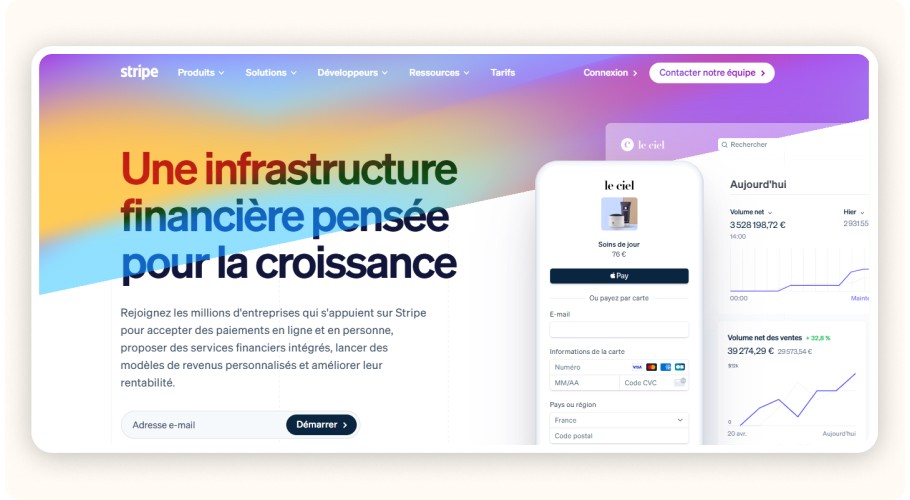
Stripe is a modern, flexible payment solution ideal for dropshippers who want automation and scalability. It’s especially popular for recurring payments, subscriptions, and mobile payments via Apple Pay and Google Pay.

Pros

  • Compatible with Shopify, WooCommerce, ClickFunnels, and more,

  • Clean interface and powerful API,

  • Competitive fees: around 2.9% + $0.25 per transaction.

Cons

  • Not available in all countries (e.g., parts of Francophone Africa),

  • Account suspension risk if chargebacks are too high.

Stripe is a strong option when optimizing how to pay for the customer's product on dropshipping with speed and automation.

Shopify Payments
Shopify admin dashboard

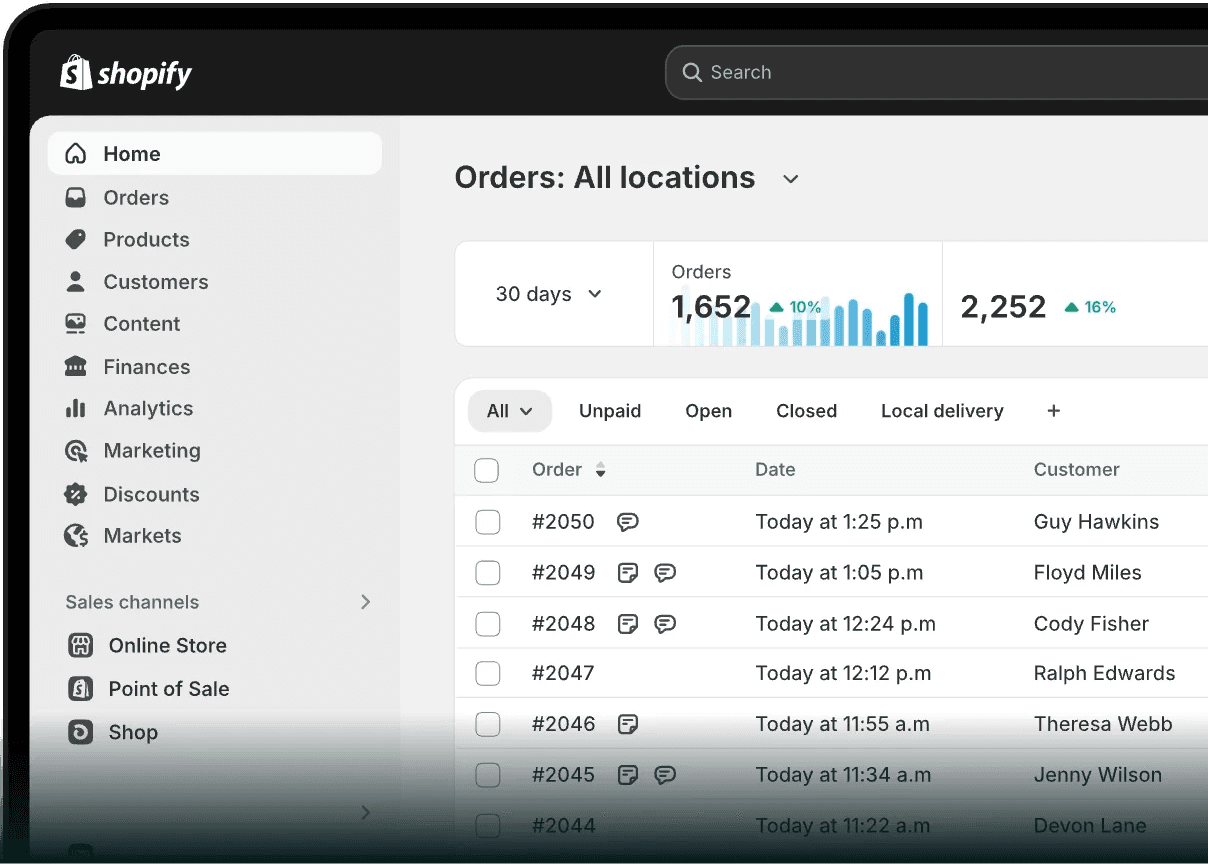
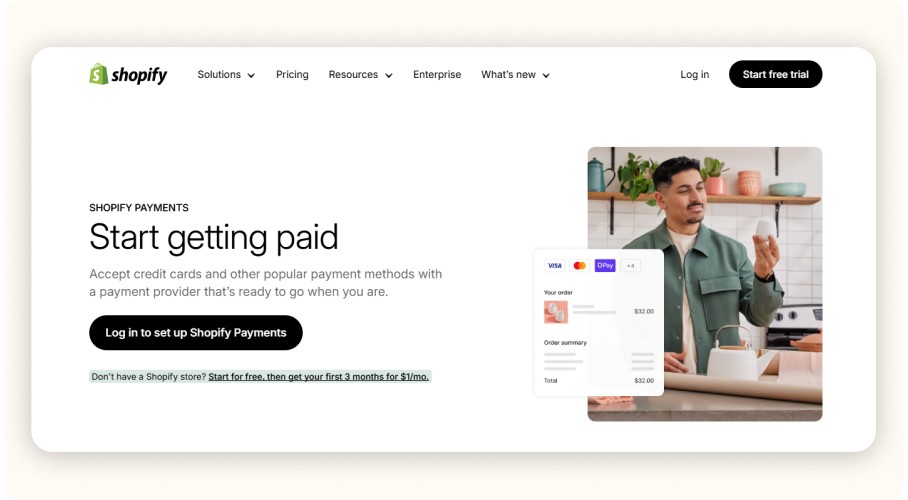
Shopify Payments is Shopify’s native payment solution. If your dropshipping store runs on Shopify, this is often the easiest option to set up. You’ll need a local bank account in a supported country.

Pros

  • No additional transaction fees,

  • Seamless integration with Shopify,

  • Fast and reliable payouts.

Cons

  • Available only in selected countries (e.g., France, Belgium, Switzerland, Canada),

  • Not compatible with certain products (e.g., CBD, tobacco, gambling).

Shopify Payments is ideal for simplifying operations while mastering how to pay for dropshipping orders without extra complexity

2Checkout (now Verifone)
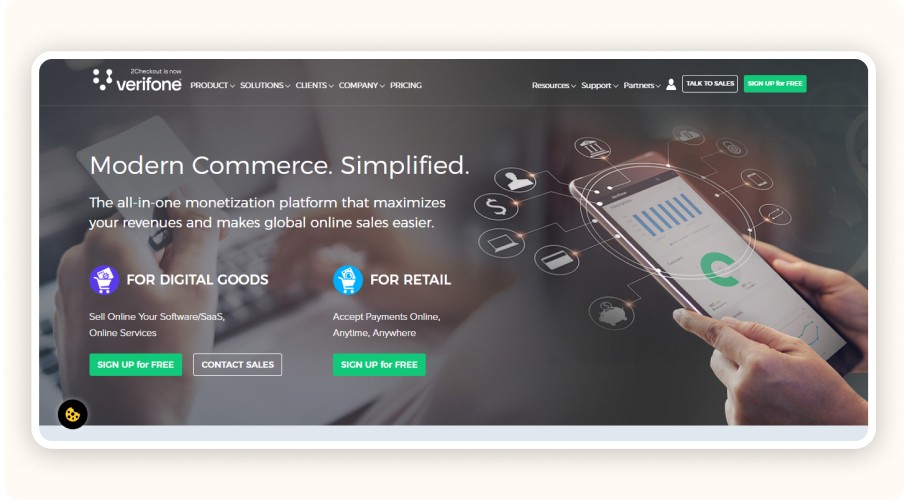
Verifone (formerly 2Checkout) interface

Verifone (formerly 2Checkout) is a solid option for sellers operating internationally. It supports over 200 countries and 80 currencies, making it suitable for global dropshipping operations.

Pros

  • Ideal for dropshippers outside Europe,

  • Automatic multi-language and multi-currency support,

  • Accepts credit cards, PayPal, Apple Pay, and more.

Cons

  • Higher fees (around 3.5% to 5.5% depending on the plan),

  • Less flexible and intuitive than Stripe or PayPal.

Verifone is worth considering when figuring out how to pay for dropshipping orders across multiple regions without relying on a single local gateway.

Klarna

Klarna mobile interface 

Klarna offers a popular Buy Now, Pay Later solution, especially in Europe. It allows customers to split payments into installments, which can significantly increase conversion rates and average order value.

Pros

  • Boosts sales with interest-free installment payments,

  • Compatible with Shopify and WooCommerce,

  • Reduces purchase hesitation for customers.

Cons

  • Mainly available in Europe,

  • Fees vary by country and transaction type.

Klarna is useful on the customer side when optimizing how to pay for the customers product on dropshipping and improving checkout performance.

Cryptocurrency Payments
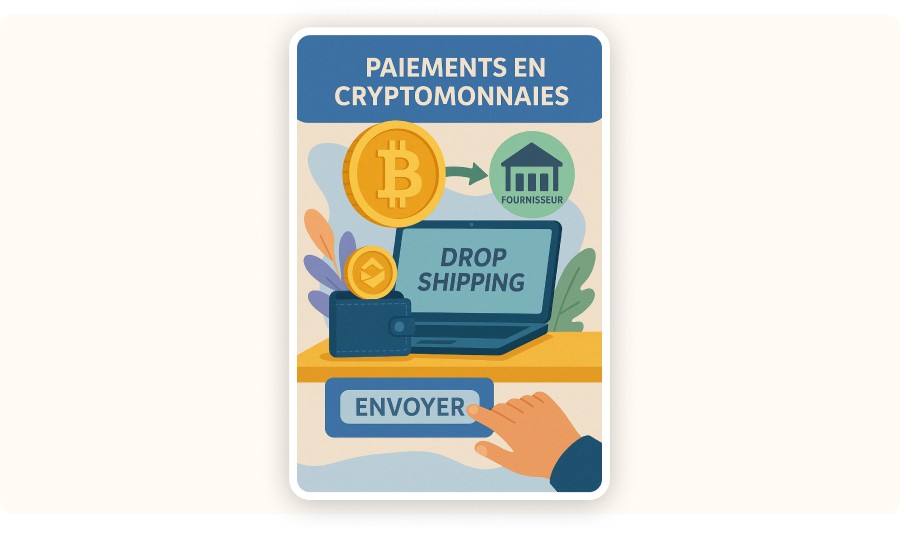
Illustration of a cryptocurrency payment 

Although still uncommon, some services allow suppliers to be paid with cryptocurrencies such as Bitcoin or Ethereum. Payments are processed through platforms like Coinbase Commerce or BitPay.

Pros

  • Very low or no transaction fees,

  • Secure and irreversible transactions,

  • Can suit modern or independent suppliers.

Cons

  • High price volatility,

  • Not accepted by most suppliers,

  • Requires technical knowledge.

Crypto payments can work for niche cases but are not ideal for beginners learning how to pay for dropshipping products at scale.

Payment Solution

Pros

Cons

Compatibility & Conditions

PayPal

Accepted in 200+ countries, easy integration, fast payments, dispute protection

Frequent fund holds, high fees (up to 4.4%), suspension risk

Shopify, WooCommerce, PrestaShop – Business account recommended

Stripe

Powerful API, Apple/Google Pay support, competitive fees (2.9% + $0.25)

Not available everywhere, chargeback risk

Shopify, WooCommerce, ClickFunnels

Shopify Payments

No extra fees, native integration, fast payouts

Limited country availability, restricted products

Shopify only – local bank account required

Verifone (2Checkout)

Global coverage (200 countries), multi-currency/language, cards & PayPal

Higher fees, less intuitive interface

All CMS via plugin/API – ideal for international

Klarna

Installments boost AOV, Shopify/WooCommerce integration

Mostly Europe, variable fees

EU-based customers required

Cryptocurrencies

Very low fees, secure, irreversible

Volatility, low adoption, technical setup

Via Coinbase Commerce, BitPay – modern suppliers only

Reminder: What Is Dropshipping?

Dropshipping is an online selling model with no inventory. You run an online store and sell products, but you don’t handle stock or shipping. The supplier prepares and ships the order directly to the customer. Your role focuses on the storefront, marketing, and customer acquisition, while the supplier manages logistics.

However, nothing ships until the supplier is paid. That’s why choosing the right payment method is critical when deciding how to pay for dropshipping.

With fast, traceable, dispute-free payments, suppliers can ship quickly, allowing you to:

  • reduce delivery times,

  • improve customer experience,

  • protect your brand reputation.

Poorly managed payments, on the other hand, can quickly create serious operational issues

Best Payment Solutions for Dropshipping in 2026

Choosing the right payment solution directly affects order processing speed and supplier relationships. Here are the most reliable options today.

PayPal

The PayPal logo.

PayPal is one of the most popular payment methods in eCommerce. It’s accepted by most dropshipping suppliers, especially on platforms like AliExpress, CJdropshipping, and Zendrop.

Pros

  • Available in 200+ countries,

  • Fast, near-instant payments,

  • Buyer and seller protection,

  • Easy integration with Shopify, WooCommerce, and PrestaShop.

Cons

  • Frequent fund holds in case of disputes or unusual activity,

  • High fees (around 2.9% + $0.30 in Europe, up to 4.4% for international sales),

  • Risk of account suspension if policies aren’t followed.

If you use PayPal to pay suppliers, choose a PayPal Business account. It offers higher limits, better dispute protection, and professional features like payment automation and multi-user access, useful when managing how to pay for dropshipping products consistently.

Stripe

Stripe dashboard showing card payments

Stripe is a modern, flexible payment solution ideal for dropshippers who want automation and scalability. It’s especially popular for recurring payments, subscriptions, and mobile payments via Apple Pay and Google Pay.

Pros

  • Compatible with Shopify, WooCommerce, ClickFunnels, and more,

  • Clean interface and powerful API,

  • Competitive fees: around 2.9% + $0.25 per transaction.

Cons

  • Not available in all countries (e.g., parts of Francophone Africa),

  • Account suspension risk if chargebacks are too high.

Stripe is a strong option when optimizing how to pay for the customer's product on dropshipping with speed and automation.

Shopify Payments

Shopify admin dashboard

Shopify Payments is Shopify’s native payment solution. If your dropshipping store runs on Shopify, this is often the easiest option to set up. You’ll need a local bank account in a supported country.

Pros

  • No additional transaction fees,

  • Seamless integration with Shopify,

  • Fast and reliable payouts.

Cons

  • Available only in selected countries (e.g., France, Belgium, Switzerland, Canada),

  • Not compatible with certain products (e.g., CBD, tobacco, gambling).

Shopify Payments is ideal for simplifying operations while mastering how to pay for dropshipping orders without extra complexity

2Checkout (now Verifone)

Verifone (formerly 2Checkout) interface

Verifone (formerly 2Checkout) is a solid option for sellers operating internationally. It supports over 200 countries and 80 currencies, making it suitable for global dropshipping operations.

Pros

  • Ideal for dropshippers outside Europe,

  • Automatic multi-language and multi-currency support,

  • Accepts credit cards, PayPal, Apple Pay, and more.

Cons

  • Higher fees (around 3.5% to 5.5% depending on the plan),

  • Less flexible and intuitive than Stripe or PayPal.

Verifone is worth considering when figuring out how to pay for dropshipping orders across multiple regions without relying on a single local gateway.

Klarna

Klarna mobile interface 

Klarna offers a popular Buy Now, Pay Later solution, especially in Europe. It allows customers to split payments into installments, which can significantly increase conversion rates and average order value.

Pros

  • Boosts sales with interest-free installment payments,

  • Compatible with Shopify and WooCommerce,

  • Reduces purchase hesitation for customers.

Cons

  • Mainly available in Europe,

  • Fees vary by country and transaction type.

Klarna is useful on the customer side when optimizing how to pay for the customers product on dropshipping and improving checkout performance.

Cryptocurrency Payments

Illustration of a cryptocurrency payment 

Although still uncommon, some services allow suppliers to be paid with cryptocurrencies such as Bitcoin or Ethereum. Payments are processed through platforms like Coinbase Commerce or BitPay.

Pros

  • Very low or no transaction fees,

  • Secure and irreversible transactions,

  • Can suit modern or independent suppliers.

Cons

  • High price volatility,

  • Not accepted by most suppliers,

  • Requires technical knowledge.

Crypto payments can work for niche cases but are not ideal for beginners learning how to pay for dropshipping products at scale.

Payment Solution

Pros

Cons

Compatibility & Conditions

PayPal

Accepted in 200+ countries, easy integration, fast payments, dispute protection

Frequent fund holds, high fees (up to 4.4%), suspension risk

Shopify, WooCommerce, PrestaShop – Business account recommended

Stripe

Powerful API, Apple/Google Pay support, competitive fees (2.9% + $0.25)

Not available everywhere, chargeback risk

Shopify, WooCommerce, ClickFunnels

Shopify Payments

No extra fees, native integration, fast payouts

Limited country availability, restricted products

Shopify only – local bank account required

Verifone (2Checkout)

Global coverage (200 countries), multi-currency/language, cards & PayPal

Higher fees, less intuitive interface

All CMS via plugin/API – ideal for international

Klarna

Installments boost AOV, Shopify/WooCommerce integration

Mostly Europe, variable fees

EU-based customers required

Cryptocurrencies

Very low fees, secure, irreversible

Volatility, low adoption, technical setup

Via Coinbase Commerce, BitPay – modern suppliers only

Reminder: What Is Dropshipping?

Dropshipping is an online selling model with no inventory. You run an online store and sell products, but you don’t handle stock or shipping. The supplier prepares and ships the order directly to the customer. Your role focuses on the storefront, marketing, and customer acquisition, while the supplier manages logistics.

However, nothing ships until the supplier is paid. That’s why choosing the right payment method is critical when deciding how to pay for dropshipping.

With fast, traceable, dispute-free payments, suppliers can ship quickly, allowing you to:

  • reduce delivery times,

  • improve customer experience,

  • protect your brand reputation.

Poorly managed payments, on the other hand, can quickly create serious operational issues

Best Payment Solutions for Dropshipping in 2026

Choosing the right payment solution directly affects order processing speed and supplier relationships. Here are the most reliable options today.

PayPal

The PayPal logo.

PayPal is one of the most popular payment methods in eCommerce. It’s accepted by most dropshipping suppliers, especially on platforms like AliExpress, CJdropshipping, and Zendrop.

Pros

  • Available in 200+ countries,

  • Fast, near-instant payments,

  • Buyer and seller protection,

  • Easy integration with Shopify, WooCommerce, and PrestaShop.

Cons

  • Frequent fund holds in case of disputes or unusual activity,

  • High fees (around 2.9% + $0.30 in Europe, up to 4.4% for international sales),

  • Risk of account suspension if policies aren’t followed.

If you use PayPal to pay suppliers, choose a PayPal Business account. It offers higher limits, better dispute protection, and professional features like payment automation and multi-user access, useful when managing how to pay for dropshipping products consistently.

Stripe

Stripe dashboard showing card payments

Stripe is a modern, flexible payment solution ideal for dropshippers who want automation and scalability. It’s especially popular for recurring payments, subscriptions, and mobile payments via Apple Pay and Google Pay.

Pros

  • Compatible with Shopify, WooCommerce, ClickFunnels, and more,

  • Clean interface and powerful API,

  • Competitive fees: around 2.9% + $0.25 per transaction.

Cons

  • Not available in all countries (e.g., parts of Francophone Africa),

  • Account suspension risk if chargebacks are too high.

Stripe is a strong option when optimizing how to pay for the customer's product on dropshipping with speed and automation.

Shopify Payments

Shopify admin dashboard

Shopify Payments is Shopify’s native payment solution. If your dropshipping store runs on Shopify, this is often the easiest option to set up. You’ll need a local bank account in a supported country.

Pros

  • No additional transaction fees,

  • Seamless integration with Shopify,

  • Fast and reliable payouts.

Cons

  • Available only in selected countries (e.g., France, Belgium, Switzerland, Canada),

  • Not compatible with certain products (e.g., CBD, tobacco, gambling).

Shopify Payments is ideal for simplifying operations while mastering how to pay for dropshipping orders without extra complexity

2Checkout (now Verifone)

Verifone (formerly 2Checkout) interface

Verifone (formerly 2Checkout) is a solid option for sellers operating internationally. It supports over 200 countries and 80 currencies, making it suitable for global dropshipping operations.

Pros

  • Ideal for dropshippers outside Europe,

  • Automatic multi-language and multi-currency support,

  • Accepts credit cards, PayPal, Apple Pay, and more.

Cons

  • Higher fees (around 3.5% to 5.5% depending on the plan),

  • Less flexible and intuitive than Stripe or PayPal.

Verifone is worth considering when figuring out how to pay for dropshipping orders across multiple regions without relying on a single local gateway.

Klarna

Klarna mobile interface 

Klarna offers a popular Buy Now, Pay Later solution, especially in Europe. It allows customers to split payments into installments, which can significantly increase conversion rates and average order value.

Pros

  • Boosts sales with interest-free installment payments,

  • Compatible with Shopify and WooCommerce,

  • Reduces purchase hesitation for customers.

Cons

  • Mainly available in Europe,

  • Fees vary by country and transaction type.

Klarna is useful on the customer side when optimizing how to pay for the customers product on dropshipping and improving checkout performance.

Cryptocurrency Payments

Illustration of a cryptocurrency payment 

Although still uncommon, some services allow suppliers to be paid with cryptocurrencies such as Bitcoin or Ethereum. Payments are processed through platforms like Coinbase Commerce or BitPay.

Pros

  • Very low or no transaction fees,

  • Secure and irreversible transactions,

  • Can suit modern or independent suppliers.

Cons

  • High price volatility,

  • Not accepted by most suppliers,

  • Requires technical knowledge.

Crypto payments can work for niche cases but are not ideal for beginners learning how to pay for dropshipping products at scale.

Payment Solution

Pros

Cons

Compatibility & Conditions

PayPal

Accepted in 200+ countries, easy integration, fast payments, dispute protection

Frequent fund holds, high fees (up to 4.4%), suspension risk

Shopify, WooCommerce, PrestaShop – Business account recommended

Stripe

Powerful API, Apple/Google Pay support, competitive fees (2.9% + $0.25)

Not available everywhere, chargeback risk

Shopify, WooCommerce, ClickFunnels

Shopify Payments

No extra fees, native integration, fast payouts

Limited country availability, restricted products

Shopify only – local bank account required

Verifone (2Checkout)

Global coverage (200 countries), multi-currency/language, cards & PayPal

Higher fees, less intuitive interface

All CMS via plugin/API – ideal for international

Klarna

Installments boost AOV, Shopify/WooCommerce integration

Mostly Europe, variable fees

EU-based customers required

Cryptocurrencies

Very low fees, secure, irreversible

Volatility, low adoption, technical setup

Via Coinbase Commerce, BitPay – modern suppliers only

Reminder: What Is Dropshipping?

Dropshipping is an online selling model with no inventory. You run an online store and sell products, but you don’t handle stock or shipping. The supplier prepares and ships the order directly to the customer. Your role focuses on the storefront, marketing, and customer acquisition, while the supplier manages logistics.

However, nothing ships until the supplier is paid. That’s why choosing the right payment method is critical when deciding how to pay for dropshipping.

With fast, traceable, dispute-free payments, suppliers can ship quickly, allowing you to:

  • reduce delivery times,

  • improve customer experience,

  • protect your brand reputation.

Poorly managed payments, on the other hand, can quickly create serious operational issues

Best Payment Solutions for Dropshipping in 2026

Choosing the right payment solution directly affects order processing speed and supplier relationships. Here are the most reliable options today.

PayPal

The PayPal logo.

PayPal is one of the most popular payment methods in eCommerce. It’s accepted by most dropshipping suppliers, especially on platforms like AliExpress, CJdropshipping, and Zendrop.

Pros

  • Available in 200+ countries,

  • Fast, near-instant payments,

  • Buyer and seller protection,

  • Easy integration with Shopify, WooCommerce, and PrestaShop.

Cons

  • Frequent fund holds in case of disputes or unusual activity,

  • High fees (around 2.9% + $0.30 in Europe, up to 4.4% for international sales),

  • Risk of account suspension if policies aren’t followed.

If you use PayPal to pay suppliers, choose a PayPal Business account. It offers higher limits, better dispute protection, and professional features like payment automation and multi-user access, useful when managing how to pay for dropshipping products consistently.

Stripe

Stripe dashboard showing card payments

Stripe is a modern, flexible payment solution ideal for dropshippers who want automation and scalability. It’s especially popular for recurring payments, subscriptions, and mobile payments via Apple Pay and Google Pay.

Pros

  • Compatible with Shopify, WooCommerce, ClickFunnels, and more,

  • Clean interface and powerful API,

  • Competitive fees: around 2.9% + $0.25 per transaction.

Cons

  • Not available in all countries (e.g., parts of Francophone Africa),

  • Account suspension risk if chargebacks are too high.

Stripe is a strong option when optimizing how to pay for the customer's product on dropshipping with speed and automation.

Shopify Payments

Shopify admin dashboard

Shopify Payments is Shopify’s native payment solution. If your dropshipping store runs on Shopify, this is often the easiest option to set up. You’ll need a local bank account in a supported country.

Pros

  • No additional transaction fees,

  • Seamless integration with Shopify,

  • Fast and reliable payouts.

Cons

  • Available only in selected countries (e.g., France, Belgium, Switzerland, Canada),

  • Not compatible with certain products (e.g., CBD, tobacco, gambling).

Shopify Payments is ideal for simplifying operations while mastering how to pay for dropshipping orders without extra complexity

2Checkout (now Verifone)

Verifone (formerly 2Checkout) interface

Verifone (formerly 2Checkout) is a solid option for sellers operating internationally. It supports over 200 countries and 80 currencies, making it suitable for global dropshipping operations.

Pros

  • Ideal for dropshippers outside Europe,

  • Automatic multi-language and multi-currency support,

  • Accepts credit cards, PayPal, Apple Pay, and more.

Cons

  • Higher fees (around 3.5% to 5.5% depending on the plan),

  • Less flexible and intuitive than Stripe or PayPal.

Verifone is worth considering when figuring out how to pay for dropshipping orders across multiple regions without relying on a single local gateway.

Klarna

Klarna mobile interface 

Klarna offers a popular Buy Now, Pay Later solution, especially in Europe. It allows customers to split payments into installments, which can significantly increase conversion rates and average order value.

Pros

  • Boosts sales with interest-free installment payments,

  • Compatible with Shopify and WooCommerce,

  • Reduces purchase hesitation for customers.

Cons

  • Mainly available in Europe,

  • Fees vary by country and transaction type.

Klarna is useful on the customer side when optimizing how to pay for the customers product on dropshipping and improving checkout performance.

Cryptocurrency Payments

Illustration of a cryptocurrency payment 

Although still uncommon, some services allow suppliers to be paid with cryptocurrencies such as Bitcoin or Ethereum. Payments are processed through platforms like Coinbase Commerce or BitPay.

Pros

  • Very low or no transaction fees,

  • Secure and irreversible transactions,

  • Can suit modern or independent suppliers.

Cons

  • High price volatility,

  • Not accepted by most suppliers,

  • Requires technical knowledge.

Crypto payments can work for niche cases but are not ideal for beginners learning how to pay for dropshipping products at scale.

Payment Solution

Pros

Cons

Compatibility & Conditions

PayPal

Accepted in 200+ countries, easy integration, fast payments, dispute protection

Frequent fund holds, high fees (up to 4.4%), suspension risk

Shopify, WooCommerce, PrestaShop – Business account recommended

Stripe

Powerful API, Apple/Google Pay support, competitive fees (2.9% + $0.25)

Not available everywhere, chargeback risk

Shopify, WooCommerce, ClickFunnels

Shopify Payments

No extra fees, native integration, fast payouts

Limited country availability, restricted products

Shopify only – local bank account required

Verifone (2Checkout)

Global coverage (200 countries), multi-currency/language, cards & PayPal

Higher fees, less intuitive interface

All CMS via plugin/API – ideal for international

Klarna

Installments boost AOV, Shopify/WooCommerce integration

Mostly Europe, variable fees

EU-based customers required

Cryptocurrencies

Very low fees, secure, irreversible

Volatility, low adoption, technical setup

Via Coinbase Commerce, BitPay – modern suppliers only

Reminder: What Is Dropshipping?

Dropshipping is an online selling model with no inventory. You run an online store and sell products, but you don’t handle stock or shipping. The supplier prepares and ships the order directly to the customer. Your role focuses on the storefront, marketing, and customer acquisition, while the supplier manages logistics.

However, nothing ships until the supplier is paid. That’s why choosing the right payment method is critical when deciding how to pay for dropshipping.

With fast, traceable, dispute-free payments, suppliers can ship quickly, allowing you to:

  • reduce delivery times,

  • improve customer experience,

  • protect your brand reputation.

Poorly managed payments, on the other hand, can quickly create serious operational issues

Best Payment Solutions for Dropshipping in 2026

Choosing the right payment solution directly affects order processing speed and supplier relationships. Here are the most reliable options today.

PayPal

The PayPal logo.

PayPal is one of the most popular payment methods in eCommerce. It’s accepted by most dropshipping suppliers, especially on platforms like AliExpress, CJdropshipping, and Zendrop.

Pros

  • Available in 200+ countries,

  • Fast, near-instant payments,

  • Buyer and seller protection,

  • Easy integration with Shopify, WooCommerce, and PrestaShop.

Cons

  • Frequent fund holds in case of disputes or unusual activity,

  • High fees (around 2.9% + $0.30 in Europe, up to 4.4% for international sales),

  • Risk of account suspension if policies aren’t followed.

If you use PayPal to pay suppliers, choose a PayPal Business account. It offers higher limits, better dispute protection, and professional features like payment automation and multi-user access, useful when managing how to pay for dropshipping products consistently.

Stripe

Stripe dashboard showing card payments

Stripe is a modern, flexible payment solution ideal for dropshippers who want automation and scalability. It’s especially popular for recurring payments, subscriptions, and mobile payments via Apple Pay and Google Pay.

Pros

  • Compatible with Shopify, WooCommerce, ClickFunnels, and more,

  • Clean interface and powerful API,

  • Competitive fees: around 2.9% + $0.25 per transaction.

Cons

  • Not available in all countries (e.g., parts of Francophone Africa),

  • Account suspension risk if chargebacks are too high.

Stripe is a strong option when optimizing how to pay for the customer's product on dropshipping with speed and automation.

Shopify Payments

Shopify admin dashboard

Shopify Payments is Shopify’s native payment solution. If your dropshipping store runs on Shopify, this is often the easiest option to set up. You’ll need a local bank account in a supported country.

Pros

  • No additional transaction fees,

  • Seamless integration with Shopify,

  • Fast and reliable payouts.

Cons

  • Available only in selected countries (e.g., France, Belgium, Switzerland, Canada),

  • Not compatible with certain products (e.g., CBD, tobacco, gambling).

Shopify Payments is ideal for simplifying operations while mastering how to pay for dropshipping orders without extra complexity

2Checkout (now Verifone)

Verifone (formerly 2Checkout) interface

Verifone (formerly 2Checkout) is a solid option for sellers operating internationally. It supports over 200 countries and 80 currencies, making it suitable for global dropshipping operations.

Pros

  • Ideal for dropshippers outside Europe,

  • Automatic multi-language and multi-currency support,

  • Accepts credit cards, PayPal, Apple Pay, and more.

Cons

  • Higher fees (around 3.5% to 5.5% depending on the plan),

  • Less flexible and intuitive than Stripe or PayPal.

Verifone is worth considering when figuring out how to pay for dropshipping orders across multiple regions without relying on a single local gateway.

Klarna

Klarna mobile interface 

Klarna offers a popular Buy Now, Pay Later solution, especially in Europe. It allows customers to split payments into installments, which can significantly increase conversion rates and average order value.

Pros

  • Boosts sales with interest-free installment payments,

  • Compatible with Shopify and WooCommerce,

  • Reduces purchase hesitation for customers.

Cons

  • Mainly available in Europe,

  • Fees vary by country and transaction type.

Klarna is useful on the customer side when optimizing how to pay for the customers product on dropshipping and improving checkout performance.

Cryptocurrency Payments

Illustration of a cryptocurrency payment 

Although still uncommon, some services allow suppliers to be paid with cryptocurrencies such as Bitcoin or Ethereum. Payments are processed through platforms like Coinbase Commerce or BitPay.

Pros

  • Very low or no transaction fees,

  • Secure and irreversible transactions,

  • Can suit modern or independent suppliers.

Cons

  • High price volatility,

  • Not accepted by most suppliers,

  • Requires technical knowledge.

Crypto payments can work for niche cases but are not ideal for beginners learning how to pay for dropshipping products at scale.

Payment Solution

Pros

Cons

Compatibility & Conditions

PayPal

Accepted in 200+ countries, easy integration, fast payments, dispute protection

Frequent fund holds, high fees (up to 4.4%), suspension risk

Shopify, WooCommerce, PrestaShop – Business account recommended

Stripe

Powerful API, Apple/Google Pay support, competitive fees (2.9% + $0.25)

Not available everywhere, chargeback risk

Shopify, WooCommerce, ClickFunnels

Shopify Payments

No extra fees, native integration, fast payouts

Limited country availability, restricted products

Shopify only – local bank account required

Verifone (2Checkout)

Global coverage (200 countries), multi-currency/language, cards & PayPal

Higher fees, less intuitive interface

All CMS via plugin/API – ideal for international

Klarna

Installments boost AOV, Shopify/WooCommerce integration

Mostly Europe, variable fees

EU-based customers required

Cryptocurrencies

Very low fees, secure, irreversible

Volatility, low adoption, technical setup

Via Coinbase Commerce, BitPay – modern suppliers only

Reminder: What Is Dropshipping?

Dropshipping is an online selling model with no inventory. You run an online store and sell products, but you don’t handle stock or shipping. The supplier prepares and ships the order directly to the customer. Your role focuses on the storefront, marketing, and customer acquisition, while the supplier manages logistics.

However, nothing ships until the supplier is paid. That’s why choosing the right payment method is critical when deciding how to pay for dropshipping.

With fast, traceable, dispute-free payments, suppliers can ship quickly, allowing you to:

  • reduce delivery times,

  • improve customer experience,

  • protect your brand reputation.

Poorly managed payments, on the other hand, can quickly create serious operational issues

Best Payment Solutions for Dropshipping in 2026

Choosing the right payment solution directly affects order processing speed and supplier relationships. Here are the most reliable options today.

PayPal

The PayPal logo.

PayPal is one of the most popular payment methods in eCommerce. It’s accepted by most dropshipping suppliers, especially on platforms like AliExpress, CJdropshipping, and Zendrop.

Pros

  • Available in 200+ countries,

  • Fast, near-instant payments,

  • Buyer and seller protection,

  • Easy integration with Shopify, WooCommerce, and PrestaShop.

Cons

  • Frequent fund holds in case of disputes or unusual activity,

  • High fees (around 2.9% + $0.30 in Europe, up to 4.4% for international sales),

  • Risk of account suspension if policies aren’t followed.

If you use PayPal to pay suppliers, choose a PayPal Business account. It offers higher limits, better dispute protection, and professional features like payment automation and multi-user access, useful when managing how to pay for dropshipping products consistently.

Stripe

Stripe dashboard showing card payments

Stripe is a modern, flexible payment solution ideal for dropshippers who want automation and scalability. It’s especially popular for recurring payments, subscriptions, and mobile payments via Apple Pay and Google Pay.

Pros

  • Compatible with Shopify, WooCommerce, ClickFunnels, and more,

  • Clean interface and powerful API,

  • Competitive fees: around 2.9% + $0.25 per transaction.

Cons

  • Not available in all countries (e.g., parts of Francophone Africa),

  • Account suspension risk if chargebacks are too high.

Stripe is a strong option when optimizing how to pay for the customer's product on dropshipping with speed and automation.

Shopify Payments

Shopify admin dashboard

Shopify Payments is Shopify’s native payment solution. If your dropshipping store runs on Shopify, this is often the easiest option to set up. You’ll need a local bank account in a supported country.

Pros

  • No additional transaction fees,

  • Seamless integration with Shopify,

  • Fast and reliable payouts.

Cons

  • Available only in selected countries (e.g., France, Belgium, Switzerland, Canada),

  • Not compatible with certain products (e.g., CBD, tobacco, gambling).

Shopify Payments is ideal for simplifying operations while mastering how to pay for dropshipping orders without extra complexity

2Checkout (now Verifone)

Verifone (formerly 2Checkout) interface

Verifone (formerly 2Checkout) is a solid option for sellers operating internationally. It supports over 200 countries and 80 currencies, making it suitable for global dropshipping operations.

Pros

  • Ideal for dropshippers outside Europe,

  • Automatic multi-language and multi-currency support,

  • Accepts credit cards, PayPal, Apple Pay, and more.

Cons

  • Higher fees (around 3.5% to 5.5% depending on the plan),

  • Less flexible and intuitive than Stripe or PayPal.

Verifone is worth considering when figuring out how to pay for dropshipping orders across multiple regions without relying on a single local gateway.

Klarna

Klarna mobile interface 

Klarna offers a popular Buy Now, Pay Later solution, especially in Europe. It allows customers to split payments into installments, which can significantly increase conversion rates and average order value.

Pros

  • Boosts sales with interest-free installment payments,

  • Compatible with Shopify and WooCommerce,

  • Reduces purchase hesitation for customers.

Cons

  • Mainly available in Europe,

  • Fees vary by country and transaction type.

Klarna is useful on the customer side when optimizing how to pay for the customers product on dropshipping and improving checkout performance.

Cryptocurrency Payments

Illustration of a cryptocurrency payment 

Although still uncommon, some services allow suppliers to be paid with cryptocurrencies such as Bitcoin or Ethereum. Payments are processed through platforms like Coinbase Commerce or BitPay.

Pros

  • Very low or no transaction fees,

  • Secure and irreversible transactions,

  • Can suit modern or independent suppliers.

Cons

  • High price volatility,

  • Not accepted by most suppliers,

  • Requires technical knowledge.

Crypto payments can work for niche cases but are not ideal for beginners learning how to pay for dropshipping products at scale.

Payment Solution

Pros

Cons

Compatibility & Conditions

PayPal

Accepted in 200+ countries, easy integration, fast payments, dispute protection

Frequent fund holds, high fees (up to 4.4%), suspension risk

Shopify, WooCommerce, PrestaShop – Business account recommended

Stripe

Powerful API, Apple/Google Pay support, competitive fees (2.9% + $0.25)

Not available everywhere, chargeback risk

Shopify, WooCommerce, ClickFunnels

Shopify Payments

No extra fees, native integration, fast payouts

Limited country availability, restricted products

Shopify only – local bank account required

Verifone (2Checkout)

Global coverage (200 countries), multi-currency/language, cards & PayPal

Higher fees, less intuitive interface

All CMS via plugin/API – ideal for international

Klarna

Installments boost AOV, Shopify/WooCommerce integration

Mostly Europe, variable fees

EU-based customers required

Cryptocurrencies

Very low fees, secure, irreversible

Volatility, low adoption, technical setup

Via Coinbase Commerce, BitPay – modern suppliers only

Reminder: What Is Dropshipping?

Dropshipping is an online selling model with no inventory. You run an online store and sell products, but you don’t handle stock or shipping. The supplier prepares and ships the order directly to the customer. Your role focuses on the storefront, marketing, and customer acquisition, while the supplier manages logistics.

However, nothing ships until the supplier is paid. That’s why choosing the right payment method is critical when deciding how to pay for dropshipping.

With fast, traceable, dispute-free payments, suppliers can ship quickly, allowing you to:

  • reduce delivery times,

  • improve customer experience,

  • protect your brand reputation.

Poorly managed payments, on the other hand, can quickly create serious operational issues

Discover Minea, the best platform for finding winning products

Discover Minea, the best platform for finding winning products

Discover Minea, the best platform for finding winning products

Discover Minea, the best platform for finding winning products

Discover Minea, the best platform for finding winning products

Discover Minea, the best platform for finding winning products

How to Choose the Right Payment Solution Based on Your Supplier

Choosing the best dropshipping payment method isn’t just about your personal preference. You also need to select a solution that fits your suppliers’ requirements. A poorly matched payment option can lead to processing delays, unexpected fees, or even a broken partnership. To clearly understand how to pay for dropshipping, you must evaluate the payment method from the supplier’s perspective as well.

Key Questions to Ask Before Choosing a Payment Solution

Question mark

Before making a decision, ask yourself the right questions. The answers will guide you toward the most reliable option.

Question 1: Which currency does the supplier use?

If you work with a Chinese supplier via AliExpress, payments are often required in USD or CNY. In Europe, EUR is standard. Choose a solution that handles currency conversion automatically, such as Wise or Verifone (formerly 2Checkout). This simplifies how to pay for dropshipping orders without losing money on poor exchange rates.

Question 2: What fees are applied?

Some providers charge up to 4.5% per transaction. At that level, your profit margin can shrink fast. Always compare fees based on your region and transaction currency to protect margins when deciding how to pay for dropshipping products.

Question 3: Is the solution available in both countries?

Not all payment methods work everywhere. For example, Shopify Payments is limited to certain regions. Before committing, confirm that the gateway is active in both your country and your supplier’s.

Question 4: Is the integration simple?

A good provider offers a native plugin or API for your CMS (Shopify, WooCommerce, etc.). This enables automated order and payment processing, reducing manual work and errors, crucial for mastering how to pay for the customers product on dropshipping efficiently.

Understanding Your Suppliers’ Payment Preferences

Supplier preparing packages for shipment

Before starting a partnership, ask suppliers directly which payment methods they accept. Some refuse PayPal due to dispute risks, while others may require SEPA transfers or Western Union.

To stay organized, create a supplier profile from day one. Include:

  • accepted payment methods,

  • supported currencies,

  • processing times,

  • general terms and conditions.

This approach prevents misunderstandings and helps you manage how to pay for dropshipping orders without surprises.

To quickly identify reliable suppliers and their payment terms, you can use tools like Minea. Its database, built from eCommerce ads and sourcing filters, saves time by matching suppliers to your payment and logistics strategy.

Compatibility With Your Online Store

Entrepreneur managing eCommerce accounting

Finally, make sure your payment solution works seamlessly with your eCommerce platform:

  • If you use Shopify, prioritize Shopify Payments or Stripe,

  • If you use WooCommerce, choose Stripe, PayPal, or Klarna,

  • If your store runs on PrestaShop, check official plugins or use API integration.

Ignoring platform compatibility can cause sync errors or unconfirmed payments. Choosing the right setup ensures smooth operations and long-term stability when learning how to pay for dropshipping the right way.

How to Integrate a Payment Solution Into Your Dropshipping Store

Once you’ve chosen the most suitable payment method for your dropshipping business, the next step is technical integration. A proper setup is essential to avoid bugs, failed payments, or order processing issues. Understanding how to pay for dropshipping also means knowing how to connect your payment tools correctly.

Adding PayPal to Your Dropshipping Store
PayPal interface displayed on a smartphone

In most cases, PayPal is enabled by default on Shopify. However, you should always double-check the configuration:

  • Go to Settings > Payments in your Shopify dashboard,

  • In the Payment providers section, click Activate PayPal Express Checkout,

  • Log in to your PayPal Business account to complete the connection,

  • Make sure the email address used matches your professional PayPal account.

To streamline supplier payments, you can also enable automatic payments inside PayPal. This is especially helpful when managing how to pay for dropshipping orders efficiently.

Adding Stripe to Your Dropshipping Store

To set up Stripe, follow these steps:

  • Create a Stripe account at stripe.com,

  • Verify your identity by submitting an ID, proof of address, and bank details,

  • Connect your Shopify or WooCommerce store by going to Payments > Add a provider,

  • Stripe will automatically support credit cards, Apple Pay, Google Pay, and even subscriptions if needed.

Stripe is ideal for automating payments and simplifying how to pay for dropshipping products across multiple channels.

Enabling Shopify Payments

Shopify Payments is Shopify’s native payment solution. It helps you avoid extra transaction fees from third-party providers, which can significantly improve margins.

To activate it:

  • Go to Settings > Payments,

  • Click Activate Shopify Payments,

  • Enter your business and banking information,

  • Confirm that your country is eligible (France, Belgium, Switzerland, Canada, etc.).

For Shopify-based stores, this is often the simplest way to manage how to pay for the customer's product on dropshipping without unnecessary complexity.

How to Ensure Payment Security in Dropshipping
Smartphone displaying a secure padlock icon

When launching a dropshipping store, payment security is non-negotiable. It protects your customers, your suppliers, and your business. Poor security can lead to:

  • financial losses,

  • supplier disputes,

  • store or account suspension.

SSL Certificates

An SSL certificate is essential. It ensures that all data entered on your site, especially banking details, is encrypted and inaccessible to third parties. Without HTTPS, visitors may see security warnings, which drastically reduce conversion rates. According to GlobalSign, 85% of online shoppers avoid websites without SSL protection.

If you use Shopify or WooCommerce, SSL is usually included by default. Always check that it’s active and set to renew automatically to maintain a safe environment when learning how to pay for dropshipping securely.

Fraud Prevention
The word “FAKE”.

Dropshipping stores are frequent targets for fraudulent orders. Fortunately, most payment solutions offer built-in protection tools:

  • Stripe Radar – analyzes buying behavior in real time,

  • PayPal Seller Protection – covers unauthorized payments,

  • Shopify Fraud Analysis – assigns a risk score to each order.

For added security, enable two-factor authentication on admin accounts. This extra layer helps prevent hacking attempts and unauthorized access to your payment systems.

Managing Disputes and Refunds

Disputes and chargebacks are common in dropshipping. When a customer contests a payment, you must provide solid evidence to avoid losses. Always keep:

  • shipping proof (tracking number, date, carrier),

  • delivery confirmation (receipt screenshot or signature),

  • communication records with the customer or supplier,

  • a product description that matches what was shipped.

Apps like Uptrack on Shopify can automatically sync tracking numbers with PayPal to reduce disputes. In case of a claim, respond quickly and submit clear documentation—fast action often makes the difference

How to Choose the Right Payment Solution Based on Your Supplier

Choosing the best dropshipping payment method isn’t just about your personal preference. You also need to select a solution that fits your suppliers’ requirements. A poorly matched payment option can lead to processing delays, unexpected fees, or even a broken partnership. To clearly understand how to pay for dropshipping, you must evaluate the payment method from the supplier’s perspective as well.

Key Questions to Ask Before Choosing a Payment Solution

Question mark

Before making a decision, ask yourself the right questions. The answers will guide you toward the most reliable option.

Question 1: Which currency does the supplier use?

If you work with a Chinese supplier via AliExpress, payments are often required in USD or CNY. In Europe, EUR is standard. Choose a solution that handles currency conversion automatically, such as Wise or Verifone (formerly 2Checkout). This simplifies how to pay for dropshipping orders without losing money on poor exchange rates.

Question 2: What fees are applied?

Some providers charge up to 4.5% per transaction. At that level, your profit margin can shrink fast. Always compare fees based on your region and transaction currency to protect margins when deciding how to pay for dropshipping products.

Question 3: Is the solution available in both countries?

Not all payment methods work everywhere. For example, Shopify Payments is limited to certain regions. Before committing, confirm that the gateway is active in both your country and your supplier’s.

Question 4: Is the integration simple?

A good provider offers a native plugin or API for your CMS (Shopify, WooCommerce, etc.). This enables automated order and payment processing, reducing manual work and errors, crucial for mastering how to pay for the customers product on dropshipping efficiently.

Understanding Your Suppliers’ Payment Preferences

Supplier preparing packages for shipment

Before starting a partnership, ask suppliers directly which payment methods they accept. Some refuse PayPal due to dispute risks, while others may require SEPA transfers or Western Union.

To stay organized, create a supplier profile from day one. Include:

  • accepted payment methods,

  • supported currencies,

  • processing times,

  • general terms and conditions.

This approach prevents misunderstandings and helps you manage how to pay for dropshipping orders without surprises.

To quickly identify reliable suppliers and their payment terms, you can use tools like Minea. Its database, built from eCommerce ads and sourcing filters, saves time by matching suppliers to your payment and logistics strategy.

Compatibility With Your Online Store

Entrepreneur managing eCommerce accounting

Finally, make sure your payment solution works seamlessly with your eCommerce platform:

  • If you use Shopify, prioritize Shopify Payments or Stripe,

  • If you use WooCommerce, choose Stripe, PayPal, or Klarna,

  • If your store runs on PrestaShop, check official plugins or use API integration.

Ignoring platform compatibility can cause sync errors or unconfirmed payments. Choosing the right setup ensures smooth operations and long-term stability when learning how to pay for dropshipping the right way.

How to Integrate a Payment Solution Into Your Dropshipping Store

Once you’ve chosen the most suitable payment method for your dropshipping business, the next step is technical integration. A proper setup is essential to avoid bugs, failed payments, or order processing issues. Understanding how to pay for dropshipping also means knowing how to connect your payment tools correctly.

Adding PayPal to Your Dropshipping Store

PayPal interface displayed on a smartphone

In most cases, PayPal is enabled by default on Shopify. However, you should always double-check the configuration:

  • Go to Settings > Payments in your Shopify dashboard,

  • In the Payment providers section, click Activate PayPal Express Checkout,

  • Log in to your PayPal Business account to complete the connection,

  • Make sure the email address used matches your professional PayPal account.

To streamline supplier payments, you can also enable automatic payments inside PayPal. This is especially helpful when managing how to pay for dropshipping orders efficiently.

Adding Stripe to Your Dropshipping Store

To set up Stripe, follow these steps:

  • Create a Stripe account at stripe.com,

  • Verify your identity by submitting an ID, proof of address, and bank details,

  • Connect your Shopify or WooCommerce store by going to Payments > Add a provider,

  • Stripe will automatically support credit cards, Apple Pay, Google Pay, and even subscriptions if needed.

Stripe is ideal for automating payments and simplifying how to pay for dropshipping products across multiple channels.

Enabling Shopify Payments

Shopify Payments is Shopify’s native payment solution. It helps you avoid extra transaction fees from third-party providers, which can significantly improve margins.

To activate it:

  • Go to Settings > Payments,

  • Click Activate Shopify Payments,

  • Enter your business and banking information,

  • Confirm that your country is eligible (France, Belgium, Switzerland, Canada, etc.).

For Shopify-based stores, this is often the simplest way to manage how to pay for the customer's product on dropshipping without unnecessary complexity.

How to Ensure Payment Security in Dropshipping

Smartphone displaying a secure padlock icon

When launching a dropshipping store, payment security is non-negotiable. It protects your customers, your suppliers, and your business. Poor security can lead to:

  • financial losses,

  • supplier disputes,

  • store or account suspension.

SSL Certificates

An SSL certificate is essential. It ensures that all data entered on your site, especially banking details, is encrypted and inaccessible to third parties. Without HTTPS, visitors may see security warnings, which drastically reduce conversion rates. According to GlobalSign, 85% of online shoppers avoid websites without SSL protection.

If you use Shopify or WooCommerce, SSL is usually included by default. Always check that it’s active and set to renew automatically to maintain a safe environment when learning how to pay for dropshipping securely.

Fraud Prevention

The word “FAKE”.

Dropshipping stores are frequent targets for fraudulent orders. Fortunately, most payment solutions offer built-in protection tools:

  • Stripe Radar – analyzes buying behavior in real time,

  • PayPal Seller Protection – covers unauthorized payments,

  • Shopify Fraud Analysis – assigns a risk score to each order.

For added security, enable two-factor authentication on admin accounts. This extra layer helps prevent hacking attempts and unauthorized access to your payment systems.

Managing Disputes and Refunds

Disputes and chargebacks are common in dropshipping. When a customer contests a payment, you must provide solid evidence to avoid losses. Always keep:

  • shipping proof (tracking number, date, carrier),

  • delivery confirmation (receipt screenshot or signature),

  • communication records with the customer or supplier,

  • a product description that matches what was shipped.

Apps like Uptrack on Shopify can automatically sync tracking numbers with PayPal to reduce disputes. In case of a claim, respond quickly and submit clear documentation—fast action often makes the difference

How to Choose the Right Payment Solution Based on Your Supplier

Choosing the best dropshipping payment method isn’t just about your personal preference. You also need to select a solution that fits your suppliers’ requirements. A poorly matched payment option can lead to processing delays, unexpected fees, or even a broken partnership. To clearly understand how to pay for dropshipping, you must evaluate the payment method from the supplier’s perspective as well.

Key Questions to Ask Before Choosing a Payment Solution

Question mark

Before making a decision, ask yourself the right questions. The answers will guide you toward the most reliable option.

Question 1: Which currency does the supplier use?

If you work with a Chinese supplier via AliExpress, payments are often required in USD or CNY. In Europe, EUR is standard. Choose a solution that handles currency conversion automatically, such as Wise or Verifone (formerly 2Checkout). This simplifies how to pay for dropshipping orders without losing money on poor exchange rates.

Question 2: What fees are applied?

Some providers charge up to 4.5% per transaction. At that level, your profit margin can shrink fast. Always compare fees based on your region and transaction currency to protect margins when deciding how to pay for dropshipping products.

Question 3: Is the solution available in both countries?

Not all payment methods work everywhere. For example, Shopify Payments is limited to certain regions. Before committing, confirm that the gateway is active in both your country and your supplier’s.

Question 4: Is the integration simple?

A good provider offers a native plugin or API for your CMS (Shopify, WooCommerce, etc.). This enables automated order and payment processing, reducing manual work and errors, crucial for mastering how to pay for the customers product on dropshipping efficiently.

Understanding Your Suppliers’ Payment Preferences

Supplier preparing packages for shipment

Before starting a partnership, ask suppliers directly which payment methods they accept. Some refuse PayPal due to dispute risks, while others may require SEPA transfers or Western Union.

To stay organized, create a supplier profile from day one. Include:

  • accepted payment methods,

  • supported currencies,

  • processing times,

  • general terms and conditions.

This approach prevents misunderstandings and helps you manage how to pay for dropshipping orders without surprises.

To quickly identify reliable suppliers and their payment terms, you can use tools like Minea. Its database, built from eCommerce ads and sourcing filters, saves time by matching suppliers to your payment and logistics strategy.

Compatibility With Your Online Store

Entrepreneur managing eCommerce accounting

Finally, make sure your payment solution works seamlessly with your eCommerce platform:

  • If you use Shopify, prioritize Shopify Payments or Stripe,

  • If you use WooCommerce, choose Stripe, PayPal, or Klarna,

  • If your store runs on PrestaShop, check official plugins or use API integration.

Ignoring platform compatibility can cause sync errors or unconfirmed payments. Choosing the right setup ensures smooth operations and long-term stability when learning how to pay for dropshipping the right way.

How to Integrate a Payment Solution Into Your Dropshipping Store

Once you’ve chosen the most suitable payment method for your dropshipping business, the next step is technical integration. A proper setup is essential to avoid bugs, failed payments, or order processing issues. Understanding how to pay for dropshipping also means knowing how to connect your payment tools correctly.

Adding PayPal to Your Dropshipping Store

PayPal interface displayed on a smartphone

In most cases, PayPal is enabled by default on Shopify. However, you should always double-check the configuration:

  • Go to Settings > Payments in your Shopify dashboard,

  • In the Payment providers section, click Activate PayPal Express Checkout,

  • Log in to your PayPal Business account to complete the connection,

  • Make sure the email address used matches your professional PayPal account.

To streamline supplier payments, you can also enable automatic payments inside PayPal. This is especially helpful when managing how to pay for dropshipping orders efficiently.

Adding Stripe to Your Dropshipping Store

To set up Stripe, follow these steps:

  • Create a Stripe account at stripe.com,

  • Verify your identity by submitting an ID, proof of address, and bank details,

  • Connect your Shopify or WooCommerce store by going to Payments > Add a provider,

  • Stripe will automatically support credit cards, Apple Pay, Google Pay, and even subscriptions if needed.

Stripe is ideal for automating payments and simplifying how to pay for dropshipping products across multiple channels.

Enabling Shopify Payments

Shopify Payments is Shopify’s native payment solution. It helps you avoid extra transaction fees from third-party providers, which can significantly improve margins.

To activate it:

  • Go to Settings > Payments,

  • Click Activate Shopify Payments,

  • Enter your business and banking information,

  • Confirm that your country is eligible (France, Belgium, Switzerland, Canada, etc.).

For Shopify-based stores, this is often the simplest way to manage how to pay for the customer's product on dropshipping without unnecessary complexity.

How to Ensure Payment Security in Dropshipping

Smartphone displaying a secure padlock icon

When launching a dropshipping store, payment security is non-negotiable. It protects your customers, your suppliers, and your business. Poor security can lead to:

  • financial losses,

  • supplier disputes,

  • store or account suspension.

SSL Certificates

An SSL certificate is essential. It ensures that all data entered on your site, especially banking details, is encrypted and inaccessible to third parties. Without HTTPS, visitors may see security warnings, which drastically reduce conversion rates. According to GlobalSign, 85% of online shoppers avoid websites without SSL protection.

If you use Shopify or WooCommerce, SSL is usually included by default. Always check that it’s active and set to renew automatically to maintain a safe environment when learning how to pay for dropshipping securely.

Fraud Prevention

The word “FAKE”.

Dropshipping stores are frequent targets for fraudulent orders. Fortunately, most payment solutions offer built-in protection tools:

  • Stripe Radar – analyzes buying behavior in real time,

  • PayPal Seller Protection – covers unauthorized payments,

  • Shopify Fraud Analysis – assigns a risk score to each order.

For added security, enable two-factor authentication on admin accounts. This extra layer helps prevent hacking attempts and unauthorized access to your payment systems.

Managing Disputes and Refunds

Disputes and chargebacks are common in dropshipping. When a customer contests a payment, you must provide solid evidence to avoid losses. Always keep:

  • shipping proof (tracking number, date, carrier),

  • delivery confirmation (receipt screenshot or signature),

  • communication records with the customer or supplier,

  • a product description that matches what was shipped.

Apps like Uptrack on Shopify can automatically sync tracking numbers with PayPal to reduce disputes. In case of a claim, respond quickly and submit clear documentation—fast action often makes the difference

How to Choose the Right Payment Solution Based on Your Supplier

Choosing the best dropshipping payment method isn’t just about your personal preference. You also need to select a solution that fits your suppliers’ requirements. A poorly matched payment option can lead to processing delays, unexpected fees, or even a broken partnership. To clearly understand how to pay for dropshipping, you must evaluate the payment method from the supplier’s perspective as well.

Key Questions to Ask Before Choosing a Payment Solution

Question mark

Before making a decision, ask yourself the right questions. The answers will guide you toward the most reliable option.

Question 1: Which currency does the supplier use?

If you work with a Chinese supplier via AliExpress, payments are often required in USD or CNY. In Europe, EUR is standard. Choose a solution that handles currency conversion automatically, such as Wise or Verifone (formerly 2Checkout). This simplifies how to pay for dropshipping orders without losing money on poor exchange rates.

Question 2: What fees are applied?

Some providers charge up to 4.5% per transaction. At that level, your profit margin can shrink fast. Always compare fees based on your region and transaction currency to protect margins when deciding how to pay for dropshipping products.

Question 3: Is the solution available in both countries?

Not all payment methods work everywhere. For example, Shopify Payments is limited to certain regions. Before committing, confirm that the gateway is active in both your country and your supplier’s.

Question 4: Is the integration simple?

A good provider offers a native plugin or API for your CMS (Shopify, WooCommerce, etc.). This enables automated order and payment processing, reducing manual work and errors, crucial for mastering how to pay for the customers product on dropshipping efficiently.

Understanding Your Suppliers’ Payment Preferences

Supplier preparing packages for shipment

Before starting a partnership, ask suppliers directly which payment methods they accept. Some refuse PayPal due to dispute risks, while others may require SEPA transfers or Western Union.

To stay organized, create a supplier profile from day one. Include:

  • accepted payment methods,

  • supported currencies,

  • processing times,

  • general terms and conditions.

This approach prevents misunderstandings and helps you manage how to pay for dropshipping orders without surprises.

To quickly identify reliable suppliers and their payment terms, you can use tools like Minea. Its database, built from eCommerce ads and sourcing filters, saves time by matching suppliers to your payment and logistics strategy.

Compatibility With Your Online Store

Entrepreneur managing eCommerce accounting

Finally, make sure your payment solution works seamlessly with your eCommerce platform:

  • If you use Shopify, prioritize Shopify Payments or Stripe,

  • If you use WooCommerce, choose Stripe, PayPal, or Klarna,

  • If your store runs on PrestaShop, check official plugins or use API integration.

Ignoring platform compatibility can cause sync errors or unconfirmed payments. Choosing the right setup ensures smooth operations and long-term stability when learning how to pay for dropshipping the right way.

How to Integrate a Payment Solution Into Your Dropshipping Store

Once you’ve chosen the most suitable payment method for your dropshipping business, the next step is technical integration. A proper setup is essential to avoid bugs, failed payments, or order processing issues. Understanding how to pay for dropshipping also means knowing how to connect your payment tools correctly.

Adding PayPal to Your Dropshipping Store

PayPal interface displayed on a smartphone

In most cases, PayPal is enabled by default on Shopify. However, you should always double-check the configuration:

  • Go to Settings > Payments in your Shopify dashboard,

  • In the Payment providers section, click Activate PayPal Express Checkout,

  • Log in to your PayPal Business account to complete the connection,

  • Make sure the email address used matches your professional PayPal account.

To streamline supplier payments, you can also enable automatic payments inside PayPal. This is especially helpful when managing how to pay for dropshipping orders efficiently.

Adding Stripe to Your Dropshipping Store

To set up Stripe, follow these steps:

  • Create a Stripe account at stripe.com,

  • Verify your identity by submitting an ID, proof of address, and bank details,

  • Connect your Shopify or WooCommerce store by going to Payments > Add a provider,

  • Stripe will automatically support credit cards, Apple Pay, Google Pay, and even subscriptions if needed.

Stripe is ideal for automating payments and simplifying how to pay for dropshipping products across multiple channels.

Enabling Shopify Payments

Shopify Payments is Shopify’s native payment solution. It helps you avoid extra transaction fees from third-party providers, which can significantly improve margins.

To activate it:

  • Go to Settings > Payments,

  • Click Activate Shopify Payments,

  • Enter your business and banking information,

  • Confirm that your country is eligible (France, Belgium, Switzerland, Canada, etc.).

For Shopify-based stores, this is often the simplest way to manage how to pay for the customer's product on dropshipping without unnecessary complexity.

How to Ensure Payment Security in Dropshipping

Smartphone displaying a secure padlock icon

When launching a dropshipping store, payment security is non-negotiable. It protects your customers, your suppliers, and your business. Poor security can lead to:

  • financial losses,

  • supplier disputes,

  • store or account suspension.

SSL Certificates

An SSL certificate is essential. It ensures that all data entered on your site, especially banking details, is encrypted and inaccessible to third parties. Without HTTPS, visitors may see security warnings, which drastically reduce conversion rates. According to GlobalSign, 85% of online shoppers avoid websites without SSL protection.

If you use Shopify or WooCommerce, SSL is usually included by default. Always check that it’s active and set to renew automatically to maintain a safe environment when learning how to pay for dropshipping securely.

Fraud Prevention

The word “FAKE”.

Dropshipping stores are frequent targets for fraudulent orders. Fortunately, most payment solutions offer built-in protection tools:

  • Stripe Radar – analyzes buying behavior in real time,

  • PayPal Seller Protection – covers unauthorized payments,

  • Shopify Fraud Analysis – assigns a risk score to each order.

For added security, enable two-factor authentication on admin accounts. This extra layer helps prevent hacking attempts and unauthorized access to your payment systems.

Managing Disputes and Refunds

Disputes and chargebacks are common in dropshipping. When a customer contests a payment, you must provide solid evidence to avoid losses. Always keep:

  • shipping proof (tracking number, date, carrier),

  • delivery confirmation (receipt screenshot or signature),

  • communication records with the customer or supplier,

  • a product description that matches what was shipped.

Apps like Uptrack on Shopify can automatically sync tracking numbers with PayPal to reduce disputes. In case of a claim, respond quickly and submit clear documentation—fast action often makes the difference

How to Choose the Right Payment Solution Based on Your Supplier

Choosing the best dropshipping payment method isn’t just about your personal preference. You also need to select a solution that fits your suppliers’ requirements. A poorly matched payment option can lead to processing delays, unexpected fees, or even a broken partnership. To clearly understand how to pay for dropshipping, you must evaluate the payment method from the supplier’s perspective as well.

Key Questions to Ask Before Choosing a Payment Solution

Question mark

Before making a decision, ask yourself the right questions. The answers will guide you toward the most reliable option.

Question 1: Which currency does the supplier use?

If you work with a Chinese supplier via AliExpress, payments are often required in USD or CNY. In Europe, EUR is standard. Choose a solution that handles currency conversion automatically, such as Wise or Verifone (formerly 2Checkout). This simplifies how to pay for dropshipping orders without losing money on poor exchange rates.

Question 2: What fees are applied?

Some providers charge up to 4.5% per transaction. At that level, your profit margin can shrink fast. Always compare fees based on your region and transaction currency to protect margins when deciding how to pay for dropshipping products.

Question 3: Is the solution available in both countries?

Not all payment methods work everywhere. For example, Shopify Payments is limited to certain regions. Before committing, confirm that the gateway is active in both your country and your supplier’s.

Question 4: Is the integration simple?

A good provider offers a native plugin or API for your CMS (Shopify, WooCommerce, etc.). This enables automated order and payment processing, reducing manual work and errors, crucial for mastering how to pay for the customers product on dropshipping efficiently.

Understanding Your Suppliers’ Payment Preferences

Supplier preparing packages for shipment

Before starting a partnership, ask suppliers directly which payment methods they accept. Some refuse PayPal due to dispute risks, while others may require SEPA transfers or Western Union.

To stay organized, create a supplier profile from day one. Include:

  • accepted payment methods,

  • supported currencies,

  • processing times,

  • general terms and conditions.

This approach prevents misunderstandings and helps you manage how to pay for dropshipping orders without surprises.

To quickly identify reliable suppliers and their payment terms, you can use tools like Minea. Its database, built from eCommerce ads and sourcing filters, saves time by matching suppliers to your payment and logistics strategy.

Compatibility With Your Online Store

Entrepreneur managing eCommerce accounting

Finally, make sure your payment solution works seamlessly with your eCommerce platform:

  • If you use Shopify, prioritize Shopify Payments or Stripe,

  • If you use WooCommerce, choose Stripe, PayPal, or Klarna,

  • If your store runs on PrestaShop, check official plugins or use API integration.

Ignoring platform compatibility can cause sync errors or unconfirmed payments. Choosing the right setup ensures smooth operations and long-term stability when learning how to pay for dropshipping the right way.

How to Integrate a Payment Solution Into Your Dropshipping Store

Once you’ve chosen the most suitable payment method for your dropshipping business, the next step is technical integration. A proper setup is essential to avoid bugs, failed payments, or order processing issues. Understanding how to pay for dropshipping also means knowing how to connect your payment tools correctly.

Adding PayPal to Your Dropshipping Store

PayPal interface displayed on a smartphone

In most cases, PayPal is enabled by default on Shopify. However, you should always double-check the configuration:

  • Go to Settings > Payments in your Shopify dashboard,

  • In the Payment providers section, click Activate PayPal Express Checkout,

  • Log in to your PayPal Business account to complete the connection,

  • Make sure the email address used matches your professional PayPal account.

To streamline supplier payments, you can also enable automatic payments inside PayPal. This is especially helpful when managing how to pay for dropshipping orders efficiently.

Adding Stripe to Your Dropshipping Store

To set up Stripe, follow these steps:

  • Create a Stripe account at stripe.com,

  • Verify your identity by submitting an ID, proof of address, and bank details,

  • Connect your Shopify or WooCommerce store by going to Payments > Add a provider,

  • Stripe will automatically support credit cards, Apple Pay, Google Pay, and even subscriptions if needed.

Stripe is ideal for automating payments and simplifying how to pay for dropshipping products across multiple channels.

Enabling Shopify Payments

Shopify Payments is Shopify’s native payment solution. It helps you avoid extra transaction fees from third-party providers, which can significantly improve margins.

To activate it:

  • Go to Settings > Payments,

  • Click Activate Shopify Payments,

  • Enter your business and banking information,

  • Confirm that your country is eligible (France, Belgium, Switzerland, Canada, etc.).

For Shopify-based stores, this is often the simplest way to manage how to pay for the customer's product on dropshipping without unnecessary complexity.

How to Ensure Payment Security in Dropshipping

Smartphone displaying a secure padlock icon

When launching a dropshipping store, payment security is non-negotiable. It protects your customers, your suppliers, and your business. Poor security can lead to:

  • financial losses,

  • supplier disputes,

  • store or account suspension.

SSL Certificates

An SSL certificate is essential. It ensures that all data entered on your site, especially banking details, is encrypted and inaccessible to third parties. Without HTTPS, visitors may see security warnings, which drastically reduce conversion rates. According to GlobalSign, 85% of online shoppers avoid websites without SSL protection.

If you use Shopify or WooCommerce, SSL is usually included by default. Always check that it’s active and set to renew automatically to maintain a safe environment when learning how to pay for dropshipping securely.

Fraud Prevention

The word “FAKE”.

Dropshipping stores are frequent targets for fraudulent orders. Fortunately, most payment solutions offer built-in protection tools:

  • Stripe Radar – analyzes buying behavior in real time,

  • PayPal Seller Protection – covers unauthorized payments,

  • Shopify Fraud Analysis – assigns a risk score to each order.

For added security, enable two-factor authentication on admin accounts. This extra layer helps prevent hacking attempts and unauthorized access to your payment systems.

Managing Disputes and Refunds

Disputes and chargebacks are common in dropshipping. When a customer contests a payment, you must provide solid evidence to avoid losses. Always keep:

  • shipping proof (tracking number, date, carrier),

  • delivery confirmation (receipt screenshot or signature),

  • communication records with the customer or supplier,

  • a product description that matches what was shipped.

Apps like Uptrack on Shopify can automatically sync tracking numbers with PayPal to reduce disputes. In case of a claim, respond quickly and submit clear documentation—fast action often makes the difference

How to Choose the Right Payment Solution Based on Your Supplier

Choosing the best dropshipping payment method isn’t just about your personal preference. You also need to select a solution that fits your suppliers’ requirements. A poorly matched payment option can lead to processing delays, unexpected fees, or even a broken partnership. To clearly understand how to pay for dropshipping, you must evaluate the payment method from the supplier’s perspective as well.

Key Questions to Ask Before Choosing a Payment Solution

Question mark

Before making a decision, ask yourself the right questions. The answers will guide you toward the most reliable option.

Question 1: Which currency does the supplier use?

If you work with a Chinese supplier via AliExpress, payments are often required in USD or CNY. In Europe, EUR is standard. Choose a solution that handles currency conversion automatically, such as Wise or Verifone (formerly 2Checkout). This simplifies how to pay for dropshipping orders without losing money on poor exchange rates.

Question 2: What fees are applied?

Some providers charge up to 4.5% per transaction. At that level, your profit margin can shrink fast. Always compare fees based on your region and transaction currency to protect margins when deciding how to pay for dropshipping products.

Question 3: Is the solution available in both countries?

Not all payment methods work everywhere. For example, Shopify Payments is limited to certain regions. Before committing, confirm that the gateway is active in both your country and your supplier’s.

Question 4: Is the integration simple?

A good provider offers a native plugin or API for your CMS (Shopify, WooCommerce, etc.). This enables automated order and payment processing, reducing manual work and errors, crucial for mastering how to pay for the customers product on dropshipping efficiently.

Understanding Your Suppliers’ Payment Preferences

Supplier preparing packages for shipment

Before starting a partnership, ask suppliers directly which payment methods they accept. Some refuse PayPal due to dispute risks, while others may require SEPA transfers or Western Union.

To stay organized, create a supplier profile from day one. Include:

  • accepted payment methods,

  • supported currencies,

  • processing times,

  • general terms and conditions.

This approach prevents misunderstandings and helps you manage how to pay for dropshipping orders without surprises.

To quickly identify reliable suppliers and their payment terms, you can use tools like Minea. Its database, built from eCommerce ads and sourcing filters, saves time by matching suppliers to your payment and logistics strategy.

Compatibility With Your Online Store

Entrepreneur managing eCommerce accounting

Finally, make sure your payment solution works seamlessly with your eCommerce platform:

  • If you use Shopify, prioritize Shopify Payments or Stripe,

  • If you use WooCommerce, choose Stripe, PayPal, or Klarna,

  • If your store runs on PrestaShop, check official plugins or use API integration.

Ignoring platform compatibility can cause sync errors or unconfirmed payments. Choosing the right setup ensures smooth operations and long-term stability when learning how to pay for dropshipping the right way.

How to Integrate a Payment Solution Into Your Dropshipping Store

Once you’ve chosen the most suitable payment method for your dropshipping business, the next step is technical integration. A proper setup is essential to avoid bugs, failed payments, or order processing issues. Understanding how to pay for dropshipping also means knowing how to connect your payment tools correctly.

Adding PayPal to Your Dropshipping Store

PayPal interface displayed on a smartphone

In most cases, PayPal is enabled by default on Shopify. However, you should always double-check the configuration:

  • Go to Settings > Payments in your Shopify dashboard,

  • In the Payment providers section, click Activate PayPal Express Checkout,

  • Log in to your PayPal Business account to complete the connection,

  • Make sure the email address used matches your professional PayPal account.

To streamline supplier payments, you can also enable automatic payments inside PayPal. This is especially helpful when managing how to pay for dropshipping orders efficiently.

Adding Stripe to Your Dropshipping Store

To set up Stripe, follow these steps:

  • Create a Stripe account at stripe.com,

  • Verify your identity by submitting an ID, proof of address, and bank details,

  • Connect your Shopify or WooCommerce store by going to Payments > Add a provider,

  • Stripe will automatically support credit cards, Apple Pay, Google Pay, and even subscriptions if needed.

Stripe is ideal for automating payments and simplifying how to pay for dropshipping products across multiple channels.

Enabling Shopify Payments

Shopify Payments is Shopify’s native payment solution. It helps you avoid extra transaction fees from third-party providers, which can significantly improve margins.

To activate it:

  • Go to Settings > Payments,

  • Click Activate Shopify Payments,

  • Enter your business and banking information,

  • Confirm that your country is eligible (France, Belgium, Switzerland, Canada, etc.).

For Shopify-based stores, this is often the simplest way to manage how to pay for the customer's product on dropshipping without unnecessary complexity.

How to Ensure Payment Security in Dropshipping

Smartphone displaying a secure padlock icon

When launching a dropshipping store, payment security is non-negotiable. It protects your customers, your suppliers, and your business. Poor security can lead to:

  • financial losses,

  • supplier disputes,

  • store or account suspension.

SSL Certificates

An SSL certificate is essential. It ensures that all data entered on your site, especially banking details, is encrypted and inaccessible to third parties. Without HTTPS, visitors may see security warnings, which drastically reduce conversion rates. According to GlobalSign, 85% of online shoppers avoid websites without SSL protection.

If you use Shopify or WooCommerce, SSL is usually included by default. Always check that it’s active and set to renew automatically to maintain a safe environment when learning how to pay for dropshipping securely.

Fraud Prevention

The word “FAKE”.

Dropshipping stores are frequent targets for fraudulent orders. Fortunately, most payment solutions offer built-in protection tools:

  • Stripe Radar – analyzes buying behavior in real time,

  • PayPal Seller Protection – covers unauthorized payments,

  • Shopify Fraud Analysis – assigns a risk score to each order.

For added security, enable two-factor authentication on admin accounts. This extra layer helps prevent hacking attempts and unauthorized access to your payment systems.

Managing Disputes and Refunds

Disputes and chargebacks are common in dropshipping. When a customer contests a payment, you must provide solid evidence to avoid losses. Always keep:

  • shipping proof (tracking number, date, carrier),

  • delivery confirmation (receipt screenshot or signature),

  • communication records with the customer or supplier,

  • a product description that matches what was shipped.

Apps like Uptrack on Shopify can automatically sync tracking numbers with PayPal to reduce disputes. In case of a claim, respond quickly and submit clear documentation—fast action often makes the difference

tiktok ads logo with white lettering

Start deploying your TikTok Ads strategy with the best offer available on the market.

Spend $30, Get $20
Spend $100, Get $100

Limited Time Offer

tiktok ads logo with white lettering

Start deploying your TikTok Ads strategy with the best offer available on the market.

Spend $30, Get $20
Spend $100, Get $100

Limited Time Offer

tiktok ads logo with white lettering

Start deploying your TikTok Ads strategy with the best offer available on the market.

Spend $30, Get $20
Spend $100, Get $100

Limited Time Offer

tiktok ads logo with white lettering

Start deploying your TikTok Ads strategy with the best offer available on the market.

Spend $30, Get $20
Spend $100, Get $100

Limited Time Offer

tiktok ads logo with white lettering

Start deploying your TikTok Ads strategy with the best offer available on the market.

Spend $30, Get $20
Spend $100, Get $100

Limited Time Offer

tiktok ads logo with white lettering

Start deploying your TikTok Ads strategy with the best offer available on the market.

Spend $30, Get $20
Spend $100, Get $100

Limited Time Offer

Common Dropshipping Payment Issues: How to Anticipate and Fix Them Effectively

Even if you choose the best tools, unexpected issues can still happen. Declined payments, blocked transactions, or customer disputes can quickly disrupt your supply chain. The key is knowing how to diagnose problems fast, react properly, and fix them efficiently. When you anticipate issues, you avoid costly headaches and keep operations running smoothly while mastering how to pay for dropshipping.

Payment Delays
Invoice marked “Past Due”

Payment delays are one of the most common problems dropshippers face. They often result from manual reviews, exceeding card limits, or automated anti-fraud checks. These delays slow down order fulfillment, damage the customer experience, and strain supplier relationships.

To avoid these blockages:

  • choose fast and reliable payment methods like Stripe or Shopify Payments,

  • anticipate spending limits in advance,

  • split payments across multiple cards or accounts.

This approach helps stabilize operations when learning how to pay for dropshipping orders at scale.

Fraud and Recurring Disputes

Disputes and fraud attempts are frequent in dropshipping, especially with PayPal, where chargebacks and refund requests are common. These issues often occur due to delivery delays, missing tracking numbers, or products that don’t match expectations.

To reduce these risks:

  • use payment solutions with built-in fraud prevention tools such as Stripe Radar,

  • always provide tracking numbers to customers,

  • maintain clear communication and a transparent return policy.

Strong prevention systems are essential when optimizing how to pay for dropshipping products without losing margins.

Declined or Contested Transactions
The word “FAIL”

Transactions may be declined for many reasons:

  • an expired credit card,

  • incorrect customer data,

  • unusual activity flagged by the bank or payment gateway.

When this happens, notify the customer immediately. Offer alternatives such as a different payment method, a retry after verification, or a redirect to another gateway like PayPal. Keeping multiple payment options active in your store is one of the best ways to avoid disruptions when handling how to pay for the customer's product on dropshipping.

How to Optimize Dropshipping Payment Management

Beyond simply paying suppliers, your payment setup should save time, anticipate cash flow, and protect your margins. Optimization relies on automation, cash-flow control, and accurate accounting, this structure allows you to scale smoothly and improve how to pay for dropshipping long term.

Automate Your Payment Processes

As a dropshipper, time is your most valuable asset. Automating payments lets you focus on higher-impact tasks while reducing mistakes and improving supplier relationships.

Popular automation tools include:

  • DSers,

  • Dropified,

  • Oberlo.

For example, DSers automatically connects Shopify orders to AliExpress, enabling one-click payment and validation. Automation standardizes workflows, shortens fulfillment times, and improves customer experience, key benefits when managing how to pay for dropshipping orders efficiently.

Manage Your Cash Flow the Right Way

Person counting banknotes

Healthy cash-flow management is critical in dropshipping, where money moves fast and unpredictably. Create a projected cash-flow table that includes:

  • all expenses (ads, tools, transaction fees, supplier orders),

  • expected revenue.

With this forecast, you can:

  • anticipate slow periods,

  • identify expense spikes (e.g., ad campaigns),

  • avoid overdrafts.

Strong cash-flow control also gives you leverage to negotiate better supplier terms, such as delayed payments, essential when refining how to pay for dropshipping products sustainably.

Use Accounting Software
Woman using a calculator and laptop

To track financial flows accurately, use accounting software such as QuickBooks, Sage, Pennylane, or Axonaut.

These tools centralize payments, handle taxes, and track income and expenses in real time. Most integrate directly with Shopify or WooCommerce and connect to Stripe or PayPal accounts, giving you full visibility into profitability while improving how to pay for dropshipping with precision.

Common Dropshipping Payment Issues: How to Anticipate and Fix Them Effectively

Even if you choose the best tools, unexpected issues can still happen. Declined payments, blocked transactions, or customer disputes can quickly disrupt your supply chain. The key is knowing how to diagnose problems fast, react properly, and fix them efficiently. When you anticipate issues, you avoid costly headaches and keep operations running smoothly while mastering how to pay for dropshipping.

Payment Delays

Invoice marked “Past Due”

Payment delays are one of the most common problems dropshippers face. They often result from manual reviews, exceeding card limits, or automated anti-fraud checks. These delays slow down order fulfillment, damage the customer experience, and strain supplier relationships.

To avoid these blockages:

  • choose fast and reliable payment methods like Stripe or Shopify Payments,

  • anticipate spending limits in advance,

  • split payments across multiple cards or accounts.

This approach helps stabilize operations when learning how to pay for dropshipping orders at scale.

Fraud and Recurring Disputes

Disputes and fraud attempts are frequent in dropshipping, especially with PayPal, where chargebacks and refund requests are common. These issues often occur due to delivery delays, missing tracking numbers, or products that don’t match expectations.

To reduce these risks:

  • use payment solutions with built-in fraud prevention tools such as Stripe Radar,

  • always provide tracking numbers to customers,

  • maintain clear communication and a transparent return policy.

Strong prevention systems are essential when optimizing how to pay for dropshipping products without losing margins.

Declined or Contested Transactions

The word “FAIL”

Transactions may be declined for many reasons:

  • an expired credit card,

  • incorrect customer data,

  • unusual activity flagged by the bank or payment gateway.

When this happens, notify the customer immediately. Offer alternatives such as a different payment method, a retry after verification, or a redirect to another gateway like PayPal. Keeping multiple payment options active in your store is one of the best ways to avoid disruptions when handling how to pay for the customer's product on dropshipping.

How to Optimize Dropshipping Payment Management

Beyond simply paying suppliers, your payment setup should save time, anticipate cash flow, and protect your margins. Optimization relies on automation, cash-flow control, and accurate accounting, this structure allows you to scale smoothly and improve how to pay for dropshipping long term.

Automate Your Payment Processes

As a dropshipper, time is your most valuable asset. Automating payments lets you focus on higher-impact tasks while reducing mistakes and improving supplier relationships.

Popular automation tools include:

  • DSers,

  • Dropified,

  • Oberlo.

For example, DSers automatically connects Shopify orders to AliExpress, enabling one-click payment and validation. Automation standardizes workflows, shortens fulfillment times, and improves customer experience, key benefits when managing how to pay for dropshipping orders efficiently.

Manage Your Cash Flow the Right Way

Person counting banknotes

Healthy cash-flow management is critical in dropshipping, where money moves fast and unpredictably. Create a projected cash-flow table that includes:

  • all expenses (ads, tools, transaction fees, supplier orders),

  • expected revenue.

With this forecast, you can:

  • anticipate slow periods,

  • identify expense spikes (e.g., ad campaigns),

  • avoid overdrafts.

Strong cash-flow control also gives you leverage to negotiate better supplier terms, such as delayed payments, essential when refining how to pay for dropshipping products sustainably.

Use Accounting Software

Woman using a calculator and laptop

To track financial flows accurately, use accounting software such as QuickBooks, Sage, Pennylane, or Axonaut.

These tools centralize payments, handle taxes, and track income and expenses in real time. Most integrate directly with Shopify or WooCommerce and connect to Stripe or PayPal accounts, giving you full visibility into profitability while improving how to pay for dropshipping with precision.

Common Dropshipping Payment Issues: How to Anticipate and Fix Them Effectively

Even if you choose the best tools, unexpected issues can still happen. Declined payments, blocked transactions, or customer disputes can quickly disrupt your supply chain. The key is knowing how to diagnose problems fast, react properly, and fix them efficiently. When you anticipate issues, you avoid costly headaches and keep operations running smoothly while mastering how to pay for dropshipping.

Payment Delays

Invoice marked “Past Due”

Payment delays are one of the most common problems dropshippers face. They often result from manual reviews, exceeding card limits, or automated anti-fraud checks. These delays slow down order fulfillment, damage the customer experience, and strain supplier relationships.

To avoid these blockages:

  • choose fast and reliable payment methods like Stripe or Shopify Payments,

  • anticipate spending limits in advance,

  • split payments across multiple cards or accounts.

This approach helps stabilize operations when learning how to pay for dropshipping orders at scale.

Fraud and Recurring Disputes

Disputes and fraud attempts are frequent in dropshipping, especially with PayPal, where chargebacks and refund requests are common. These issues often occur due to delivery delays, missing tracking numbers, or products that don’t match expectations.

To reduce these risks:

  • use payment solutions with built-in fraud prevention tools such as Stripe Radar,

  • always provide tracking numbers to customers,

  • maintain clear communication and a transparent return policy.

Strong prevention systems are essential when optimizing how to pay for dropshipping products without losing margins.

Declined or Contested Transactions

The word “FAIL”

Transactions may be declined for many reasons:

  • an expired credit card,

  • incorrect customer data,

  • unusual activity flagged by the bank or payment gateway.

When this happens, notify the customer immediately. Offer alternatives such as a different payment method, a retry after verification, or a redirect to another gateway like PayPal. Keeping multiple payment options active in your store is one of the best ways to avoid disruptions when handling how to pay for the customer's product on dropshipping.

How to Optimize Dropshipping Payment Management

Beyond simply paying suppliers, your payment setup should save time, anticipate cash flow, and protect your margins. Optimization relies on automation, cash-flow control, and accurate accounting, this structure allows you to scale smoothly and improve how to pay for dropshipping long term.

Automate Your Payment Processes

As a dropshipper, time is your most valuable asset. Automating payments lets you focus on higher-impact tasks while reducing mistakes and improving supplier relationships.

Popular automation tools include:

  • DSers,

  • Dropified,

  • Oberlo.

For example, DSers automatically connects Shopify orders to AliExpress, enabling one-click payment and validation. Automation standardizes workflows, shortens fulfillment times, and improves customer experience, key benefits when managing how to pay for dropshipping orders efficiently.

Manage Your Cash Flow the Right Way

Person counting banknotes

Healthy cash-flow management is critical in dropshipping, where money moves fast and unpredictably. Create a projected cash-flow table that includes:

  • all expenses (ads, tools, transaction fees, supplier orders),

  • expected revenue.

With this forecast, you can:

  • anticipate slow periods,

  • identify expense spikes (e.g., ad campaigns),

  • avoid overdrafts.

Strong cash-flow control also gives you leverage to negotiate better supplier terms, such as delayed payments, essential when refining how to pay for dropshipping products sustainably.

Use Accounting Software

Woman using a calculator and laptop

To track financial flows accurately, use accounting software such as QuickBooks, Sage, Pennylane, or Axonaut.

These tools centralize payments, handle taxes, and track income and expenses in real time. Most integrate directly with Shopify or WooCommerce and connect to Stripe or PayPal accounts, giving you full visibility into profitability while improving how to pay for dropshipping with precision.

Common Dropshipping Payment Issues: How to Anticipate and Fix Them Effectively

Even if you choose the best tools, unexpected issues can still happen. Declined payments, blocked transactions, or customer disputes can quickly disrupt your supply chain. The key is knowing how to diagnose problems fast, react properly, and fix them efficiently. When you anticipate issues, you avoid costly headaches and keep operations running smoothly while mastering how to pay for dropshipping.

Payment Delays

Invoice marked “Past Due”

Payment delays are one of the most common problems dropshippers face. They often result from manual reviews, exceeding card limits, or automated anti-fraud checks. These delays slow down order fulfillment, damage the customer experience, and strain supplier relationships.

To avoid these blockages:

  • choose fast and reliable payment methods like Stripe or Shopify Payments,

  • anticipate spending limits in advance,

  • split payments across multiple cards or accounts.

This approach helps stabilize operations when learning how to pay for dropshipping orders at scale.

Fraud and Recurring Disputes

Disputes and fraud attempts are frequent in dropshipping, especially with PayPal, where chargebacks and refund requests are common. These issues often occur due to delivery delays, missing tracking numbers, or products that don’t match expectations.

To reduce these risks:

  • use payment solutions with built-in fraud prevention tools such as Stripe Radar,

  • always provide tracking numbers to customers,

  • maintain clear communication and a transparent return policy.

Strong prevention systems are essential when optimizing how to pay for dropshipping products without losing margins.

Declined or Contested Transactions

The word “FAIL”

Transactions may be declined for many reasons:

  • an expired credit card,

  • incorrect customer data,

  • unusual activity flagged by the bank or payment gateway.

When this happens, notify the customer immediately. Offer alternatives such as a different payment method, a retry after verification, or a redirect to another gateway like PayPal. Keeping multiple payment options active in your store is one of the best ways to avoid disruptions when handling how to pay for the customer's product on dropshipping.

How to Optimize Dropshipping Payment Management

Beyond simply paying suppliers, your payment setup should save time, anticipate cash flow, and protect your margins. Optimization relies on automation, cash-flow control, and accurate accounting, this structure allows you to scale smoothly and improve how to pay for dropshipping long term.

Automate Your Payment Processes

As a dropshipper, time is your most valuable asset. Automating payments lets you focus on higher-impact tasks while reducing mistakes and improving supplier relationships.

Popular automation tools include:

  • DSers,

  • Dropified,

  • Oberlo.

For example, DSers automatically connects Shopify orders to AliExpress, enabling one-click payment and validation. Automation standardizes workflows, shortens fulfillment times, and improves customer experience, key benefits when managing how to pay for dropshipping orders efficiently.

Manage Your Cash Flow the Right Way

Person counting banknotes

Healthy cash-flow management is critical in dropshipping, where money moves fast and unpredictably. Create a projected cash-flow table that includes:

  • all expenses (ads, tools, transaction fees, supplier orders),

  • expected revenue.

With this forecast, you can:

  • anticipate slow periods,

  • identify expense spikes (e.g., ad campaigns),

  • avoid overdrafts.

Strong cash-flow control also gives you leverage to negotiate better supplier terms, such as delayed payments, essential when refining how to pay for dropshipping products sustainably.

Use Accounting Software

Woman using a calculator and laptop

To track financial flows accurately, use accounting software such as QuickBooks, Sage, Pennylane, or Axonaut.

These tools centralize payments, handle taxes, and track income and expenses in real time. Most integrate directly with Shopify or WooCommerce and connect to Stripe or PayPal accounts, giving you full visibility into profitability while improving how to pay for dropshipping with precision.

Common Dropshipping Payment Issues: How to Anticipate and Fix Them Effectively

Even if you choose the best tools, unexpected issues can still happen. Declined payments, blocked transactions, or customer disputes can quickly disrupt your supply chain. The key is knowing how to diagnose problems fast, react properly, and fix them efficiently. When you anticipate issues, you avoid costly headaches and keep operations running smoothly while mastering how to pay for dropshipping.

Payment Delays

Invoice marked “Past Due”

Payment delays are one of the most common problems dropshippers face. They often result from manual reviews, exceeding card limits, or automated anti-fraud checks. These delays slow down order fulfillment, damage the customer experience, and strain supplier relationships.

To avoid these blockages:

  • choose fast and reliable payment methods like Stripe or Shopify Payments,

  • anticipate spending limits in advance,

  • split payments across multiple cards or accounts.

This approach helps stabilize operations when learning how to pay for dropshipping orders at scale.

Fraud and Recurring Disputes

Disputes and fraud attempts are frequent in dropshipping, especially with PayPal, where chargebacks and refund requests are common. These issues often occur due to delivery delays, missing tracking numbers, or products that don’t match expectations.

To reduce these risks:

  • use payment solutions with built-in fraud prevention tools such as Stripe Radar,

  • always provide tracking numbers to customers,

  • maintain clear communication and a transparent return policy.

Strong prevention systems are essential when optimizing how to pay for dropshipping products without losing margins.

Declined or Contested Transactions

The word “FAIL”

Transactions may be declined for many reasons:

  • an expired credit card,

  • incorrect customer data,

  • unusual activity flagged by the bank or payment gateway.

When this happens, notify the customer immediately. Offer alternatives such as a different payment method, a retry after verification, or a redirect to another gateway like PayPal. Keeping multiple payment options active in your store is one of the best ways to avoid disruptions when handling how to pay for the customer's product on dropshipping.

How to Optimize Dropshipping Payment Management

Beyond simply paying suppliers, your payment setup should save time, anticipate cash flow, and protect your margins. Optimization relies on automation, cash-flow control, and accurate accounting, this structure allows you to scale smoothly and improve how to pay for dropshipping long term.

Automate Your Payment Processes

As a dropshipper, time is your most valuable asset. Automating payments lets you focus on higher-impact tasks while reducing mistakes and improving supplier relationships.

Popular automation tools include:

  • DSers,

  • Dropified,

  • Oberlo.

For example, DSers automatically connects Shopify orders to AliExpress, enabling one-click payment and validation. Automation standardizes workflows, shortens fulfillment times, and improves customer experience, key benefits when managing how to pay for dropshipping orders efficiently.

Manage Your Cash Flow the Right Way

Person counting banknotes

Healthy cash-flow management is critical in dropshipping, where money moves fast and unpredictably. Create a projected cash-flow table that includes:

  • all expenses (ads, tools, transaction fees, supplier orders),

  • expected revenue.

With this forecast, you can:

  • anticipate slow periods,

  • identify expense spikes (e.g., ad campaigns),

  • avoid overdrafts.

Strong cash-flow control also gives you leverage to negotiate better supplier terms, such as delayed payments, essential when refining how to pay for dropshipping products sustainably.

Use Accounting Software

Woman using a calculator and laptop

To track financial flows accurately, use accounting software such as QuickBooks, Sage, Pennylane, or Axonaut.

These tools centralize payments, handle taxes, and track income and expenses in real time. Most integrate directly with Shopify or WooCommerce and connect to Stripe or PayPal accounts, giving you full visibility into profitability while improving how to pay for dropshipping with precision.

Common Dropshipping Payment Issues: How to Anticipate and Fix Them Effectively

Even if you choose the best tools, unexpected issues can still happen. Declined payments, blocked transactions, or customer disputes can quickly disrupt your supply chain. The key is knowing how to diagnose problems fast, react properly, and fix them efficiently. When you anticipate issues, you avoid costly headaches and keep operations running smoothly while mastering how to pay for dropshipping.

Payment Delays

Invoice marked “Past Due”

Payment delays are one of the most common problems dropshippers face. They often result from manual reviews, exceeding card limits, or automated anti-fraud checks. These delays slow down order fulfillment, damage the customer experience, and strain supplier relationships.

To avoid these blockages:

  • choose fast and reliable payment methods like Stripe or Shopify Payments,

  • anticipate spending limits in advance,

  • split payments across multiple cards or accounts.

This approach helps stabilize operations when learning how to pay for dropshipping orders at scale.

Fraud and Recurring Disputes

Disputes and fraud attempts are frequent in dropshipping, especially with PayPal, where chargebacks and refund requests are common. These issues often occur due to delivery delays, missing tracking numbers, or products that don’t match expectations.

To reduce these risks:

  • use payment solutions with built-in fraud prevention tools such as Stripe Radar,

  • always provide tracking numbers to customers,

  • maintain clear communication and a transparent return policy.

Strong prevention systems are essential when optimizing how to pay for dropshipping products without losing margins.

Declined or Contested Transactions

The word “FAIL”

Transactions may be declined for many reasons:

  • an expired credit card,

  • incorrect customer data,

  • unusual activity flagged by the bank or payment gateway.

When this happens, notify the customer immediately. Offer alternatives such as a different payment method, a retry after verification, or a redirect to another gateway like PayPal. Keeping multiple payment options active in your store is one of the best ways to avoid disruptions when handling how to pay for the customer's product on dropshipping.

How to Optimize Dropshipping Payment Management

Beyond simply paying suppliers, your payment setup should save time, anticipate cash flow, and protect your margins. Optimization relies on automation, cash-flow control, and accurate accounting, this structure allows you to scale smoothly and improve how to pay for dropshipping long term.

Automate Your Payment Processes

As a dropshipper, time is your most valuable asset. Automating payments lets you focus on higher-impact tasks while reducing mistakes and improving supplier relationships.

Popular automation tools include:

  • DSers,

  • Dropified,

  • Oberlo.

For example, DSers automatically connects Shopify orders to AliExpress, enabling one-click payment and validation. Automation standardizes workflows, shortens fulfillment times, and improves customer experience, key benefits when managing how to pay for dropshipping orders efficiently.

Manage Your Cash Flow the Right Way

Person counting banknotes

Healthy cash-flow management is critical in dropshipping, where money moves fast and unpredictably. Create a projected cash-flow table that includes:

  • all expenses (ads, tools, transaction fees, supplier orders),

  • expected revenue.

With this forecast, you can:

  • anticipate slow periods,

  • identify expense spikes (e.g., ad campaigns),

  • avoid overdrafts.

Strong cash-flow control also gives you leverage to negotiate better supplier terms, such as delayed payments, essential when refining how to pay for dropshipping products sustainably.

Use Accounting Software

Woman using a calculator and laptop

To track financial flows accurately, use accounting software such as QuickBooks, Sage, Pennylane, or Axonaut.

These tools centralize payments, handle taxes, and track income and expenses in real time. Most integrate directly with Shopify or WooCommerce and connect to Stripe or PayPal accounts, giving you full visibility into profitability while improving how to pay for dropshipping with precision.

The Best Dropshipping Course 100% Free

+8 hours of video content! We'll take you from 0 to hero in dropshipment 🦸

The Best Dropshipping Course 100% Free

+8 hours of video content! We'll take you from 0 to hero in dropshipment 🦸

The Best Dropshipping Course 100% Free

+8 hours of video content! We'll take you from 0 to hero in dropshipment 🦸

The Best Dropshipping Course 100% Free

+8 hours of video content! We'll take you from 0 to hero in dropshipment 🦸

The Best Dropshipping Course 100% Free

+8 hours of video content! We'll take you from 0 to hero in dropshipment 🦸

The Best Dropshipping Course 100% Free

+8 hours of video content! We'll take you from 0 to hero in dropshipment 🦸

Key Takeaways

To keep operations smooth, suppliers satisfied, and transactions secure, choosing the right payment method is essential. A well-adapted solution helps you avoid blocks, shipping delays, and costly disputes.

When selecting your dropshipping payment setup, test multiple options based on your store, suppliers, and target markets. Maintain clear and ongoing communication with partners to ensure optimal processing for every order, and to fully master how to pay for dropshipping orders with confidence

FAQ

How to pay for dropshipping orders?

You pay for dropshipping orders after a customer completes a purchase on your store. The most common methods include credit or debit cards, PayPal, Stripe, or automated tools like DSers that place and pay supplier orders automatically. The goal is to pay quickly so the supplier can ship without delay.

What is the payment method for dropshipping?

There is no single payment method for dropshipping. Most dropshippers use a combination of:

  • credit or debit cards (Visa, Mastercard),

  • PayPal Business,

  • Stripe or Shopify Payments,

  • bank transfers for B2B suppliers.

The best option depends on your supplier, country, transaction fees, and order volume.

How do dropshippers get paid?

Dropshippers get paid when customers place orders on their online store. The payment is processed through a payment gateway like Stripe, PayPal, or Shopify Payments and deposited into the merchant account. The dropshipper then uses those funds to pay the supplier and keeps the profit margin.

Does Afterpay allow dropshipping?

Yes, Afterpay allows dropshipping, but only on the customer side. Afterpay is a “Buy Now, Pay Later” option that helps customers pay in installments. However, suppliers do not accept Afterpay. As a dropshipper, you still pay suppliers upfront using traditional payment methods like cards, PayPal, or Stripe.

Can you automate payments in dropshipping?

Yes, you can automate payments in dropshipping using tools like DSers, Dropified, or Oberlo. Automation helps process orders faster, avoids manual mistakes, and improves supplier relationships.

Key Takeaways

To keep operations smooth, suppliers satisfied, and transactions secure, choosing the right payment method is essential. A well-adapted solution helps you avoid blocks, shipping delays, and costly disputes.

When selecting your dropshipping payment setup, test multiple options based on your store, suppliers, and target markets. Maintain clear and ongoing communication with partners to ensure optimal processing for every order, and to fully master how to pay for dropshipping orders with confidence

FAQ

How to pay for dropshipping orders?

You pay for dropshipping orders after a customer completes a purchase on your store. The most common methods include credit or debit cards, PayPal, Stripe, or automated tools like DSers that place and pay supplier orders automatically. The goal is to pay quickly so the supplier can ship without delay.

What is the payment method for dropshipping?

There is no single payment method for dropshipping. Most dropshippers use a combination of:

  • credit or debit cards (Visa, Mastercard),

  • PayPal Business,

  • Stripe or Shopify Payments,

  • bank transfers for B2B suppliers.

The best option depends on your supplier, country, transaction fees, and order volume.

How do dropshippers get paid?

Dropshippers get paid when customers place orders on their online store. The payment is processed through a payment gateway like Stripe, PayPal, or Shopify Payments and deposited into the merchant account. The dropshipper then uses those funds to pay the supplier and keeps the profit margin.

Does Afterpay allow dropshipping?

Yes, Afterpay allows dropshipping, but only on the customer side. Afterpay is a “Buy Now, Pay Later” option that helps customers pay in installments. However, suppliers do not accept Afterpay. As a dropshipper, you still pay suppliers upfront using traditional payment methods like cards, PayPal, or Stripe.

Can you automate payments in dropshipping?

Yes, you can automate payments in dropshipping using tools like DSers, Dropified, or Oberlo. Automation helps process orders faster, avoids manual mistakes, and improves supplier relationships.

Key Takeaways

To keep operations smooth, suppliers satisfied, and transactions secure, choosing the right payment method is essential. A well-adapted solution helps you avoid blocks, shipping delays, and costly disputes.

When selecting your dropshipping payment setup, test multiple options based on your store, suppliers, and target markets. Maintain clear and ongoing communication with partners to ensure optimal processing for every order, and to fully master how to pay for dropshipping orders with confidence

FAQ

How to pay for dropshipping orders?

You pay for dropshipping orders after a customer completes a purchase on your store. The most common methods include credit or debit cards, PayPal, Stripe, or automated tools like DSers that place and pay supplier orders automatically. The goal is to pay quickly so the supplier can ship without delay.

What is the payment method for dropshipping?

There is no single payment method for dropshipping. Most dropshippers use a combination of:

  • credit or debit cards (Visa, Mastercard),

  • PayPal Business,

  • Stripe or Shopify Payments,

  • bank transfers for B2B suppliers.

The best option depends on your supplier, country, transaction fees, and order volume.

How do dropshippers get paid?

Dropshippers get paid when customers place orders on their online store. The payment is processed through a payment gateway like Stripe, PayPal, or Shopify Payments and deposited into the merchant account. The dropshipper then uses those funds to pay the supplier and keeps the profit margin.

Does Afterpay allow dropshipping?

Yes, Afterpay allows dropshipping, but only on the customer side. Afterpay is a “Buy Now, Pay Later” option that helps customers pay in installments. However, suppliers do not accept Afterpay. As a dropshipper, you still pay suppliers upfront using traditional payment methods like cards, PayPal, or Stripe.

Can you automate payments in dropshipping?

Yes, you can automate payments in dropshipping using tools like DSers, Dropified, or Oberlo. Automation helps process orders faster, avoids manual mistakes, and improves supplier relationships.

Key Takeaways

To keep operations smooth, suppliers satisfied, and transactions secure, choosing the right payment method is essential. A well-adapted solution helps you avoid blocks, shipping delays, and costly disputes.

When selecting your dropshipping payment setup, test multiple options based on your store, suppliers, and target markets. Maintain clear and ongoing communication with partners to ensure optimal processing for every order, and to fully master how to pay for dropshipping orders with confidence

FAQ

How to pay for dropshipping orders?

You pay for dropshipping orders after a customer completes a purchase on your store. The most common methods include credit or debit cards, PayPal, Stripe, or automated tools like DSers that place and pay supplier orders automatically. The goal is to pay quickly so the supplier can ship without delay.

What is the payment method for dropshipping?

There is no single payment method for dropshipping. Most dropshippers use a combination of:

  • credit or debit cards (Visa, Mastercard),

  • PayPal Business,

  • Stripe or Shopify Payments,

  • bank transfers for B2B suppliers.

The best option depends on your supplier, country, transaction fees, and order volume.

How do dropshippers get paid?

Dropshippers get paid when customers place orders on their online store. The payment is processed through a payment gateway like Stripe, PayPal, or Shopify Payments and deposited into the merchant account. The dropshipper then uses those funds to pay the supplier and keeps the profit margin.

Does Afterpay allow dropshipping?

Yes, Afterpay allows dropshipping, but only on the customer side. Afterpay is a “Buy Now, Pay Later” option that helps customers pay in installments. However, suppliers do not accept Afterpay. As a dropshipper, you still pay suppliers upfront using traditional payment methods like cards, PayPal, or Stripe.

Can you automate payments in dropshipping?

Yes, you can automate payments in dropshipping using tools like DSers, Dropified, or Oberlo. Automation helps process orders faster, avoids manual mistakes, and improves supplier relationships.

Key Takeaways

To keep operations smooth, suppliers satisfied, and transactions secure, choosing the right payment method is essential. A well-adapted solution helps you avoid blocks, shipping delays, and costly disputes.

When selecting your dropshipping payment setup, test multiple options based on your store, suppliers, and target markets. Maintain clear and ongoing communication with partners to ensure optimal processing for every order, and to fully master how to pay for dropshipping orders with confidence

FAQ

How to pay for dropshipping orders?

You pay for dropshipping orders after a customer completes a purchase on your store. The most common methods include credit or debit cards, PayPal, Stripe, or automated tools like DSers that place and pay supplier orders automatically. The goal is to pay quickly so the supplier can ship without delay.

What is the payment method for dropshipping?

There is no single payment method for dropshipping. Most dropshippers use a combination of:

  • credit or debit cards (Visa, Mastercard),

  • PayPal Business,

  • Stripe or Shopify Payments,

  • bank transfers for B2B suppliers.

The best option depends on your supplier, country, transaction fees, and order volume.

How do dropshippers get paid?

Dropshippers get paid when customers place orders on their online store. The payment is processed through a payment gateway like Stripe, PayPal, or Shopify Payments and deposited into the merchant account. The dropshipper then uses those funds to pay the supplier and keeps the profit margin.

Does Afterpay allow dropshipping?

Yes, Afterpay allows dropshipping, but only on the customer side. Afterpay is a “Buy Now, Pay Later” option that helps customers pay in installments. However, suppliers do not accept Afterpay. As a dropshipper, you still pay suppliers upfront using traditional payment methods like cards, PayPal, or Stripe.

Can you automate payments in dropshipping?

Yes, you can automate payments in dropshipping using tools like DSers, Dropified, or Oberlo. Automation helps process orders faster, avoids manual mistakes, and improves supplier relationships.

Key Takeaways

To keep operations smooth, suppliers satisfied, and transactions secure, choosing the right payment method is essential. A well-adapted solution helps you avoid blocks, shipping delays, and costly disputes.

When selecting your dropshipping payment setup, test multiple options based on your store, suppliers, and target markets. Maintain clear and ongoing communication with partners to ensure optimal processing for every order, and to fully master how to pay for dropshipping orders with confidence

FAQ

How to pay for dropshipping orders?

You pay for dropshipping orders after a customer completes a purchase on your store. The most common methods include credit or debit cards, PayPal, Stripe, or automated tools like DSers that place and pay supplier orders automatically. The goal is to pay quickly so the supplier can ship without delay.

What is the payment method for dropshipping?

There is no single payment method for dropshipping. Most dropshippers use a combination of:

  • credit or debit cards (Visa, Mastercard),

  • PayPal Business,

  • Stripe or Shopify Payments,

  • bank transfers for B2B suppliers.

The best option depends on your supplier, country, transaction fees, and order volume.

How do dropshippers get paid?

Dropshippers get paid when customers place orders on their online store. The payment is processed through a payment gateway like Stripe, PayPal, or Shopify Payments and deposited into the merchant account. The dropshipper then uses those funds to pay the supplier and keeps the profit margin.

Does Afterpay allow dropshipping?

Yes, Afterpay allows dropshipping, but only on the customer side. Afterpay is a “Buy Now, Pay Later” option that helps customers pay in installments. However, suppliers do not accept Afterpay. As a dropshipper, you still pay suppliers upfront using traditional payment methods like cards, PayPal, or Stripe.

Can you automate payments in dropshipping?

Yes, you can automate payments in dropshipping using tools like DSers, Dropified, or Oberlo. Automation helps process orders faster, avoids manual mistakes, and improves supplier relationships.

Similar articles


AliExpress Payment Methods

AliExpress Payment Methods: The Best Options for Dropshipping

August 9, 2025

Dropshipping Fees


AliExpress Payment Methods

AliExpress Payment Methods: The Best Options for Dropshipping

August 9, 2025

Dropshipping Fees


AliExpress Payment Methods

AliExpress Payment Methods: The Best Options for Dropshipping

August 9, 2025

Dropshipping Fees


AliExpress Payment Methods

AliExpress Payment Methods: The Best Options for Dropshipping

August 9, 2025

Dropshipping Fees


AliExpress Payment Methods

AliExpress Payment Methods: The Best Options for Dropshipping

August 9, 2025

Dropshipping Fees


AliExpress Payment Methods

AliExpress Payment Methods: The Best Options for Dropshipping

August 9, 2025

Dropshipping Fees


Dropshipping Profit Margin

How to Optimize Your Dropshipping Profit Margin

August 8, 2025

Dropshipping Fees


Dropshipping Profit Margin

How to Optimize Your Dropshipping Profit Margin

August 8, 2025

Dropshipping Fees


Dropshipping Profit Margin

How to Optimize Your Dropshipping Profit Margin

August 8, 2025

Dropshipping Fees


Dropshipping Profit Margin

How to Optimize Your Dropshipping Profit Margin

August 8, 2025

Dropshipping Fees


Dropshipping Profit Margin

How to Optimize Your Dropshipping Profit Margin

August 8, 2025

Dropshipping Fees


Dropshipping Profit Margin

How to Optimize Your Dropshipping Profit Margin

August 8, 2025

Dropshipping Fees


payment solutions for dropshipping

Top payment solutions for dropshipping with Dropizi

March 28, 2025

Dropshipping Fees


payment solutions for dropshipping

Top payment solutions for dropshipping with Dropizi

March 28, 2025

Dropshipping Fees


payment solutions for dropshipping

Top payment solutions for dropshipping with Dropizi

March 28, 2025

Dropshipping Fees


payment solutions for dropshipping

Top payment solutions for dropshipping with Dropizi

March 28, 2025

Dropshipping Fees


payment solutions for dropshipping

Top payment solutions for dropshipping with Dropizi

March 28, 2025

Dropshipping Fees


payment solutions for dropshipping

Top payment solutions for dropshipping with Dropizi

March 28, 2025

Dropshipping Fees


PayPal payment gateway in e-commerce

How to use the PayPal payment gateway in e-commerce?

February 16, 2025

Dropshipping Fees


PayPal payment gateway in e-commerce

How to use the PayPal payment gateway in e-commerce?

February 16, 2025

Dropshipping Fees


PayPal payment gateway in e-commerce

How to use the PayPal payment gateway in e-commerce?

February 16, 2025

Dropshipping Fees


PayPal payment gateway in e-commerce

How to use the PayPal payment gateway in e-commerce?

February 16, 2025

Dropshipping Fees


PayPal payment gateway in e-commerce

How to use the PayPal payment gateway in e-commerce?

February 16, 2025

Dropshipping Fees


PayPal payment gateway in e-commerce

How to use the PayPal payment gateway in e-commerce?

February 16, 2025

Dropshipping Fees

Launch winning products in

3 clicks

Discover winning products to sell today.

Our Free Adspys

1 winning product everyday.

Follow us!

Launch winning products in

3 clicks

Discover winning products to sell today.

Our Free Adspys

1 winning product everyday.

Follow us!

Launch winning products in

3 clicks

Discover winning products to sell today.

Our Free Adspys

1 winning product everyday.

Follow us!