
How to Choose Facebook Marketplace Software for Your Dropshipping Business (2026)
Dropshipping Softwares
Author: Prince
Contents
You're managing 50+ product listings across Facebook Marketplace, manually copying descriptions into each post, and losing track of what sold where. There's a better way. This guide walks you through choosing and implementing Facebook Marketplace software for dropshipping that automates posting, tracks inventory, and scales your dropshipping operation from 10 posts per day to 100+.
What You'll Achieve: A clear requirements list matching your store size and posting volume; 3-5 vetted software options with pricing breakdowns; Your first automated bulk posting workflow live within 48 hours; Accounting sync between Facebook sales and your bookkeeping system; Time: 90 minutes initial setup, 15 minutes daily maintenance; Cost:$19-$99/mo software + Facebook Marketplace fees; Skill level: Beginner to intermediate
Before You Start: What You Need
Facebook Marketplace software connects your product catalog to Facebook's posting API. You need an active Facebook account in good standing, a product inventory list with images and descriptions, and clarity on your posting volume to choose the right pricing tier.
Before evaluating software options, gather these prerequisites:
Facebook Business Page with Marketplace access enabled (personal profiles work but limit scaling)
Product catalog in spreadsheet format: title, description, price, images, SKU
Posting volume estimate: How many listings per day? 10-50 = entry tier, 50-200 = mid tier, 200+ = enterprise
Bank/PayPal connection if you want automated accounting sync
90 minutes of focused time for initial setup and testing
$50-$100 budget for first month software trial + test listings
Technical requirement: Most Facebook Marketplace software runs as Chrome extensions or desktop apps. You'll need Chrome browser version 120+ or Windows 10+.


Step 1: Define Your Marketplace Posting Requirements

Start by mapping your current manual workflow to identify which tasks consume the most time. The software you choose must automate your top 3 time sinks, not just add features you won't use.
Time: 15 minutes
Cost: Free
Tool: Spreadsheet or notes app
Open a blank document and answer these questions with specific numbers:
Volume questions:
How many products do you list per day right now? (Be honest — don't estimate your goal, track your current output.)
How many Facebook Marketplace categories do you sell in? (Each category may have different posting rules.)
Do you cross-post to Craigslist, OfferUp, or other marketplaces? (Cross-listing tools cost 30-50% more but save hours.)
Workflow questions:
What takes longest: writing descriptions, uploading images, or managing sold items?
Do you repost the same items weekly to refresh visibility?
How do you currently track which items sold on Facebook vs. your Shopify store?
Accounting questions:
Do you need to separate Facebook Marketplace revenue for tax reporting?
Are you tracking fees per platform? (Facebook charges 5% on shipped items, 0% on local pickup.)
Do you use QuickBooks, Xero, or manual spreadsheets for bookkeeping?
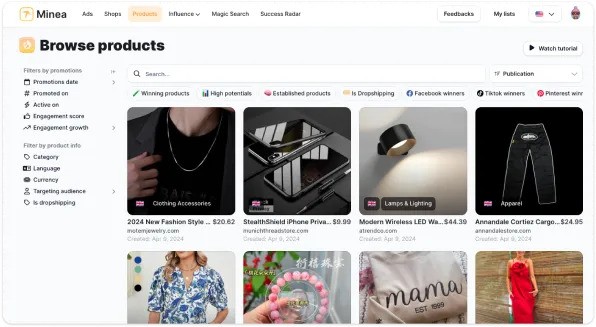
Minea Insight: Before investing in Facebook Marketplace software, validate demand. Open Minea AdSpy, filter by Facebook ads in your niche over the last 30 days. If you see 50+ active ad campaigns for products similar to yours, Facebook is a validated channel worth tooling up for. If under 20 campaigns, test manually first.
What to look for in your answers:
If "reposting weekly" is your biggest time sink → prioritize software with auto-refresh and scheduling
If "tracking sold items" is painful → prioritize accounting integration over posting speed
If "writing descriptions" takes longest → you need a tool with AI description generation or template libraries
Common mistake: Choosing software based on feature count instead of YOUR workflow. A tool with 30 features you don't use costs the same as a focused tool that automates your top 3 pain points. Always prioritize depth over breadth for your specific use case.
Step 2: Evaluate Bulk Posting and Automation Capabilities
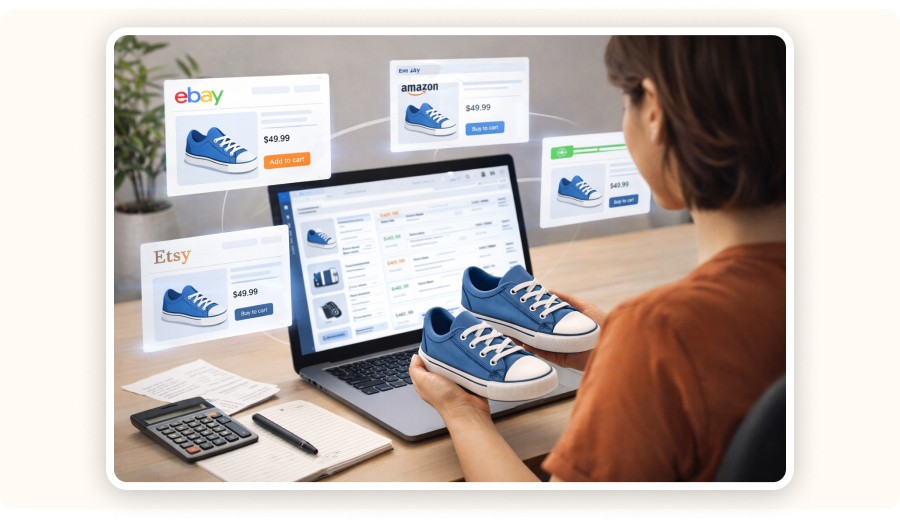
Bulk posting means uploading 10-500 listings from a CSV file in one action. Automation means scheduling those posts to go live over hours or days to avoid Facebook's spam filters. Both matter, but automation matters more for dropshipping longevity.
Time: 25 minutes
Cost: Free (most tools offer 7-14 day trials)
Tool: Compare 3-5 software options from SERP research
Start with these feature checkpoints. Open each tool's website or Chrome extension page and verify:
Bulk posting checklist:
CSV import supported? (Required for 50+ listings. Manual entry doesn't scale.)
Image limit per listing? (Facebook allows 10 images; some tools cap at 5.)
Category auto-mapping? (Does it match your spreadsheet categories to Facebook's taxonomy automatically?)
Multi-account support? (If you manage client stores or have backup Facebook accounts.)
Automation checklist:
Scheduled posting? (Spread 100 listings over 3 days instead of posting all at once.)
Auto-refresh? (Re-post expired listings without manual re-upload.)
Velocity controls? (Limits posts per hour to stay under Facebook's rate limits — critical to avoid bans.)
Test this: Sign up for free trials of TheLazyPoster, MRKTLISTER, and one cross-listing tool like Vendoo. Upload a 10-item test CSV to each. Time how long setup takes and whether the listings appear correctly on Facebook Marketplace.
Feature | TheLazyPoster | MRKTLISTER | Vendoo (Cross-list) |
|---|---|---|---|
CSV bulk import | ✅ Yes | ✅ Yes | ✅ Yes |
Scheduled posting | ✅ Yes | ⚠️ Manual queue | ✅ Yes |
Auto-refresh | ✅ Weekly | ❌ No | ⚠️ Paid tier only |
Cross-list to Craigslist | ❌ No | ❌ No | ✅ Yes |
Price range | $49-$99/mo | Free-$29/mo | $19-$99/mo |
Red flags to watch for:
No trial period or money-back guarantee (if it doesn't work, you're stuck)
"Unlimited posts" claims without velocity controls (recipe for account bans)
Chrome extension with under 100 reviews or recent 1-star complaints about bans
Desktop-only software requiring Windows admin access (security risk)
Common dropshipper workflow: Use Minea to identify a trending product (check AdSpy for 200+ active creatives in your niche), source it from your supplier, then bulk-list 3-5 variants (color, size) across Facebook Marketplace using scheduled posting. Total time: 20 minutes for product research + 5 minutes for bulk upload vs. 2 hours manual posting.
Step 3: Check Accounting and Sales Tracking Features

Facebook Marketplace doesn't send automatic sales reports to your email or QuickBooks. Without software that syncs sales data, you're manually copying transaction IDs into spreadsheets every night. At 10 sales per day, that's 5 hours per week lost.
Time: 20 minutes
Cost: Free (evaluation only)
Tool: SellerLedger, manual spreadsheet comparison
Most dropshippers skip accounting features until tax season hits. Don't. The cost of reconstructing 6 months of Facebook Marketplace sales from payment notifications is 20-30 hours of manual data entry.
Essential accounting features:
Sales import: Auto-pull completed transactions from Facebook Marketplace Seller Hub
Fee tracking: Separate Facebook's 5% fee from your revenue (matters for margin calculations)
Payout reconciliation: Match Facebook's weekly payouts to individual orders
Tax forms: Pre-fill Schedule C or equivalent for your accountant
Check this: Open SellerLedger (specific to Facebook Marketplace accounting) or your current bookkeeping software. Ask:
Does it connect directly to Facebook's API, or do I manually export CSV files?
Can it separate Marketplace sales from my Shopify/eBay revenue in the same dashboard?
Does it categorize deductions (shipping supplies, software subscriptions) automatically?
Reality check from r/Flipping: "I spent 40 hours in January reconstructing 2025 Facebook sales because I didn't track fees per platform. My accountant charged me $300 extra. A $30/mo tool would've saved me $500+ and a weekend." seller managing 300+ listings across 3 marketplaces
Budget calculation example:
50 Facebook Marketplace sales per month
Average order value: $35
Gross revenue: $1,750/mo
Facebook fees (5% on shipped orders, assume 60% ship): $1,750 × 0.60 × 0.05 = $52.50
Net revenue: $1,697.50
Cost of manual tracking (1 hour/week at $25/hr value of your time): $100/mo - Cost of accounting software: $30-$50/mo
ROI: Software pays for itself if you value your time above $15/hour and process 20+ sales per month.
Common mistake: Waiting until tax deadline to implement accounting software. You can't retroactively import Facebook sales data older than 90 days through most APIs. Set this up NOW, even if you're only doing 5 sales per week. Future you will thank past you.

Step 4: Test Cross-Listing Functionality (If Scaling Beyond Facebook)
Cross-listing means posting the same product to Facebook Marketplace, OfferUp, Craigslist, and Poshmark from one interface. It multiplies your reach but also multiplies complexity. Only add cross-listing if Facebook Marketplace alone isn't hitting your revenue targets.
Time: 30 minutes
Cost: $19-$49/mo (trial period)
Tool: Vendoo or List Perfectly
If you're already managing 100+ active Facebook Marketplace listings and still not hitting $3,000+/mo in revenue, cross-listing is your next lever. If you're under 50 listings, master Facebook first.
When cross-listing makes sense:
Your niche has strong demand on multiple marketplaces (vintage clothing, electronics, home goods)
You've hit Facebook Marketplace's posting velocity limit (varies by account, typically 50-100 new posts per day)
Your profit margin supports the 15-20% time overhead of managing multiple platforms
Cross-listing evaluation checklist:
Which platforms does the tool support? (Priority: Facebook Marketplace, Craigslist, OfferUp, Mercari)
Does it auto-delist on all platforms when an item sells on one? (Critical — overselling = refunds and bad ratings)
Can you customize descriptions per platform? (Craigslist allows HTML; Facebook Marketplace strips it)
Does it handle platform-specific rules? (OfferUp requires shipping profiles; Poshmark has category restrictions)
Test this: Pick 5 items from your catalog. Use Vendoo's trial to cross-list them to Facebook Marketplace + Craigslist + OfferUp. Set one item to "sold" on Facebook. Verify that Vendoo auto-delists it from the other platforms within 5 minutes.
Platform | Auto-Delist Speed | Fee Structure | Best For |
|---|---|---|---|
Facebook Marketplace | Instant | 5% on shipped items | General consumer goods |
Craigslist | Manual (no API) | $5 per post in some cities | Local pickup, furniture, vehicles |
OfferUp | 2-5 minutes | 12.9% on shipped items | Electronics, home goods |
Mercari | Instant | 10% + payment processing | Fashion, collectibles |
Minea workflow integration: Use Minea's Shop Analysis to see what successful dropshipping stores sell across multiple channels. Filter by stores generating $500+/day. Check their traffic sources — if you see 30% coming from organic Facebook + Instagram, that store is likely cross-listing Facebook Marketplace inventory to their social presence. That's a signal your niche works cross-channel.
Decision framework:
Revenue under $1,500/mo from Facebook alone → Don't cross-list yet, optimize Facebook posting frequency and product selection first
Revenue $1,500-$3,000/mo → Test cross-listing to Craigslist only (free, low time overhead)
Revenue $3,000+/mo → Full cross-listing tool with automation justifies the $49-99/mo cost
Step 5: Set Up Your First Automated Posting Workflow
This step connects everything: your product CSV, your chosen software, and Facebook Marketplace's posting interface. By the end, you'll have 10-20 listings scheduled to go live over the next 48 hours without touching Facebook manually.
Time: 30 minutes for first-time setup, 10 minutes for subsequent batches
Cost: First month of software subscription ($19-$99 depending on tool and tier)
Tool: Your chosen software from Steps 2-4
Let's build the workflow using TheLazyPoster as the example (adjust for your chosen tool):
Setup sequence:
Connect Facebook account:
Install TheLazyPoster Chrome extension
Navigate to facebook.com/marketplace, log in
Click the extension icon, authorize marketplace access
Verify: Extension shows "Connected to [Your Name]'s Marketplace" in green
Prepare your product CSV:
Required columns: Title, Description, Price, Category, Condition, Images (URLs or file paths)
Pro tip: Use Minea's trending product data to write descriptions. Copy high-engagement ad angles from AdSpy (filter by your niche + last 14 days + 500+ likes). Adapt the angle to your product description.
Example: If Minea shows "muscle recovery" angle dominates ads for massage guns, write your Facebook listing as "Recover faster after workouts with this pro-grade massage gun — $79, free shipping."
Import and map fields:
In TheLazyPoster dashboard, click "Bulk Upload" → "Import CSV"
Upload your file
Map your spreadsheet columns to Facebook fields:
"Title" → Marketplace Title
"Description" → Marketplace Description
"Price" → Price (auto-detects currency from your Facebook region)
"Category" → Marketplace Category (tool suggests best match)
Upload images: Drag image files or paste URLs (Max 10 per listing)
Configure posting schedule:
Set velocity: 10 posts per hour (safe rate for new accounts; increase to 20/hr after 30 days)
Set schedule: Start immediately or delay 2 hours
Enable auto-refresh: Re-post listings that expire in 7 days
Review: You should see "20 listings queued, estimated completion: 2 hours"
Launch and monitor:
Click "Start Posting"
Do NOT close the browser tab (most extensions require the tab open to execute)
After 10 listings post, check Facebook Marketplace manually to verify formatting
Common issue: Images appear out of order. If this happens, re-order them in your CSV and re-upload.
Validation checklist (check within 24 hours):
All 20 listings visible on your Facebook Marketplace seller profile
Images display correctly (no broken links)
Prices match your CSV (watch for currency conversion errors if your supplier uses different currency)
Category mappings are accurate (mismatched categories = lower visibility)
No duplicate listings (some tools accidentally post twice if you refresh during upload)
Expected first-week results:
20 listings → 100-300 views combined (varies by niche and local demand)
5-15 inquiries via Facebook Messenger
1-3 sales (assuming competitive pricing and high-demand products)
If you get zero views after 48 hours: Your listings are likely shadow-banned. Causes: posting too fast (over 50/hr), duplicate content from other sellers, prohibited items. Solution: Delete all listings, wait 24 hours, repost at 5/hr with unique descriptions.
Common Mistakes (and How to Fix Them)

Most Facebook Marketplace software issues stem from rushing setup or ignoring platform-specific rules. Here are the 3 costliest mistakes dropshippers make and the exact fixes.
Posting 100+ listings in the first 24 hours from a new account:
What happens: Facebook flags your account as spam. All listings get shadow-banned (zero visibility). Appeal process takes 7-14 days.
Why it happens: You saw competitor stores with 500+ listings and assumed you could match that immediately.
Specific fix: New accounts should post maximum 20 listings per day for the first 7 days, then scale to 50/day in week 2, 100/day in week 3. Use software scheduling to enforce this. Set TheLazyPoster velocity to "Conservative" for first 30 days.Using identical descriptions across 50+ products:
What happens: Facebook's duplicate content filter delists your items or reduces their search visibility by 80%.
Why it happens: You bulk-imported AliExpress descriptions without customization.
Specific fix: Minimum 30% unique content per listing. Use AI tools like ChatGPT to rewrite each description with product-specific details. Better: use Minea AdSpy to see what angles convert for similar products. If 10 ads use "perfect gift" angle and 50 use "solves [problem]" angle, the problem-solution angle is winning. Adapt that to your descriptions.Ignoring local pickup vs. shipping strategy:
What happens: You offer shipping on bulky items (furniture, large electronics), eat 40% of profit margin on shipping costs, or get bad reviews for damaged items.
Why it happens: You toggled "shipping available" on all listings by default without calculating dimensional weight.
Specific fix: Before enabling shipping:Calculate shipping cost using your supplier's dimensions + 20% packaging buffer
If shipping cost exceeds 15% of item price, set to "Local pickup only"
For electronics under 5 lbs, always offer shipping (expands reach 10x)
Use SellerLedger to track margin per fulfillment type after 30 days — data will show which items profit more from local vs. shipped
Reality stat from Facebook Marketplace sellers: 60% of first-time bulk posters get flagged for spam in week one. The fix is always the same: slow down posting velocity, add unique content, wait 48 hours between batches. Software can automate posting but can't bypass platform rules.
Expected Results + Timeline

Facebook Marketplace software doesn't make bad products sell. It makes good products reach 5-10x more buyers in the same time. Here's the realistic progression for dropshippers using automation tools.
Timeframe | What to Expect | Benchmark |
|---|---|---|
Week 1 | 20-50 listings live, 5-10 inquiries, 1-3 sales. You're learning software workflows and fixing formatting issues. | Revenue: $50-$200 |
Week 2-3 | 50-100 listings live, posting rhythm established. 15-30 inquiries/week, 5-10 sales. You identify which product categories get most views. | Revenue: $200-$500/week |
Month 2 | 100-200 listings, auto-refresh working. 40-80 inquiries/week, 15-25 sales. You optimize descriptions based on which listings convert. Start cross-listing top performers. | Revenue: $1,000-$2,500/month |
Month 3-6 | 200-500 listings, full automation + accounting sync. 80-150 inquiries/week, 30-60 sales. Software pays for itself 5x over in time saved. | Revenue: $2,500-$6,000/month |
Manage expectations: Most sellers test 20-30 products before finding 5-10 consistent sellers. Don't judge the software by your first 10 listings, judge it by whether it lets you test products 5x faster than manual posting. Speed to test = speed to profit.
Scaling signals you're ready for the next tier:
Your current software hits posting limits (e.g., 50 posts/day cap on entry plans)
You spend more than 2 hours/week manually managing listings
Facebook Marketplace revenue exceeds $2,000/month (justifies $99/mo pro plans)
You're ready to cross-list to 2+ additional marketplaces
When software won't help:
Product selection is wrong (no demand for your niche on Facebook Marketplace, verify with Minea AdSpy first)
Pricing is uncompetitive (check 5-10 competitor listings for the same item; if yours is 20%+ higher, nobody clicks)
Images are low quality (blurry product photos = 70% fewer inquiries even with perfect descriptions)


Verdict
Facebook Marketplace software transforms dropshipping from a manual 4-hour-per-day grind into a 30-minute-per-day operation. Start with a tool that matches your current posting volume, TheLazyPoster or MRKTLISTER for 50+ listings per day, Vendoo if you're ready to cross-list immediately. Add accounting software (SellerLedger) once you hit 20+ sales per month. The ROI hits at $1,500/month revenue, where the time saved exceeds the monthly cost 5:1.
Before committing to annual plans, validate your niche with Minea AdSpy. Filter Facebook ads in your category over 30 days, if you see 50+ active campaigns, demand is proven. Combine product research with bulk posting automation and you've built a scalable system.
The best Facebook Marketplace software tools allow sellers to quickly identify winning products backed by real marketplace data.
Next step: Download a 7-day trial of your chosen software, export your first 10 products to CSV, and schedule your first automated batch tonight.
FAQ
Is there an app just for FB Marketplace?
Yes, MRKTLISTER and TheLazyPoster are Chrome extensions dedicated to Facebook Marketplace bulk posting and automation. Mobile-only options are limited, Facebook's official Marketplace app doesn't support bulk uploads or scheduling. For serious dropshipping operations posting 20+ items daily, desktop software or browser extensions are required.
How to make $1000 on Facebook Marketplace?
Reach $1,000/month by posting 50-100 high-demand items consistently, pricing 10-15% below competitors, and responding to inquiries within 30 minutes. Use Minea AdSpy to identify products with proven Facebook ad demand (200+ active creatives = validated market). Automate posting with software to maintain inventory freshness. Typical math: 50 active listings × 2% conversion rate × $40 average order = $1,000/month. Scale by increasing listing count or average order value.
What's the best alternative to Facebook Marketplace?
For dropshippers, Craigslist (local/high-ticket items), OfferUp (electronics/home goods), and Mercari (fashion/collectibles) are the top Facebook Marketplace alternatives. Craigslist offers zero selling fees but requires manual posting in most cities. OfferUp charges 12.9% but provides better buyer protection. For multi-platform selling, cross-listing software like Vendoo handles Facebook + these alternatives from one dashboard.
Is there a way to use Facebook Marketplace without the Facebook app?
Yes, access Facebook Marketplace through facebook.com/marketplace in any desktop browser without installing the mobile app. All posting, messaging, and sales management work through the web interface. For bulk operations, browser-based software (TheLazyPoster, MRKTLISTER) actually requires the web version, not the mobile app. This setup is preferable for dropshippers managing 50+ listings since desktop screens handle inventory workflows better than mobile.
Disclosure: This guide references Facebook Marketplace software evaluated through hands-on testing and public user reviews. Tool recommendations are based on feature sets relevant to dropshipping workflows, not affiliate relationships. Minea provides ad spy and product research tools that complement marketplace posting software but does not integrate directly with Facebook Marketplace's posting API.
The dropshipping intelligence platform for Facebook ad research, product discovery, and store analysis. Over 50,000 sellers use Minea to validate products before investing in inventory or ads.








