
Best Shopify Extensions : 12 Picks That Actually Move Revenue
Best Dropshipping plugins
Author: Alexandra
Contents
If your Shopify store’s conversion rate or AOV has plateaued, the quickest lever you control is your app stack, especially choosing the right dropshipping plugin mix. The right extensions remove friction and add revenue. The wrong ones slow your site, complicate checkout, and turn “optimization” into busywork. Shopify itself recommends reviewing and removing non-essential apps when performance drops.
If you only install one (retention): Smile, Rewards & Loyalty, free plan available, paid plans start at $15/month.
For quick on-page SEO fixes (no developer needed) : Plug In SEO, plans from $29.99/month, with a 14-day free trial.
For an immediate AOV lift: Voyager Upsell & Cross-Sell, $27/month with a free trial.
Rule of thumb: don’t treat “more apps” as a strategy. Keep a lean core (often 6–10 apps), and remove anything you’re not actively measuring.
What “best Shopify extensions” really means (and how to choose)

“Best Shopify extensions” isn’t about collecting apps. The best ones are the tools that remove friction in the buying journey or increase customer lifetime value. In practice, that means extensions that improve one of three things: conversion rate (CVR), average order value (AOV), or repeat purchases, without slowing your storefront.
Most “best apps” lists don’t think like a store owner. You should.
Here’s a simple framework that matches how Shopify stores actually make money:
Revenue levers first : CVR, AOV, and retention.
Operations second : fulfillment, customer support, reporting/exports, fraud prevention.
Nice-to-haves last : design extras and “cool features” you won’t measure.
If you’re dropshipping, this matters even more because margins are tight. An app that adds even a second or two to load time can quietly eat the gains you were hoping to get from that subscription.
Minea
Track Trending Shops
Explore key insights on traffic, revenue, and top ads, plus the vital tools and apps that fuel their success. Leverage theses informations to replicate their winning strategies.
Top Shopify Extensions to Boost Sales
To shortlist the best Shopify extensions, we used these criteria:
Clear revenue impact (CVR, AOV, retention)
Easy setup with minimal technical work
Results you can measure with clean KPIs
Lightweight performance (no extra scripts or checkout friction)
Transparent pricing that scales predictably
Reliable team: strong reviews, support, frequent updates
1) Smile : Rewards & Loyalty, best Shopify extension for customer retention
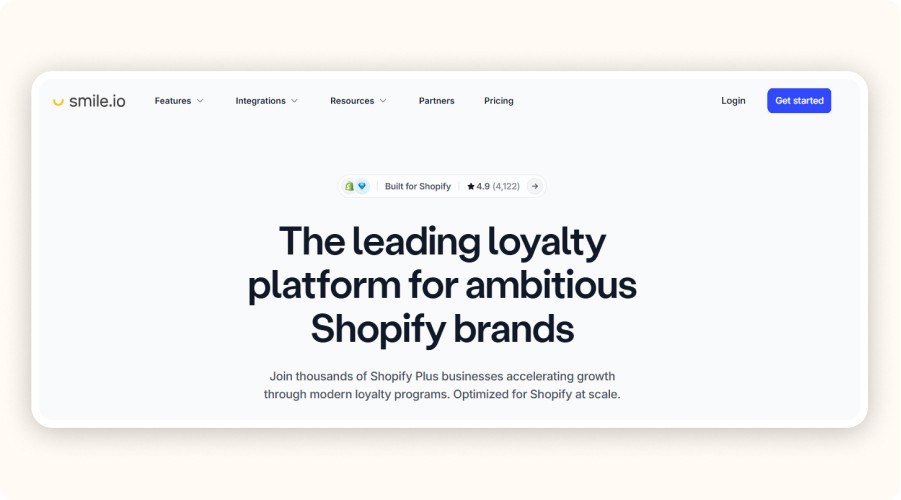
Loyalty programs work best when they give customers a clear reason to return. Ideally, that reason shows up before the next ad pulls them away. Smile does this with points, VIP tiers, and referrals. It turns repeat purchases into a repeatable system, not a “nice-to-have.”
There’s a free plan available. Paid plans are often around $49/month, depending on the features you need. Smile is a good fit if you already have sales but repeat purchases are weak. It also works well for consumables, accessories, or any product people naturally reorder.
Key features :
Awards points based on orders, account creation, birthdays, referrals, and custom actions.
Shows points and redemption options in widgets so the incentive is visible at the moment of purchase.
Creates tier thresholds (VIP) to push higher-frequency shoppers to the next level.
Practical setup that works:
1. Set a simple baseline: 1 point per $1 (or equivalent).
2. Make the first reward reachable (e.g., $5 off at 100 points).
3. Add a referral reward that doesn’t destroy margin (store credit is safer than cash).
4. Measure: repeat purchase rate and revenue per email subscriber (if you pair with email flows).
Pros | Cons |
|---|---|
Boosts repeat purchases with points, VIP tiers, and referrals | Can reduce margins if rewards are too generous |
Easy to set up with simple rules | Needs monitoring (redemptions, abuse) |
Rewards are visible on-site via widgets | Less useful if you don’t have enough repeat buyers yet |
2) Plug In SEO : best for SEO fixes without a developer
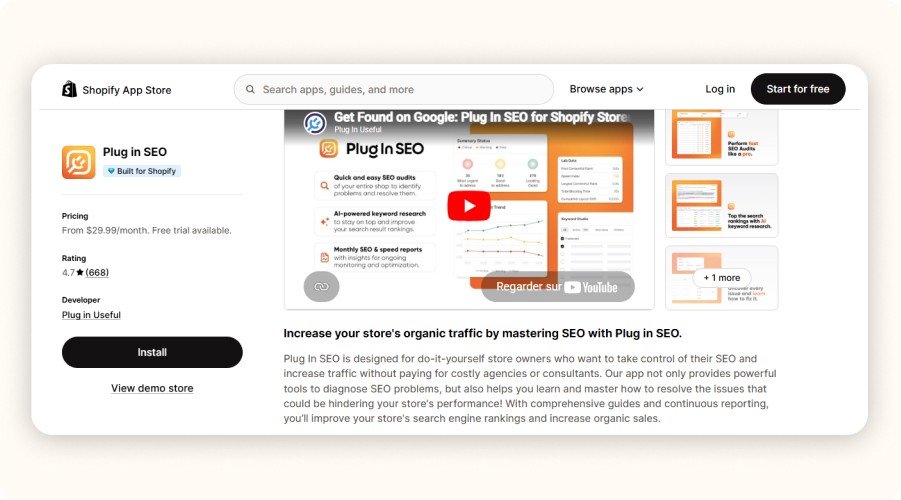
Plug In SEO is useful because it turns Shopify SEO into a simple checklist. You don’t need to be an SEO expert to benefit from it, you just need to fix the basics that impact rankings and clicks.
It scans your store and flags common issues like missing meta titles/descriptions, broken links, missing alt text, and a few performance-related checks. There’s a free plan available, and paid plans are often around $20/month depending on features. It’s a good fit if you want quick SEO hygiene wins without hiring a developer.
Key features:
Scans your store to detect missing meta titles/descriptions, broken links, and missing alt text
Gives actionable recommendations so you know what to fix first
Includes basic performance-related checks to help spot obvious issues
Practical setup that works:
Start with your collection pages and top product pages (highest leverage).
Use a consistent product title template: primary keyword + product type + key differentiator.
Fix broken links and missing alt text on your best sellers first.
Re-scan monthly and only keep fixing items that move traffic/clicks.
Pros | Cons |
|---|---|
Turns SEO into a clear to-do list | Can feel overwhelming if you try to fix everything at once |
Good quick wins without a developer | Doesn’t replace a real content/SEO strategy |
Helps keep metadata consistent across pages | Some checks are “nice-to-have” vs truly important |
3) Voyager Upsell & Cross-Sell : best Shopify extension for a simple AOV lift
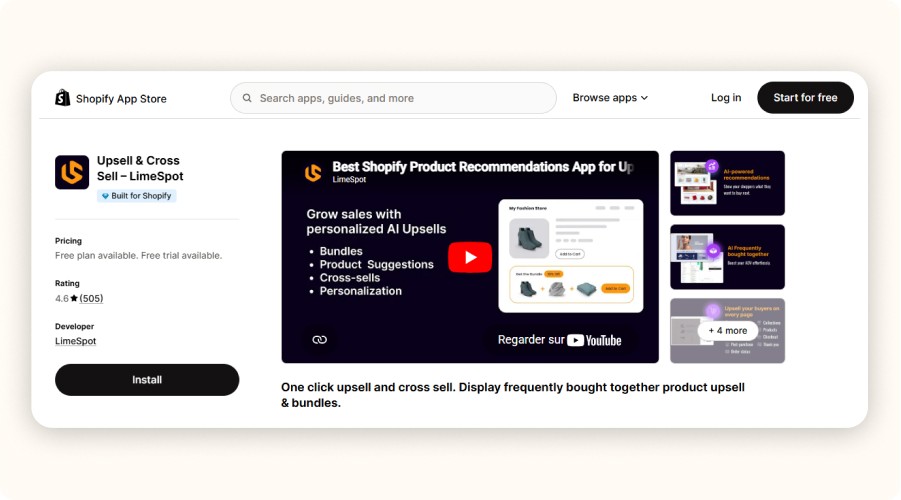
If you need an AOV bump quickly, Voyager is a straightforward upsell tool with clear triggers. It’s designed for simple, relevant offers that nudge customers to add something extra without making checkout feel complicated.
Voyager shows upsell and cross-sell offers based on cart contents and behavior (for example, suggesting an accessory when a main product is in the cart). Pricing is commonly around $27/month with a short trial. It’s a good fit if you have steady traffic and conversions, but your cart size is stuck.
Key features:
Shows upsell/cross-sell offers based on what’s in the cart
Uses simple triggers (e.g., “add accessory with main item”)
Lets you control offers so they stay relevant to the purchase
Practical setup that works:
Set one upsell per trigger (keep it clean).
Offer a true complement (not a random bestseller).
Keep the upsell value under about 15% of the cart to avoid sticker shock.
Track AOV + upsell take rate, and remove offers that hurt conversion.
Pros | Cons |
|---|---|
Quick AOV lift with simple setup | Can annoy shoppers if offers feel pushy |
Easy “add this with that” logic | Too many triggers can clutter the experience |
Works well for accessories and add-ons | Needs testing to find offers that convert |
4) Free Shipping Bar : best Shopify extension for nudging cart size
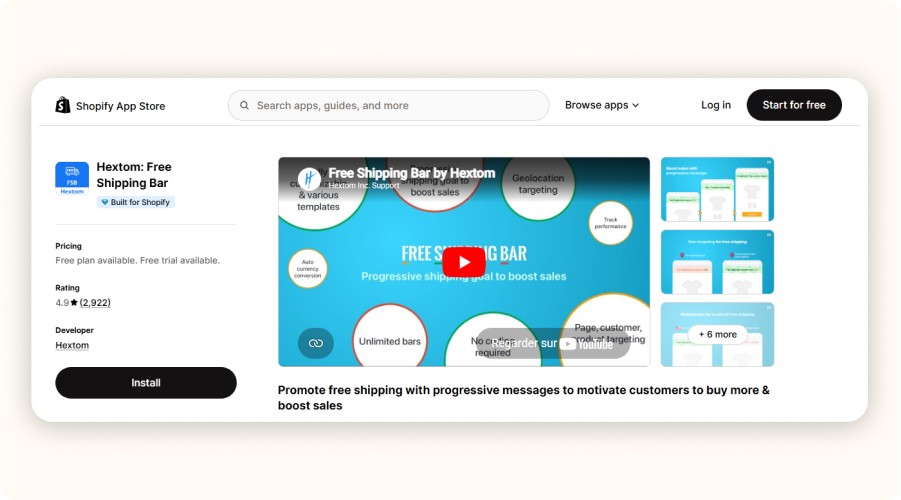
Free shipping bars work because they turn a vague threshold into a clear goal. The progress bar is the real driver: shoppers can see how close they are, and that often pushes one extra add-to-cart.
The bar updates as the cart value grows (for example: “You’re $12 away from free shipping”). There’s usually a free plan, and paid plans are commonly around $9.99/month. It’s a good fit if your store converts but carts are a bit small, and you want a simple nudge without changing your offers.
Key features :
Displays a progress bar that updates based on cart value
Shows the remaining amount needed to unlock free shipping
Lets you set a threshold and message that stays visible while shopping
Practical setup that works:
Set the free shipping threshold 10–20% above your current AOV (not 2×).
Keep the copy simple: “You’re $X away from free shipping.”
Test on cart + cart drawer first (highest impact location).
Track AOV and margin: if shipping costs are high, adjust the threshold.
Pros | Cons |
|---|---|
Quick, low-effort way to lift cart size | Can hurt margin if the threshold is too low |
Makes the free shipping goal visible in real time | If the goal is too high, shoppers ignore it |
Easy to test and revert | Needs calibration based on shipping costs |
5) TinyIMG (Image SEO & Speed) : best Shopify extension for storefront performance on a budget
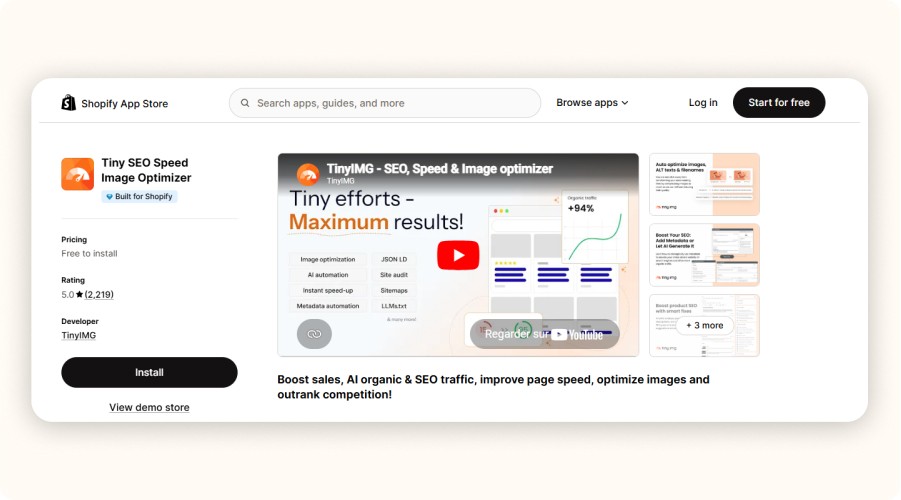
Speed matters because it affects the shopping experience, especially on mobile. TinyIMG is a practical option if your pages feel heavy, or if you imported supplier images that were never optimized.
It compresses images, helps standardize alt text, and can clean up some basic SEO around image assets. This is especially useful for dropshipping stores where product pages are often image-heavy. Pricing usually includes a free option, with paid plans depending on features and usage.
Key features :
Compresses and optimizes images to reduce page weight
Helps standardize image alt text for cleaner SEO signals
Improves image-heavy pages without manual resizing
Practical setup that works:
Start with your homepage hero and top product galleries.
Replace oversized lifestyle images with properly sized versions.
Add clean, consistent alt text on best sellers (don’t keyword-stuff).
Check before/after impact in Shopify analytics and a speed tool.
Pros | Cons |
|---|---|
Fast win for image-heavy stores | Over-compression can reduce image quality |
Helpful when supplier images are unoptimized | Some features depend on plan/usage limits |
Easy to measure before/after | Not a substitute for broader theme performance work |
6) Judge.me Product Reviews : best Shopify extension for lightweight social proof
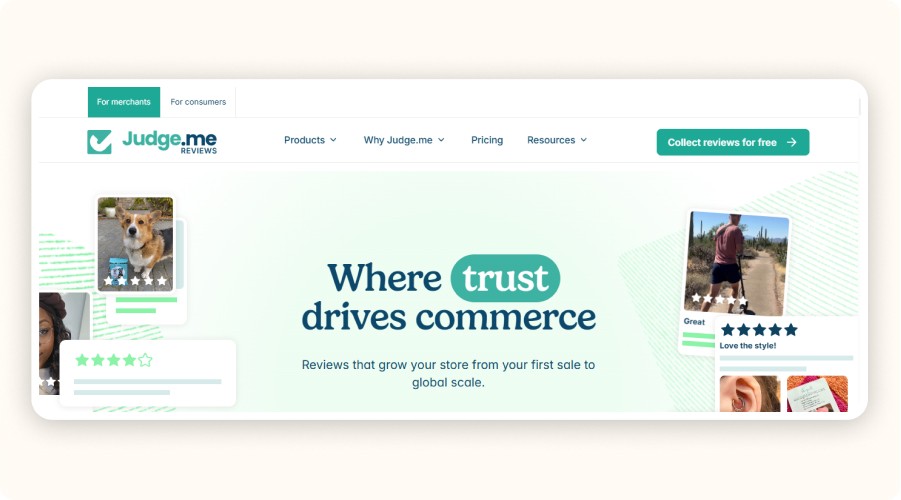
Reviews lift conversion when shoppers can scan them quickly and trust what they see. Judge.me is popular because it’s simple to set up, usually loads reasonably, and gives you the core review features without a heavy stack.
It collects and displays product reviews, sends review request emails, and offers widgets (stars, review blocks, etc.). It’s a strong fit if you need social proof fast, but you still want the reviews section to look natural and credible.
Key features :
Collects and displays product reviews with flexible widgets
Sends automated review request emails
Adds star ratings and review blocks to key pages
Practical setup that works:
Send review requests after delivery, not right after purchase.
Start with a small incentive (store credit), but keep it modest.
Feature the most helpful reviews on your best sellers.
Add photo reviews gradually, don’t force it.
Pros | Cons |
|---|---|
Quick social proof that supports conversion | Can look fake if review timing is wrong |
Simple setup and usually lightweight | Needs a real review collection process |
Flexible widgets for product pages | Too many widgets can clutter the page |


Create and test your Shopify store for only $1 per day during 90 days
7) Shopify Inbox : best free extension for conversion support
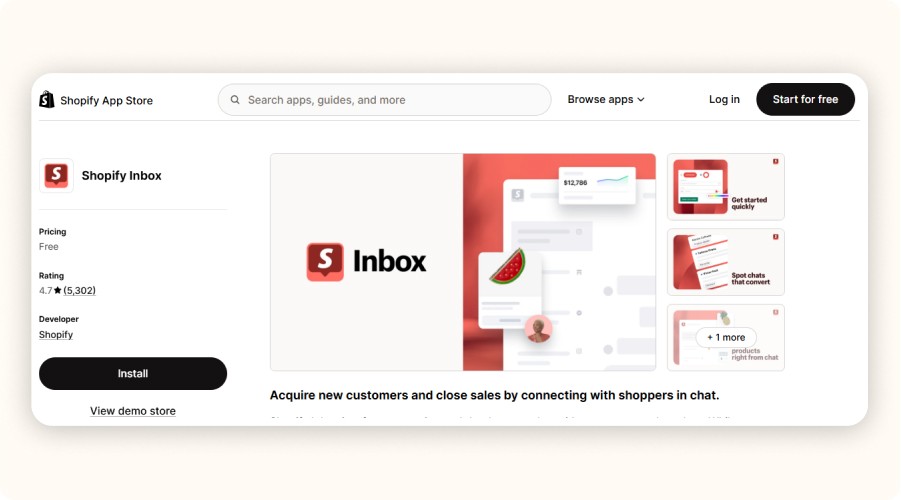
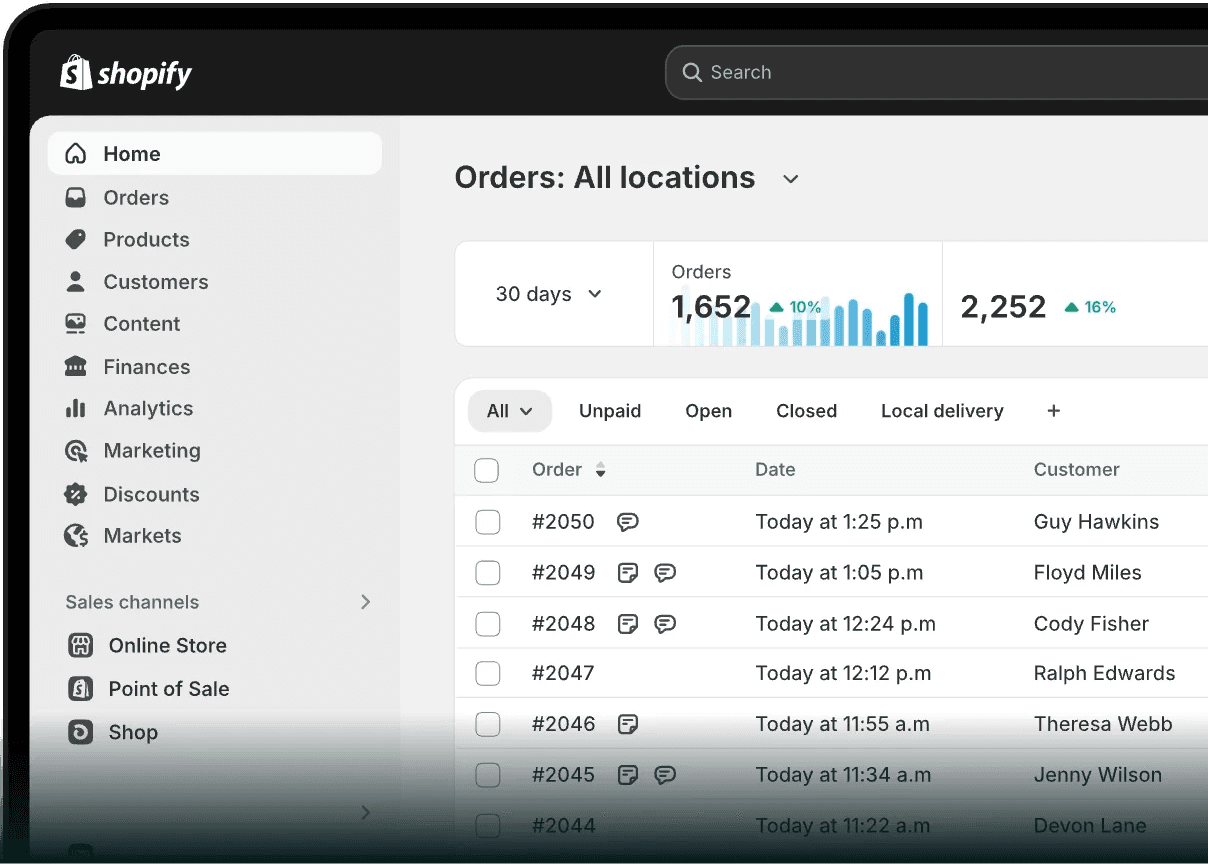
Live chat only helps when it answers the one question that stops someone from checking out. Shopify Inbox is a simple way to handle those “quick blockers” without adding a heavy support stack.
It lets you reply to customer messages inside Shopify, save quick replies, and use basic automation so you’re not typing the same answers all day. It’s especially useful for higher-consideration products, where shoppers usually ask about sizing, compatibility, shipping times, or your return policy.
Key features :
Reply to customer messages directly inside Shopify
Set up quick replies for common questions
Add basic automation to handle simple requests faster
Practical setup that works:
Set clear hours and response expectations (don’t imply 24/7 if it’s not).
Create 8–12 quick replies for your top questions (shipping, returns, sizing).
Put your FAQ link in the first auto-reply to reduce repetitive chats.
Review weekly: which questions appear most, and update product pages to pre-answer them.
Pros | Cons |
|---|---|
Free and simple to launch | Needs staffing (or clear hours) to avoid “dead chat” |
Helps remove last-minute checkout friction | If replies are slow, it can hurt trust |
Quick replies save time | Works best when product pages are already clear |
8) Klaviyo Email & SMS : best for lifecycle automation (when you’re ready)
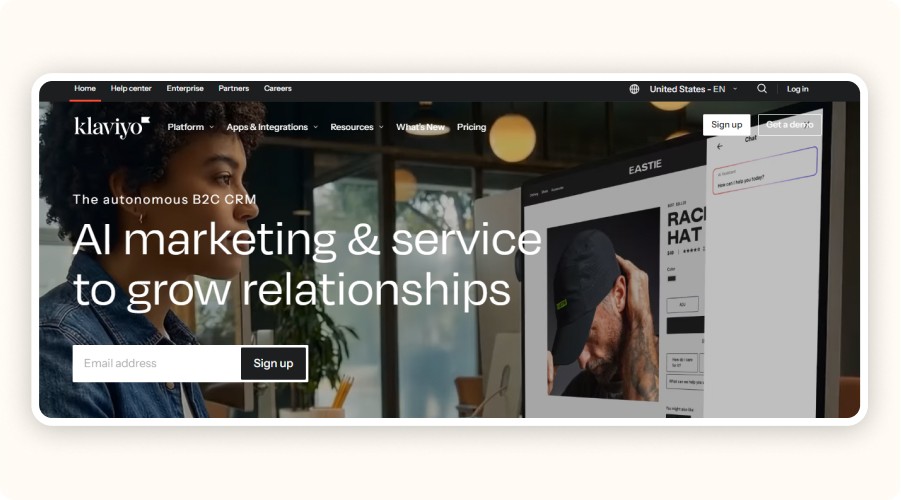
If you’re spending real money on ads, lifecycle flows are usually where the “extra profit” comes from. Klaviyo helps you follow up based on what people actually do, browse, add to cart, start checkout, buy, then disappear.
It triggers emails and SMS from key events like viewed product, added to cart, started checkout, purchased, or time since last purchase. It’s a good fit once you have consistent traffic and orders, because the automation needs volume to pay back.
Key features :
Event-based flows (browse, cart, checkout, purchase, winback)
Segmentation so you don’t send the same message to everyone
Reporting to track revenue from flows over time
Practical setup that works:
Launch these three flows first: abandoned checkout, post-purchase, winback (30–90 days).
Keep copy simple and focused on one action per message.
Collect subscribers cleanly (avoid low-intent popups that inflate your list).
Prune inactive contacts regularly so costs don’t creep up.
Klaviyo is also compatible with WooCommerce, making it a powerful email and SMS marketing solution across both platforms.
Pros | Cons |
|---|---|
High ROI once flows are set up | Can get expensive as your list grows |
Makes retention and repeat purchases more predictable | Needs list hygiene and deliverability basics |
Great pairing with paid traffic | Over-automation can feel spammy if not controlled |
9) ReConvert Upsell & Cross Sell : best for post-purchase offers
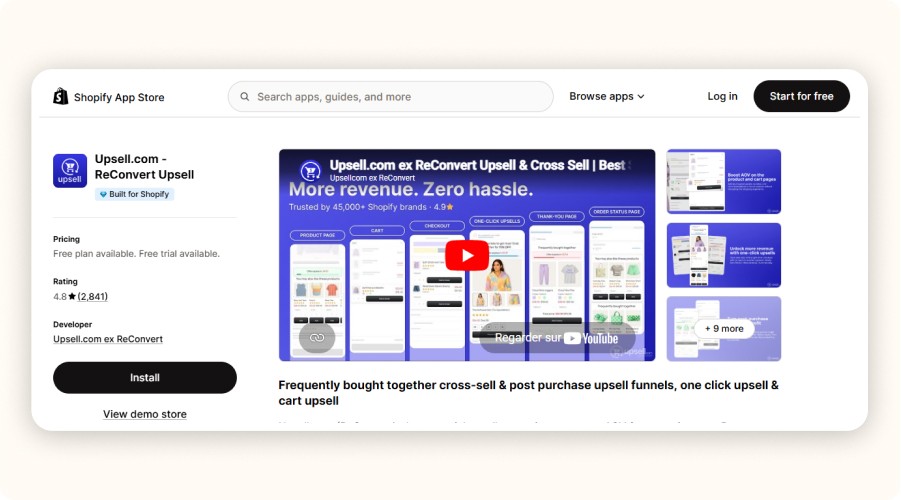
Post-purchase offers work because the customer already said “yes.” ReConvert focuses on upsells after the purchase, usually on the thank-you page and in post-purchase steps, where friction is lower than before checkout.
It’s most effective when you sell natural add-ons: accessories, warranties, “add one more” items, or bundles that reduce shipping cost per order. The key is to keep the offer tightly related to what they just bought, and not overload the page.
Key features :
Thank-you page upsells and customization
Post-purchase offers (often with streamlined checkout options)
Simple targeting so offers stay relevant to the original order
Practical setup that works:
Start with one post-purchase offer on your best-selling product.
Keep it complementary (accessory, protection, refill, warranty).
Price it low enough to feel like an easy add-on.
Track take rate + net profit impact (not just revenue).
Pros | Cons |
|---|---|
Monetizes orders after the “yes” moment | Can clutter the thank-you page if overbuilt |
Great for accessories and add-ons | Needs clean offer matching to avoid irrelevance |
Often easier than pre-checkout upsells | Results depend heavily on product mix |
10) Data Export IO : best for operations and audits
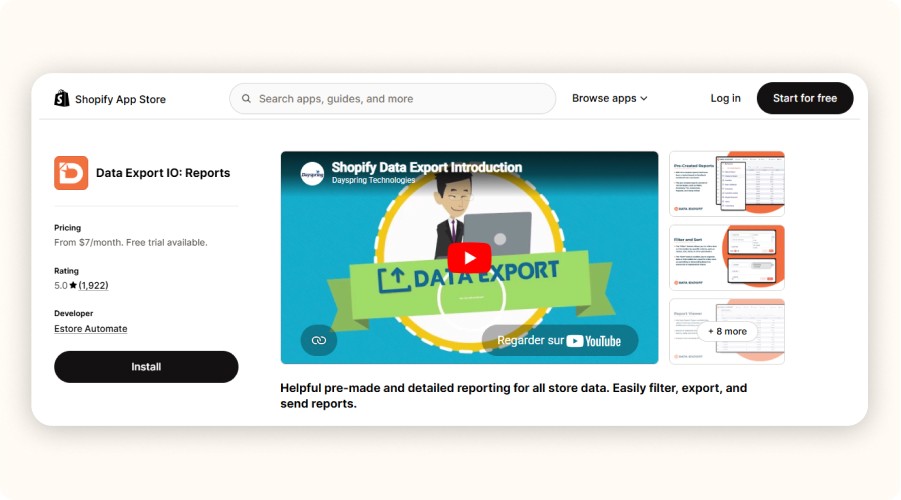
As your store grows, clean exports stop being “nice to have”. You’ll need reliable files for finance, chargebacks, and even ad attribution checks. Data Export IO helps you pull Shopify data into CSVs on a schedule, with filters, so you’re not rebuilding reports from scratch every week.
It’s especially useful when you want a repeatable ops routine, profit tracking, order audits, and clean handoffs to a VA or warehouse. Pricing varies by plan and store needs, but the real value is the time saved once you’re doing reporting regularly.
Key features :
Exports Shopify data (orders, products, customers) into CSV
Scheduling + filters so exports run automatically
Repeatable reporting for audits and operations
Practical setup that works:
Set up a weekly export for orders including costs you track (refunds, shipping, fees).
Create a second “audit” export for refunds, chargebacks, and fulfillment issues.
Schedule both exports to email the right person (you, VA, accountant).
Keep one master folder for exports so audits take minutes, not hours.
Pros | Cons |
|---|---|
Saves time on reporting and audits | Less useful for very small stores |
Makes ops routines repeatable | Needs a clear reporting goal to avoid tool sprawl |
Easy handoff to VA/accounting | CSV exports still require some spreadsheet handling |
11) Hoverify (Chrome extension) : best for theme inspection and quick CRO checks

You don’t need to be a developer to benefit from better inspection tools. Hoverify adds an overlay to your storefront so you can quickly check page elements while you work, things like fonts, images, spacing, and basic speed-related details.
It’s most helpful right after theme updates or when you’re doing quick CRO checks (for example: “Is this button visible on mobile?” or “Is this image way too large?”). Pricing is commonly listed around $30/year or $89 lifetime, but it’s worth verifying before purchase.
Key features :
On-page inspection for CSS, images, fonts, and layout elements
Helps spot oversized assets and UI issues quickly
Useful for QA workflows after theme edits
Practical setup that works:
Run a QA pass after every theme update (home, product page, cart).
Check mobile first: CTA visibility, spacing, sticky elements.
Flag oversized images and fix the biggest offenders first.
Keep a simple checklist so QA doesn’t turn into random tinkering.
Pros | Cons |
|---|---|
Speeds up QA and CRO checks | Not a Shopify app (browser tool) |
Helps catch small UX issues fast | Pricing/features should be verified before buying |
Useful after theme updates | Less valuable if you rarely update or test UX |
12) Koala Inspector (Chrome extension) : best for competitor stack research
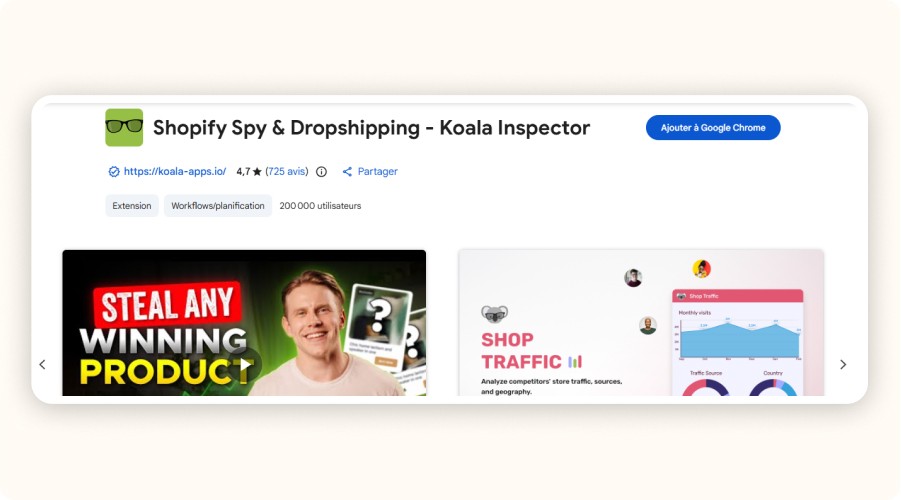
Competitor research is faster when you can see the building blocks behind a store. Koala Inspector is a Chrome extension that helps detect themes, apps, and certain storefront technologies, so you can understand what other Shopify stores are using without guessing.
The smart way to use it is for hypotheses, not copying. Look for patterns across multiple competitors (shipping bar + bundles + loyalty, for example), then test one change in your own store and validate with your data. What works for a $2M/year brand won’t always work for a newer store.
Key features :
Detects themes and parts of a store’s app/tech stack
Helps you map competitor setups faster
Useful for spotting repeated patterns across a niche
Practical setup that works:
Inspect 10–20 competitor stores in your niche (not just one).
Write down recurring patterns (apps, structure, offers, trust elements).
Pick one hypothesis to test (not five at once).
Validate with your metrics (conversion rate, AOV, repeat rate) before keeping it.
Pros | Cons |
|---|---|
Fast way to understand competitor stacks | Easy to copy blindly (bad idea) |
Helps generate test ideas | Signals can be incomplete or misleading |
Saves research time | Needs your own testing to confirm what works |
Top 10 Best Stores of the Day
Every day, new e-commerce sellers launch highly profitable products thanks to effective ads. Get inspired and be the next one 👇
If your Shopify store’s conversion rate or AOV has plateaued, the quickest lever you control is your app stack, especially choosing the right dropshipping plugin mix. The right extensions remove friction and add revenue. The wrong ones slow your site, complicate checkout, and turn “optimization” into busywork. Shopify itself recommends reviewing and removing non-essential apps when performance drops.
If you only install one (retention): Smile, Rewards & Loyalty, free plan available, paid plans start at $15/month.
For quick on-page SEO fixes (no developer needed) : Plug In SEO, plans from $29.99/month, with a 14-day free trial.
For an immediate AOV lift: Voyager Upsell & Cross-Sell, $27/month with a free trial.
Rule of thumb: don’t treat “more apps” as a strategy. Keep a lean core (often 6–10 apps), and remove anything you’re not actively measuring.
What “best Shopify extensions” really means (and how to choose)
“Best Shopify extensions” isn’t about collecting apps. The best ones are the tools that remove friction in the buying journey or increase customer lifetime value. In practice, that means extensions that improve one of three things: conversion rate (CVR), average order value (AOV), or repeat purchases, without slowing your storefront.
Most “best apps” lists don’t think like a store owner. You should.
Here’s a simple framework that matches how Shopify stores actually make money:
Revenue levers first : CVR, AOV, and retention.
Operations second : fulfillment, customer support, reporting/exports, fraud prevention.
Nice-to-haves last : design extras and “cool features” you won’t measure.
If you’re dropshipping, this matters even more because margins are tight. An app that adds even a second or two to load time can quietly eat the gains you were hoping to get from that subscription.
Minea
Track Trending Shops
Explore key insights on traffic, revenue, and top ads, plus the vital tools and apps that fuel their success. Leverage theses informations to replicate their winning strategies.

Top Shopify Extensions to Boost Sales
To shortlist the best Shopify extensions, we used these criteria:
Clear revenue impact (CVR, AOV, retention)
Easy setup with minimal technical work
Results you can measure with clean KPIs
Lightweight performance (no extra scripts or checkout friction)
Transparent pricing that scales predictably
Reliable team: strong reviews, support, frequent updates
1) Smile : Rewards & Loyalty, best Shopify extension for customer retention
Loyalty programs work best when they give customers a clear reason to return. Ideally, that reason shows up before the next ad pulls them away. Smile does this with points, VIP tiers, and referrals. It turns repeat purchases into a repeatable system, not a “nice-to-have.”
There’s a free plan available. Paid plans are often around $49/month, depending on the features you need. Smile is a good fit if you already have sales but repeat purchases are weak. It also works well for consumables, accessories, or any product people naturally reorder.
Key features :
Awards points based on orders, account creation, birthdays, referrals, and custom actions.
Shows points and redemption options in widgets so the incentive is visible at the moment of purchase.
Creates tier thresholds (VIP) to push higher-frequency shoppers to the next level.
Practical setup that works:
1. Set a simple baseline: 1 point per $1 (or equivalent).
2. Make the first reward reachable (e.g., $5 off at 100 points).
3. Add a referral reward that doesn’t destroy margin (store credit is safer than cash).
4. Measure: repeat purchase rate and revenue per email subscriber (if you pair with email flows).
Pros | Cons |
|---|---|
Boosts repeat purchases with points, VIP tiers, and referrals | Can reduce margins if rewards are too generous |
Easy to set up with simple rules | Needs monitoring (redemptions, abuse) |
Rewards are visible on-site via widgets | Less useful if you don’t have enough repeat buyers yet |
2) Plug In SEO : best for SEO fixes without a developer
Plug In SEO is useful because it turns Shopify SEO into a simple checklist. You don’t need to be an SEO expert to benefit from it, you just need to fix the basics that impact rankings and clicks.
It scans your store and flags common issues like missing meta titles/descriptions, broken links, missing alt text, and a few performance-related checks. There’s a free plan available, and paid plans are often around $20/month depending on features. It’s a good fit if you want quick SEO hygiene wins without hiring a developer.
Key features:
Scans your store to detect missing meta titles/descriptions, broken links, and missing alt text
Gives actionable recommendations so you know what to fix first
Includes basic performance-related checks to help spot obvious issues
Practical setup that works:
Start with your collection pages and top product pages (highest leverage).
Use a consistent product title template: primary keyword + product type + key differentiator.
Fix broken links and missing alt text on your best sellers first.
Re-scan monthly and only keep fixing items that move traffic/clicks.
Pros | Cons |
|---|---|
Turns SEO into a clear to-do list | Can feel overwhelming if you try to fix everything at once |
Good quick wins without a developer | Doesn’t replace a real content/SEO strategy |
Helps keep metadata consistent across pages | Some checks are “nice-to-have” vs truly important |
3) Voyager Upsell & Cross-Sell : best Shopify extension for a simple AOV lift
If you need an AOV bump quickly, Voyager is a straightforward upsell tool with clear triggers. It’s designed for simple, relevant offers that nudge customers to add something extra without making checkout feel complicated.
Voyager shows upsell and cross-sell offers based on cart contents and behavior (for example, suggesting an accessory when a main product is in the cart). Pricing is commonly around $27/month with a short trial. It’s a good fit if you have steady traffic and conversions, but your cart size is stuck.
Key features:
Shows upsell/cross-sell offers based on what’s in the cart
Uses simple triggers (e.g., “add accessory with main item”)
Lets you control offers so they stay relevant to the purchase
Practical setup that works:
Set one upsell per trigger (keep it clean).
Offer a true complement (not a random bestseller).
Keep the upsell value under about 15% of the cart to avoid sticker shock.
Track AOV + upsell take rate, and remove offers that hurt conversion.
Pros | Cons |
|---|---|
Quick AOV lift with simple setup | Can annoy shoppers if offers feel pushy |
Easy “add this with that” logic | Too many triggers can clutter the experience |
Works well for accessories and add-ons | Needs testing to find offers that convert |
4) Free Shipping Bar : best Shopify extension for nudging cart size
Free shipping bars work because they turn a vague threshold into a clear goal. The progress bar is the real driver: shoppers can see how close they are, and that often pushes one extra add-to-cart.
The bar updates as the cart value grows (for example: “You’re $12 away from free shipping”). There’s usually a free plan, and paid plans are commonly around $9.99/month. It’s a good fit if your store converts but carts are a bit small, and you want a simple nudge without changing your offers.
Key features :
Displays a progress bar that updates based on cart value
Shows the remaining amount needed to unlock free shipping
Lets you set a threshold and message that stays visible while shopping
Practical setup that works:
Set the free shipping threshold 10–20% above your current AOV (not 2×).
Keep the copy simple: “You’re $X away from free shipping.”
Test on cart + cart drawer first (highest impact location).
Track AOV and margin: if shipping costs are high, adjust the threshold.
Pros | Cons |
|---|---|
Quick, low-effort way to lift cart size | Can hurt margin if the threshold is too low |
Makes the free shipping goal visible in real time | If the goal is too high, shoppers ignore it |
Easy to test and revert | Needs calibration based on shipping costs |
5) TinyIMG (Image SEO & Speed) : best Shopify extension for storefront performance on a budget
Speed matters because it affects the shopping experience, especially on mobile. TinyIMG is a practical option if your pages feel heavy, or if you imported supplier images that were never optimized.
It compresses images, helps standardize alt text, and can clean up some basic SEO around image assets. This is especially useful for dropshipping stores where product pages are often image-heavy. Pricing usually includes a free option, with paid plans depending on features and usage.
Key features :
Compresses and optimizes images to reduce page weight
Helps standardize image alt text for cleaner SEO signals
Improves image-heavy pages without manual resizing
Practical setup that works:
Start with your homepage hero and top product galleries.
Replace oversized lifestyle images with properly sized versions.
Add clean, consistent alt text on best sellers (don’t keyword-stuff).
Check before/after impact in Shopify analytics and a speed tool.
Pros | Cons |
|---|---|
Fast win for image-heavy stores | Over-compression can reduce image quality |
Helpful when supplier images are unoptimized | Some features depend on plan/usage limits |
Easy to measure before/after | Not a substitute for broader theme performance work |
6) Judge.me Product Reviews : best Shopify extension for lightweight social proof
Reviews lift conversion when shoppers can scan them quickly and trust what they see. Judge.me is popular because it’s simple to set up, usually loads reasonably, and gives you the core review features without a heavy stack.
It collects and displays product reviews, sends review request emails, and offers widgets (stars, review blocks, etc.). It’s a strong fit if you need social proof fast, but you still want the reviews section to look natural and credible.
Key features :
Collects and displays product reviews with flexible widgets
Sends automated review request emails
Adds star ratings and review blocks to key pages
Practical setup that works:
Send review requests after delivery, not right after purchase.
Start with a small incentive (store credit), but keep it modest.
Feature the most helpful reviews on your best sellers.
Add photo reviews gradually, don’t force it.
Pros | Cons |
|---|---|
Quick social proof that supports conversion | Can look fake if review timing is wrong |
Simple setup and usually lightweight | Needs a real review collection process |
Flexible widgets for product pages | Too many widgets can clutter the page |
Create and test your Shopify store for only $1 per day during 90 days
7) Shopify Inbox : best free extension for conversion support
Live chat only helps when it answers the one question that stops someone from checking out. Shopify Inbox is a simple way to handle those “quick blockers” without adding a heavy support stack.
It lets you reply to customer messages inside Shopify, save quick replies, and use basic automation so you’re not typing the same answers all day. It’s especially useful for higher-consideration products, where shoppers usually ask about sizing, compatibility, shipping times, or your return policy.
Key features :
Reply to customer messages directly inside Shopify
Set up quick replies for common questions
Add basic automation to handle simple requests faster
Practical setup that works:
Set clear hours and response expectations (don’t imply 24/7 if it’s not).
Create 8–12 quick replies for your top questions (shipping, returns, sizing).
Put your FAQ link in the first auto-reply to reduce repetitive chats.
Review weekly: which questions appear most, and update product pages to pre-answer them.
Pros | Cons |
|---|---|
Free and simple to launch | Needs staffing (or clear hours) to avoid “dead chat” |
Helps remove last-minute checkout friction | If replies are slow, it can hurt trust |
Quick replies save time | Works best when product pages are already clear |
8) Klaviyo Email & SMS : best for lifecycle automation (when you’re ready)
If you’re spending real money on ads, lifecycle flows are usually where the “extra profit” comes from. Klaviyo helps you follow up based on what people actually do, browse, add to cart, start checkout, buy, then disappear.
It triggers emails and SMS from key events like viewed product, added to cart, started checkout, purchased, or time since last purchase. It’s a good fit once you have consistent traffic and orders, because the automation needs volume to pay back.
Key features :
Event-based flows (browse, cart, checkout, purchase, winback)
Segmentation so you don’t send the same message to everyone
Reporting to track revenue from flows over time
Practical setup that works:
Launch these three flows first: abandoned checkout, post-purchase, winback (30–90 days).
Keep copy simple and focused on one action per message.
Collect subscribers cleanly (avoid low-intent popups that inflate your list).
Prune inactive contacts regularly so costs don’t creep up.
Klaviyo is also compatible with WooCommerce, making it a powerful email and SMS marketing solution across both platforms.
Pros | Cons |
|---|---|
High ROI once flows are set up | Can get expensive as your list grows |
Makes retention and repeat purchases more predictable | Needs list hygiene and deliverability basics |
Great pairing with paid traffic | Over-automation can feel spammy if not controlled |
9) ReConvert Upsell & Cross Sell : best for post-purchase offers
Post-purchase offers work because the customer already said “yes.” ReConvert focuses on upsells after the purchase, usually on the thank-you page and in post-purchase steps, where friction is lower than before checkout.
It’s most effective when you sell natural add-ons: accessories, warranties, “add one more” items, or bundles that reduce shipping cost per order. The key is to keep the offer tightly related to what they just bought, and not overload the page.
Key features :
Thank-you page upsells and customization
Post-purchase offers (often with streamlined checkout options)
Simple targeting so offers stay relevant to the original order
Practical setup that works:
Start with one post-purchase offer on your best-selling product.
Keep it complementary (accessory, protection, refill, warranty).
Price it low enough to feel like an easy add-on.
Track take rate + net profit impact (not just revenue).
Pros | Cons |
|---|---|
Monetizes orders after the “yes” moment | Can clutter the thank-you page if overbuilt |
Great for accessories and add-ons | Needs clean offer matching to avoid irrelevance |
Often easier than pre-checkout upsells | Results depend heavily on product mix |
10) Data Export IO : best for operations and audits
As your store grows, clean exports stop being “nice to have”. You’ll need reliable files for finance, chargebacks, and even ad attribution checks. Data Export IO helps you pull Shopify data into CSVs on a schedule, with filters, so you’re not rebuilding reports from scratch every week.
It’s especially useful when you want a repeatable ops routine, profit tracking, order audits, and clean handoffs to a VA or warehouse. Pricing varies by plan and store needs, but the real value is the time saved once you’re doing reporting regularly.
Key features :
Exports Shopify data (orders, products, customers) into CSV
Scheduling + filters so exports run automatically
Repeatable reporting for audits and operations
Practical setup that works:
Set up a weekly export for orders including costs you track (refunds, shipping, fees).
Create a second “audit” export for refunds, chargebacks, and fulfillment issues.
Schedule both exports to email the right person (you, VA, accountant).
Keep one master folder for exports so audits take minutes, not hours.
Pros | Cons |
|---|---|
Saves time on reporting and audits | Less useful for very small stores |
Makes ops routines repeatable | Needs a clear reporting goal to avoid tool sprawl |
Easy handoff to VA/accounting | CSV exports still require some spreadsheet handling |
11) Hoverify (Chrome extension) : best for theme inspection and quick CRO checks
You don’t need to be a developer to benefit from better inspection tools. Hoverify adds an overlay to your storefront so you can quickly check page elements while you work, things like fonts, images, spacing, and basic speed-related details.
It’s most helpful right after theme updates or when you’re doing quick CRO checks (for example: “Is this button visible on mobile?” or “Is this image way too large?”). Pricing is commonly listed around $30/year or $89 lifetime, but it’s worth verifying before purchase.
Key features :
On-page inspection for CSS, images, fonts, and layout elements
Helps spot oversized assets and UI issues quickly
Useful for QA workflows after theme edits
Practical setup that works:
Run a QA pass after every theme update (home, product page, cart).
Check mobile first: CTA visibility, spacing, sticky elements.
Flag oversized images and fix the biggest offenders first.
Keep a simple checklist so QA doesn’t turn into random tinkering.
Pros | Cons |
|---|---|
Speeds up QA and CRO checks | Not a Shopify app (browser tool) |
Helps catch small UX issues fast | Pricing/features should be verified before buying |
Useful after theme updates | Less valuable if you rarely update or test UX |
12) Koala Inspector (Chrome extension) : best for competitor stack research
Competitor research is faster when you can see the building blocks behind a store. Koala Inspector is a Chrome extension that helps detect themes, apps, and certain storefront technologies, so you can understand what other Shopify stores are using without guessing.
The smart way to use it is for hypotheses, not copying. Look for patterns across multiple competitors (shipping bar + bundles + loyalty, for example), then test one change in your own store and validate with your data. What works for a $2M/year brand won’t always work for a newer store.
Key features :
Detects themes and parts of a store’s app/tech stack
Helps you map competitor setups faster
Useful for spotting repeated patterns across a niche
Practical setup that works:
Inspect 10–20 competitor stores in your niche (not just one).
Write down recurring patterns (apps, structure, offers, trust elements).
Pick one hypothesis to test (not five at once).
Validate with your metrics (conversion rate, AOV, repeat rate) before keeping it.
Pros | Cons |
|---|---|
Fast way to understand competitor stacks | Easy to copy blindly (bad idea) |
Helps generate test ideas | Signals can be incomplete or misleading |
Saves research time | Needs your own testing to confirm what works |
Minea
Top 10 Best Stores of the Day
Every day, new e-commerce sellers launch highly profitable products thanks to effective ads. Get inspired and be the next one 👇
If your Shopify store’s conversion rate or AOV has plateaued, the quickest lever you control is your app stack, especially choosing the right dropshipping plugin mix. The right extensions remove friction and add revenue. The wrong ones slow your site, complicate checkout, and turn “optimization” into busywork. Shopify itself recommends reviewing and removing non-essential apps when performance drops.
If you only install one (retention): Smile, Rewards & Loyalty, free plan available, paid plans start at $15/month.
For quick on-page SEO fixes (no developer needed) : Plug In SEO, plans from $29.99/month, with a 14-day free trial.
For an immediate AOV lift: Voyager Upsell & Cross-Sell, $27/month with a free trial.
Rule of thumb: don’t treat “more apps” as a strategy. Keep a lean core (often 6–10 apps), and remove anything you’re not actively measuring.
What “best Shopify extensions” really means (and how to choose)
“Best Shopify extensions” isn’t about collecting apps. The best ones are the tools that remove friction in the buying journey or increase customer lifetime value. In practice, that means extensions that improve one of three things: conversion rate (CVR), average order value (AOV), or repeat purchases, without slowing your storefront.
Most “best apps” lists don’t think like a store owner. You should.
Here’s a simple framework that matches how Shopify stores actually make money:
Revenue levers first : CVR, AOV, and retention.
Operations second : fulfillment, customer support, reporting/exports, fraud prevention.
Nice-to-haves last : design extras and “cool features” you won’t measure.
If you’re dropshipping, this matters even more because margins are tight. An app that adds even a second or two to load time can quietly eat the gains you were hoping to get from that subscription.
Minea
Track Trending Shops
Explore key insights on traffic, revenue, and top ads, plus the vital tools and apps that fuel their success. Leverage theses informations to replicate their winning strategies.
Top Shopify Extensions to Boost Sales
To shortlist the best Shopify extensions, we used these criteria:
Clear revenue impact (CVR, AOV, retention)
Easy setup with minimal technical work
Results you can measure with clean KPIs
Lightweight performance (no extra scripts or checkout friction)
Transparent pricing that scales predictably
Reliable team: strong reviews, support, frequent updates
1) Smile : Rewards & Loyalty, best Shopify extension for customer retention
Loyalty programs work best when they give customers a clear reason to return. Ideally, that reason shows up before the next ad pulls them away. Smile does this with points, VIP tiers, and referrals. It turns repeat purchases into a repeatable system, not a “nice-to-have.”
There’s a free plan available. Paid plans are often around $49/month, depending on the features you need. Smile is a good fit if you already have sales but repeat purchases are weak. It also works well for consumables, accessories, or any product people naturally reorder.
Key features :
Awards points based on orders, account creation, birthdays, referrals, and custom actions.
Shows points and redemption options in widgets so the incentive is visible at the moment of purchase.
Creates tier thresholds (VIP) to push higher-frequency shoppers to the next level.
Practical setup that works:
1. Set a simple baseline: 1 point per $1 (or equivalent).
2. Make the first reward reachable (e.g., $5 off at 100 points).
3. Add a referral reward that doesn’t destroy margin (store credit is safer than cash).
4. Measure: repeat purchase rate and revenue per email subscriber (if you pair with email flows).
Pros | Cons |
|---|---|
Boosts repeat purchases with points, VIP tiers, and referrals | Can reduce margins if rewards are too generous |
Easy to set up with simple rules | Needs monitoring (redemptions, abuse) |
Rewards are visible on-site via widgets | Less useful if you don’t have enough repeat buyers yet |
2) Plug In SEO : best for SEO fixes without a developer
Plug In SEO is useful because it turns Shopify SEO into a simple checklist. You don’t need to be an SEO expert to benefit from it, you just need to fix the basics that impact rankings and clicks.
It scans your store and flags common issues like missing meta titles/descriptions, broken links, missing alt text, and a few performance-related checks. There’s a free plan available, and paid plans are often around $20/month depending on features. It’s a good fit if you want quick SEO hygiene wins without hiring a developer.
Key features:
Scans your store to detect missing meta titles/descriptions, broken links, and missing alt text
Gives actionable recommendations so you know what to fix first
Includes basic performance-related checks to help spot obvious issues
Practical setup that works:
Start with your collection pages and top product pages (highest leverage).
Use a consistent product title template: primary keyword + product type + key differentiator.
Fix broken links and missing alt text on your best sellers first.
Re-scan monthly and only keep fixing items that move traffic/clicks.
Pros | Cons |
|---|---|
Turns SEO into a clear to-do list | Can feel overwhelming if you try to fix everything at once |
Good quick wins without a developer | Doesn’t replace a real content/SEO strategy |
Helps keep metadata consistent across pages | Some checks are “nice-to-have” vs truly important |
3) Voyager Upsell & Cross-Sell : best Shopify extension for a simple AOV lift
If you need an AOV bump quickly, Voyager is a straightforward upsell tool with clear triggers. It’s designed for simple, relevant offers that nudge customers to add something extra without making checkout feel complicated.
Voyager shows upsell and cross-sell offers based on cart contents and behavior (for example, suggesting an accessory when a main product is in the cart). Pricing is commonly around $27/month with a short trial. It’s a good fit if you have steady traffic and conversions, but your cart size is stuck.
Key features:
Shows upsell/cross-sell offers based on what’s in the cart
Uses simple triggers (e.g., “add accessory with main item”)
Lets you control offers so they stay relevant to the purchase
Practical setup that works:
Set one upsell per trigger (keep it clean).
Offer a true complement (not a random bestseller).
Keep the upsell value under about 15% of the cart to avoid sticker shock.
Track AOV + upsell take rate, and remove offers that hurt conversion.
Pros | Cons |
|---|---|
Quick AOV lift with simple setup | Can annoy shoppers if offers feel pushy |
Easy “add this with that” logic | Too many triggers can clutter the experience |
Works well for accessories and add-ons | Needs testing to find offers that convert |
4) Free Shipping Bar : best Shopify extension for nudging cart size
Free shipping bars work because they turn a vague threshold into a clear goal. The progress bar is the real driver: shoppers can see how close they are, and that often pushes one extra add-to-cart.
The bar updates as the cart value grows (for example: “You’re $12 away from free shipping”). There’s usually a free plan, and paid plans are commonly around $9.99/month. It’s a good fit if your store converts but carts are a bit small, and you want a simple nudge without changing your offers.
Key features :
Displays a progress bar that updates based on cart value
Shows the remaining amount needed to unlock free shipping
Lets you set a threshold and message that stays visible while shopping
Practical setup that works:
Set the free shipping threshold 10–20% above your current AOV (not 2×).
Keep the copy simple: “You’re $X away from free shipping.”
Test on cart + cart drawer first (highest impact location).
Track AOV and margin: if shipping costs are high, adjust the threshold.
Pros | Cons |
|---|---|
Quick, low-effort way to lift cart size | Can hurt margin if the threshold is too low |
Makes the free shipping goal visible in real time | If the goal is too high, shoppers ignore it |
Easy to test and revert | Needs calibration based on shipping costs |
5) TinyIMG (Image SEO & Speed) : best Shopify extension for storefront performance on a budget
Speed matters because it affects the shopping experience, especially on mobile. TinyIMG is a practical option if your pages feel heavy, or if you imported supplier images that were never optimized.
It compresses images, helps standardize alt text, and can clean up some basic SEO around image assets. This is especially useful for dropshipping stores where product pages are often image-heavy. Pricing usually includes a free option, with paid plans depending on features and usage.
Key features :
Compresses and optimizes images to reduce page weight
Helps standardize image alt text for cleaner SEO signals
Improves image-heavy pages without manual resizing
Practical setup that works:
Start with your homepage hero and top product galleries.
Replace oversized lifestyle images with properly sized versions.
Add clean, consistent alt text on best sellers (don’t keyword-stuff).
Check before/after impact in Shopify analytics and a speed tool.
Pros | Cons |
|---|---|
Fast win for image-heavy stores | Over-compression can reduce image quality |
Helpful when supplier images are unoptimized | Some features depend on plan/usage limits |
Easy to measure before/after | Not a substitute for broader theme performance work |
6) Judge.me Product Reviews : best Shopify extension for lightweight social proof
Reviews lift conversion when shoppers can scan them quickly and trust what they see. Judge.me is popular because it’s simple to set up, usually loads reasonably, and gives you the core review features without a heavy stack.
It collects and displays product reviews, sends review request emails, and offers widgets (stars, review blocks, etc.). It’s a strong fit if you need social proof fast, but you still want the reviews section to look natural and credible.
Key features :
Collects and displays product reviews with flexible widgets
Sends automated review request emails
Adds star ratings and review blocks to key pages
Practical setup that works:
Send review requests after delivery, not right after purchase.
Start with a small incentive (store credit), but keep it modest.
Feature the most helpful reviews on your best sellers.
Add photo reviews gradually, don’t force it.
Pros | Cons |
|---|---|
Quick social proof that supports conversion | Can look fake if review timing is wrong |
Simple setup and usually lightweight | Needs a real review collection process |
Flexible widgets for product pages | Too many widgets can clutter the page |
Create and test your Shopify store for only $1 per day during 90 days
7) Shopify Inbox : best free extension for conversion support
Live chat only helps when it answers the one question that stops someone from checking out. Shopify Inbox is a simple way to handle those “quick blockers” without adding a heavy support stack.
It lets you reply to customer messages inside Shopify, save quick replies, and use basic automation so you’re not typing the same answers all day. It’s especially useful for higher-consideration products, where shoppers usually ask about sizing, compatibility, shipping times, or your return policy.
Key features :
Reply to customer messages directly inside Shopify
Set up quick replies for common questions
Add basic automation to handle simple requests faster
Practical setup that works:
Set clear hours and response expectations (don’t imply 24/7 if it’s not).
Create 8–12 quick replies for your top questions (shipping, returns, sizing).
Put your FAQ link in the first auto-reply to reduce repetitive chats.
Review weekly: which questions appear most, and update product pages to pre-answer them.
Pros | Cons |
|---|---|
Free and simple to launch | Needs staffing (or clear hours) to avoid “dead chat” |
Helps remove last-minute checkout friction | If replies are slow, it can hurt trust |
Quick replies save time | Works best when product pages are already clear |
8) Klaviyo Email & SMS : best for lifecycle automation (when you’re ready)
If you’re spending real money on ads, lifecycle flows are usually where the “extra profit” comes from. Klaviyo helps you follow up based on what people actually do, browse, add to cart, start checkout, buy, then disappear.
It triggers emails and SMS from key events like viewed product, added to cart, started checkout, purchased, or time since last purchase. It’s a good fit once you have consistent traffic and orders, because the automation needs volume to pay back.
Key features :
Event-based flows (browse, cart, checkout, purchase, winback)
Segmentation so you don’t send the same message to everyone
Reporting to track revenue from flows over time
Practical setup that works:
Launch these three flows first: abandoned checkout, post-purchase, winback (30–90 days).
Keep copy simple and focused on one action per message.
Collect subscribers cleanly (avoid low-intent popups that inflate your list).
Prune inactive contacts regularly so costs don’t creep up.
Klaviyo is also compatible with WooCommerce, making it a powerful email and SMS marketing solution across both platforms.
Pros | Cons |
|---|---|
High ROI once flows are set up | Can get expensive as your list grows |
Makes retention and repeat purchases more predictable | Needs list hygiene and deliverability basics |
Great pairing with paid traffic | Over-automation can feel spammy if not controlled |
9) ReConvert Upsell & Cross Sell : best for post-purchase offers
Post-purchase offers work because the customer already said “yes.” ReConvert focuses on upsells after the purchase, usually on the thank-you page and in post-purchase steps, where friction is lower than before checkout.
It’s most effective when you sell natural add-ons: accessories, warranties, “add one more” items, or bundles that reduce shipping cost per order. The key is to keep the offer tightly related to what they just bought, and not overload the page.
Key features :
Thank-you page upsells and customization
Post-purchase offers (often with streamlined checkout options)
Simple targeting so offers stay relevant to the original order
Practical setup that works:
Start with one post-purchase offer on your best-selling product.
Keep it complementary (accessory, protection, refill, warranty).
Price it low enough to feel like an easy add-on.
Track take rate + net profit impact (not just revenue).
Pros | Cons |
|---|---|
Monetizes orders after the “yes” moment | Can clutter the thank-you page if overbuilt |
Great for accessories and add-ons | Needs clean offer matching to avoid irrelevance |
Often easier than pre-checkout upsells | Results depend heavily on product mix |
10) Data Export IO : best for operations and audits
As your store grows, clean exports stop being “nice to have”. You’ll need reliable files for finance, chargebacks, and even ad attribution checks. Data Export IO helps you pull Shopify data into CSVs on a schedule, with filters, so you’re not rebuilding reports from scratch every week.
It’s especially useful when you want a repeatable ops routine, profit tracking, order audits, and clean handoffs to a VA or warehouse. Pricing varies by plan and store needs, but the real value is the time saved once you’re doing reporting regularly.
Key features :
Exports Shopify data (orders, products, customers) into CSV
Scheduling + filters so exports run automatically
Repeatable reporting for audits and operations
Practical setup that works:
Set up a weekly export for orders including costs you track (refunds, shipping, fees).
Create a second “audit” export for refunds, chargebacks, and fulfillment issues.
Schedule both exports to email the right person (you, VA, accountant).
Keep one master folder for exports so audits take minutes, not hours.
Pros | Cons |
|---|---|
Saves time on reporting and audits | Less useful for very small stores |
Makes ops routines repeatable | Needs a clear reporting goal to avoid tool sprawl |
Easy handoff to VA/accounting | CSV exports still require some spreadsheet handling |
11) Hoverify (Chrome extension) : best for theme inspection and quick CRO checks
You don’t need to be a developer to benefit from better inspection tools. Hoverify adds an overlay to your storefront so you can quickly check page elements while you work, things like fonts, images, spacing, and basic speed-related details.
It’s most helpful right after theme updates or when you’re doing quick CRO checks (for example: “Is this button visible on mobile?” or “Is this image way too large?”). Pricing is commonly listed around $30/year or $89 lifetime, but it’s worth verifying before purchase.
Key features :
On-page inspection for CSS, images, fonts, and layout elements
Helps spot oversized assets and UI issues quickly
Useful for QA workflows after theme edits
Practical setup that works:
Run a QA pass after every theme update (home, product page, cart).
Check mobile first: CTA visibility, spacing, sticky elements.
Flag oversized images and fix the biggest offenders first.
Keep a simple checklist so QA doesn’t turn into random tinkering.
Pros | Cons |
|---|---|
Speeds up QA and CRO checks | Not a Shopify app (browser tool) |
Helps catch small UX issues fast | Pricing/features should be verified before buying |
Useful after theme updates | Less valuable if you rarely update or test UX |
12) Koala Inspector (Chrome extension) : best for competitor stack research
Competitor research is faster when you can see the building blocks behind a store. Koala Inspector is a Chrome extension that helps detect themes, apps, and certain storefront technologies, so you can understand what other Shopify stores are using without guessing.
The smart way to use it is for hypotheses, not copying. Look for patterns across multiple competitors (shipping bar + bundles + loyalty, for example), then test one change in your own store and validate with your data. What works for a $2M/year brand won’t always work for a newer store.
Key features :
Detects themes and parts of a store’s app/tech stack
Helps you map competitor setups faster
Useful for spotting repeated patterns across a niche
Practical setup that works:
Inspect 10–20 competitor stores in your niche (not just one).
Write down recurring patterns (apps, structure, offers, trust elements).
Pick one hypothesis to test (not five at once).
Validate with your metrics (conversion rate, AOV, repeat rate) before keeping it.
Pros | Cons |
|---|---|
Fast way to understand competitor stacks | Easy to copy blindly (bad idea) |
Helps generate test ideas | Signals can be incomplete or misleading |
Saves research time | Needs your own testing to confirm what works |
Top 10 Best Stores of the Day
Every day, new e-commerce sellers launch highly profitable products thanks to effective ads. Get inspired and be the next one 👇
Comparison Table of the Best Shopify Extensions
Shopify extension (app or browser tool) | Best for | Typical cost | Why it’s worth it |
|---|---|---|---|
Smile: Rewards & Loyalty | Customer retention | Free plan; paid from ~$49/mo | Builds points + referrals so you don’t pay for every repeat sale in ads |
Plug In SEO | Store SEO hygiene | Free plan; paid from ~$20/mo | Finds SEO issues (meta, alt text, speed basics) and gives a fix list |
Voyager Upsell & Cross‑Sell | Upsells & bundles | ~$27/mo | Simple upsell offers triggered by cart behavior |
Free Shipping Bar | AOV lift | Free plan; paid from ~$9.99/mo | Progressive messaging nudges shoppers to add items to reach a threshold |
Shopify Inbox | Conversion support | Free | Live chat + basic automation without extra tooling |
Judge.me Product Reviews | Social proof | Free plan available | Fast review collection + widgets that usually load lighter than “all-in-one” suites |
TinyIMG (Image SEO & Speed) | Speed + image SEO | Free plan available | Compresses images and improves Core Web Vitals basics |
Klaviyo Email & SMS | Lifecycle marketing | Paid (varies by list size) | Abandoned checkout + post‑purchase flows that drive repeat revenue |
ReConvert Upsell & Cross Sell | Post‑purchase upsells | Paid (varies) | One‑click offers after checkout and on thank‑you page |
Data Export IO | Ops + reporting | Paid (varies) | Exports orders/products to CSV for finance, VA workflows, and audits |
Hoverify (Chrome extension) | Theme inspection | ~$30/year or ~$89 lifetime | Inspect/edit storefront elements quickly during CRO and theme QA |
Koala Inspector (Chrome extension) | Competitor analysis | Free/paid (varies) | See themes/apps used by competitor stores to reverse‑engineer stacks |
A simple app “stack” for a US dropshipper (6–10 apps, not 25)
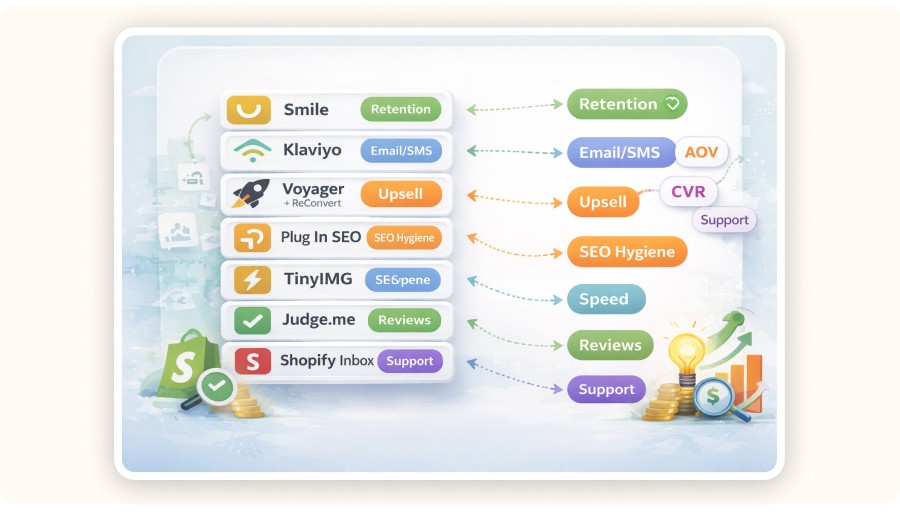
A lean ecommerce stack keeps your storefront fast and your data readable. Start with 6 to 10 core Shopify extensions, then add one app at a time with a clear measurement plan. If you can’t tell what it should improve, it probably shouldn’t be installed.
A solid baseline stack looks like this:
Retention: Smile
Email/SMS: Klaviyo (or another lifecycle tool)
Upsell: Voyager (in-cart). Add ReConvert (post-purchase) only if you can measure incremental lift
SEO hygiene: Plug In SEO
Speed: TinyIMG
Reviews: Judge.me
Support: Shopify Inbox
Rule of thumb: before you add any new app, answer this in one line — “Which metric should this move?” (CVR, AOV, retention, support tickets, page speed, etc.). If you can’t answer, don’t add it.
Where Minea Fits: 3 Practical Ways to Improve Your Best Shopify Extensions Workflow

Minea is most useful before you touch your Shopify apps. It helps you avoid wasted work by showing what products, creatives, and angles are already winning, so you build the right offers first, then use apps to execute.
Here are three practical ways sellers use Minea inside their store workflow:
Validate trends before building bundles or upsells. If you notice a product category getting repeated ad angles and strong engagement, that’s a signal it may deserve an upsell path (bundles, add-ons, post-purchase offers) instead of guesswork.
Do pricing sanity checks before setting thresholds. If most products in your niche sit around a certain price range, your free shipping threshold and upsells should match that reality. A common mistake is setting a high free-shipping goal on a store where the average item price is much lower, your bar becomes background noise.
Set realistic support expectations based on supplier reality. If your sourcing is cross-border, your shipping and returns messaging must reflect real timelines. Pair Shopify Inbox quick replies with accurate delivery windows so support doesn’t turn into a refund machine.



Common mistakes when installing Shopify extensions

Most Shopify app problems aren’t “bad apps.” They’re stacking too many tools and measuring nothing.
Installing multiple apps that do the same job. Two review apps or two upsell apps can conflict and slow down scripts.
Not measuring incremental lift. If an upsell app costs $27/month, you only need a few extra conversions to cover it. But you still need to track it.
Ignoring storefront speed. Every script adds weight. Audit before and after.
Changing 5 things at once. Install one app, wait, measure, then decide.
Final recommendation (what I’d do this week)
If you’re a US ecommerce seller and you want the highest ROI from a Shopify extension stack, start with Smile for retention, one AOV lever (Voyager or a shipping bar), and Plug In SEO to clean up search visibility basics. Then keep the stack lean.
Your real advantage isn’t having more plugins. It’s installing the few that move revenue and deleting the rest.
FAQ
What are the must-have Shopify apps?
The real must-haves are the apps that move revenue levers: reviews (social proof), email/SMS (lifecycle), and one AOV lever (upsell or a shipping threshold). Add SEO hygiene and speed tools as your catalog grows. Keep it lean so you can measure what’s working—rather than running a “top 30” stack you can’t track.
Which Shopify apps are best for increasing sales?
For direct sales lift, start with one upsell app (in-cart or post-purchase) and a free-shipping threshold bar. Upsells lift AOV, while shipping bars change cart behavior by making the goal visible. Pair both with reviews to reduce purchase anxiety.
What free Shopify apps are worth installing?
Shopify Inbox is a strong free option for conversion support. Many paid apps also offer free tiers (reviews, SEO scanners, shipping bars). Treat free plans like trials—but if the free tier blocks the feature that creates the lift, upgrade or switch.
How do I choose the right Shopify apps for my store?
Start with your bottleneck. Low traffic needs better offers and product-market fit, not more apps. Low conversion needs trust signals and speed. Low AOV needs bundles or upsells. Low repeat rate needs email flows and loyalty. Pick one bottleneck, choose one app, and measure the metric it should move.
What are the best Shopify apps for SEO?
SEO apps are most useful when they help you execute the basics consistently: product titles, meta descriptions, alt text, and broken link fixes. Plug In SEO is commonly used as a checklist-style tool. Pair it with performance work (image compression and theme hygiene) because speed affects real ecommerce outcomes.
Comparison Table of the Best Shopify Extensions
Shopify extension (app or browser tool) | Best for | Typical cost | Why it’s worth it |
|---|---|---|---|
Smile: Rewards & Loyalty | Customer retention | Free plan; paid from ~$49/mo | Builds points + referrals so you don’t pay for every repeat sale in ads |
Plug In SEO | Store SEO hygiene | Free plan; paid from ~$20/mo | Finds SEO issues (meta, alt text, speed basics) and gives a fix list |
Voyager Upsell & Cross‑Sell | Upsells & bundles | ~$27/mo | Simple upsell offers triggered by cart behavior |
Free Shipping Bar | AOV lift | Free plan; paid from ~$9.99/mo | Progressive messaging nudges shoppers to add items to reach a threshold |
Shopify Inbox | Conversion support | Free | Live chat + basic automation without extra tooling |
Judge.me Product Reviews | Social proof | Free plan available | Fast review collection + widgets that usually load lighter than “all-in-one” suites |
TinyIMG (Image SEO & Speed) | Speed + image SEO | Free plan available | Compresses images and improves Core Web Vitals basics |
Klaviyo Email & SMS | Lifecycle marketing | Paid (varies by list size) | Abandoned checkout + post‑purchase flows that drive repeat revenue |
ReConvert Upsell & Cross Sell | Post‑purchase upsells | Paid (varies) | One‑click offers after checkout and on thank‑you page |
Data Export IO | Ops + reporting | Paid (varies) | Exports orders/products to CSV for finance, VA workflows, and audits |
Hoverify (Chrome extension) | Theme inspection | ~$30/year or ~$89 lifetime | Inspect/edit storefront elements quickly during CRO and theme QA |
Koala Inspector (Chrome extension) | Competitor analysis | Free/paid (varies) | See themes/apps used by competitor stores to reverse‑engineer stacks |
A simple app “stack” for a US dropshipper (6–10 apps, not 25)
A lean ecommerce stack keeps your storefront fast and your data readable. Start with 6 to 10 core Shopify extensions, then add one app at a time with a clear measurement plan. If you can’t tell what it should improve, it probably shouldn’t be installed.
A solid baseline stack looks like this:
Retention: Smile
Email/SMS: Klaviyo (or another lifecycle tool)
Upsell: Voyager (in-cart). Add ReConvert (post-purchase) only if you can measure incremental lift
SEO hygiene: Plug In SEO
Speed: TinyIMG
Reviews: Judge.me
Support: Shopify Inbox
Rule of thumb: before you add any new app, answer this in one line — “Which metric should this move?” (CVR, AOV, retention, support tickets, page speed, etc.). If you can’t answer, don’t add it.
Where Minea Fits: 3 Practical Ways to Improve Your Best Shopify Extensions Workflow
Minea is most useful before you touch your Shopify apps. It helps you avoid wasted work by showing what products, creatives, and angles are already winning, so you build the right offers first, then use apps to execute.
Here are three practical ways sellers use Minea inside their store workflow:
Validate trends before building bundles or upsells. If you notice a product category getting repeated ad angles and strong engagement, that’s a signal it may deserve an upsell path (bundles, add-ons, post-purchase offers) instead of guesswork.
Do pricing sanity checks before setting thresholds. If most products in your niche sit around a certain price range, your free shipping threshold and upsells should match that reality. A common mistake is setting a high free-shipping goal on a store where the average item price is much lower, your bar becomes background noise.
Set realistic support expectations based on supplier reality. If your sourcing is cross-border, your shipping and returns messaging must reflect real timelines. Pair Shopify Inbox quick replies with accurate delivery windows so support doesn’t turn into a refund machine.
Common mistakes when installing Shopify extensions
Most Shopify app problems aren’t “bad apps.” They’re stacking too many tools and measuring nothing.
Installing multiple apps that do the same job. Two review apps or two upsell apps can conflict and slow down scripts.
Not measuring incremental lift. If an upsell app costs $27/month, you only need a few extra conversions to cover it. But you still need to track it.
Ignoring storefront speed. Every script adds weight. Audit before and after.
Changing 5 things at once. Install one app, wait, measure, then decide.
Final recommendation (what I’d do this week)
If you’re a US ecommerce seller and you want the highest ROI from a Shopify extension stack, start with Smile for retention, one AOV lever (Voyager or a shipping bar), and Plug In SEO to clean up search visibility basics. Then keep the stack lean.
Your real advantage isn’t having more plugins. It’s installing the few that move revenue and deleting the rest.
FAQ
What are the must-have Shopify apps?
The real must-haves are the apps that move revenue levers: reviews (social proof), email/SMS (lifecycle), and one AOV lever (upsell or a shipping threshold). Add SEO hygiene and speed tools as your catalog grows. Keep it lean so you can measure what’s working—rather than running a “top 30” stack you can’t track.
Which Shopify apps are best for increasing sales?
For direct sales lift, start with one upsell app (in-cart or post-purchase) and a free-shipping threshold bar. Upsells lift AOV, while shipping bars change cart behavior by making the goal visible. Pair both with reviews to reduce purchase anxiety.
What free Shopify apps are worth installing?
Shopify Inbox is a strong free option for conversion support. Many paid apps also offer free tiers (reviews, SEO scanners, shipping bars). Treat free plans like trials—but if the free tier blocks the feature that creates the lift, upgrade or switch.
How do I choose the right Shopify apps for my store?
Start with your bottleneck. Low traffic needs better offers and product-market fit, not more apps. Low conversion needs trust signals and speed. Low AOV needs bundles or upsells. Low repeat rate needs email flows and loyalty. Pick one bottleneck, choose one app, and measure the metric it should move.
What are the best Shopify apps for SEO?
SEO apps are most useful when they help you execute the basics consistently: product titles, meta descriptions, alt text, and broken link fixes. Plug In SEO is commonly used as a checklist-style tool. Pair it with performance work (image compression and theme hygiene) because speed affects real ecommerce outcomes.
Comparison Table of the Best Shopify Extensions
Shopify extension (app or browser tool) | Best for | Typical cost | Why it’s worth it |
|---|---|---|---|
Smile: Rewards & Loyalty | Customer retention | Free plan; paid from ~$49/mo | Builds points + referrals so you don’t pay for every repeat sale in ads |
Plug In SEO | Store SEO hygiene | Free plan; paid from ~$20/mo | Finds SEO issues (meta, alt text, speed basics) and gives a fix list |
Voyager Upsell & Cross‑Sell | Upsells & bundles | ~$27/mo | Simple upsell offers triggered by cart behavior |
Free Shipping Bar | AOV lift | Free plan; paid from ~$9.99/mo | Progressive messaging nudges shoppers to add items to reach a threshold |
Shopify Inbox | Conversion support | Free | Live chat + basic automation without extra tooling |
Judge.me Product Reviews | Social proof | Free plan available | Fast review collection + widgets that usually load lighter than “all-in-one” suites |
TinyIMG (Image SEO & Speed) | Speed + image SEO | Free plan available | Compresses images and improves Core Web Vitals basics |
Klaviyo Email & SMS | Lifecycle marketing | Paid (varies by list size) | Abandoned checkout + post‑purchase flows that drive repeat revenue |
ReConvert Upsell & Cross Sell | Post‑purchase upsells | Paid (varies) | One‑click offers after checkout and on thank‑you page |
Data Export IO | Ops + reporting | Paid (varies) | Exports orders/products to CSV for finance, VA workflows, and audits |
Hoverify (Chrome extension) | Theme inspection | ~$30/year or ~$89 lifetime | Inspect/edit storefront elements quickly during CRO and theme QA |
Koala Inspector (Chrome extension) | Competitor analysis | Free/paid (varies) | See themes/apps used by competitor stores to reverse‑engineer stacks |
A simple app “stack” for a US dropshipper (6–10 apps, not 25)
A lean ecommerce stack keeps your storefront fast and your data readable. Start with 6 to 10 core Shopify extensions, then add one app at a time with a clear measurement plan. If you can’t tell what it should improve, it probably shouldn’t be installed.
A solid baseline stack looks like this:
Retention: Smile
Email/SMS: Klaviyo (or another lifecycle tool)
Upsell: Voyager (in-cart). Add ReConvert (post-purchase) only if you can measure incremental lift
SEO hygiene: Plug In SEO
Speed: TinyIMG
Reviews: Judge.me
Support: Shopify Inbox
Rule of thumb: before you add any new app, answer this in one line — “Which metric should this move?” (CVR, AOV, retention, support tickets, page speed, etc.). If you can’t answer, don’t add it.
Where Minea Fits: 3 Practical Ways to Improve Your Best Shopify Extensions Workflow
Minea is most useful before you touch your Shopify apps. It helps you avoid wasted work by showing what products, creatives, and angles are already winning, so you build the right offers first, then use apps to execute.
Here are three practical ways sellers use Minea inside their store workflow:
Validate trends before building bundles or upsells. If you notice a product category getting repeated ad angles and strong engagement, that’s a signal it may deserve an upsell path (bundles, add-ons, post-purchase offers) instead of guesswork.
Do pricing sanity checks before setting thresholds. If most products in your niche sit around a certain price range, your free shipping threshold and upsells should match that reality. A common mistake is setting a high free-shipping goal on a store where the average item price is much lower, your bar becomes background noise.
Set realistic support expectations based on supplier reality. If your sourcing is cross-border, your shipping and returns messaging must reflect real timelines. Pair Shopify Inbox quick replies with accurate delivery windows so support doesn’t turn into a refund machine.
Common mistakes when installing Shopify extensions
Most Shopify app problems aren’t “bad apps.” They’re stacking too many tools and measuring nothing.
Installing multiple apps that do the same job. Two review apps or two upsell apps can conflict and slow down scripts.
Not measuring incremental lift. If an upsell app costs $27/month, you only need a few extra conversions to cover it. But you still need to track it.
Ignoring storefront speed. Every script adds weight. Audit before and after.
Changing 5 things at once. Install one app, wait, measure, then decide.
Final recommendation (what I’d do this week)
If you’re a US ecommerce seller and you want the highest ROI from a Shopify extension stack, start with Smile for retention, one AOV lever (Voyager or a shipping bar), and Plug In SEO to clean up search visibility basics. Then keep the stack lean.
Your real advantage isn’t having more plugins. It’s installing the few that move revenue and deleting the rest.
FAQ
What are the must-have Shopify apps?
The real must-haves are the apps that move revenue levers: reviews (social proof), email/SMS (lifecycle), and one AOV lever (upsell or a shipping threshold). Add SEO hygiene and speed tools as your catalog grows. Keep it lean so you can measure what’s working—rather than running a “top 30” stack you can’t track.
Which Shopify apps are best for increasing sales?
For direct sales lift, start with one upsell app (in-cart or post-purchase) and a free-shipping threshold bar. Upsells lift AOV, while shipping bars change cart behavior by making the goal visible. Pair both with reviews to reduce purchase anxiety.
What free Shopify apps are worth installing?
Shopify Inbox is a strong free option for conversion support. Many paid apps also offer free tiers (reviews, SEO scanners, shipping bars). Treat free plans like trials—but if the free tier blocks the feature that creates the lift, upgrade or switch.
How do I choose the right Shopify apps for my store?
Start with your bottleneck. Low traffic needs better offers and product-market fit, not more apps. Low conversion needs trust signals and speed. Low AOV needs bundles or upsells. Low repeat rate needs email flows and loyalty. Pick one bottleneck, choose one app, and measure the metric it should move.
What are the best Shopify apps for SEO?
SEO apps are most useful when they help you execute the basics consistently: product titles, meta descriptions, alt text, and broken link fixes. Plug In SEO is commonly used as a checklist-style tool. Pair it with performance work (image compression and theme hygiene) because speed affects real ecommerce outcomes.
Similar articles



Our Free Adspys

Find winning products on our Tiktok adspy today!
Find winning products on our Facebook adspy today!
Find winning products on our Tiktok adspy today!
Find winning products on our Facebook adspy today!
Find winning products on our Tiktok adspy today!
Find winning products on our Facebook adspy today!
Find winning products on our Tiktok adspy today!
Find winning products on our Facebook adspy today!
1 winning product everyday.
Follow us!






Find out more
Read more
Minea © 2026
Find out more
Read more
Minea © 2026
Find out more
Read more
Minea © 2026
Find out more
Read more
Minea © 2026
Find out more
Read more
Minea © 2026
Find out more
Read more
Minea © 2026