The Best Dropshipping Chrome Extension for Product Research in 2026
Best Dropshipping plugins
Author: Baptiste
Contents
If you want to move faster in 2026, you need the right dropshipping chrome extensions. They help you research products, analyze competitors, and simplify your workflow directly inside Google Chrome.
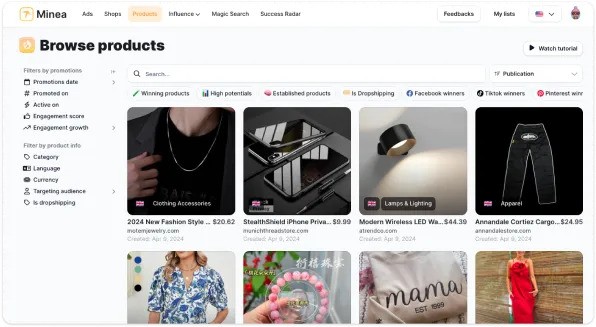
Minea’s Chrome extension is the ultimate dropshipping extension for merchants who want to find, analyze, and scale winning products without wasting hours. From Shopify store detection to real-time Meta ads tracking, you get the critical data directly in your browser. Reveal ad spend, uncover a store’s best sellers, and discover reliable suppliers, all in one lightweight Chrome extension built for fast, practical product research.
What Are Chrome Extensions for Dropshipping and Why Use Them?

Chrome extensions for dropshipping are browser add-ons that surface data and shortcuts while you browse stores, product pages, and ads. A good extension reduces context switching and turns random browsing into a repeatable research process.
Benefits of Using Chrome Extensions in Dropshipping
The right dropshipping chrome extensions help you go from idea → test faster, while staying focused on verifiable signals.
Key benefits of dropshipping chrome extensions:
Instant context while browsing: store platform, top products, and store “stack”
Faster validation: spot ad recency and repeated creative angle patterns
Quicker sourcing: use image-based discovery and quick supplier comparisons
Repeatable workflows: your team follows the same steps every time
With a clean dropshipping extension chrome stack, a VA can research any niche and deliver consistent notes you can compare easily.
To avoid rushing into bad tests, keep one simple checklist per product:
margin
proof
angle
logistics
Key Features to Look for in Dropshipping Extensions
Not all dropshipping chrome extensions are built the same. Focus on features that match your current stage and that rely on signals you can actually verify.
A strong dropshipping extension chrome should help you understand a store quickly (platform like Shopify, best sellers, and clues about apps or theme). It should also give you useful ad context, such as whether creatives look active, how recent they are, and what angles keep repeating.
For sourcing, the most useful tools support image search and fast product matching, so you can compare suppliers without wasting time. Finally, the extension should keep your workflow clean: being able to save, tag, and export ideas is often what turns “random browsing” into real research.


Top Dropshipping Platforms Compatible with Chrome Extensions
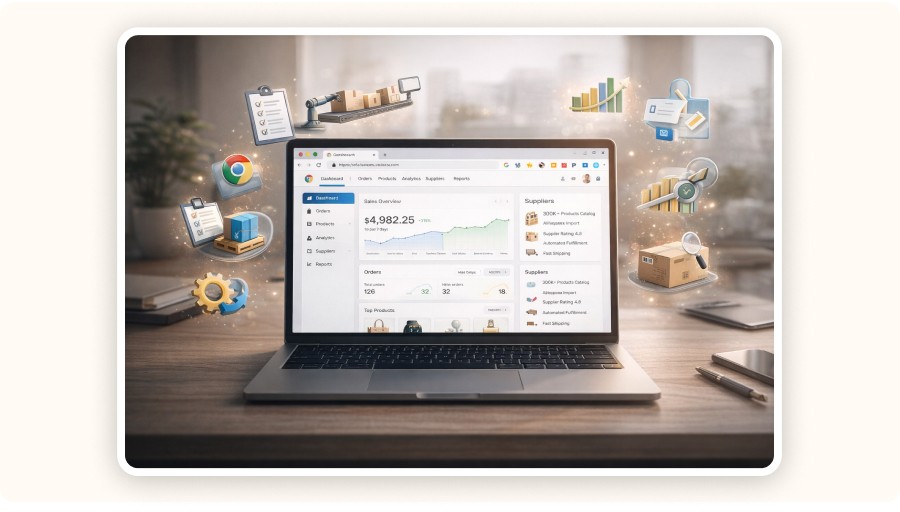
Most tools are built around the platforms where dropshippers spend time : Shopify + AliExpress, plus marketplaces like Amazon/eBay/Walmart.
Shopify and Chrome Extension Integrations
Shopify is the most common target for dropshipping chrome extensions, because a large share of competitor stores and “winning” offers are built on it. With the right tools, you can quickly understand how a Shopify store is structured and what makes its offer convert.
What Shopify-focused extensions usually help you uncover:
whether the store is Shopify (fast detection)
app/theme clues and store setup signals
best sellers and product focus
offer patterns like bundles, pricing, and upsells
A simple workflow is: detect the store stack → understand the offer structure → write better creatives and build clearer landing pages.
The goal is not to clone a store. It’s to extract what works (pricing, bundles, UX) and rebuild with your own positioning so you stand out and convert better.
AliExpress and Product Importing Tools
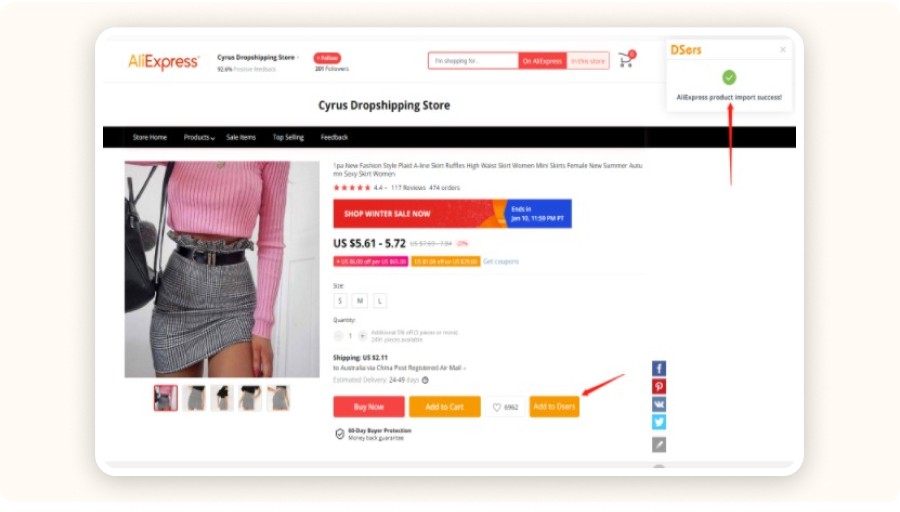
AliExpress is where many dropshipping workflows begin, especially for sourcing and fulfillment. Most dropshipping chrome extensions built for AliExpress focus on three things: product importing, variant handling, and basic order workflow support. If you import correctly from the start, you save hours later and avoid messy product pages.
These tools can help you:
import products faster into your store
map variants properly (sizes, colors, bundles)
reduce listing errors that break checkout or confuse buyers
Don’t import first and validate later. Before you import, always check reviews, shipping methods, and the real landed cost (product + shipping). Also verify supplier reliability so your delivery times and product quality stay consistent.
Amazon Dropshipping Extensions
Amazon dropshipping is very different from Shopify. It is more rules-driven and compliance-sensitive, and requirements can change by region. That’s why most dropshipping chrome extensions for Amazon focus on product research, price checks, and basic listing insights, rather than “fast importing” features.
With the right tools, you can quickly evaluate:
demand signals (what people search and buy)
competition levels (how crowded a product is)
pricing pressure (how tight your margin could be)
A simple workflow is to research first, then validate if the product is realistic for your costs and operations. The biggest risk is ignoring marketplace rules and getting suspended. Treat Amazon as a rules-first channel: verify policies, brand restrictions, and documentation needs before you scale.
eBay Dropshipping Automation Tools
eBay dropshipping workflows often rely on monitoring and operational automation, as long as everything stays policy-compliant. The most useful tools don’t just “speed up listing.” They help you avoid the real problems: stock issues, price changes, and order mistakes.
With the right setup, dropshipping chrome extensions can support:
faster listing routines (where allowed)
price and stock monitoring to reduce surprises
smoother order handling and tracking steps
A simple habit makes a big difference: monitoring stock changes helps prevent cancellations, late shipments, and negative feedback. The biggest risk is automating listings without solid inventory controls. Focus first on monitoring and order accuracy, then add more automation only when your process is stable and reliable.
Walmart Product Research Extensions
Walmart research is usually about two things: product discovery and competitive pricing. Many dropshipping chrome extensions can help you scan listings faster, spot price ranges, and identify products that look worth testing. But the data you see can vary a lot depending on the tool, so it’s important to stay cautious.
A smart way to use these tools is to shortlist ideas, then verify them with other sources. For example, you can find a product on Walmart, check the price and listing quality, then compare demand signals and competitors elsewhere before you commit.
Extensions are great for prioritizing what to study first. The mistake is treating one tool’s estimate as absolute truth. Always validate key details manually before building your offer.
Product Research and Sourcing Chrome Extensions
This is the core category for most stores: tools that help you find products, understand competitors, and locate suppliers.
Minea Extension – Product Research & Ad Analysis
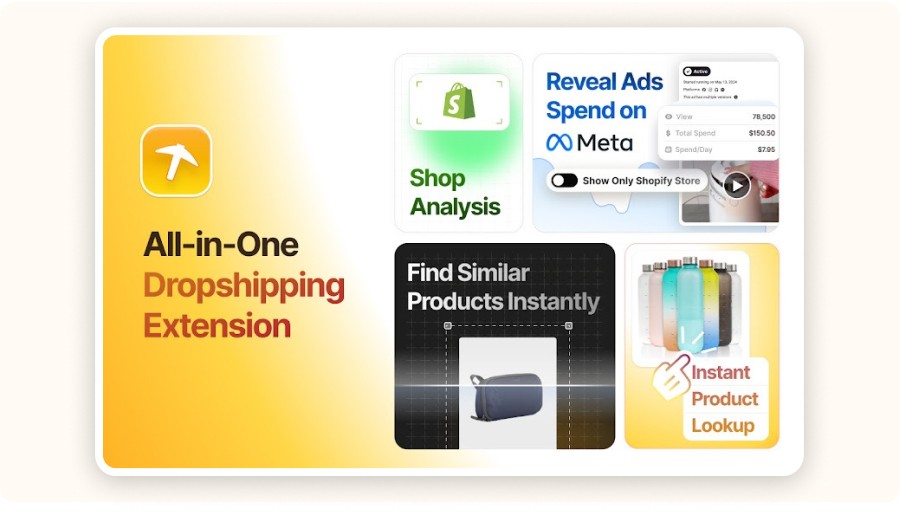
Minea is built as an all-in-one workflow for people who want CHROME EXTENSIONS FOR DROPSHIPPING that actually save time. Instead of jumping between tabs, tools, and spreadsheets, Minea keeps your research focused inside one dropshipping extension chrome interface. That’s why many sellers consider it one of the best chrome extensions for dropshipping when the goal is speed and clarity.
What makes Minea stronger than many dropshipping chrome extensions is how it connects the key steps of validation:
Product research in real time: insights appear while you browse, so you work faster
Shopify detection + store intelligence: confirm the platform and understand the offer quickly
Ad context that feels “current”: prioritize what looks active and recent, not old screenshots
Image-based discovery: find similar products and shortlist suppliers in minutes
A simple workflow with Minea looks like this:
Visit a competitor store or product page
Open Minea → scan store context and product highlights
Check ad signals like recency and creative volume
Use visual discovery to compare supplier options
Validate margin and proof, then save it to your test pipeline
This is powerful when you want to validate a niche fast. You can scan several similar stores, spot repeated angles, and build a cleaner offer without wasting hours.
Keep one rule in mind : metrics and spend signals are directional, not guarantees. Use Minea to prioritize, then confirm with margin math and real social proof. If you later add automation (like the autods dropshipping helper chrome extension), Minea still stays your research core among the best dropshipping chrome extensions and google chrome extensions for dropshipping stacks.

Dropship.io – Advanced Product Research
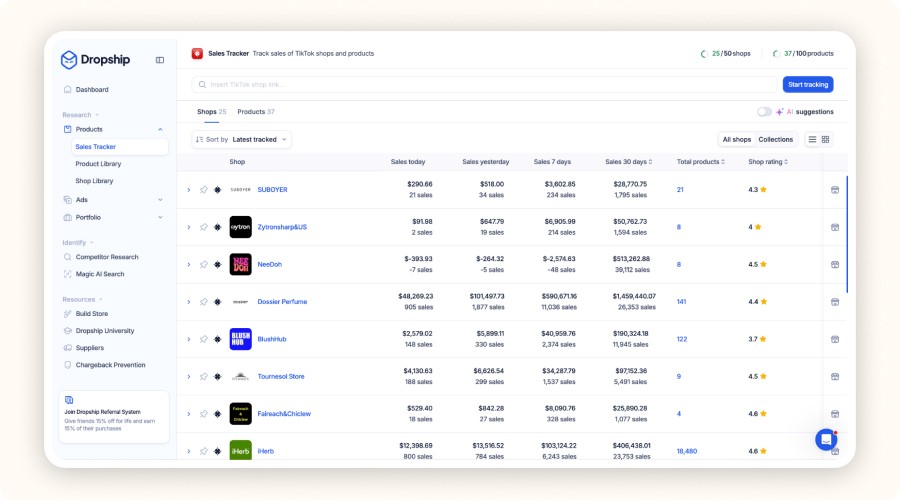
Tools like Dropship.io are built for advanced product research when you need more than a basic store inspector. They help you go deeper into competitive insights and market signals, so you can make smarter decisions once you already have a niche direction.
What Dropship.io-type tools can help you do:
spot products that are getting repeated interest in your niche
compare how crowded a product is before you test it
identify patterns across competitors (offer style, pricing range, positioning)
build a stronger shortlist instead of chasing random “trending” items
A smart use case is when you already know your niche and you want stronger validation before spending on ads.
Koala Inspector – Shopify Competitor Spying
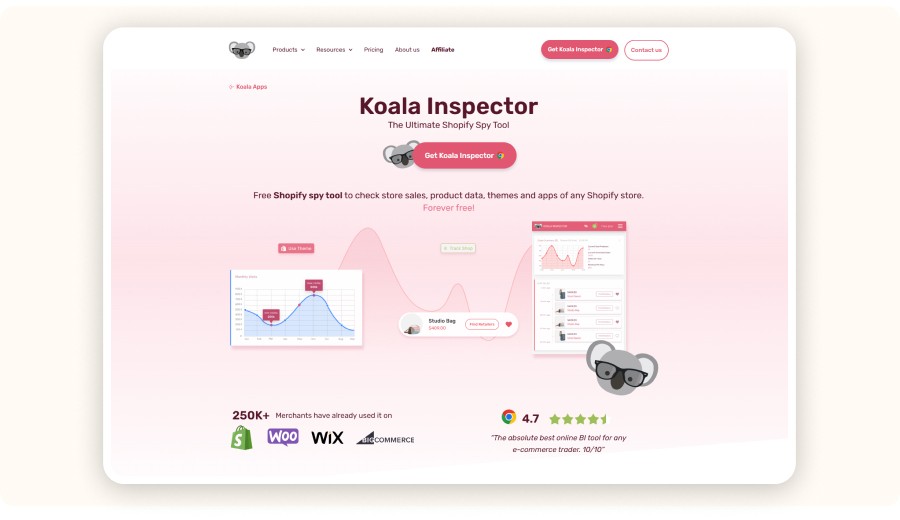
Koala Inspector is a Shopify store inspector that helps you understand competitors fast. It shows useful context like themes, apps, and general store structure, which makes research quicker and more organized. The best way to use it is to spot patterns, not to copy a store page-by-page.
For example, you can detect upsell apps and bundle patterns, then rebuild a cleaner offer with better positioning. Copying layouts without matching the right audience and creative angle usually fails. Instead, extract what works—UX, bundles, pricing logic—and apply it to your own brand style. That’s how you stay competitive and unique.
AliHunter and Supplier Analysis
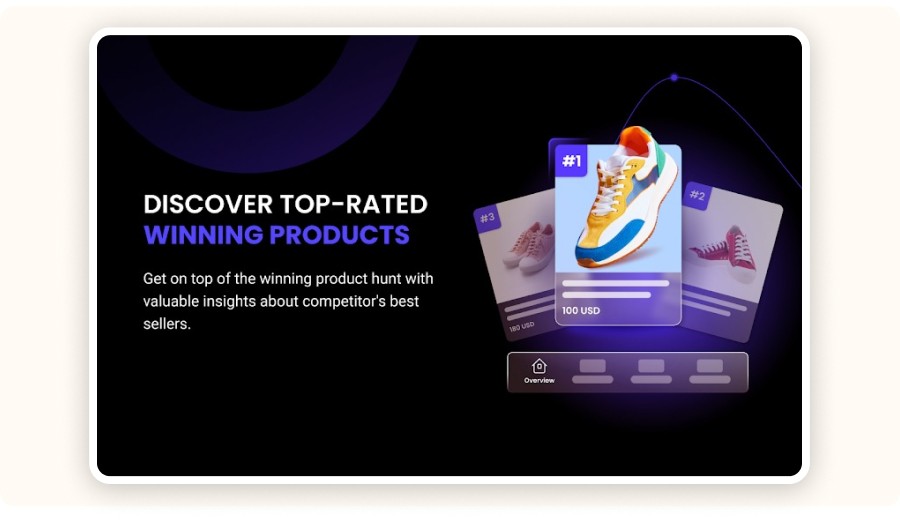
Supplier-focused tools help you assess whether a supplier is reliable before you build your offer around them. Depending on the marketplace, they can reveal signals like listing stability, product history, and consistency across orders. A smart move is to compare several suppliers for the same product, not just the first one you find.
What you should check first:
shipping reliability and realistic delivery times
review quality (not just the score)
consistency in variants, photos, and product details
The biggest mistake is choosing the lowest price supplier and ignoring fulfillment problems. A slightly higher cost is often worth it if the supplier is stable, ships consistently, and has strong, trustworthy reviews.
AliExpress Search by Image and Visual Sourcing
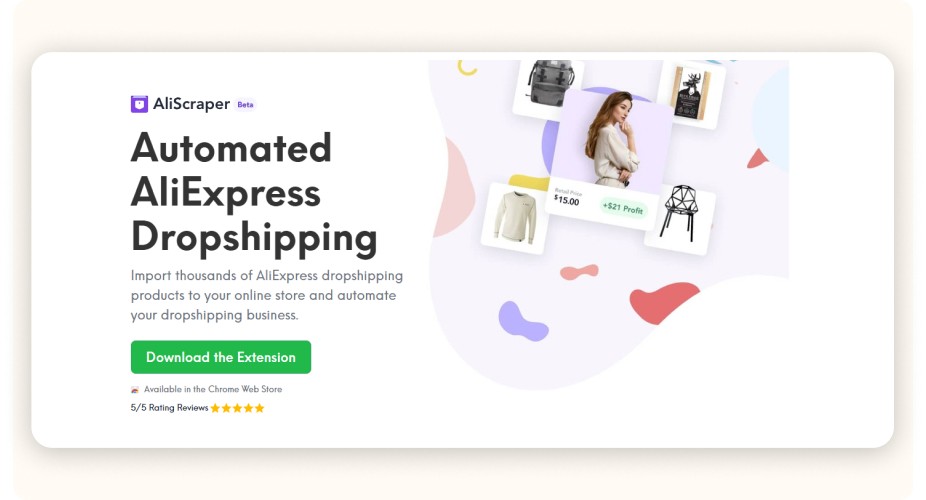
AliExpress Search by Image is one of the fastest ways to go from a TikTok or Instagram product clip to real supplier options. Instead of guessing keywords, you can use a screenshot to find visually similar listings in seconds. This makes sourcing faster and helps you compare prices, variants, and delivery options without wasting time.
A simple workflow is:
take a clear product screenshot
run a search by image on AliExpress
open several similar listings and compare them
Be careful: a visual match doesn’t always mean the same product quality. Before choosing a supplier, always confirm dimensions, materials, available variants, and read real reviews (with photos if possible). This avoids importing the wrong version and dealing with refunds later.
Visual Sourcing and Supplier Finding Beyond Image Search
Beyond image search, you can source visually via:
competitor store product images
ad creatives (frames/screenshots)
marketplace lookalikes and keyword mapping
Example: Use a competitor’s UGC hook to find the underlying product family.
Pitfall: Sourcing the wrong version (cheaper build, wrong accessories).
Recommendation: Build a “spec checklist” before ordering samples.
Automation and Management Extensions for Dropshipping
Automation tools save time only after your validation process is stable. They help with importing, order sync, and operational routines.
DSers Chrome Extension – AliExpress Importing & Order Automation
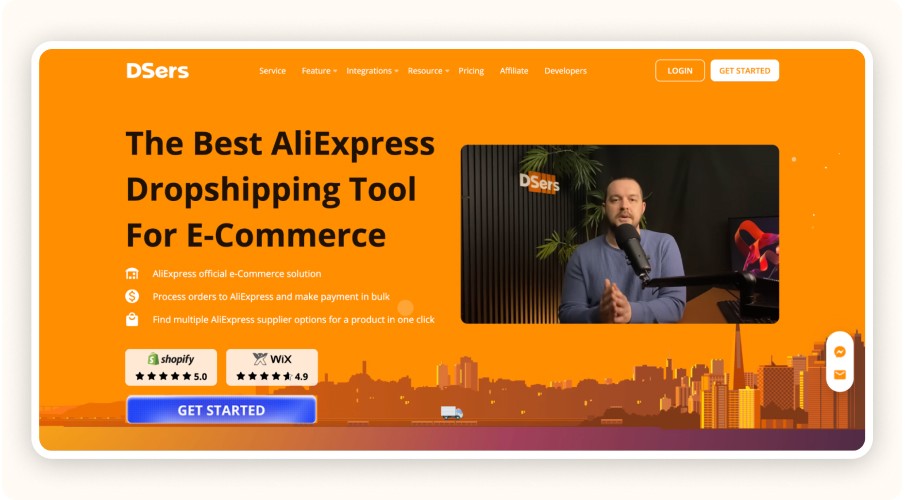
The DSers Chrome Extension is one of the most practical dropshipping chrome extensions for AliExpress importing and basic order automation. It helps you import products into your store faster, manage variants (sizes/colors), and reduce manual steps when processing orders. Used correctly, it can be part of the best chrome extensions for dropshipping stack for sellers who rely on AliExpress.
It’s mainly useful for:
clean product importing (titles, images, variants)
smoother ordering workflows
fewer listing mistakes that create support tickets later
The key is to avoid importing too fast. Before you scale, always check the landed cost (product + shipping), the shipping method, and realistic delivery times. That way your dropshipping extension chrome workflow stays profitable and customers get what they expect.
AutoDS Helper – Multi-store Importing & Automation
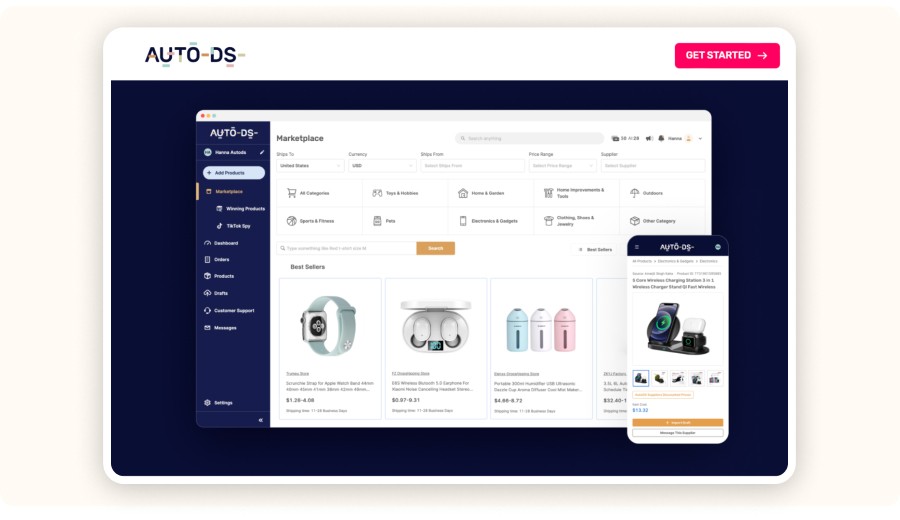
The autods dropshipping helper chrome extension is designed for sellers who already use AutoDS and want faster “browse → action” workflows. As one of the more practical dropshipping chrome extensions, it can speed up importing and daily management tasks, depending on your setup. It’s a good fit in a best chrome extensions for dropshipping stack when your process is already stable.
It’s most useful for:
quicker importing across multiple stores
faster routine actions inside your workflow
smoother operational handling once products are validated
The key point: automation should not choose products for you. Use the dropshipping extension chrome tool for operations, but keep product selection human-driven with a simple checklist (margin, proof, angle, logistics). That’s how you scale without multiplying bad tests.
Other Automation Tools and Extensions
Other dropshipping chrome extensions focus on automation and daily operations, depending on your platform. They can help with:
price and stock monitoring
order routing
listing sync
Stock monitoring is especially useful because it reduces cancellations and protects your account health. The main risk is over-automation without checks, which creates errors at scale. A simple solution is to set alerts and keep a quick manual review for edge cases.
Chrome Extensions for eBay Dropshipping Automation
Chrome extensions for eBay dropshipping automation are mainly useful for operational accuracy, not “hands-off” selling. They help you react to stock and price changes, and keep order tracking clean. A simple win is monitoring supplier updates to prevent out-of-stock orders before they create cancellations.
The main risk is getting flagged for poor performance metrics (late shipping, cancellations, defects). Focus on reliability first, then add automation only when your process is stable and easy to control.
Review and Social Proof Building Extensions

Review and social proof tools help build trust on product pages, but you must use them responsibly and align with platform policies.
Ryviu – Review Import & Social Proof
Ryviu is a popular option for review import and social proof on Shopify product pages. It helps dropshippers add reviews quickly, which can improve trust and conversions. The best approach is to import reviews that answer real buyer questions like quality, sizing, and delivery experience.
The main risk is importing reviews that mention features your product doesn’t have, which creates refunds and kills trust. Keep it simple: manually curate a small set of highly relevant reviews, and make sure they match your exact product version and offer.
Best Extensions for Product Review Importing and Social Proof
When choosing tools for review importing and social proof, keep it simple and practical. The best options offer moderation, relevance filters, easy display customization, and smooth compatibility with your Shopify theme.
What to prioritize:
strong moderation controls
filters to keep reviews relevant
clean design and easy customization
stable theme compatibility
A simple review layout often converts better than a cluttered widget. The main risk is adding too many apps and trust blocks, which slows the page and hurts conversions. Aim for speed + clarity: clear reviews, a short FAQ, and one strong trust element (shipping or guarantee).
Pricing and Subscription Models of Dropshipping Chrome Extensions
Many extensions are freemium: basic features free, advanced signals behind a plan.
Free vs Paid Extensions: What to Expect
Free extensions | Paid extensions |
|---|---|
Basic detection + simple sourcing | Advanced insights + deeper competitive tracking |
Light features | Historical signals + team workflows |
Great to start and test your workflow | Makes sense when it saves time and improves test quality |
Subscription Plans and Cost Considerations
Subscription plans for dropshipping chrome extensions should be evaluated by cost per validated product, not just the monthly price. If a tool helps you validate better and saves time, it can pay for itself fast. For example, saving 5 hours per week can be worth far more than the subscription cost if it improves your test quality.
The main mistake is subscribing to too many tools that do the same thing. Overlap wastes money and makes your workflow messy. A cleaner approach is to choose one core research tool (your main hub), then add only a few specialized helpers for importing, reviews, or automation when you actually need them.
How to Choose the Right Chrome Extension for Your Dropshipping Store
Choosing the right dropshipping chrome extensions depends on your store stage and platform. If you’re a beginner, prioritize tools for validation and sourcing so you can pick better products faster. If you’re scaling, add automation and creative intelligence to save time and improve testing speed. Don’t choose tools just because everyone uses them. Build a lean dropshipping extension chrome stack that matches your exact steps (research → supplier check → import → operations), then upgrade only when your process is stable.
Factors to Consider When Choosing an Extension
reliability of signals (can you verify them?)
permissions and privacy
speed/performance impact
compatibility with your platforms
team usability (repeatable workflow)
Minea Alternatives and Comparable Tools
Alternatives usually fall into:
store inspector tools (Shopify context)
ad/creative intelligence tools
sourcing and importing tools


How to Use Dropshipping Chrome Extensions Effectively
Extensions work best when you standardize your routine.
Step-by-step Product Importing Guides
A safe, repeatable importing routine looks like:
Validate product (proof + angle + margin)
Confirm supplier reliability and shipping
Import with correct variants
Rewrite product page (benefits, FAQ, proof)
Test creatives with clear offer
Building Social Proof with Review Extensions
Use reviews to reduce objections and increase trust on your product page. The goal is to make buyers feel safe and confident before they click “Buy”.
Focus your reviews on:
quality and real results (what changed, how it helps)
sizing and usage (fit, instructions, ease of use)
delivery reassurance (timing, packaging, expectations)
Tips for Automating Order Management
automate repetitive steps
keep manual review for edge cases
monitor errors weekly
Troubleshooting Common Issues with Dropshipping Chrome Extensions
Common issues usually come from conflicting extensions, permissions, outdated browser/extension versions and blocked scripts on certain pages.
Common Installation and Compatibility Problems
extension doesn’t show on certain websites
slowdowns and crashes
UI not loading due to blockers
How to Resolve Syncing and Import Errors
check account connections (Shopify/AliExpress tools)
re-authenticate integrations
verify product variants mapping
retry on a stable network
The right dropshipping chrome extensions can help you streamline research, automate workflows, and scale faster in 2026.
FAQ
What is the best Chrome extension for dropshipping?
If you want one tool to run your workflow, Minea is a strong pick among the best chrome extensions for dropshipping. It combines store analysis, ad context (signals around what’s trending/being promoted), and supplier/product discovery in one place. As a core dropshipping extension chrome, it helps you validate ideas faster and keep research repeatable.
Is the Minea Chrome extension free?
You can usually start free to access core features and test your process. Paid plans typically unlock deeper insights like advanced ad metrics, more history, and broader competitive tracking. Think ROI: upgrade when it improves your cost per validated product, not just because it’s available.
Can it detect Shopify stores automatically?
Yes. The Shopify Detector identifies Shopify sites and opens store intelligence quickly, so you can stop guessing and focus on offer patterns (apps/theme clues, best sellers, bundles, pricing logic).
Does it show only active ads?
Minea includes filters designed to help you focus on active and recent signals, so you avoid outdated products. Still, treat ad data as directional: cross-check with store updates, pricing, and social proof, especially when mixing multiple google chrome extensions for dropshipping.
Similar articles