Creating a dropshipping site

How to Create a Dropshipping Website Quickly

Dropshipping Learning

Author: Baptiste

December 6, 2025

Contents

To create a dropshipping website, you need to:

  • choose a profitable niche,

  • select the right ecommerce platform (like Shopify or WooCommerce),

  • buy a domain name,

  • connect a reliable supplier,

  • configure your online store,

  • and launch your first marketing campaigns.

By following these steps, you can launch a professional store without inventory, without a warehouse, and with a very small budget. 

If you want to learn dropshipping while building a real online store, this guide shows you exactly how to create a dropshipping website from scratch.

Step 1: Choose a Profitable Niche for Your Dropshipping Website
Magnifying glass over a “Find a Niche!” tag

Without a profitable niche, you won’t generate sales. To avoid wasting time and money, identify a market where demand is strong and competition stays manageable.

Identify a High-Potential Niche

The profitability of your store depends 80% on the niche you choose. Don’t try to sell everything. Sell to a clear, specific audience.

In 2025, some of the best-performing niches for building a profitable store in dropshipping include:

  • pet products

  • at-home fitness

  • home improvement gadgets

These categories have strong demand, solid average order values, and recurring purchase habits.

To check whether a niche is stable, look it up on Google Trends. To spot products trending in ads, use Minea. Then confirm interest by checking Facebook Ad Library for active advertisers. If other stores invest in it, that’s often a positive sign.

Criteria for Choosing a Profitable Niche

Choose niches that offer:

  • Strong demand:  steady monthly search volume.

  • Low to medium competition: enough space to differentiate from market leaders.

  • Evergreen potential: products that sell year-round or during predictable seasonal peaks (e.g., back-to-school, summer).

Tools to Validate Your Niche

Before deciding, validate your idea using:

  • Google Trends: track search patterns over time.

  • Minea: analyze profitable ad campaigns.

  • SimilarWeb and Semrush: study competitors’ traffic and marketing strategies.

Step 2: Choose the Best Platform to Create Your Dropshipping Website
logos of three ecommerce platforms

The ecommerce platform you choose will determine how easy it is to build your store, how well it performs, and how easily it can scale. To avoid mistakes, compare each option based on your goals, budget, and technical skills.

The Main Platforms

Before you create a dropshipping website, pick a website builder that fits your profile:

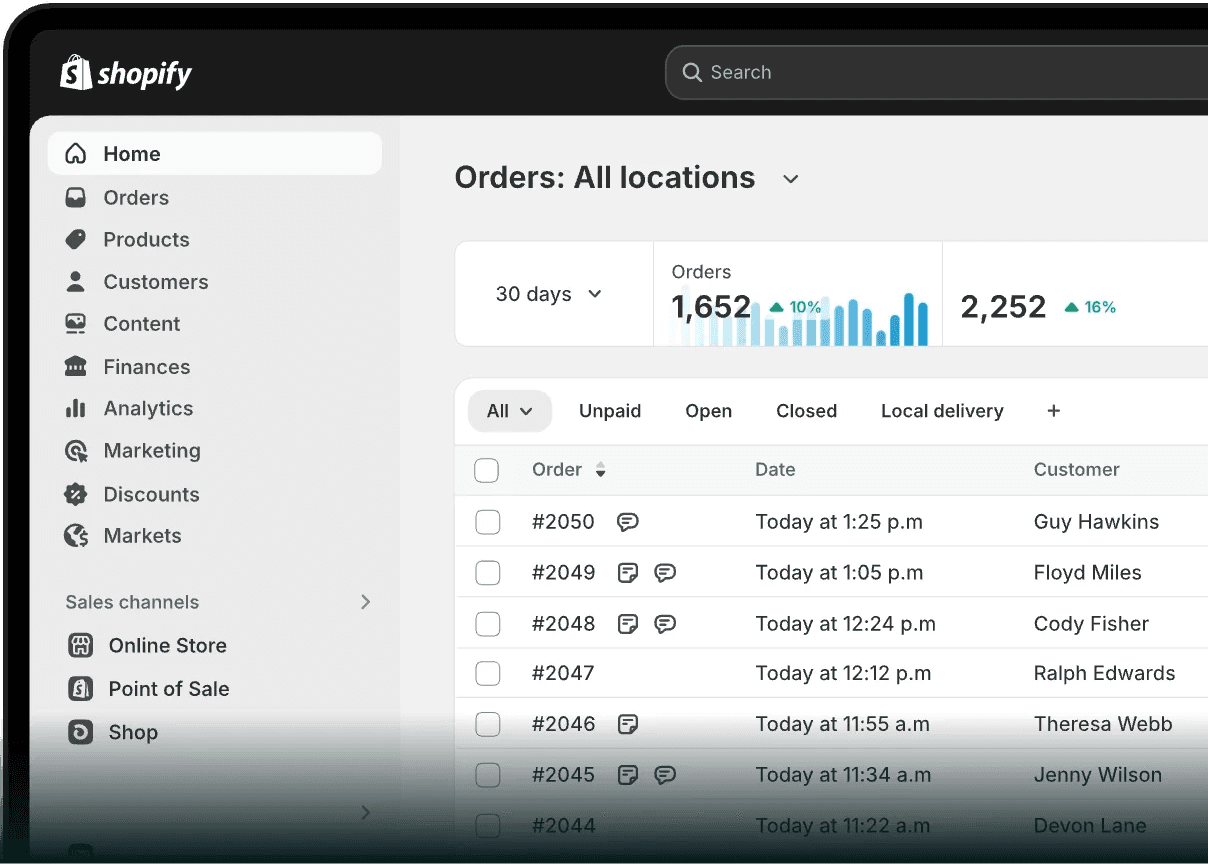
  • Shopify: The easiest and fastest platform to use. Everything is built-in design, payments, apps, logistics. In just a few clicks, you're ready to sell. Perfect if you want to know how to create a dropshipping website without technical complexity.

  • WooCommerce: A flexible option for WordPress users. It gives you full control and endless customization, ideal if you have some technical skills or want a custom setup.

  • BigCommerce: Best for small to medium businesses with consistent sales volume. It provides many built-in features but offers less design flexibility compared to WooCommerce.

Platform

Best For

Free Plan

App Integration

Shopify

Beginners, fast scaling

DSers, Oberlo

WooCommerce

WordPress users

AliDropship, plugins

BigCommerce

Small & medium businesses

Built-in integrations

How to Choose Your Platform

Choose your platform based on your needs:

  • Shopify: choose this if you want to move fast and avoid technical setups. Great for beginners learning how to create a website for dropshipping.

  • WooCommerce: choose this if you know WordPress and want full control over your store.

In all cases, make sure your dropshipping supplier integrates smoothly with the platform you choose. Also confirm that order fulfillment can be automated, this saves time and reduces mistakes.

To create a dropshipping website, you need to:

  • choose a profitable niche,

  • select the right ecommerce platform (like Shopify or WooCommerce),

  • buy a domain name,

  • connect a reliable supplier,

  • configure your online store,

  • and launch your first marketing campaigns.

By following these steps, you can launch a professional store without inventory, without a warehouse, and with a very small budget. 

If you want to learn dropshipping while building a real online store, this guide shows you exactly how to create a dropshipping website from scratch.

Step 1: Choose a Profitable Niche for Your Dropshipping Website

Magnifying glass over a “Find a Niche!” tag

Without a profitable niche, you won’t generate sales. To avoid wasting time and money, identify a market where demand is strong and competition stays manageable.

Identify a High-Potential Niche

The profitability of your store depends 80% on the niche you choose. Don’t try to sell everything. Sell to a clear, specific audience.

In 2025, some of the best-performing niches for building a profitable store in dropshipping include:

  • pet products

  • at-home fitness

  • home improvement gadgets

These categories have strong demand, solid average order values, and recurring purchase habits.

To check whether a niche is stable, look it up on Google Trends. To spot products trending in ads, use Minea. Then confirm interest by checking Facebook Ad Library for active advertisers. If other stores invest in it, that’s often a positive sign.

Criteria for Choosing a Profitable Niche

Choose niches that offer:

  • Strong demand:  steady monthly search volume.

  • Low to medium competition: enough space to differentiate from market leaders.

  • Evergreen potential: products that sell year-round or during predictable seasonal peaks (e.g., back-to-school, summer).

Tools to Validate Your Niche

Before deciding, validate your idea using:

  • Google Trends: track search patterns over time.

  • Minea: analyze profitable ad campaigns.

  • SimilarWeb and Semrush: study competitors’ traffic and marketing strategies.

Step 2: Choose the Best Platform to Create Your Dropshipping Website

logos of three ecommerce platforms

The ecommerce platform you choose will determine how easy it is to build your store, how well it performs, and how easily it can scale. To avoid mistakes, compare each option based on your goals, budget, and technical skills.

The Main Platforms

Before you create a dropshipping website, pick a website builder that fits your profile:

  • Shopify: The easiest and fastest platform to use. Everything is built-in design, payments, apps, logistics. In just a few clicks, you're ready to sell. Perfect if you want to know how to create a dropshipping website without technical complexity.

  • WooCommerce: A flexible option for WordPress users. It gives you full control and endless customization, ideal if you have some technical skills or want a custom setup.

  • BigCommerce: Best for small to medium businesses with consistent sales volume. It provides many built-in features but offers less design flexibility compared to WooCommerce.

Platform

Best For

Free Plan

App Integration

Shopify

Beginners, fast scaling

DSers, Oberlo

WooCommerce

WordPress users

AliDropship, plugins

BigCommerce

Small & medium businesses

Built-in integrations

How to Choose Your Platform

Choose your platform based on your needs:

  • Shopify: choose this if you want to move fast and avoid technical setups. Great for beginners learning how to create a website for dropshipping.

  • WooCommerce: choose this if you know WordPress and want full control over your store.

In all cases, make sure your dropshipping supplier integrates smoothly with the platform you choose. Also confirm that order fulfillment can be automated, this saves time and reduces mistakes.
To create a dropshipping website, you need to:

  • choose a profitable niche,

  • select the right ecommerce platform (like Shopify or WooCommerce),

  • buy a domain name,

  • connect a reliable supplier,

  • configure your online store,

  • and launch your first marketing campaigns.

By following these steps, you can launch a professional store without inventory, without a warehouse, and with a very small budget. 

If you want to learn dropshipping while building a real online store, this guide shows you exactly how to create a dropshipping website from scratch.

Step 1: Choose a Profitable Niche for Your Dropshipping Website

Magnifying glass over a “Find a Niche!” tag

Without a profitable niche, you won’t generate sales. To avoid wasting time and money, identify a market where demand is strong and competition stays manageable.

Identify a High-Potential Niche

The profitability of your store depends 80% on the niche you choose. Don’t try to sell everything. Sell to a clear, specific audience.

In 2025, some of the best-performing niches for building a profitable store in dropshipping include:

  • pet products

  • at-home fitness

  • home improvement gadgets

These categories have strong demand, solid average order values, and recurring purchase habits.

To check whether a niche is stable, look it up on Google Trends. To spot products trending in ads, use Minea. Then confirm interest by checking Facebook Ad Library for active advertisers. If other stores invest in it, that’s often a positive sign.

Criteria for Choosing a Profitable Niche

Choose niches that offer:

  • Strong demand:  steady monthly search volume.

  • Low to medium competition: enough space to differentiate from market leaders.

  • Evergreen potential: products that sell year-round or during predictable seasonal peaks (e.g., back-to-school, summer).

Tools to Validate Your Niche

Before deciding, validate your idea using:

  • Google Trends: track search patterns over time.

  • Minea: analyze profitable ad campaigns.

  • SimilarWeb and Semrush: study competitors’ traffic and marketing strategies.

Step 2: Choose the Best Platform to Create Your Dropshipping Website

logos of three ecommerce platforms

The ecommerce platform you choose will determine how easy it is to build your store, how well it performs, and how easily it can scale. To avoid mistakes, compare each option based on your goals, budget, and technical skills.

The Main Platforms

Before you create a dropshipping website, pick a website builder that fits your profile:

  • Shopify: The easiest and fastest platform to use. Everything is built-in design, payments, apps, logistics. In just a few clicks, you're ready to sell. Perfect if you want to know how to create a dropshipping website without technical complexity.

  • WooCommerce: A flexible option for WordPress users. It gives you full control and endless customization, ideal if you have some technical skills or want a custom setup.

  • BigCommerce: Best for small to medium businesses with consistent sales volume. It provides many built-in features but offers less design flexibility compared to WooCommerce.

Platform

Best For

Free Plan

App Integration

Shopify

Beginners, fast scaling

DSers, Oberlo

WooCommerce

WordPress users

AliDropship, plugins

BigCommerce

Small & medium businesses

Built-in integrations

How to Choose Your Platform

Choose your platform based on your needs:

  • Shopify: choose this if you want to move fast and avoid technical setups. Great for beginners learning how to create a website for dropshipping.

  • WooCommerce: choose this if you know WordPress and want full control over your store.

In all cases, make sure your dropshipping supplier integrates smoothly with the platform you choose. Also confirm that order fulfillment can be automated, this saves time and reduces mistakes.

To create a dropshipping website, you need to:

  • choose a profitable niche,

  • select the right ecommerce platform (like Shopify or WooCommerce),

  • buy a domain name,

  • connect a reliable supplier,

  • configure your online store,

  • and launch your first marketing campaigns.

By following these steps, you can launch a professional store without inventory, without a warehouse, and with a very small budget. 

If you want to learn dropshipping while building a real online store, this guide shows you exactly how to create a dropshipping website from scratch.

Step 1: Choose a Profitable Niche for Your Dropshipping Website

Magnifying glass over a “Find a Niche!” tag

Without a profitable niche, you won’t generate sales. To avoid wasting time and money, identify a market where demand is strong and competition stays manageable.

Identify a High-Potential Niche

The profitability of your store depends 80% on the niche you choose. Don’t try to sell everything. Sell to a clear, specific audience.

In 2025, some of the best-performing niches for building a profitable store in dropshipping include:

  • pet products

  • at-home fitness

  • home improvement gadgets

These categories have strong demand, solid average order values, and recurring purchase habits.

To check whether a niche is stable, look it up on Google Trends. To spot products trending in ads, use Minea. Then confirm interest by checking Facebook Ad Library for active advertisers. If other stores invest in it, that’s often a positive sign.

Criteria for Choosing a Profitable Niche

Choose niches that offer:

  • Strong demand:  steady monthly search volume.

  • Low to medium competition: enough space to differentiate from market leaders.

  • Evergreen potential: products that sell year-round or during predictable seasonal peaks (e.g., back-to-school, summer).

Tools to Validate Your Niche

Before deciding, validate your idea using:

  • Google Trends: track search patterns over time.

  • Minea: analyze profitable ad campaigns.

  • SimilarWeb and Semrush: study competitors’ traffic and marketing strategies.

Step 2: Choose the Best Platform to Create Your Dropshipping Website

logos of three ecommerce platforms

The ecommerce platform you choose will determine how easy it is to build your store, how well it performs, and how easily it can scale. To avoid mistakes, compare each option based on your goals, budget, and technical skills.

The Main Platforms

Before you create a dropshipping website, pick a website builder that fits your profile:

  • Shopify: The easiest and fastest platform to use. Everything is built-in design, payments, apps, logistics. In just a few clicks, you're ready to sell. Perfect if you want to know how to create a dropshipping website without technical complexity.

  • WooCommerce: A flexible option for WordPress users. It gives you full control and endless customization, ideal if you have some technical skills or want a custom setup.

  • BigCommerce: Best for small to medium businesses with consistent sales volume. It provides many built-in features but offers less design flexibility compared to WooCommerce.

Platform

Best For

Free Plan

App Integration

Shopify

Beginners, fast scaling

DSers, Oberlo

WooCommerce

WordPress users

AliDropship, plugins

BigCommerce

Small & medium businesses

Built-in integrations

How to Choose Your Platform

Choose your platform based on your needs:

  • Shopify: choose this if you want to move fast and avoid technical setups. Great for beginners learning how to create a website for dropshipping.

  • WooCommerce: choose this if you know WordPress and want full control over your store.

In all cases, make sure your dropshipping supplier integrates smoothly with the platform you choose. Also confirm that order fulfillment can be automated, this saves time and reduces mistakes.

To create a dropshipping website, you need to:

  • choose a profitable niche,

  • select the right ecommerce platform (like Shopify or WooCommerce),

  • buy a domain name,

  • connect a reliable supplier,

  • configure your online store,

  • and launch your first marketing campaigns.

By following these steps, you can launch a professional store without inventory, without a warehouse, and with a very small budget. 

If you want to learn dropshipping while building a real online store, this guide shows you exactly how to create a dropshipping website from scratch.

Step 1: Choose a Profitable Niche for Your Dropshipping Website

Magnifying glass over a “Find a Niche!” tag

Without a profitable niche, you won’t generate sales. To avoid wasting time and money, identify a market where demand is strong and competition stays manageable.

Identify a High-Potential Niche

The profitability of your store depends 80% on the niche you choose. Don’t try to sell everything. Sell to a clear, specific audience.

In 2025, some of the best-performing niches for building a profitable store in dropshipping include:

  • pet products

  • at-home fitness

  • home improvement gadgets

These categories have strong demand, solid average order values, and recurring purchase habits.

To check whether a niche is stable, look it up on Google Trends. To spot products trending in ads, use Minea. Then confirm interest by checking Facebook Ad Library for active advertisers. If other stores invest in it, that’s often a positive sign.

Criteria for Choosing a Profitable Niche

Choose niches that offer:

  • Strong demand:  steady monthly search volume.

  • Low to medium competition: enough space to differentiate from market leaders.

  • Evergreen potential: products that sell year-round or during predictable seasonal peaks (e.g., back-to-school, summer).

Tools to Validate Your Niche

Before deciding, validate your idea using:

  • Google Trends: track search patterns over time.

  • Minea: analyze profitable ad campaigns.

  • SimilarWeb and Semrush: study competitors’ traffic and marketing strategies.

Step 2: Choose the Best Platform to Create Your Dropshipping Website

logos of three ecommerce platforms

The ecommerce platform you choose will determine how easy it is to build your store, how well it performs, and how easily it can scale. To avoid mistakes, compare each option based on your goals, budget, and technical skills.

The Main Platforms

Before you create a dropshipping website, pick a website builder that fits your profile:

  • Shopify: The easiest and fastest platform to use. Everything is built-in design, payments, apps, logistics. In just a few clicks, you're ready to sell. Perfect if you want to know how to create a dropshipping website without technical complexity.

  • WooCommerce: A flexible option for WordPress users. It gives you full control and endless customization, ideal if you have some technical skills or want a custom setup.

  • BigCommerce: Best for small to medium businesses with consistent sales volume. It provides many built-in features but offers less design flexibility compared to WooCommerce.

Platform

Best For

Free Plan

App Integration

Shopify

Beginners, fast scaling

DSers, Oberlo

WooCommerce

WordPress users

AliDropship, plugins

BigCommerce

Small & medium businesses

Built-in integrations

How to Choose Your Platform

Choose your platform based on your needs:

  • Shopify: choose this if you want to move fast and avoid technical setups. Great for beginners learning how to create a website for dropshipping.

  • WooCommerce: choose this if you know WordPress and want full control over your store.

In all cases, make sure your dropshipping supplier integrates smoothly with the platform you choose. Also confirm that order fulfillment can be automated, this saves time and reduces mistakes.

To create a dropshipping website, you need to:

  • choose a profitable niche,

  • select the right ecommerce platform (like Shopify or WooCommerce),

  • buy a domain name,

  • connect a reliable supplier,

  • configure your online store,

  • and launch your first marketing campaigns.

By following these steps, you can launch a professional store without inventory, without a warehouse, and with a very small budget. 

If you want to learn dropshipping while building a real online store, this guide shows you exactly how to create a dropshipping website from scratch.

Step 1: Choose a Profitable Niche for Your Dropshipping Website

Magnifying glass over a “Find a Niche!” tag

Without a profitable niche, you won’t generate sales. To avoid wasting time and money, identify a market where demand is strong and competition stays manageable.

Identify a High-Potential Niche

The profitability of your store depends 80% on the niche you choose. Don’t try to sell everything. Sell to a clear, specific audience.

In 2025, some of the best-performing niches for building a profitable store in dropshipping include:

  • pet products

  • at-home fitness

  • home improvement gadgets

These categories have strong demand, solid average order values, and recurring purchase habits.

To check whether a niche is stable, look it up on Google Trends. To spot products trending in ads, use Minea. Then confirm interest by checking Facebook Ad Library for active advertisers. If other stores invest in it, that’s often a positive sign.

Criteria for Choosing a Profitable Niche

Choose niches that offer:

  • Strong demand:  steady monthly search volume.

  • Low to medium competition: enough space to differentiate from market leaders.

  • Evergreen potential: products that sell year-round or during predictable seasonal peaks (e.g., back-to-school, summer).

Tools to Validate Your Niche

Before deciding, validate your idea using:

  • Google Trends: track search patterns over time.

  • Minea: analyze profitable ad campaigns.

  • SimilarWeb and Semrush: study competitors’ traffic and marketing strategies.

Step 2: Choose the Best Platform to Create Your Dropshipping Website

logos of three ecommerce platforms

The ecommerce platform you choose will determine how easy it is to build your store, how well it performs, and how easily it can scale. To avoid mistakes, compare each option based on your goals, budget, and technical skills.

The Main Platforms

Before you create a dropshipping website, pick a website builder that fits your profile:

  • Shopify: The easiest and fastest platform to use. Everything is built-in design, payments, apps, logistics. In just a few clicks, you're ready to sell. Perfect if you want to know how to create a dropshipping website without technical complexity.

  • WooCommerce: A flexible option for WordPress users. It gives you full control and endless customization, ideal if you have some technical skills or want a custom setup.

  • BigCommerce: Best for small to medium businesses with consistent sales volume. It provides many built-in features but offers less design flexibility compared to WooCommerce.

Platform

Best For

Free Plan

App Integration

Shopify

Beginners, fast scaling

DSers, Oberlo

WooCommerce

WordPress users

AliDropship, plugins

BigCommerce

Small & medium businesses

Built-in integrations

How to Choose Your Platform

Choose your platform based on your needs:

  • Shopify: choose this if you want to move fast and avoid technical setups. Great for beginners learning how to create a website for dropshipping.

  • WooCommerce: choose this if you know WordPress and want full control over your store.

In all cases, make sure your dropshipping supplier integrates smoothly with the platform you choose. Also confirm that order fulfillment can be automated, this saves time and reduces mistakes.

Create your Shopify store for only $1 a day for 90 days

Create your Shopify store for only $1 a day for 90 days

Create your Shopify store for only $1 a day for 90 days

Create your Shopify store for only $1 a day for 90 days

Create your Shopify store for only $1 a day for 90 days

Create your Shopify store for only $1 a day for 90 days

Step 3: Register a Domain Name and Host Your Website
.com text display

A strong domain name boosts your store’s credibility. A reliable hosting provider ensures your site stays online and loads fast. Here’s how to choose both without sacrificing performance when you create a dropshipping website.

Choose a Good Domain Name

Your dropshipping domain name is the online address of your store. It should be short, memorable, and aligned with your niche (pets, fitness, home, etc.). Avoid unnecessary numbers or hyphens.

Choose .com whenever possible, it's the most trusted extension for US customers.
Extensions like .store or .online can work, but only for very specific branding strategies.

To check domain availability, use Namecheap, GoDaddy, or Verpex. These tools also offer WHOIS protection and simplified DNS management.

Which Hosting Should You Use?

Your hosting choice depends on the platform you selected:

  • Shopify: No hosting needed, everything is fully managed, secure, and optimized out of the box. This makes it one of the easiest ways to learn how to create a website for dropshipping without technical complexity.

  • WooCommerce: You must choose an external hosting provider: shared, cloud, or VPS. Shared hosting (Hostinger, Verpex…) is affordable but shared with other sites. Cloud or VPS hosting is faster, more stable, and ideal if you expect significant traffic.

Additional Technical Settings

Your hosting environment should provide:

  • SSL certificate for secure payments

  • CDN for faster loading worldwide

  • Automatic backups

  • Uptime above 99.9% to maintain SEO and customer trust

A fast, reliable site improves conversions, search ranking, and overall customer experience.

Step 4: Design a Conversion-Optimized Store
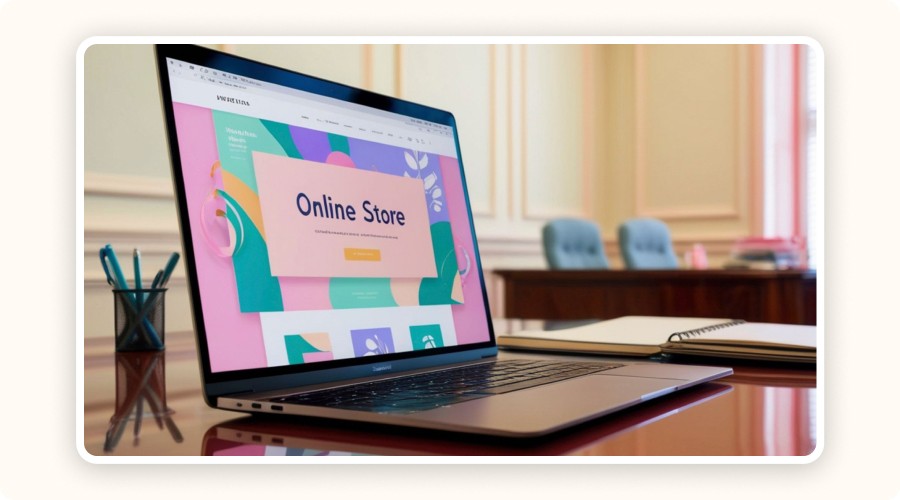
“Online store” on a laptop screen

Your store must convince visitors to buy within the first few seconds. Every element, design, navigation, product pages, should be intentionally crafted to drive conversions.

A Homepage That Builds Trust

Your homepage must reassure customers instantly. Highlight a clear value proposition such as fast shipping, low prices, or a satisfaction guarantee. Feature 3 to 5 best-selling products using strong, engaging visuals.

Also include:

  • customer reviews

  • security badges (secure payment, money-back guarantee)

  • logos of trusted carriers

These elements boost credibility and encourage browsing.

Product Pages That Sell

Each product page should be optimized for UX and conversion. Use:

  • HD images from multiple angles

  • persuasive descriptions focused on benefits, not just features

  • UGC videos showing real-life usage

  • urgency triggers (low stock indicator, delivery estimate)

These elements create a sense of scarcity and encourage immediate purchase.

Mobile Optimization & Accessibility

More than 60% of ecommerce traffic now comes from mobile. Your store must be mobile-first, meaning:

  • large, touch-friendly buttons

  • clean, readable typography

  • strong contrast for accessibility

Follow ADA accessibility standards to reach a broader audience.
A fully responsive design improves UX, SEO, and conversion rates.

Step 5: Set Up Payments and the Checkout Process
Payment successful displayed on a smartphone

Once your online store is ready, you need to let customers pay easily and securely. A well-configured payment system and checkout flow reduces cart abandonment and improves conversions when you create a dropshipping website.

Integrate Reliable Payment Methods

To ensure safe online transactions, use trusted payment gateways like Stripe, PayPal, Apple Pay, and Google Pay. These options inspire confidence, process payments quickly, and work seamlessly on mobile.

Targeting international customers? Choose solutions that support multiple currencies and local payment methods. You can also enable cryptocurrency depending on your audience, although it’s optional.

Optimize the Payment Experience

Reduce friction by enabling guest checkout. Customers shouldn’t be forced to create an account.

You can also add one-click upsells right before payment (complementary or premium products). This increases the average order value instantly.

Don’t forget abandoned-cart recovery tools via email or push notification. Your goal: bring back visitors who didn’t complete their purchase.

Ensure Full Security and Compliance

Protect your website with an SSL certificate, it’s mandatory for secure payments.Make sure your payment processor is PCI DSS compliant to protect banking data.Also mention data policies (GDPR for Europe, CCPA for California) to inform visitors how their information is handled. This builds transparency and trust.

Step 3: Register a Domain Name and Host Your Website

.com text display

A strong domain name boosts your store’s credibility. A reliable hosting provider ensures your site stays online and loads fast. Here’s how to choose both without sacrificing performance when you create a dropshipping website.

Choose a Good Domain Name

Your dropshipping domain name is the online address of your store. It should be short, memorable, and aligned with your niche (pets, fitness, home, etc.). Avoid unnecessary numbers or hyphens.

Choose .com whenever possible, it's the most trusted extension for US customers.
Extensions like .store or .online can work, but only for very specific branding strategies.

To check domain availability, use Namecheap, GoDaddy, or Verpex. These tools also offer WHOIS protection and simplified DNS management.

Which Hosting Should You Use?

Your hosting choice depends on the platform you selected:

  • Shopify: No hosting needed, everything is fully managed, secure, and optimized out of the box. This makes it one of the easiest ways to learn how to create a website for dropshipping without technical complexity.

  • WooCommerce: You must choose an external hosting provider: shared, cloud, or VPS. Shared hosting (Hostinger, Verpex…) is affordable but shared with other sites. Cloud or VPS hosting is faster, more stable, and ideal if you expect significant traffic.

Additional Technical Settings

Your hosting environment should provide:

  • SSL certificate for secure payments

  • CDN for faster loading worldwide

  • Automatic backups

  • Uptime above 99.9% to maintain SEO and customer trust

A fast, reliable site improves conversions, search ranking, and overall customer experience.

Step 4: Design a Conversion-Optimized Store

“Online store” on a laptop screen

Your store must convince visitors to buy within the first few seconds. Every element, design, navigation, product pages, should be intentionally crafted to drive conversions.

A Homepage That Builds Trust

Your homepage must reassure customers instantly. Highlight a clear value proposition such as fast shipping, low prices, or a satisfaction guarantee. Feature 3 to 5 best-selling products using strong, engaging visuals.

Also include:

  • customer reviews

  • security badges (secure payment, money-back guarantee)

  • logos of trusted carriers

These elements boost credibility and encourage browsing.

Product Pages That Sell

Each product page should be optimized for UX and conversion. Use:

  • HD images from multiple angles

  • persuasive descriptions focused on benefits, not just features

  • UGC videos showing real-life usage

  • urgency triggers (low stock indicator, delivery estimate)

These elements create a sense of scarcity and encourage immediate purchase.

Mobile Optimization & Accessibility

More than 60% of ecommerce traffic now comes from mobile. Your store must be mobile-first, meaning:

  • large, touch-friendly buttons

  • clean, readable typography

  • strong contrast for accessibility

Follow ADA accessibility standards to reach a broader audience.
A fully responsive design improves UX, SEO, and conversion rates.

Step 5: Set Up Payments and the Checkout Process

Payment successful displayed on a smartphone

Once your online store is ready, you need to let customers pay easily and securely. A well-configured payment system and checkout flow reduces cart abandonment and improves conversions when you create a dropshipping website.

Integrate Reliable Payment Methods

To ensure safe online transactions, use trusted payment gateways like Stripe, PayPal, Apple Pay, and Google Pay. These options inspire confidence, process payments quickly, and work seamlessly on mobile.

Targeting international customers? Choose solutions that support multiple currencies and local payment methods. You can also enable cryptocurrency depending on your audience, although it’s optional.

Optimize the Payment Experience

Reduce friction by enabling guest checkout. Customers shouldn’t be forced to create an account.

You can also add one-click upsells right before payment (complementary or premium products). This increases the average order value instantly.

Don’t forget abandoned-cart recovery tools via email or push notification. Your goal: bring back visitors who didn’t complete their purchase.

Ensure Full Security and Compliance

Protect your website with an SSL certificate, it’s mandatory for secure payments.Make sure your payment processor is PCI DSS compliant to protect banking data.Also mention data policies (GDPR for Europe, CCPA for California) to inform visitors how their information is handled. This builds transparency and trust.

Step 3: Register a Domain Name and Host Your Website

.com text display

A strong domain name boosts your store’s credibility. A reliable hosting provider ensures your site stays online and loads fast. Here’s how to choose both without sacrificing performance when you create a dropshipping website.

Choose a Good Domain Name

Your dropshipping domain name is the online address of your store. It should be short, memorable, and aligned with your niche (pets, fitness, home, etc.). Avoid unnecessary numbers or hyphens.

Choose .com whenever possible, it's the most trusted extension for US customers.
Extensions like .store or .online can work, but only for very specific branding strategies.

To check domain availability, use Namecheap, GoDaddy, or Verpex. These tools also offer WHOIS protection and simplified DNS management.

Which Hosting Should You Use?

Your hosting choice depends on the platform you selected:

  • Shopify: No hosting needed, everything is fully managed, secure, and optimized out of the box. This makes it one of the easiest ways to learn how to create a website for dropshipping without technical complexity.

  • WooCommerce: You must choose an external hosting provider: shared, cloud, or VPS. Shared hosting (Hostinger, Verpex…) is affordable but shared with other sites. Cloud or VPS hosting is faster, more stable, and ideal if you expect significant traffic.

Additional Technical Settings

Your hosting environment should provide:

  • SSL certificate for secure payments

  • CDN for faster loading worldwide

  • Automatic backups

  • Uptime above 99.9% to maintain SEO and customer trust

A fast, reliable site improves conversions, search ranking, and overall customer experience.

Step 4: Design a Conversion-Optimized Store

“Online store” on a laptop screen

Your store must convince visitors to buy within the first few seconds. Every element, design, navigation, product pages, should be intentionally crafted to drive conversions.

A Homepage That Builds Trust

Your homepage must reassure customers instantly. Highlight a clear value proposition such as fast shipping, low prices, or a satisfaction guarantee. Feature 3 to 5 best-selling products using strong, engaging visuals.

Also include:

  • customer reviews

  • security badges (secure payment, money-back guarantee)

  • logos of trusted carriers

These elements boost credibility and encourage browsing.

Product Pages That Sell

Each product page should be optimized for UX and conversion. Use:

  • HD images from multiple angles

  • persuasive descriptions focused on benefits, not just features

  • UGC videos showing real-life usage

  • urgency triggers (low stock indicator, delivery estimate)

These elements create a sense of scarcity and encourage immediate purchase.

Mobile Optimization & Accessibility

More than 60% of ecommerce traffic now comes from mobile. Your store must be mobile-first, meaning:

  • large, touch-friendly buttons

  • clean, readable typography

  • strong contrast for accessibility

Follow ADA accessibility standards to reach a broader audience.
A fully responsive design improves UX, SEO, and conversion rates.

Step 5: Set Up Payments and the Checkout Process

Payment successful displayed on a smartphone

Once your online store is ready, you need to let customers pay easily and securely. A well-configured payment system and checkout flow reduces cart abandonment and improves conversions when you create a dropshipping website.

Integrate Reliable Payment Methods

To ensure safe online transactions, use trusted payment gateways like Stripe, PayPal, Apple Pay, and Google Pay. These options inspire confidence, process payments quickly, and work seamlessly on mobile.

Targeting international customers? Choose solutions that support multiple currencies and local payment methods. You can also enable cryptocurrency depending on your audience, although it’s optional.

Optimize the Payment Experience

Reduce friction by enabling guest checkout. Customers shouldn’t be forced to create an account.

You can also add one-click upsells right before payment (complementary or premium products). This increases the average order value instantly.

Don’t forget abandoned-cart recovery tools via email or push notification. Your goal: bring back visitors who didn’t complete their purchase.

Ensure Full Security and Compliance

Protect your website with an SSL certificate, it’s mandatory for secure payments.Make sure your payment processor is PCI DSS compliant to protect banking data.Also mention data policies (GDPR for Europe, CCPA for California) to inform visitors how their information is handled. This builds transparency and trust.

Step 3: Register a Domain Name and Host Your Website

.com text display

A strong domain name boosts your store’s credibility. A reliable hosting provider ensures your site stays online and loads fast. Here’s how to choose both without sacrificing performance when you create a dropshipping website.

Choose a Good Domain Name

Your dropshipping domain name is the online address of your store. It should be short, memorable, and aligned with your niche (pets, fitness, home, etc.). Avoid unnecessary numbers or hyphens.

Choose .com whenever possible, it's the most trusted extension for US customers.
Extensions like .store or .online can work, but only for very specific branding strategies.

To check domain availability, use Namecheap, GoDaddy, or Verpex. These tools also offer WHOIS protection and simplified DNS management.

Which Hosting Should You Use?

Your hosting choice depends on the platform you selected:

  • Shopify: No hosting needed, everything is fully managed, secure, and optimized out of the box. This makes it one of the easiest ways to learn how to create a website for dropshipping without technical complexity.

  • WooCommerce: You must choose an external hosting provider: shared, cloud, or VPS. Shared hosting (Hostinger, Verpex…) is affordable but shared with other sites. Cloud or VPS hosting is faster, more stable, and ideal if you expect significant traffic.

Additional Technical Settings

Your hosting environment should provide:

  • SSL certificate for secure payments

  • CDN for faster loading worldwide

  • Automatic backups

  • Uptime above 99.9% to maintain SEO and customer trust

A fast, reliable site improves conversions, search ranking, and overall customer experience.

Step 4: Design a Conversion-Optimized Store

“Online store” on a laptop screen

Your store must convince visitors to buy within the first few seconds. Every element, design, navigation, product pages, should be intentionally crafted to drive conversions.

A Homepage That Builds Trust

Your homepage must reassure customers instantly. Highlight a clear value proposition such as fast shipping, low prices, or a satisfaction guarantee. Feature 3 to 5 best-selling products using strong, engaging visuals.

Also include:

  • customer reviews

  • security badges (secure payment, money-back guarantee)

  • logos of trusted carriers

These elements boost credibility and encourage browsing.

Product Pages That Sell

Each product page should be optimized for UX and conversion. Use:

  • HD images from multiple angles

  • persuasive descriptions focused on benefits, not just features

  • UGC videos showing real-life usage

  • urgency triggers (low stock indicator, delivery estimate)

These elements create a sense of scarcity and encourage immediate purchase.

Mobile Optimization & Accessibility

More than 60% of ecommerce traffic now comes from mobile. Your store must be mobile-first, meaning:

  • large, touch-friendly buttons

  • clean, readable typography

  • strong contrast for accessibility

Follow ADA accessibility standards to reach a broader audience.
A fully responsive design improves UX, SEO, and conversion rates.

Step 5: Set Up Payments and the Checkout Process

Payment successful displayed on a smartphone

Once your online store is ready, you need to let customers pay easily and securely. A well-configured payment system and checkout flow reduces cart abandonment and improves conversions when you create a dropshipping website.

Integrate Reliable Payment Methods

To ensure safe online transactions, use trusted payment gateways like Stripe, PayPal, Apple Pay, and Google Pay. These options inspire confidence, process payments quickly, and work seamlessly on mobile.

Targeting international customers? Choose solutions that support multiple currencies and local payment methods. You can also enable cryptocurrency depending on your audience, although it’s optional.

Optimize the Payment Experience

Reduce friction by enabling guest checkout. Customers shouldn’t be forced to create an account.

You can also add one-click upsells right before payment (complementary or premium products). This increases the average order value instantly.

Don’t forget abandoned-cart recovery tools via email or push notification. Your goal: bring back visitors who didn’t complete their purchase.

Ensure Full Security and Compliance

Protect your website with an SSL certificate, it’s mandatory for secure payments.Make sure your payment processor is PCI DSS compliant to protect banking data.Also mention data policies (GDPR for Europe, CCPA for California) to inform visitors how their information is handled. This builds transparency and trust.

Step 3: Register a Domain Name and Host Your Website

.com text display

A strong domain name boosts your store’s credibility. A reliable hosting provider ensures your site stays online and loads fast. Here’s how to choose both without sacrificing performance when you create a dropshipping website.

Choose a Good Domain Name

Your dropshipping domain name is the online address of your store. It should be short, memorable, and aligned with your niche (pets, fitness, home, etc.). Avoid unnecessary numbers or hyphens.

Choose .com whenever possible, it's the most trusted extension for US customers.
Extensions like .store or .online can work, but only for very specific branding strategies.

To check domain availability, use Namecheap, GoDaddy, or Verpex. These tools also offer WHOIS protection and simplified DNS management.

Which Hosting Should You Use?

Your hosting choice depends on the platform you selected:

  • Shopify: No hosting needed, everything is fully managed, secure, and optimized out of the box. This makes it one of the easiest ways to learn how to create a website for dropshipping without technical complexity.

  • WooCommerce: You must choose an external hosting provider: shared, cloud, or VPS. Shared hosting (Hostinger, Verpex…) is affordable but shared with other sites. Cloud or VPS hosting is faster, more stable, and ideal if you expect significant traffic.

Additional Technical Settings

Your hosting environment should provide:

  • SSL certificate for secure payments

  • CDN for faster loading worldwide

  • Automatic backups

  • Uptime above 99.9% to maintain SEO and customer trust

A fast, reliable site improves conversions, search ranking, and overall customer experience.

Step 4: Design a Conversion-Optimized Store

“Online store” on a laptop screen

Your store must convince visitors to buy within the first few seconds. Every element, design, navigation, product pages, should be intentionally crafted to drive conversions.

A Homepage That Builds Trust

Your homepage must reassure customers instantly. Highlight a clear value proposition such as fast shipping, low prices, or a satisfaction guarantee. Feature 3 to 5 best-selling products using strong, engaging visuals.

Also include:

  • customer reviews

  • security badges (secure payment, money-back guarantee)

  • logos of trusted carriers

These elements boost credibility and encourage browsing.

Product Pages That Sell

Each product page should be optimized for UX and conversion. Use:

  • HD images from multiple angles

  • persuasive descriptions focused on benefits, not just features

  • UGC videos showing real-life usage

  • urgency triggers (low stock indicator, delivery estimate)

These elements create a sense of scarcity and encourage immediate purchase.

Mobile Optimization & Accessibility

More than 60% of ecommerce traffic now comes from mobile. Your store must be mobile-first, meaning:

  • large, touch-friendly buttons

  • clean, readable typography

  • strong contrast for accessibility

Follow ADA accessibility standards to reach a broader audience.
A fully responsive design improves UX, SEO, and conversion rates.

Step 5: Set Up Payments and the Checkout Process

Payment successful displayed on a smartphone

Once your online store is ready, you need to let customers pay easily and securely. A well-configured payment system and checkout flow reduces cart abandonment and improves conversions when you create a dropshipping website.

Integrate Reliable Payment Methods

To ensure safe online transactions, use trusted payment gateways like Stripe, PayPal, Apple Pay, and Google Pay. These options inspire confidence, process payments quickly, and work seamlessly on mobile.

Targeting international customers? Choose solutions that support multiple currencies and local payment methods. You can also enable cryptocurrency depending on your audience, although it’s optional.

Optimize the Payment Experience

Reduce friction by enabling guest checkout. Customers shouldn’t be forced to create an account.

You can also add one-click upsells right before payment (complementary or premium products). This increases the average order value instantly.

Don’t forget abandoned-cart recovery tools via email or push notification. Your goal: bring back visitors who didn’t complete their purchase.

Ensure Full Security and Compliance

Protect your website with an SSL certificate, it’s mandatory for secure payments.Make sure your payment processor is PCI DSS compliant to protect banking data.Also mention data policies (GDPR for Europe, CCPA for California) to inform visitors how their information is handled. This builds transparency and trust.

Step 3: Register a Domain Name and Host Your Website

.com text display

A strong domain name boosts your store’s credibility. A reliable hosting provider ensures your site stays online and loads fast. Here’s how to choose both without sacrificing performance when you create a dropshipping website.

Choose a Good Domain Name

Your dropshipping domain name is the online address of your store. It should be short, memorable, and aligned with your niche (pets, fitness, home, etc.). Avoid unnecessary numbers or hyphens.

Choose .com whenever possible, it's the most trusted extension for US customers.
Extensions like .store or .online can work, but only for very specific branding strategies.

To check domain availability, use Namecheap, GoDaddy, or Verpex. These tools also offer WHOIS protection and simplified DNS management.

Which Hosting Should You Use?

Your hosting choice depends on the platform you selected:

  • Shopify: No hosting needed, everything is fully managed, secure, and optimized out of the box. This makes it one of the easiest ways to learn how to create a website for dropshipping without technical complexity.

  • WooCommerce: You must choose an external hosting provider: shared, cloud, or VPS. Shared hosting (Hostinger, Verpex…) is affordable but shared with other sites. Cloud or VPS hosting is faster, more stable, and ideal if you expect significant traffic.

Additional Technical Settings

Your hosting environment should provide:

  • SSL certificate for secure payments

  • CDN for faster loading worldwide

  • Automatic backups

  • Uptime above 99.9% to maintain SEO and customer trust

A fast, reliable site improves conversions, search ranking, and overall customer experience.

Step 4: Design a Conversion-Optimized Store

“Online store” on a laptop screen

Your store must convince visitors to buy within the first few seconds. Every element, design, navigation, product pages, should be intentionally crafted to drive conversions.

A Homepage That Builds Trust

Your homepage must reassure customers instantly. Highlight a clear value proposition such as fast shipping, low prices, or a satisfaction guarantee. Feature 3 to 5 best-selling products using strong, engaging visuals.

Also include:

  • customer reviews

  • security badges (secure payment, money-back guarantee)

  • logos of trusted carriers

These elements boost credibility and encourage browsing.

Product Pages That Sell

Each product page should be optimized for UX and conversion. Use:

  • HD images from multiple angles

  • persuasive descriptions focused on benefits, not just features

  • UGC videos showing real-life usage

  • urgency triggers (low stock indicator, delivery estimate)

These elements create a sense of scarcity and encourage immediate purchase.

Mobile Optimization & Accessibility

More than 60% of ecommerce traffic now comes from mobile. Your store must be mobile-first, meaning:

  • large, touch-friendly buttons

  • clean, readable typography

  • strong contrast for accessibility

Follow ADA accessibility standards to reach a broader audience.
A fully responsive design improves UX, SEO, and conversion rates.

Step 5: Set Up Payments and the Checkout Process

Payment successful displayed on a smartphone

Once your online store is ready, you need to let customers pay easily and securely. A well-configured payment system and checkout flow reduces cart abandonment and improves conversions when you create a dropshipping website.

Integrate Reliable Payment Methods

To ensure safe online transactions, use trusted payment gateways like Stripe, PayPal, Apple Pay, and Google Pay. These options inspire confidence, process payments quickly, and work seamlessly on mobile.

Targeting international customers? Choose solutions that support multiple currencies and local payment methods. You can also enable cryptocurrency depending on your audience, although it’s optional.

Optimize the Payment Experience

Reduce friction by enabling guest checkout. Customers shouldn’t be forced to create an account.

You can also add one-click upsells right before payment (complementary or premium products). This increases the average order value instantly.

Don’t forget abandoned-cart recovery tools via email or push notification. Your goal: bring back visitors who didn’t complete their purchase.

Ensure Full Security and Compliance

Protect your website with an SSL certificate, it’s mandatory for secure payments.Make sure your payment processor is PCI DSS compliant to protect banking data.Also mention data policies (GDPR for Europe, CCPA for California) to inform visitors how their information is handled. This builds transparency and trust.

Discover Minea, the best platform for finding winning products

Discover Minea, the best platform for finding winning products

Discover Minea, the best platform for finding winning products

Discover Minea, the best platform for finding winning products

Discover Minea, the best platform for finding winning products

Discover Minea, the best platform for finding winning products

Step 6: Find Reliable Dropshipping Suppliers

persons about to shake hands

Without reliable suppliers, your dropshipping website won’t survive. To guarantee fast delivery and consistent product quality, choose the right partners from the start.

Where to Find Them

Use reputable platforms like AliExpress, DSers, Spocket, and Zendrop. These tools connect your store directly to dropshipping suppliers and automate order fulfillment.

If you want vetted, local suppliers, consider Shopify Collective. It’s a marketplace of trusted brands offering faster shipping and higher product quality. This reduces issues with returns, delays, and customer complaints.

How to Evaluate a Supplier’s Reliability

A reliable supplier directly impacts customer satisfaction. Verify:

  • Delivery time: should stay under 10–15 days maximum.

  • Return policy: it must be clear and efficient.

  • Customer support: test their responsiveness.

  • Reviews: check Trustpilot, forums, and Facebook feedback.

  • Certifications: favor suppliers with quality labels.

  • Test orders: order samples to check packaging, delivery speed, and product quality.

Common Mistakes to Avoid

Never work with a supplier who has no verifiable contact details (email, phone number, website).
Avoid suppliers who offer long shipping times without fast alternatives like ePacket.
Stay away from generic packaging, it weakens your branding. Prefer suppliers who offer custom packaging options(logo, thank-you card, branded inserts).

Step 7: Publish and Optimize Your Product Pages
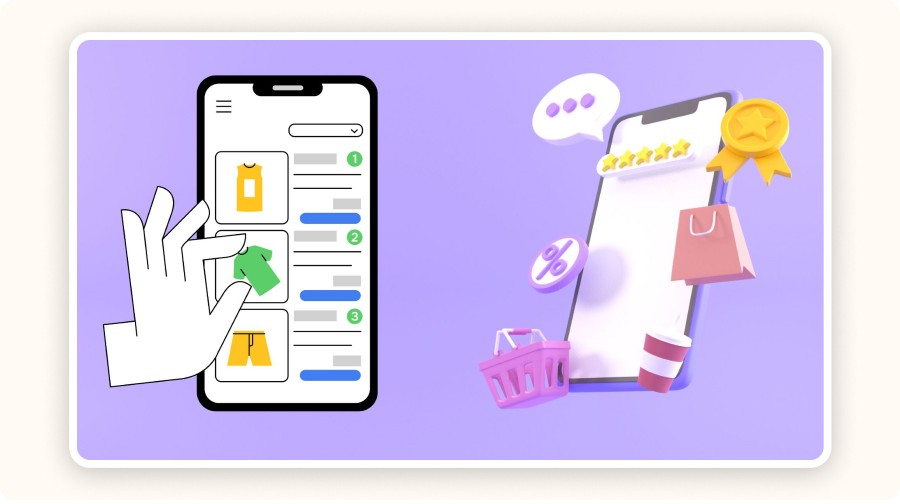
product rankings, carts, reviews, and purchases

Your product pages are your only online salesperson. They must convince, reassure, and push visitors to buy. Optimize them carefully when you create a dropshipping website to capture attention and drive conversions.

Write SEO-Friendly Titles and Descriptions

Whether you’re dropshipping on eBay, Amazon, or your own store, every product page needs a clear title with the right keywords. Include the main keyword and variations such as color, use case, or target audience.

For descriptions, use benefit-driven language: “relieves pain,” “water-resistant,” “perfect for travel,” etc.

Adapt the style to the purchase intent:

  • Short and persuasive for impulse buys

  • More detailed for technical products

Always write unique descriptions. Avoid copy-pasting supplier text, it hurts SEO and lowers credibility.

Create Strong Visual Content

Visuals sell. Include at least 3 to 5 photos:

  • White background

  • Real-life context (lifestyle)

  • Detail close-ups and feature highlights

If possible, add a short 15–30 second video showing the product in action (UGC, demo, unboxing). Don’t forget to fill in alt text, this improves your Google Image ranking and strengthens SEO for your dropshipping website.

Structure for Clarity & SEO Ranking

Use bullet points for essential information (size, materials, use cases). Add a small FAQ section on each product page to pre-answer common objections.

For even stronger visibility, implement schema.org structured data (product, reviews, pricing). This increases your chances of appearing with rich snippets in Google Search.

Step 8: Set Up Your Business Structure and Stay Legally Compliant

“Register Now” note

Having a website is not enough, you must also stay compliant. Your legal structure, tax obligations, and financial tools help protect and stabilize your business long term.

Register Your Business Legally

To create a legal dropshipping business, choose a clear business structure.

  • In France, micro-entreprise is perfect for beginners thanks to low obligations. For higher revenue or a more formal structure, choose a SARL. Register your business with the INSEE and obtain a SIRET number.

  • In the United States, you’ll need an EIN (Employer Identification Number) from the IRS. If your store name doesn’t match your legal name, file a DBA (Doing Business As).

Meet Your Tax Obligations

Even online, you must handle taxes correctly.

Depending on your revenue, you may be required to collect VAT (or benefit from a temporary exemption). To automate tax rules and filings, use Shopify Tax or Quaderno.
The annual declaration is mandatory, even with zero profit.

Use Proper Financial Tools

Separate personal and business finances. Open a dedicated business bank account for your dropshipping activity and use a business card for ads, software, and subscriptions.

For bookkeeping, use a professional tool: QuickBooks, Xero, or Wave offer full accounting solutions for ecommerce owners.

Step 6: Find Reliable Dropshipping Suppliers

persons about to shake hands

Without reliable suppliers, your dropshipping website won’t survive. To guarantee fast delivery and consistent product quality, choose the right partners from the start.

Where to Find Them

Use reputable platforms like AliExpress, DSers, Spocket, and Zendrop. These tools connect your store directly to dropshipping suppliers and automate order fulfillment.

If you want vetted, local suppliers, consider Shopify Collective. It’s a marketplace of trusted brands offering faster shipping and higher product quality. This reduces issues with returns, delays, and customer complaints.

How to Evaluate a Supplier’s Reliability

A reliable supplier directly impacts customer satisfaction. Verify:

  • Delivery time: should stay under 10–15 days maximum.

  • Return policy: it must be clear and efficient.

  • Customer support: test their responsiveness.

  • Reviews: check Trustpilot, forums, and Facebook feedback.

  • Certifications: favor suppliers with quality labels.

  • Test orders: order samples to check packaging, delivery speed, and product quality.

Common Mistakes to Avoid

Never work with a supplier who has no verifiable contact details (email, phone number, website).
Avoid suppliers who offer long shipping times without fast alternatives like ePacket.
Stay away from generic packaging, it weakens your branding. Prefer suppliers who offer custom packaging options(logo, thank-you card, branded inserts).

Step 7: Publish and Optimize Your Product Pages

product rankings, carts, reviews, and purchases

Your product pages are your only online salesperson. They must convince, reassure, and push visitors to buy. Optimize them carefully when you create a dropshipping website to capture attention and drive conversions.

Write SEO-Friendly Titles and Descriptions

Whether you’re dropshipping on eBay, Amazon, or your own store, every product page needs a clear title with the right keywords. Include the main keyword and variations such as color, use case, or target audience.

For descriptions, use benefit-driven language: “relieves pain,” “water-resistant,” “perfect for travel,” etc.

Adapt the style to the purchase intent:

  • Short and persuasive for impulse buys

  • More detailed for technical products

Always write unique descriptions. Avoid copy-pasting supplier text, it hurts SEO and lowers credibility.

Create Strong Visual Content

Visuals sell. Include at least 3 to 5 photos:

  • White background

  • Real-life context (lifestyle)

  • Detail close-ups and feature highlights

If possible, add a short 15–30 second video showing the product in action (UGC, demo, unboxing). Don’t forget to fill in alt text, this improves your Google Image ranking and strengthens SEO for your dropshipping website.

Structure for Clarity & SEO Ranking

Use bullet points for essential information (size, materials, use cases). Add a small FAQ section on each product page to pre-answer common objections.

For even stronger visibility, implement schema.org structured data (product, reviews, pricing). This increases your chances of appearing with rich snippets in Google Search.

Step 8: Set Up Your Business Structure and Stay Legally Compliant

“Register Now” note

Having a website is not enough, you must also stay compliant. Your legal structure, tax obligations, and financial tools help protect and stabilize your business long term.

Register Your Business Legally

To create a legal dropshipping business, choose a clear business structure.

  • In France, micro-entreprise is perfect for beginners thanks to low obligations. For higher revenue or a more formal structure, choose a SARL. Register your business with the INSEE and obtain a SIRET number.

  • In the United States, you’ll need an EIN (Employer Identification Number) from the IRS. If your store name doesn’t match your legal name, file a DBA (Doing Business As).

Meet Your Tax Obligations

Even online, you must handle taxes correctly.

Depending on your revenue, you may be required to collect VAT (or benefit from a temporary exemption). To automate tax rules and filings, use Shopify Tax or Quaderno.
The annual declaration is mandatory, even with zero profit.

Use Proper Financial Tools

Separate personal and business finances. Open a dedicated business bank account for your dropshipping activity and use a business card for ads, software, and subscriptions.

For bookkeeping, use a professional tool: QuickBooks, Xero, or Wave offer full accounting solutions for ecommerce owners.

Step 6: Find Reliable Dropshipping Suppliers

persons about to shake hands

Without reliable suppliers, your dropshipping website won’t survive. To guarantee fast delivery and consistent product quality, choose the right partners from the start.

Where to Find Them

Use reputable platforms like AliExpress, DSers, Spocket, and Zendrop. These tools connect your store directly to dropshipping suppliers and automate order fulfillment.

If you want vetted, local suppliers, consider Shopify Collective. It’s a marketplace of trusted brands offering faster shipping and higher product quality. This reduces issues with returns, delays, and customer complaints.

How to Evaluate a Supplier’s Reliability

A reliable supplier directly impacts customer satisfaction. Verify:

  • Delivery time: should stay under 10–15 days maximum.

  • Return policy: it must be clear and efficient.

  • Customer support: test their responsiveness.

  • Reviews: check Trustpilot, forums, and Facebook feedback.

  • Certifications: favor suppliers with quality labels.

  • Test orders: order samples to check packaging, delivery speed, and product quality.

Common Mistakes to Avoid

Never work with a supplier who has no verifiable contact details (email, phone number, website).
Avoid suppliers who offer long shipping times without fast alternatives like ePacket.
Stay away from generic packaging, it weakens your branding. Prefer suppliers who offer custom packaging options(logo, thank-you card, branded inserts).

Step 7: Publish and Optimize Your Product Pages

product rankings, carts, reviews, and purchases

Your product pages are your only online salesperson. They must convince, reassure, and push visitors to buy. Optimize them carefully when you create a dropshipping website to capture attention and drive conversions.

Write SEO-Friendly Titles and Descriptions

Whether you’re dropshipping on eBay, Amazon, or your own store, every product page needs a clear title with the right keywords. Include the main keyword and variations such as color, use case, or target audience.

For descriptions, use benefit-driven language: “relieves pain,” “water-resistant,” “perfect for travel,” etc.

Adapt the style to the purchase intent:

  • Short and persuasive for impulse buys

  • More detailed for technical products

Always write unique descriptions. Avoid copy-pasting supplier text, it hurts SEO and lowers credibility.

Create Strong Visual Content

Visuals sell. Include at least 3 to 5 photos:

  • White background

  • Real-life context (lifestyle)

  • Detail close-ups and feature highlights

If possible, add a short 15–30 second video showing the product in action (UGC, demo, unboxing). Don’t forget to fill in alt text, this improves your Google Image ranking and strengthens SEO for your dropshipping website.

Structure for Clarity & SEO Ranking

Use bullet points for essential information (size, materials, use cases). Add a small FAQ section on each product page to pre-answer common objections.

For even stronger visibility, implement schema.org structured data (product, reviews, pricing). This increases your chances of appearing with rich snippets in Google Search.

Step 8: Set Up Your Business Structure and Stay Legally Compliant

“Register Now” note

Having a website is not enough, you must also stay compliant. Your legal structure, tax obligations, and financial tools help protect and stabilize your business long term.

Register Your Business Legally

To create a legal dropshipping business, choose a clear business structure.

  • In France, micro-entreprise is perfect for beginners thanks to low obligations. For higher revenue or a more formal structure, choose a SARL. Register your business with the INSEE and obtain a SIRET number.

  • In the United States, you’ll need an EIN (Employer Identification Number) from the IRS. If your store name doesn’t match your legal name, file a DBA (Doing Business As).

Meet Your Tax Obligations

Even online, you must handle taxes correctly.

Depending on your revenue, you may be required to collect VAT (or benefit from a temporary exemption). To automate tax rules and filings, use Shopify Tax or Quaderno.
The annual declaration is mandatory, even with zero profit.

Use Proper Financial Tools

Separate personal and business finances. Open a dedicated business bank account for your dropshipping activity and use a business card for ads, software, and subscriptions.

For bookkeeping, use a professional tool: QuickBooks, Xero, or Wave offer full accounting solutions for ecommerce owners.

Step 6: Find Reliable Dropshipping Suppliers

persons about to shake hands

Without reliable suppliers, your dropshipping website won’t survive. To guarantee fast delivery and consistent product quality, choose the right partners from the start.

Where to Find Them

Use reputable platforms like AliExpress, DSers, Spocket, and Zendrop. These tools connect your store directly to dropshipping suppliers and automate order fulfillment.

If you want vetted, local suppliers, consider Shopify Collective. It’s a marketplace of trusted brands offering faster shipping and higher product quality. This reduces issues with returns, delays, and customer complaints.

How to Evaluate a Supplier’s Reliability

A reliable supplier directly impacts customer satisfaction. Verify:

  • Delivery time: should stay under 10–15 days maximum.

  • Return policy: it must be clear and efficient.

  • Customer support: test their responsiveness.

  • Reviews: check Trustpilot, forums, and Facebook feedback.

  • Certifications: favor suppliers with quality labels.

  • Test orders: order samples to check packaging, delivery speed, and product quality.

Common Mistakes to Avoid

Never work with a supplier who has no verifiable contact details (email, phone number, website).
Avoid suppliers who offer long shipping times without fast alternatives like ePacket.
Stay away from generic packaging, it weakens your branding. Prefer suppliers who offer custom packaging options(logo, thank-you card, branded inserts).

Step 7: Publish and Optimize Your Product Pages

product rankings, carts, reviews, and purchases

Your product pages are your only online salesperson. They must convince, reassure, and push visitors to buy. Optimize them carefully when you create a dropshipping website to capture attention and drive conversions.

Write SEO-Friendly Titles and Descriptions

Whether you’re dropshipping on eBay, Amazon, or your own store, every product page needs a clear title with the right keywords. Include the main keyword and variations such as color, use case, or target audience.

For descriptions, use benefit-driven language: “relieves pain,” “water-resistant,” “perfect for travel,” etc.

Adapt the style to the purchase intent:

  • Short and persuasive for impulse buys

  • More detailed for technical products

Always write unique descriptions. Avoid copy-pasting supplier text, it hurts SEO and lowers credibility.

Create Strong Visual Content

Visuals sell. Include at least 3 to 5 photos:

  • White background

  • Real-life context (lifestyle)

  • Detail close-ups and feature highlights

If possible, add a short 15–30 second video showing the product in action (UGC, demo, unboxing). Don’t forget to fill in alt text, this improves your Google Image ranking and strengthens SEO for your dropshipping website.

Structure for Clarity & SEO Ranking

Use bullet points for essential information (size, materials, use cases). Add a small FAQ section on each product page to pre-answer common objections.

For even stronger visibility, implement schema.org structured data (product, reviews, pricing). This increases your chances of appearing with rich snippets in Google Search.

Step 8: Set Up Your Business Structure and Stay Legally Compliant

“Register Now” note

Having a website is not enough, you must also stay compliant. Your legal structure, tax obligations, and financial tools help protect and stabilize your business long term.

Register Your Business Legally

To create a legal dropshipping business, choose a clear business structure.

  • In France, micro-entreprise is perfect for beginners thanks to low obligations. For higher revenue or a more formal structure, choose a SARL. Register your business with the INSEE and obtain a SIRET number.

  • In the United States, you’ll need an EIN (Employer Identification Number) from the IRS. If your store name doesn’t match your legal name, file a DBA (Doing Business As).

Meet Your Tax Obligations

Even online, you must handle taxes correctly.

Depending on your revenue, you may be required to collect VAT (or benefit from a temporary exemption). To automate tax rules and filings, use Shopify Tax or Quaderno.
The annual declaration is mandatory, even with zero profit.

Use Proper Financial Tools

Separate personal and business finances. Open a dedicated business bank account for your dropshipping activity and use a business card for ads, software, and subscriptions.

For bookkeeping, use a professional tool: QuickBooks, Xero, or Wave offer full accounting solutions for ecommerce owners.

Step 6: Find Reliable Dropshipping Suppliers

persons about to shake hands

Without reliable suppliers, your dropshipping website won’t survive. To guarantee fast delivery and consistent product quality, choose the right partners from the start.

Where to Find Them

Use reputable platforms like AliExpress, DSers, Spocket, and Zendrop. These tools connect your store directly to dropshipping suppliers and automate order fulfillment.

If you want vetted, local suppliers, consider Shopify Collective. It’s a marketplace of trusted brands offering faster shipping and higher product quality. This reduces issues with returns, delays, and customer complaints.

How to Evaluate a Supplier’s Reliability

A reliable supplier directly impacts customer satisfaction. Verify:

  • Delivery time: should stay under 10–15 days maximum.

  • Return policy: it must be clear and efficient.

  • Customer support: test their responsiveness.

  • Reviews: check Trustpilot, forums, and Facebook feedback.

  • Certifications: favor suppliers with quality labels.

  • Test orders: order samples to check packaging, delivery speed, and product quality.

Common Mistakes to Avoid

Never work with a supplier who has no verifiable contact details (email, phone number, website).
Avoid suppliers who offer long shipping times without fast alternatives like ePacket.
Stay away from generic packaging, it weakens your branding. Prefer suppliers who offer custom packaging options(logo, thank-you card, branded inserts).

Step 7: Publish and Optimize Your Product Pages

product rankings, carts, reviews, and purchases

Your product pages are your only online salesperson. They must convince, reassure, and push visitors to buy. Optimize them carefully when you create a dropshipping website to capture attention and drive conversions.

Write SEO-Friendly Titles and Descriptions

Whether you’re dropshipping on eBay, Amazon, or your own store, every product page needs a clear title with the right keywords. Include the main keyword and variations such as color, use case, or target audience.

For descriptions, use benefit-driven language: “relieves pain,” “water-resistant,” “perfect for travel,” etc.

Adapt the style to the purchase intent:

  • Short and persuasive for impulse buys

  • More detailed for technical products

Always write unique descriptions. Avoid copy-pasting supplier text, it hurts SEO and lowers credibility.

Create Strong Visual Content

Visuals sell. Include at least 3 to 5 photos:

  • White background

  • Real-life context (lifestyle)

  • Detail close-ups and feature highlights

If possible, add a short 15–30 second video showing the product in action (UGC, demo, unboxing). Don’t forget to fill in alt text, this improves your Google Image ranking and strengthens SEO for your dropshipping website.

Structure for Clarity & SEO Ranking

Use bullet points for essential information (size, materials, use cases). Add a small FAQ section on each product page to pre-answer common objections.

For even stronger visibility, implement schema.org structured data (product, reviews, pricing). This increases your chances of appearing with rich snippets in Google Search.

Step 8: Set Up Your Business Structure and Stay Legally Compliant

“Register Now” note

Having a website is not enough, you must also stay compliant. Your legal structure, tax obligations, and financial tools help protect and stabilize your business long term.

Register Your Business Legally

To create a legal dropshipping business, choose a clear business structure.

  • In France, micro-entreprise is perfect for beginners thanks to low obligations. For higher revenue or a more formal structure, choose a SARL. Register your business with the INSEE and obtain a SIRET number.

  • In the United States, you’ll need an EIN (Employer Identification Number) from the IRS. If your store name doesn’t match your legal name, file a DBA (Doing Business As).

Meet Your Tax Obligations

Even online, you must handle taxes correctly.

Depending on your revenue, you may be required to collect VAT (or benefit from a temporary exemption). To automate tax rules and filings, use Shopify Tax or Quaderno.
The annual declaration is mandatory, even with zero profit.

Use Proper Financial Tools

Separate personal and business finances. Open a dedicated business bank account for your dropshipping activity and use a business card for ads, software, and subscriptions.

For bookkeeping, use a professional tool: QuickBooks, Xero, or Wave offer full accounting solutions for ecommerce owners.

Step 6: Find Reliable Dropshipping Suppliers

persons about to shake hands

Without reliable suppliers, your dropshipping website won’t survive. To guarantee fast delivery and consistent product quality, choose the right partners from the start.

Where to Find Them

Use reputable platforms like AliExpress, DSers, Spocket, and Zendrop. These tools connect your store directly to dropshipping suppliers and automate order fulfillment.

If you want vetted, local suppliers, consider Shopify Collective. It’s a marketplace of trusted brands offering faster shipping and higher product quality. This reduces issues with returns, delays, and customer complaints.

How to Evaluate a Supplier’s Reliability

A reliable supplier directly impacts customer satisfaction. Verify:

  • Delivery time: should stay under 10–15 days maximum.

  • Return policy: it must be clear and efficient.

  • Customer support: test their responsiveness.

  • Reviews: check Trustpilot, forums, and Facebook feedback.

  • Certifications: favor suppliers with quality labels.

  • Test orders: order samples to check packaging, delivery speed, and product quality.

Common Mistakes to Avoid

Never work with a supplier who has no verifiable contact details (email, phone number, website).
Avoid suppliers who offer long shipping times without fast alternatives like ePacket.
Stay away from generic packaging, it weakens your branding. Prefer suppliers who offer custom packaging options(logo, thank-you card, branded inserts).

Step 7: Publish and Optimize Your Product Pages

product rankings, carts, reviews, and purchases

Your product pages are your only online salesperson. They must convince, reassure, and push visitors to buy. Optimize them carefully when you create a dropshipping website to capture attention and drive conversions.

Write SEO-Friendly Titles and Descriptions

Whether you’re dropshipping on eBay, Amazon, or your own store, every product page needs a clear title with the right keywords. Include the main keyword and variations such as color, use case, or target audience.

For descriptions, use benefit-driven language: “relieves pain,” “water-resistant,” “perfect for travel,” etc.

Adapt the style to the purchase intent:

  • Short and persuasive for impulse buys

  • More detailed for technical products

Always write unique descriptions. Avoid copy-pasting supplier text, it hurts SEO and lowers credibility.

Create Strong Visual Content

Visuals sell. Include at least 3 to 5 photos:

  • White background

  • Real-life context (lifestyle)

  • Detail close-ups and feature highlights

If possible, add a short 15–30 second video showing the product in action (UGC, demo, unboxing). Don’t forget to fill in alt text, this improves your Google Image ranking and strengthens SEO for your dropshipping website.

Structure for Clarity & SEO Ranking

Use bullet points for essential information (size, materials, use cases). Add a small FAQ section on each product page to pre-answer common objections.

For even stronger visibility, implement schema.org structured data (product, reviews, pricing). This increases your chances of appearing with rich snippets in Google Search.

Step 8: Set Up Your Business Structure and Stay Legally Compliant

“Register Now” note

Having a website is not enough, you must also stay compliant. Your legal structure, tax obligations, and financial tools help protect and stabilize your business long term.

Register Your Business Legally

To create a legal dropshipping business, choose a clear business structure.

  • In France, micro-entreprise is perfect for beginners thanks to low obligations. For higher revenue or a more formal structure, choose a SARL. Register your business with the INSEE and obtain a SIRET number.

  • In the United States, you’ll need an EIN (Employer Identification Number) from the IRS. If your store name doesn’t match your legal name, file a DBA (Doing Business As).

Meet Your Tax Obligations

Even online, you must handle taxes correctly.

Depending on your revenue, you may be required to collect VAT (or benefit from a temporary exemption). To automate tax rules and filings, use Shopify Tax or Quaderno.
The annual declaration is mandatory, even with zero profit.

Use Proper Financial Tools

Separate personal and business finances. Open a dedicated business bank account for your dropshipping activity and use a business card for ads, software, and subscriptions.

For bookkeeping, use a professional tool: QuickBooks, Xero, or Wave offer full accounting solutions for ecommerce owners.

tiktok ads logo with white lettering

Start deploying your TikTok Ads strategy with the best offer available on the market.

Spend $30, Get $20
Spend $100, Get $100

Limited Time Offer

tiktok ads logo with white lettering

Start deploying your TikTok Ads strategy with the best offer available on the market.

Spend $30, Get $20
Spend $100, Get $100

Limited Time Offer

tiktok ads logo with white lettering

Start deploying your TikTok Ads strategy with the best offer available on the market.

Spend $30, Get $20
Spend $100, Get $100

Limited Time Offer

tiktok ads logo with white lettering

Start deploying your TikTok Ads strategy with the best offer available on the market.

Spend $30, Get $20
Spend $100, Get $100

Limited Time Offer

tiktok ads logo with white lettering

Start deploying your TikTok Ads strategy with the best offer available on the market.

Spend $30, Get $20
Spend $100, Get $100

Limited Time Offer

tiktok ads logo with white lettering

Start deploying your TikTok Ads strategy with the best offer available on the market.

Spend $30, Get $20
Spend $100, Get $100

Limited Time Offer

Step 9: Launch Your Dropshipping Website
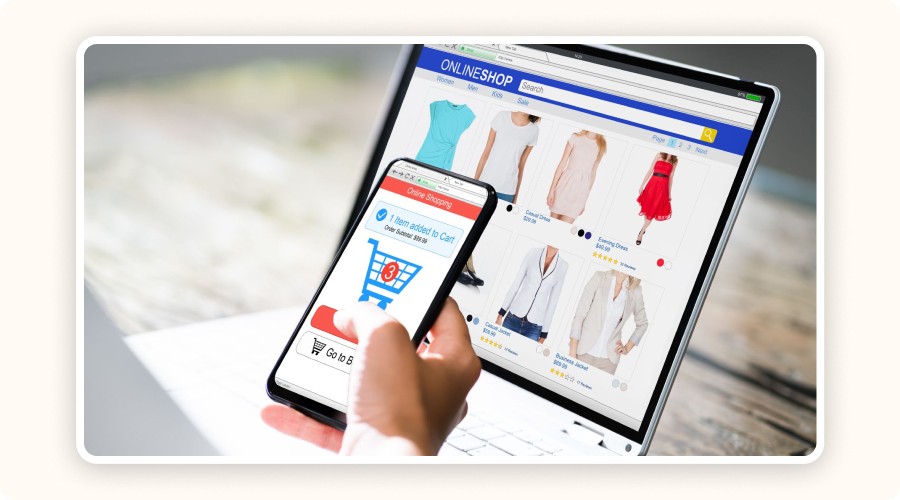
Person reviewing their online clothing store

Once your store is ready, it’s time to take action. Before officially launching, make sure everything works perfectly and all essential tools are in place to attract your first visitors.

Pre-Launch Checklist

Before launching your ecommerce site, double-check for any issues. How?

  • Test the entire checkout flow, from add-to-cart to payment confirmation.

  • Analyze loading speed using Google PageSpeed Insights or GTMetrix, a slow site makes customers leave instantly.

  • Ensure that tracking tools are properly installed: Meta Pixel for Facebook/Instagram ads and Google Analytics to monitor traffic.

Add Essential Apps

To maximize conversions and make your dropshipping website more effective, install strategic ecommerce apps:

  • Live chat tools (Tidio, Crisp) for real-time visitor support

  • Upsell apps like ReConvert

  • Review tools (Loox, Judge.me)

  • Email capture & automation via Klaviyo or Mailchimp

  • Order tracking solutions like Track123 or AfterShip

These tools help boost trust, increase average order value, and reduce friction when you create a dropshipping website.

Announce Your Launch

Promote your launch before it happens. Send a short email teaser sequence to your list a few days in advance. Post a countdown on social media to build excitement. Run a giveaway, mini-contest, or product reveal to generate engagement and get your first sales faster.

Step 10: Drive Traffic and Make Sales
Magnet attracting human silhouettes

Your website is live, but without traffic, you won’t make any sales. Now your goal is simple: attract qualified visitors and convert them into paying customers.

Organic Traffic (Free)

Organic traffic is one of the best long-term strategies to grow your dropshipping website for free.

Boost your organic traffic by:

  • Publishing SEO-optimized blog posts around a topic cluster (guides, comparisons, trends)

  • Using Pinterest for product visuals, and Instagram Reels or YouTube Shorts for short-form content

  • Optimizing your store for SEO: keyword-rich titles, alt tags, clean H-tag structure, internal linking

Paid Ads & Influencers

For quick results, consider paid traffic.

  • Launch TikTok Ads inspired by winning ads you find in Minea

  • Run Meta Ads (Facebook/Instagram) with retargeting to re-engage non-buyers

  • Partner with niche influencers (UGC videos, sponsored posts, product seeding)

Email Marketing & Automation

Email remains one of the most profitable channels.

Use an automated welcome sequence to turn new subscribers into buyers. Set up abandoned-cart emails to recover lost sales. Send personalized product recommendations to increase AOV and loyalty.

Tools like Klaviyo, Mailchimp, or Omnisend help you automate, segment, and scale your email strategy.

Learn Dropshipping with Minea Academy to Build a Successful Website
Minea dropshipping course screenshot

To create a dropshipping website that actually performs, you must master the right tools and proven methods. You need strategies that have already been tested, so you can avoid beginner mistakes. That’s exactly what Minea Academy, included in Minea’s Premium plan, is designed for.

Minea Academy is one of the most complete dropshipping courses available today.
It offers over 32 hours of structured video lessons that teach you:

  • the fundamentals (store creation, niche selection, supplier integration)

  • advanced methods (advertising, conversion funnels, scaling strategies)

Even if you’re a complete beginner, the training is built to take you from zero to a fully operational business.

You also get access to The Club Minea, a private community space where you can connect with other members, ask questions to instructors, share your results, and progress faster in a supportive environment. The Wall of Fame highlights real success stories from the community, giving you inspiration and motivation.

Want to go even further? Minea also offers personalized 1:1 coaching designed to boost your results dramatically. The goal is clear: reach $1,000/day in less than 90 days, or get your money back.

Step 9: Launch Your Dropshipping Website

Person reviewing their online clothing store

Once your store is ready, it’s time to take action. Before officially launching, make sure everything works perfectly and all essential tools are in place to attract your first visitors.

Pre-Launch Checklist

Before launching your ecommerce site, double-check for any issues. How?

  • Test the entire checkout flow, from add-to-cart to payment confirmation.

  • Analyze loading speed using Google PageSpeed Insights or GTMetrix, a slow site makes customers leave instantly.

  • Ensure that tracking tools are properly installed: Meta Pixel for Facebook/Instagram ads and Google Analytics to monitor traffic.

Add Essential Apps

To maximize conversions and make your dropshipping website more effective, install strategic ecommerce apps:

  • Live chat tools (Tidio, Crisp) for real-time visitor support

  • Upsell apps like ReConvert

  • Review tools (Loox, Judge.me)

  • Email capture & automation via Klaviyo or Mailchimp

  • Order tracking solutions like Track123 or AfterShip

These tools help boost trust, increase average order value, and reduce friction when you create a dropshipping website.

Announce Your Launch

Promote your launch before it happens. Send a short email teaser sequence to your list a few days in advance. Post a countdown on social media to build excitement. Run a giveaway, mini-contest, or product reveal to generate engagement and get your first sales faster.

Step 10: Drive Traffic and Make Sales

Magnet attracting human silhouettes

Your website is live, but without traffic, you won’t make any sales. Now your goal is simple: attract qualified visitors and convert them into paying customers.

Organic Traffic (Free)

Organic traffic is one of the best long-term strategies to grow your dropshipping website for free.

Boost your organic traffic by:

  • Publishing SEO-optimized blog posts around a topic cluster (guides, comparisons, trends)

  • Using Pinterest for product visuals, and Instagram Reels or YouTube Shorts for short-form content

  • Optimizing your store for SEO: keyword-rich titles, alt tags, clean H-tag structure, internal linking

Paid Ads & Influencers

For quick results, consider paid traffic.

  • Launch TikTok Ads inspired by winning ads you find in Minea

  • Run Meta Ads (Facebook/Instagram) with retargeting to re-engage non-buyers

  • Partner with niche influencers (UGC videos, sponsored posts, product seeding)

Email Marketing & Automation

Email remains one of the most profitable channels.

Use an automated welcome sequence to turn new subscribers into buyers. Set up abandoned-cart emails to recover lost sales. Send personalized product recommendations to increase AOV and loyalty.

Tools like Klaviyo, Mailchimp, or Omnisend help you automate, segment, and scale your email strategy.

Learn Dropshipping with Minea Academy to Build a Successful Website

Minea dropshipping course screenshot

To create a dropshipping website that actually performs, you must master the right tools and proven methods. You need strategies that have already been tested, so you can avoid beginner mistakes. That’s exactly what Minea Academy, included in Minea’s Premium plan, is designed for.

Minea Academy is one of the most complete dropshipping courses available today.
It offers over 32 hours of structured video lessons that teach you:

  • the fundamentals (store creation, niche selection, supplier integration)

  • advanced methods (advertising, conversion funnels, scaling strategies)

Even if you’re a complete beginner, the training is built to take you from zero to a fully operational business.

You also get access to The Club Minea, a private community space where you can connect with other members, ask questions to instructors, share your results, and progress faster in a supportive environment. The Wall of Fame highlights real success stories from the community, giving you inspiration and motivation.

Want to go even further? Minea also offers personalized 1:1 coaching designed to boost your results dramatically. The goal is clear: reach $1,000/day in less than 90 days, or get your money back.

Step 9: Launch Your Dropshipping Website

Person reviewing their online clothing store

Once your store is ready, it’s time to take action. Before officially launching, make sure everything works perfectly and all essential tools are in place to attract your first visitors.

Pre-Launch Checklist

Before launching your ecommerce site, double-check for any issues. How?

  • Test the entire checkout flow, from add-to-cart to payment confirmation.

  • Analyze loading speed using Google PageSpeed Insights or GTMetrix, a slow site makes customers leave instantly.

  • Ensure that tracking tools are properly installed: Meta Pixel for Facebook/Instagram ads and Google Analytics to monitor traffic.

Add Essential Apps

To maximize conversions and make your dropshipping website more effective, install strategic ecommerce apps:

  • Live chat tools (Tidio, Crisp) for real-time visitor support

  • Upsell apps like ReConvert

  • Review tools (Loox, Judge.me)

  • Email capture & automation via Klaviyo or Mailchimp

  • Order tracking solutions like Track123 or AfterShip

These tools help boost trust, increase average order value, and reduce friction when you create a dropshipping website.

Announce Your Launch

Promote your launch before it happens. Send a short email teaser sequence to your list a few days in advance. Post a countdown on social media to build excitement. Run a giveaway, mini-contest, or product reveal to generate engagement and get your first sales faster.

Step 10: Drive Traffic and Make Sales

Magnet attracting human silhouettes

Your website is live, but without traffic, you won’t make any sales. Now your goal is simple: attract qualified visitors and convert them into paying customers.

Organic Traffic (Free)

Organic traffic is one of the best long-term strategies to grow your dropshipping website for free.

Boost your organic traffic by:

  • Publishing SEO-optimized blog posts around a topic cluster (guides, comparisons, trends)

  • Using Pinterest for product visuals, and Instagram Reels or YouTube Shorts for short-form content

  • Optimizing your store for SEO: keyword-rich titles, alt tags, clean H-tag structure, internal linking

Paid Ads & Influencers

For quick results, consider paid traffic.

  • Launch TikTok Ads inspired by winning ads you find in Minea

  • Run Meta Ads (Facebook/Instagram) with retargeting to re-engage non-buyers

  • Partner with niche influencers (UGC videos, sponsored posts, product seeding)

Email Marketing & Automation

Email remains one of the most profitable channels.

Use an automated welcome sequence to turn new subscribers into buyers. Set up abandoned-cart emails to recover lost sales. Send personalized product recommendations to increase AOV and loyalty.

Tools like Klaviyo, Mailchimp, or Omnisend help you automate, segment, and scale your email strategy.

Learn Dropshipping with Minea Academy to Build a Successful Website

Minea dropshipping course screenshot

To create a dropshipping website that actually performs, you must master the right tools and proven methods. You need strategies that have already been tested, so you can avoid beginner mistakes. That’s exactly what Minea Academy, included in Minea’s Premium plan, is designed for.

Minea Academy is one of the most complete dropshipping courses available today.
It offers over 32 hours of structured video lessons that teach you:

  • the fundamentals (store creation, niche selection, supplier integration)

  • advanced methods (advertising, conversion funnels, scaling strategies)

Even if you’re a complete beginner, the training is built to take you from zero to a fully operational business.

You also get access to The Club Minea, a private community space where you can connect with other members, ask questions to instructors, share your results, and progress faster in a supportive environment. The Wall of Fame highlights real success stories from the community, giving you inspiration and motivation.

Want to go even further? Minea also offers personalized 1:1 coaching designed to boost your results dramatically. The goal is clear: reach $1,000/day in less than 90 days, or get your money back.

Step 9: Launch Your Dropshipping Website

Person reviewing their online clothing store

Once your store is ready, it’s time to take action. Before officially launching, make sure everything works perfectly and all essential tools are in place to attract your first visitors.

Pre-Launch Checklist

Before launching your ecommerce site, double-check for any issues. How?

  • Test the entire checkout flow, from add-to-cart to payment confirmation.

  • Analyze loading speed using Google PageSpeed Insights or GTMetrix, a slow site makes customers leave instantly.

  • Ensure that tracking tools are properly installed: Meta Pixel for Facebook/Instagram ads and Google Analytics to monitor traffic.

Add Essential Apps

To maximize conversions and make your dropshipping website more effective, install strategic ecommerce apps:

  • Live chat tools (Tidio, Crisp) for real-time visitor support

  • Upsell apps like ReConvert

  • Review tools (Loox, Judge.me)

  • Email capture & automation via Klaviyo or Mailchimp

  • Order tracking solutions like Track123 or AfterShip

These tools help boost trust, increase average order value, and reduce friction when you create a dropshipping website.

Announce Your Launch

Promote your launch before it happens. Send a short email teaser sequence to your list a few days in advance. Post a countdown on social media to build excitement. Run a giveaway, mini-contest, or product reveal to generate engagement and get your first sales faster.

Step 10: Drive Traffic and Make Sales

Magnet attracting human silhouettes

Your website is live, but without traffic, you won’t make any sales. Now your goal is simple: attract qualified visitors and convert them into paying customers.

Organic Traffic (Free)

Organic traffic is one of the best long-term strategies to grow your dropshipping website for free.

Boost your organic traffic by:

  • Publishing SEO-optimized blog posts around a topic cluster (guides, comparisons, trends)

  • Using Pinterest for product visuals, and Instagram Reels or YouTube Shorts for short-form content

  • Optimizing your store for SEO: keyword-rich titles, alt tags, clean H-tag structure, internal linking

Paid Ads & Influencers

For quick results, consider paid traffic.

  • Launch TikTok Ads inspired by winning ads you find in Minea

  • Run Meta Ads (Facebook/Instagram) with retargeting to re-engage non-buyers

  • Partner with niche influencers (UGC videos, sponsored posts, product seeding)

Email Marketing & Automation

Email remains one of the most profitable channels.

Use an automated welcome sequence to turn new subscribers into buyers. Set up abandoned-cart emails to recover lost sales. Send personalized product recommendations to increase AOV and loyalty.

Tools like Klaviyo, Mailchimp, or Omnisend help you automate, segment, and scale your email strategy.

Learn Dropshipping with Minea Academy to Build a Successful Website

Minea dropshipping course screenshot

To create a dropshipping website that actually performs, you must master the right tools and proven methods. You need strategies that have already been tested, so you can avoid beginner mistakes. That’s exactly what Minea Academy, included in Minea’s Premium plan, is designed for.

Minea Academy is one of the most complete dropshipping courses available today.
It offers over 32 hours of structured video lessons that teach you:

  • the fundamentals (store creation, niche selection, supplier integration)

  • advanced methods (advertising, conversion funnels, scaling strategies)

Even if you’re a complete beginner, the training is built to take you from zero to a fully operational business.

You also get access to The Club Minea, a private community space where you can connect with other members, ask questions to instructors, share your results, and progress faster in a supportive environment. The Wall of Fame highlights real success stories from the community, giving you inspiration and motivation.

Want to go even further? Minea also offers personalized 1:1 coaching designed to boost your results dramatically. The goal is clear: reach $1,000/day in less than 90 days, or get your money back.

Step 9: Launch Your Dropshipping Website

Person reviewing their online clothing store

Once your store is ready, it’s time to take action. Before officially launching, make sure everything works perfectly and all essential tools are in place to attract your first visitors.

Pre-Launch Checklist

Before launching your ecommerce site, double-check for any issues. How?

  • Test the entire checkout flow, from add-to-cart to payment confirmation.

  • Analyze loading speed using Google PageSpeed Insights or GTMetrix, a slow site makes customers leave instantly.

  • Ensure that tracking tools are properly installed: Meta Pixel for Facebook/Instagram ads and Google Analytics to monitor traffic.

Add Essential Apps

To maximize conversions and make your dropshipping website more effective, install strategic ecommerce apps:

  • Live chat tools (Tidio, Crisp) for real-time visitor support

  • Upsell apps like ReConvert

  • Review tools (Loox, Judge.me)

  • Email capture & automation via Klaviyo or Mailchimp

  • Order tracking solutions like Track123 or AfterShip

These tools help boost trust, increase average order value, and reduce friction when you create a dropshipping website.

Announce Your Launch

Promote your launch before it happens. Send a short email teaser sequence to your list a few days in advance. Post a countdown on social media to build excitement. Run a giveaway, mini-contest, or product reveal to generate engagement and get your first sales faster.

Step 10: Drive Traffic and Make Sales

Magnet attracting human silhouettes

Your website is live, but without traffic, you won’t make any sales. Now your goal is simple: attract qualified visitors and convert them into paying customers.

Organic Traffic (Free)

Organic traffic is one of the best long-term strategies to grow your dropshipping website for free.

Boost your organic traffic by:

  • Publishing SEO-optimized blog posts around a topic cluster (guides, comparisons, trends)

  • Using Pinterest for product visuals, and Instagram Reels or YouTube Shorts for short-form content

  • Optimizing your store for SEO: keyword-rich titles, alt tags, clean H-tag structure, internal linking

Paid Ads & Influencers

For quick results, consider paid traffic.

  • Launch TikTok Ads inspired by winning ads you find in Minea

  • Run Meta Ads (Facebook/Instagram) with retargeting to re-engage non-buyers

  • Partner with niche influencers (UGC videos, sponsored posts, product seeding)

Email Marketing & Automation

Email remains one of the most profitable channels.

Use an automated welcome sequence to turn new subscribers into buyers. Set up abandoned-cart emails to recover lost sales. Send personalized product recommendations to increase AOV and loyalty.

Tools like Klaviyo, Mailchimp, or Omnisend help you automate, segment, and scale your email strategy.

Learn Dropshipping with Minea Academy to Build a Successful Website

Minea dropshipping course screenshot

To create a dropshipping website that actually performs, you must master the right tools and proven methods. You need strategies that have already been tested, so you can avoid beginner mistakes. That’s exactly what Minea Academy, included in Minea’s Premium plan, is designed for.

Minea Academy is one of the most complete dropshipping courses available today.
It offers over 32 hours of structured video lessons that teach you:

  • the fundamentals (store creation, niche selection, supplier integration)

  • advanced methods (advertising, conversion funnels, scaling strategies)

Even if you’re a complete beginner, the training is built to take you from zero to a fully operational business.

You also get access to The Club Minea, a private community space where you can connect with other members, ask questions to instructors, share your results, and progress faster in a supportive environment. The Wall of Fame highlights real success stories from the community, giving you inspiration and motivation.

Want to go even further? Minea also offers personalized 1:1 coaching designed to boost your results dramatically. The goal is clear: reach $1,000/day in less than 90 days, or get your money back.

Step 9: Launch Your Dropshipping Website

Person reviewing their online clothing store

Once your store is ready, it’s time to take action. Before officially launching, make sure everything works perfectly and all essential tools are in place to attract your first visitors.

Pre-Launch Checklist

Before launching your ecommerce site, double-check for any issues. How?

  • Test the entire checkout flow, from add-to-cart to payment confirmation.

  • Analyze loading speed using Google PageSpeed Insights or GTMetrix, a slow site makes customers leave instantly.

  • Ensure that tracking tools are properly installed: Meta Pixel for Facebook/Instagram ads and Google Analytics to monitor traffic.

Add Essential Apps

To maximize conversions and make your dropshipping website more effective, install strategic ecommerce apps:

  • Live chat tools (Tidio, Crisp) for real-time visitor support

  • Upsell apps like ReConvert

  • Review tools (Loox, Judge.me)

  • Email capture & automation via Klaviyo or Mailchimp

  • Order tracking solutions like Track123 or AfterShip

These tools help boost trust, increase average order value, and reduce friction when you create a dropshipping website.

Announce Your Launch

Promote your launch before it happens. Send a short email teaser sequence to your list a few days in advance. Post a countdown on social media to build excitement. Run a giveaway, mini-contest, or product reveal to generate engagement and get your first sales faster.

Step 10: Drive Traffic and Make Sales

Magnet attracting human silhouettes

Your website is live, but without traffic, you won’t make any sales. Now your goal is simple: attract qualified visitors and convert them into paying customers.

Organic Traffic (Free)

Organic traffic is one of the best long-term strategies to grow your dropshipping website for free.

Boost your organic traffic by:

  • Publishing SEO-optimized blog posts around a topic cluster (guides, comparisons, trends)

  • Using Pinterest for product visuals, and Instagram Reels or YouTube Shorts for short-form content

  • Optimizing your store for SEO: keyword-rich titles, alt tags, clean H-tag structure, internal linking

Paid Ads & Influencers

For quick results, consider paid traffic.

  • Launch TikTok Ads inspired by winning ads you find in Minea

  • Run Meta Ads (Facebook/Instagram) with retargeting to re-engage non-buyers

  • Partner with niche influencers (UGC videos, sponsored posts, product seeding)

Email Marketing & Automation

Email remains one of the most profitable channels.

Use an automated welcome sequence to turn new subscribers into buyers. Set up abandoned-cart emails to recover lost sales. Send personalized product recommendations to increase AOV and loyalty.

Tools like Klaviyo, Mailchimp, or Omnisend help you automate, segment, and scale your email strategy.

Learn Dropshipping with Minea Academy to Build a Successful Website

Minea dropshipping course screenshot

To create a dropshipping website that actually performs, you must master the right tools and proven methods. You need strategies that have already been tested, so you can avoid beginner mistakes. That’s exactly what Minea Academy, included in Minea’s Premium plan, is designed for.

Minea Academy is one of the most complete dropshipping courses available today.
It offers over 32 hours of structured video lessons that teach you:

  • the fundamentals (store creation, niche selection, supplier integration)

  • advanced methods (advertising, conversion funnels, scaling strategies)

Even if you’re a complete beginner, the training is built to take you from zero to a fully operational business.

You also get access to The Club Minea, a private community space where you can connect with other members, ask questions to instructors, share your results, and progress faster in a supportive environment. The Wall of Fame highlights real success stories from the community, giving you inspiration and motivation.

Want to go even further? Minea also offers personalized 1:1 coaching designed to boost your results dramatically. The goal is clear: reach $1,000/day in less than 90 days, or get your money back.

Take a Shortcut

Intensive coaching, $1,000/day guaranteed or your money back
Baptistin coaching

Take a Shortcut

Intensive coaching, $1,000/day guaranteed or your money back
Baptistin coaching

Take a Shortcut

Intensive coaching, $1,000/day guaranteed or your money back
Baptistin coaching

Take a Shortcut

Intensive coaching, $1,000/day guaranteed or your money back
Baptistin coaching

Take a Shortcut

Intensive coaching, $1,000/day guaranteed or your money back
Baptistin coaching

Take a Shortcut

Intensive coaching, $1,000/day guaranteed or your money back
Baptistin coaching

FAQ

How do I create a dropshipping website quickly?

To create a dropshipping website fast, choose a niche, pick a platform like Shopify or WooCommerce, buy a domain, connect suppliers, design your store, and launch marketing campaigns. The PDF explains each step clearly. 

What platform is best for building a dropshipping website?

Shopify is the easiest for beginners thanks to built-in hosting, payments, and apps. WooCommerce is ideal if you want full customization and already use WordPress. BigCommerce fits stores with higher volume. 

Can I create my own website for dropshipping?

Yes, you can absolutely create your own website for dropshipping. All you need is an ecommerce platform like Shopify or WooCommerce, a domain name, and a supplier integration tool such as DSers or Spocket. From there, you can design your store, add products, set up payments, and launch your marketing. It’s one of the easiest online business models to build on your own, even as a complete beginner.

How do I drive traffic to my new dropshipping site?

Use a mix of SEO, blog content, Pinterest, Instagram Reels, YouTube Shorts, Meta Ads, TikTok Ads, and influencer collaborations. Email automation (Klaviyo, Mailchimp) also drives recurring sales.

FAQ

How do I create a dropshipping website quickly?

To create a dropshipping website fast, choose a niche, pick a platform like Shopify or WooCommerce, buy a domain, connect suppliers, design your store, and launch marketing campaigns. The PDF explains each step clearly. 

What platform is best for building a dropshipping website?

Shopify is the easiest for beginners thanks to built-in hosting, payments, and apps. WooCommerce is ideal if you want full customization and already use WordPress. BigCommerce fits stores with higher volume. 

Can I create my own website for dropshipping?

Yes, you can absolutely create your own website for dropshipping. All you need is an ecommerce platform like Shopify or WooCommerce, a domain name, and a supplier integration tool such as DSers or Spocket. From there, you can design your store, add products, set up payments, and launch your marketing. It’s one of the easiest online business models to build on your own, even as a complete beginner.

How do I drive traffic to my new dropshipping site?

Use a mix of SEO, blog content, Pinterest, Instagram Reels, YouTube Shorts, Meta Ads, TikTok Ads, and influencer collaborations. Email automation (Klaviyo, Mailchimp) also drives recurring sales.

FAQ

How do I create a dropshipping website quickly?

To create a dropshipping website fast, choose a niche, pick a platform like Shopify or WooCommerce, buy a domain, connect suppliers, design your store, and launch marketing campaigns. The PDF explains each step clearly. 

What platform is best for building a dropshipping website?

Shopify is the easiest for beginners thanks to built-in hosting, payments, and apps. WooCommerce is ideal if you want full customization and already use WordPress. BigCommerce fits stores with higher volume. 

Can I create my own website for dropshipping?

Yes, you can absolutely create your own website for dropshipping. All you need is an ecommerce platform like Shopify or WooCommerce, a domain name, and a supplier integration tool such as DSers or Spocket. From there, you can design your store, add products, set up payments, and launch your marketing. It’s one of the easiest online business models to build on your own, even as a complete beginner.

How do I drive traffic to my new dropshipping site?

Use a mix of SEO, blog content, Pinterest, Instagram Reels, YouTube Shorts, Meta Ads, TikTok Ads, and influencer collaborations. Email automation (Klaviyo, Mailchimp) also drives recurring sales.

FAQ

How do I create a dropshipping website quickly?

To create a dropshipping website fast, choose a niche, pick a platform like Shopify or WooCommerce, buy a domain, connect suppliers, design your store, and launch marketing campaigns. The PDF explains each step clearly. 

What platform is best for building a dropshipping website?

Shopify is the easiest for beginners thanks to built-in hosting, payments, and apps. WooCommerce is ideal if you want full customization and already use WordPress. BigCommerce fits stores with higher volume. 

Can I create my own website for dropshipping?

Yes, you can absolutely create your own website for dropshipping. All you need is an ecommerce platform like Shopify or WooCommerce, a domain name, and a supplier integration tool such as DSers or Spocket. From there, you can design your store, add products, set up payments, and launch your marketing. It’s one of the easiest online business models to build on your own, even as a complete beginner.

How do I drive traffic to my new dropshipping site?

Use a mix of SEO, blog content, Pinterest, Instagram Reels, YouTube Shorts, Meta Ads, TikTok Ads, and influencer collaborations. Email automation (Klaviyo, Mailchimp) also drives recurring sales.

FAQ

How do I create a dropshipping website quickly?

To create a dropshipping website fast, choose a niche, pick a platform like Shopify or WooCommerce, buy a domain, connect suppliers, design your store, and launch marketing campaigns. The PDF explains each step clearly. 

What platform is best for building a dropshipping website?

Shopify is the easiest for beginners thanks to built-in hosting, payments, and apps. WooCommerce is ideal if you want full customization and already use WordPress. BigCommerce fits stores with higher volume. 

Can I create my own website for dropshipping?

Yes, you can absolutely create your own website for dropshipping. All you need is an ecommerce platform like Shopify or WooCommerce, a domain name, and a supplier integration tool such as DSers or Spocket. From there, you can design your store, add products, set up payments, and launch your marketing. It’s one of the easiest online business models to build on your own, even as a complete beginner.

How do I drive traffic to my new dropshipping site?

Use a mix of SEO, blog content, Pinterest, Instagram Reels, YouTube Shorts, Meta Ads, TikTok Ads, and influencer collaborations. Email automation (Klaviyo, Mailchimp) also drives recurring sales.

FAQ

How do I create a dropshipping website quickly?

To create a dropshipping website fast, choose a niche, pick a platform like Shopify or WooCommerce, buy a domain, connect suppliers, design your store, and launch marketing campaigns. The PDF explains each step clearly. 

What platform is best for building a dropshipping website?

Shopify is the easiest for beginners thanks to built-in hosting, payments, and apps. WooCommerce is ideal if you want full customization and already use WordPress. BigCommerce fits stores with higher volume. 

Can I create my own website for dropshipping?

Yes, you can absolutely create your own website for dropshipping. All you need is an ecommerce platform like Shopify or WooCommerce, a domain name, and a supplier integration tool such as DSers or Spocket. From there, you can design your store, add products, set up payments, and launch your marketing. It’s one of the easiest online business models to build on your own, even as a complete beginner.

How do I drive traffic to my new dropshipping site?

Use a mix of SEO, blog content, Pinterest, Instagram Reels, YouTube Shorts, Meta Ads, TikTok Ads, and influencer collaborations. Email automation (Klaviyo, Mailchimp) also drives recurring sales.

Similar articles

dropshipping business ideas

Best Dropshipping Business Ideas to Build a Long-Term Brand in 2025

November 25, 2025

Dropshipping Learning


dropshipping business ideas

Best Dropshipping Business Ideas to Build a Long-Term Brand in 2025

November 25, 2025

Dropshipping Learning


dropshipping business ideas

Best Dropshipping Business Ideas to Build a Long-Term Brand in 2025

November 25, 2025

Dropshipping Learning


dropshipping business ideas

Best Dropshipping Business Ideas to Build a Long-Term Brand in 2025

November 25, 2025

Dropshipping Learning


dropshipping business ideas

Best Dropshipping Business Ideas to Build a Long-Term Brand in 2025

November 25, 2025

Dropshipping Learning


dropshipping business ideas

Best Dropshipping Business Ideas to Build a Long-Term Brand in 2025

November 25, 2025

Dropshipping Learning


Formation gratuite en dropshipping

🎓 Minea Academy: 100% Free Training

November 6, 2025

Dropshipping Learning


Formation gratuite en dropshipping

🎓 Minea Academy: 100% Free Training

November 6, 2025

Dropshipping Learning


Formation gratuite en dropshipping

🎓 Minea Academy: 100% Free Training

November 6, 2025

Dropshipping Learning


Formation gratuite en dropshipping

🎓 Minea Academy: 100% Free Training

November 6, 2025

Dropshipping Learning


Formation gratuite en dropshipping

🎓 Minea Academy: 100% Free Training

November 6, 2025

Dropshipping Learning


Formation gratuite en dropshipping

🎓 Minea Academy: 100% Free Training

November 6, 2025

Dropshipping Learning


TikTok Shop: How It Works, Opportunities, and Strategies for 2025

TikTok Shop: How It Works, Opportunities, and Strategies for 2025

June 4, 2025

Dropshipping Learning


TikTok Shop: How It Works, Opportunities, and Strategies for 2025

TikTok Shop: How It Works, Opportunities, and Strategies for 2025

June 4, 2025

Dropshipping Learning


TikTok Shop: How It Works, Opportunities, and Strategies for 2025

TikTok Shop: How It Works, Opportunities, and Strategies for 2025

June 4, 2025

Dropshipping Learning


TikTok Shop: How It Works, Opportunities, and Strategies for 2025

TikTok Shop: How It Works, Opportunities, and Strategies for 2025

June 4, 2025

Dropshipping Learning


TikTok Shop: How It Works, Opportunities, and Strategies for 2025

TikTok Shop: How It Works, Opportunities, and Strategies for 2025

June 4, 2025

Dropshipping Learning


TikTok Shop: How It Works, Opportunities, and Strategies for 2025

TikTok Shop: How It Works, Opportunities, and Strategies for 2025

June 4, 2025

Dropshipping Learning


dropshipping in France

Getting started with dropshipping in France: essential tips

February 15, 2025

Dropshipping Learning


dropshipping in France

Getting started with dropshipping in France: essential tips

February 15, 2025

Dropshipping Learning


dropshipping in France

Getting started with dropshipping in France: essential tips

February 15, 2025

Dropshipping Learning


dropshipping in France

Getting started with dropshipping in France: essential tips

February 15, 2025

Dropshipping Learning


dropshipping in France

Getting started with dropshipping in France: essential tips

February 15, 2025

Dropshipping Learning


dropshipping in France

Getting started with dropshipping in France: essential tips

February 15, 2025

Dropshipping Learning

Launch winning products in

3 clicks

Discover winning products to sell today.

Our Free Adspys

1 winning product everyday.

Follow us!

Launch winning products in

3 clicks

Discover winning products to sell today.

Our Free Adspys

1 winning product everyday.

Follow us!

Launch winning products in

3 clicks

Discover winning products to sell today.

Our Free Adspys

1 winning product everyday.

Follow us!