HubSpot email marketing for dropshipping business: set it up in 2 hours
Best Email Marketing Tools
Author: Baptiste
Contents
If you run a dropshipping store and you’re relying on one-off promo blasts, you’re leaving repeat revenue on the table. HubSpot is one of the best e-mail marketing tools for this because it lets you trigger emails based on real customer behavior, like a purchase or an abandoned checkout. So you’re not relying on memory (or guesswork) to follow up.
And segmented sends usually beat one-size-fits-all blasts. In fact, Mailchimp’s analysis found that segmented campaigns can drive +14.31% opens and +100.95% clicks compared to non-segmented campaigns.
What you’ll achieve
A HubSpot setup connected to your ecommerce data
3–5 segments that actually make sense for dropshipping
3 core automations: welcome, abandoned checkout, post-purchase
A simple campaign cadence that protects margin
A dashboard that ties email to revenue
Time: ~2 hours to set up, then ~30 minutes/week
Cost: $0–$890+/mo (depends on contacts and automation features)
Skill level: Intermediate Shopify seller
Minea
Reach $1,000 per day or get your money back

Before you start: what you need (and what to decide)
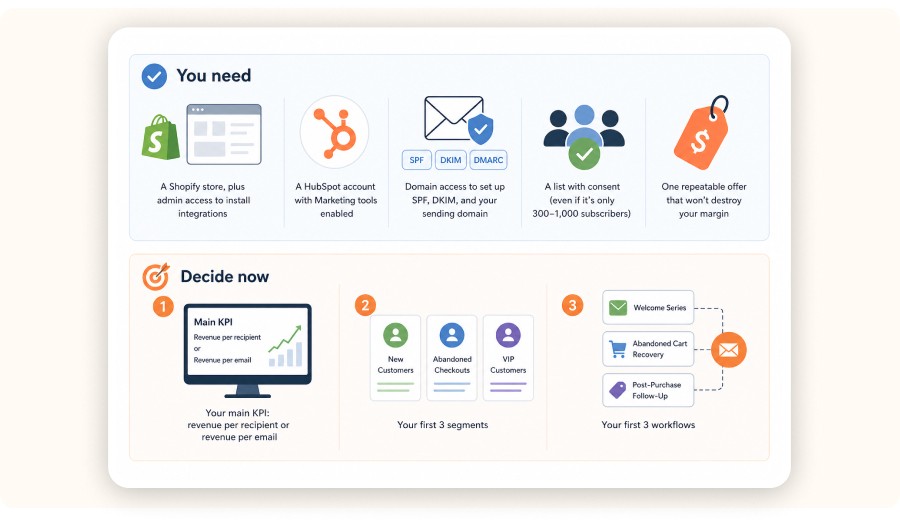
HubSpot works well for dropshipping when you have clean ecommerce data, a few strong segments, and a small set of automations running in the background every day. You’ll also want access to your domain DNS for email authentication, a permission-based list you can legally email, and one repeatable offer that won’t destroy your margin.
You need
A Shopify store, plus admin access to install integrations
A HubSpot account with Marketing tools enabled
Domain access to set up SPF, DKIM, and your sending domain
A list with consent (even if it’s only 300–1,000 subscribers)
Decide now
Your main KPI: revenue per recipient or revenue per email
Your first 3 segments
Your first 3 workflows
Step 1: Pick the HubSpot setup that matches dropshipping needs
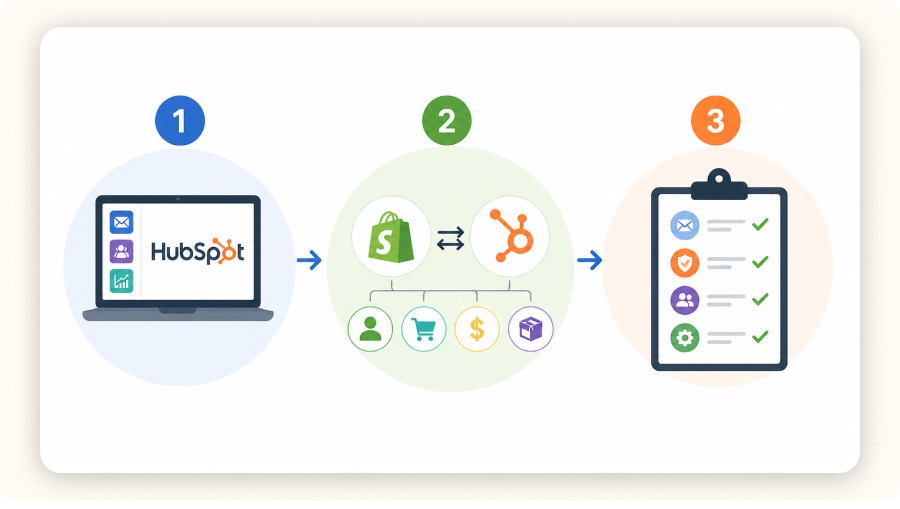
The right HubSpot setup is the one that unlocks ecommerce-triggered emails and usable reporting. If you only send the occasional newsletter, you’ll barely tap into what HubSpot does best. But if you want behavior-based automation across the customer lifecycle, HubSpot’s CRM-first structure becomes a real advantage.
Time: ~10 minutes
Cost: $0–$890+/mo (depends on your tier)
Tool: HubSpot Marketing Hub
What matters for a dropshipping ecommerce store
Ecommerce events in HubSpot: purchases, last order date, product data
Automation depth: workflows triggered by customer behavior
Deliverability controls + list hygiene tools
Revenue attribution for email performance
Common mistake
Choosing a plan based on copywriting features.
Your segments and triggers are what actually drive results.
Step 2: Connect HubSpot to Shopify and verify the data flow
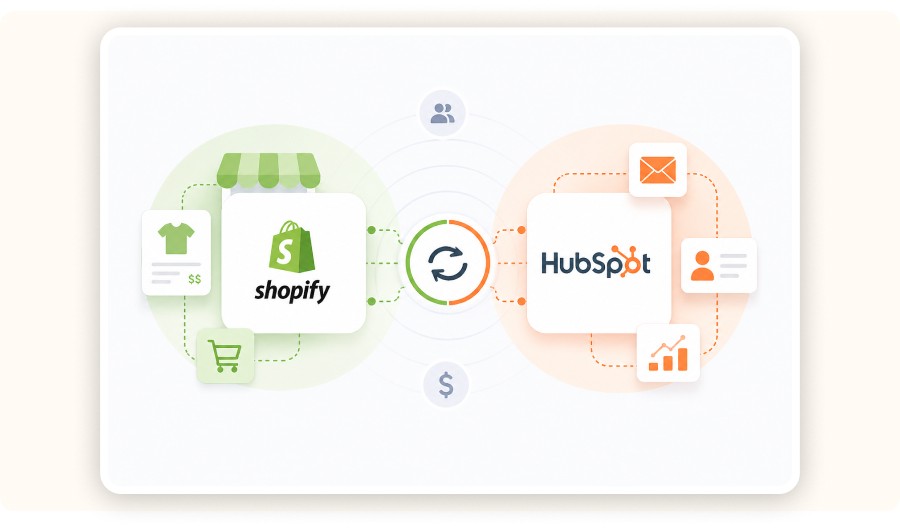
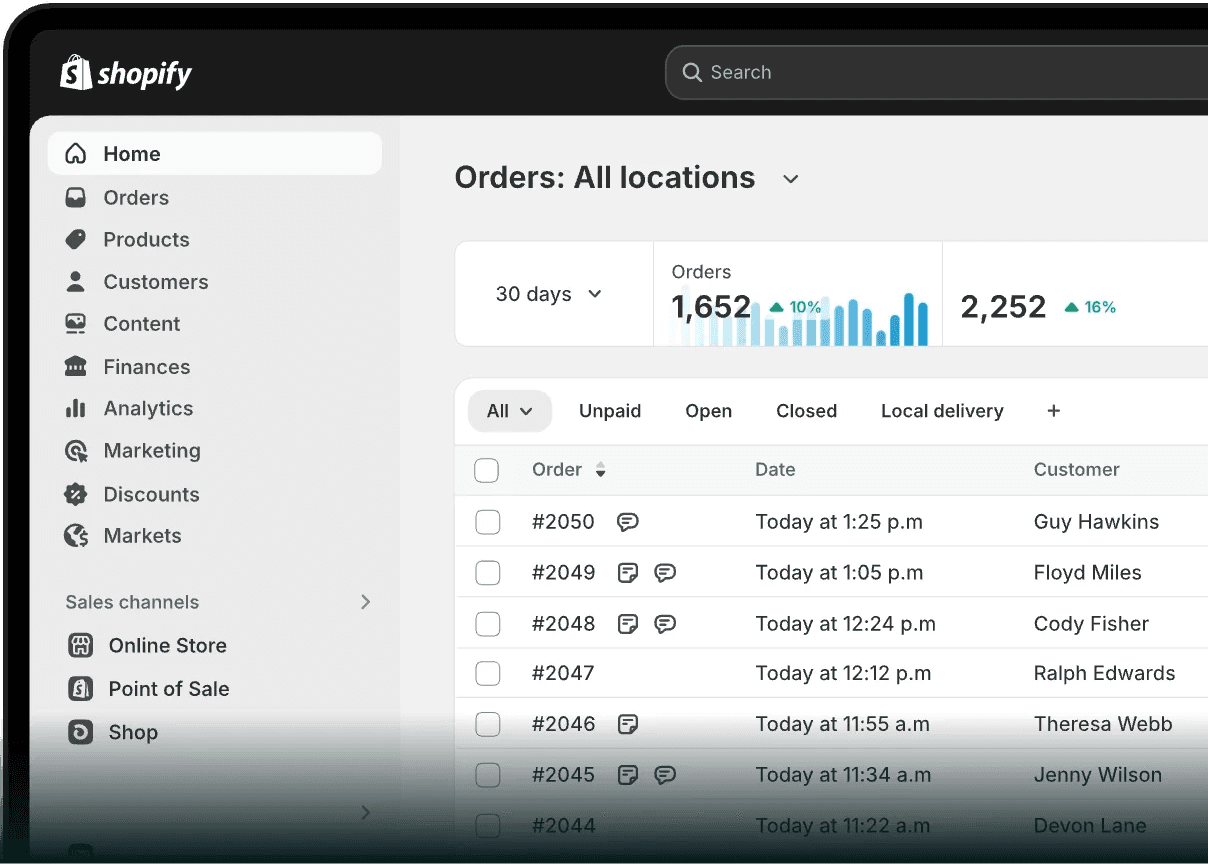
Email automation for dropshipping really only works if HubSpot receives the right signals from your Shopify store. Connect the integration, then double-check that contacts, orders, and key properties are actually syncing. Once the data is flowing, you can trigger workflows based on checkout and purchase behavior.
Time: 20–30 minutes
Cost: Free
Tool: HubSpot integrations + Shopify
Setup checklist
Install the HubSpot–Shopify integration from the HubSpot Marketplace.
Confirm contacts sync and customer properties update correctly.
Confirm order events are visible (so you can build real segments).
Set up email authentication (SPF, DKIM, and sending domain) before you send at volume.
Completion criteria
You can create a list for “customers who purchased in the last 30 days” and it populates correctly.
Common mistake
Optimizing open rates before revenue tracking is in place.
If you can’t report email-driven revenue, you’ll end up steering by vanity metrics.


Create and test your Shopify store for only $1 per day during 90 days
Step 3: Clean your list and create 3–5 segments you can actually use
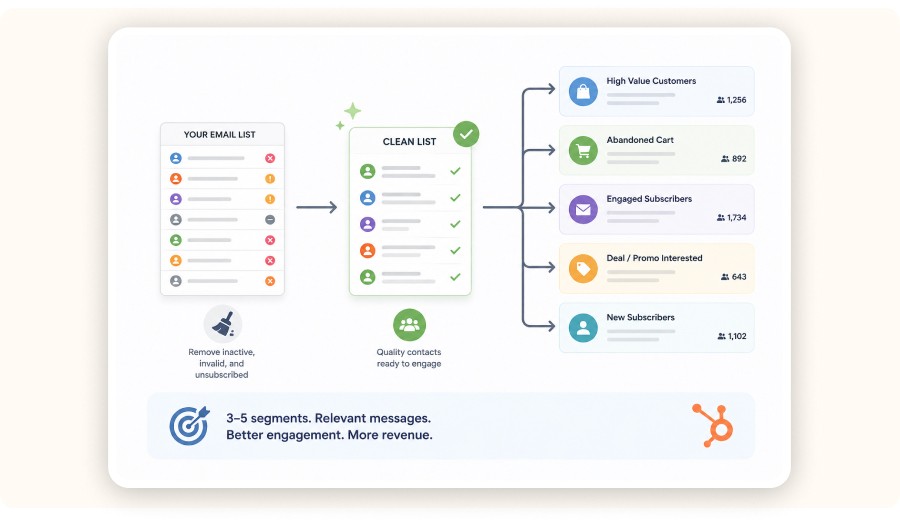
In dropshipping, email wins usually come from sending fewer emails to the right people. Start by cleaning your list, suppressing risky contacts, then build a small set of usable segments tied to purchase behavior and category interest. Done right, segmentation typically improves opens and clicks compared to broad sends.
Time: 20–30 minutes
Cost: Free
Tool: HubSpot Lists
Do list hygiene first
Suppress obvious junk, role accounts, and spammy addresses.
Suppress chronically unengaged contacts (protects deliverability).
Tag acquisition source so you can compare list quality over time.
Start with these segments
New subscribers who have not purchased
First-time customers
Repeat customers
High-AOV customers
Category interest segments based on past purchases
Make “category interest” real
Use an actual product strategy to define category interest. If you rotate products weekly, your emails will feel random and your segments won’t mean much.
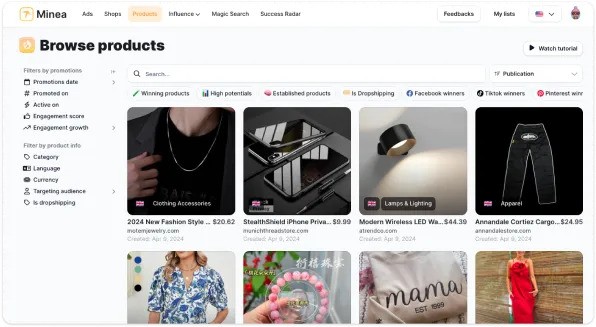
Pick 1–2 categories to push for a quarter, then build your segments and promo calendar around those. If you use a trend tool like Minea, pull categories from your trend dashboard and keep them consistent (replace the examples below with your real data):
Posture corrector belts (Trend score: 92)
LED face masks (88)
Portable blenders (85)
Smart rings (81)
Heated eyelash curlers (78)
Common mistake
Creating segments like “opened in the last 30 days” and calling it personalization.
That’s a deliverability filter. It’s not customer understanding.
Step 4: Build a reusable email template system in HubSpot
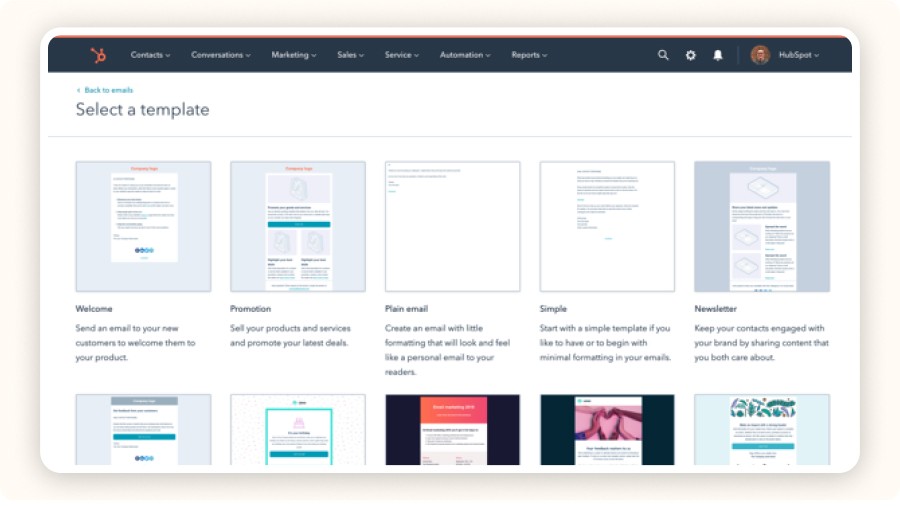
Templates keep your campaigns fast, consistent, and easier to test. Build 2–3 core layouts in HubSpot’s drag-and-drop editor, then test hooks and offers the same way you test ad creatives. Keep the layout stable so performance reflects the message, not the design.
Time: 20–30 minutes
Cost: Free
Tool: HubSpot drag-and-drop email editor
Create three templates
Promo: one product, one offer, one CTA
Proof: a short story + 2–3 proof points, then CTA
Education: one problem, one fix, one product recommendation
What to include for dropshipping ecommerce
Clear delivery expectations (don’t hide shipping timelines)
Returns + support reassurance (reduce purchase anxiety)
One clear CTA button
Common mistake
Featuring too many products.
One email should lead to one decision.
If you run a dropshipping store and you’re relying on one-off promo blasts, you’re leaving repeat revenue on the table. HubSpot is one of the best e-mail marketing tools for this because it lets you trigger emails based on real customer behavior, like a purchase or an abandoned checkout. So you’re not relying on memory (or guesswork) to follow up.
And segmented sends usually beat one-size-fits-all blasts. In fact, Mailchimp’s analysis found that segmented campaigns can drive +14.31% opens and +100.95% clicks compared to non-segmented campaigns.
What you’ll achieve
A HubSpot setup connected to your ecommerce data
3–5 segments that actually make sense for dropshipping
3 core automations: welcome, abandoned checkout, post-purchase
A simple campaign cadence that protects margin
A dashboard that ties email to revenue
Time: ~2 hours to set up, then ~30 minutes/week
Cost: $0–$890+/mo (depends on contacts and automation features)
Skill level: Intermediate Shopify seller
Minea
Reach $1,000 per day or get your money back
Before you start: what you need (and what to decide)
HubSpot works well for dropshipping when you have clean ecommerce data, a few strong segments, and a small set of automations running in the background every day. You’ll also want access to your domain DNS for email authentication, a permission-based list you can legally email, and one repeatable offer that won’t destroy your margin.
You need
A Shopify store, plus admin access to install integrations
A HubSpot account with Marketing tools enabled
Domain access to set up SPF, DKIM, and your sending domain
A list with consent (even if it’s only 300–1,000 subscribers)
Decide now
Your main KPI: revenue per recipient or revenue per email
Your first 3 segments
Your first 3 workflows
Step 1: Pick the HubSpot setup that matches dropshipping needs
The right HubSpot setup is the one that unlocks ecommerce-triggered emails and usable reporting. If you only send the occasional newsletter, you’ll barely tap into what HubSpot does best. But if you want behavior-based automation across the customer lifecycle, HubSpot’s CRM-first structure becomes a real advantage.
Time: ~10 minutes
Cost: $0–$890+/mo (depends on your tier)
Tool: HubSpot Marketing Hub
What matters for a dropshipping ecommerce store
Ecommerce events in HubSpot: purchases, last order date, product data
Automation depth: workflows triggered by customer behavior
Deliverability controls + list hygiene tools
Revenue attribution for email performance
Common mistake
Choosing a plan based on copywriting features.
Your segments and triggers are what actually drive results.
Step 2: Connect HubSpot to Shopify and verify the data flow
Email automation for dropshipping really only works if HubSpot receives the right signals from your Shopify store. Connect the integration, then double-check that contacts, orders, and key properties are actually syncing. Once the data is flowing, you can trigger workflows based on checkout and purchase behavior.
Time: 20–30 minutes
Cost: Free
Tool: HubSpot integrations + Shopify
Setup checklist
Install the HubSpot–Shopify integration from the HubSpot Marketplace.
Confirm contacts sync and customer properties update correctly.
Confirm order events are visible (so you can build real segments).
Set up email authentication (SPF, DKIM, and sending domain) before you send at volume.
Completion criteria
You can create a list for “customers who purchased in the last 30 days” and it populates correctly.
Common mistake
Optimizing open rates before revenue tracking is in place.
If you can’t report email-driven revenue, you’ll end up steering by vanity metrics.
Create and test your Shopify store for only $1 per day during 90 days
Step 3: Clean your list and create 3–5 segments you can actually use
In dropshipping, email wins usually come from sending fewer emails to the right people. Start by cleaning your list, suppressing risky contacts, then build a small set of usable segments tied to purchase behavior and category interest. Done right, segmentation typically improves opens and clicks compared to broad sends.
Time: 20–30 minutes
Cost: Free
Tool: HubSpot Lists
Do list hygiene first
Suppress obvious junk, role accounts, and spammy addresses.
Suppress chronically unengaged contacts (protects deliverability).
Tag acquisition source so you can compare list quality over time.
Start with these segments
New subscribers who have not purchased
First-time customers
Repeat customers
High-AOV customers
Category interest segments based on past purchases
Make “category interest” real
Use an actual product strategy to define category interest. If you rotate products weekly, your emails will feel random and your segments won’t mean much.
Pick 1–2 categories to push for a quarter, then build your segments and promo calendar around those. If you use a trend tool like Minea, pull categories from your trend dashboard and keep them consistent (replace the examples below with your real data):
Posture corrector belts (Trend score: 92)
LED face masks (88)
Portable blenders (85)
Smart rings (81)
Heated eyelash curlers (78)
Common mistake
Creating segments like “opened in the last 30 days” and calling it personalization.
That’s a deliverability filter. It’s not customer understanding.
Step 4: Build a reusable email template system in HubSpot
Templates keep your campaigns fast, consistent, and easier to test. Build 2–3 core layouts in HubSpot’s drag-and-drop editor, then test hooks and offers the same way you test ad creatives. Keep the layout stable so performance reflects the message, not the design.
Time: 20–30 minutes
Cost: Free
Tool: HubSpot drag-and-drop email editor
Create three templates
Promo: one product, one offer, one CTA
Proof: a short story + 2–3 proof points, then CTA
Education: one problem, one fix, one product recommendation
What to include for dropshipping ecommerce
Clear delivery expectations (don’t hide shipping timelines)
Returns + support reassurance (reduce purchase anxiety)
One clear CTA button
Common mistake
Featuring too many products.
One email should lead to one decision.
If you run a dropshipping store and you’re relying on one-off promo blasts, you’re leaving repeat revenue on the table. HubSpot is one of the best e-mail marketing tools for this because it lets you trigger emails based on real customer behavior, like a purchase or an abandoned checkout. So you’re not relying on memory (or guesswork) to follow up.
And segmented sends usually beat one-size-fits-all blasts. In fact, Mailchimp’s analysis found that segmented campaigns can drive +14.31% opens and +100.95% clicks compared to non-segmented campaigns.
What you’ll achieve
A HubSpot setup connected to your ecommerce data
3–5 segments that actually make sense for dropshipping
3 core automations: welcome, abandoned checkout, post-purchase
A simple campaign cadence that protects margin
A dashboard that ties email to revenue
Time: ~2 hours to set up, then ~30 minutes/week
Cost: $0–$890+/mo (depends on contacts and automation features)
Skill level: Intermediate Shopify seller
Minea
Reach $1,000 per day or get your money back
Before you start: what you need (and what to decide)
HubSpot works well for dropshipping when you have clean ecommerce data, a few strong segments, and a small set of automations running in the background every day. You’ll also want access to your domain DNS for email authentication, a permission-based list you can legally email, and one repeatable offer that won’t destroy your margin.
You need
A Shopify store, plus admin access to install integrations
A HubSpot account with Marketing tools enabled
Domain access to set up SPF, DKIM, and your sending domain
A list with consent (even if it’s only 300–1,000 subscribers)
Decide now
Your main KPI: revenue per recipient or revenue per email
Your first 3 segments
Your first 3 workflows
Step 1: Pick the HubSpot setup that matches dropshipping needs
The right HubSpot setup is the one that unlocks ecommerce-triggered emails and usable reporting. If you only send the occasional newsletter, you’ll barely tap into what HubSpot does best. But if you want behavior-based automation across the customer lifecycle, HubSpot’s CRM-first structure becomes a real advantage.
Time: ~10 minutes
Cost: $0–$890+/mo (depends on your tier)
Tool: HubSpot Marketing Hub
What matters for a dropshipping ecommerce store
Ecommerce events in HubSpot: purchases, last order date, product data
Automation depth: workflows triggered by customer behavior
Deliverability controls + list hygiene tools
Revenue attribution for email performance
Common mistake
Choosing a plan based on copywriting features.
Your segments and triggers are what actually drive results.
Step 2: Connect HubSpot to Shopify and verify the data flow
Email automation for dropshipping really only works if HubSpot receives the right signals from your Shopify store. Connect the integration, then double-check that contacts, orders, and key properties are actually syncing. Once the data is flowing, you can trigger workflows based on checkout and purchase behavior.
Time: 20–30 minutes
Cost: Free
Tool: HubSpot integrations + Shopify
Setup checklist
Install the HubSpot–Shopify integration from the HubSpot Marketplace.
Confirm contacts sync and customer properties update correctly.
Confirm order events are visible (so you can build real segments).
Set up email authentication (SPF, DKIM, and sending domain) before you send at volume.
Completion criteria
You can create a list for “customers who purchased in the last 30 days” and it populates correctly.
Common mistake
Optimizing open rates before revenue tracking is in place.
If you can’t report email-driven revenue, you’ll end up steering by vanity metrics.
Create and test your Shopify store for only $1 per day during 90 days
Step 3: Clean your list and create 3–5 segments you can actually use
In dropshipping, email wins usually come from sending fewer emails to the right people. Start by cleaning your list, suppressing risky contacts, then build a small set of usable segments tied to purchase behavior and category interest. Done right, segmentation typically improves opens and clicks compared to broad sends.
Time: 20–30 minutes
Cost: Free
Tool: HubSpot Lists
Do list hygiene first
Suppress obvious junk, role accounts, and spammy addresses.
Suppress chronically unengaged contacts (protects deliverability).
Tag acquisition source so you can compare list quality over time.
Start with these segments
New subscribers who have not purchased
First-time customers
Repeat customers
High-AOV customers
Category interest segments based on past purchases
Make “category interest” real
Use an actual product strategy to define category interest. If you rotate products weekly, your emails will feel random and your segments won’t mean much.
Pick 1–2 categories to push for a quarter, then build your segments and promo calendar around those. If you use a trend tool like Minea, pull categories from your trend dashboard and keep them consistent (replace the examples below with your real data):
Posture corrector belts (Trend score: 92)
LED face masks (88)
Portable blenders (85)
Smart rings (81)
Heated eyelash curlers (78)
Common mistake
Creating segments like “opened in the last 30 days” and calling it personalization.
That’s a deliverability filter. It’s not customer understanding.
Step 4: Build a reusable email template system in HubSpot
Templates keep your campaigns fast, consistent, and easier to test. Build 2–3 core layouts in HubSpot’s drag-and-drop editor, then test hooks and offers the same way you test ad creatives. Keep the layout stable so performance reflects the message, not the design.
Time: 20–30 minutes
Cost: Free
Tool: HubSpot drag-and-drop email editor
Create three templates
Promo: one product, one offer, one CTA
Proof: a short story + 2–3 proof points, then CTA
Education: one problem, one fix, one product recommendation
What to include for dropshipping ecommerce
Clear delivery expectations (don’t hide shipping timelines)
Returns + support reassurance (reduce purchase anxiety)
One clear CTA button
Common mistake
Featuring too many products.
One email should lead to one decision.
Step 5: Launch the three automations that drive most ecommerce email revenue
In most ecommerce stores, the bulk of email revenue comes from three automations: welcome, abandoned checkout, and post-purchase. Build these first with clean triggers and clear completion rules. Once they’re running smoothly (and you have enough volume), add a win-back flow later.
Time: 35–45 minutes
Cost: Tier-dependent
Tool: HubSpot Workflows
Workflow 1: Welcome series
Trigger: joins the “new subscribers” list
Send:
Immediate: your best-seller + why it works (quick value, no fluff)
Day 1: proof + reassurance on shipping and returns
Day 3: bundle offer or free shipping threshold
Completion: first purchase
Workflow 2: Abandoned checkout
Trigger: checkout started, no purchase
Send:
Hour 1: reminder with the product + CTA
Day 1: handle objections + reassurance (delivery, returns, support)
Day 2: a small incentive or an alternative offer
Completion: purchase, or suppress after 7 days
Workflow 3: Post-purchase retention
Trigger: purchase completed
Send:
Immediate: delivery expectations + support path
Day 3–5: how to use it + reduce buyer’s remorse
Day 10–14: cross-sell tied to category interest
Completion: second purchase or entry into your repeat-customer segment
Cross-sells: keep them margin-safe
Use real product research to choose cross-sells. If your average product price is around $29.99, margin-safe bundles matter. Pair one core product with a low-friction add-on (easy to say yes to, easy to ship, low return risk).
A tight workflow looks like this: Validate a category trend in Minea, mirror the winning angle in your welcome and post-purchase emails, then measure revenue per recipient by segment.


Step 6: Run weekly campaigns that protect margin
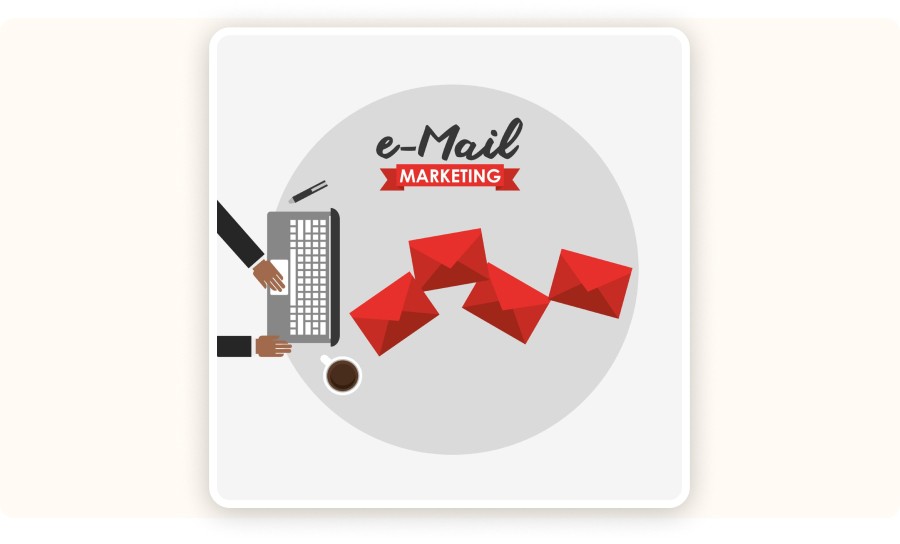
Weekly campaigns work in dropshipping when you commit to a consistent cadence and stop discounting by default. Send one focused email to one segment per week, keep automations always on, and test one variable at a time. That’s how you build repeatable revenue without burning your list health.
Time: ~20 minutes per week
Cost: Free
Tool: HubSpot Marketing Email
Cadence options
One promo email weekly to a single segment
One education email weekly, plus a promo every other week
What to test each week
Hook style: pain point vs social proof vs curiosity
Proof format: review snippet vs short story vs GIF
Offer type: bundle vs threshold vs gift
Completion criteria: a repeatable monthly offer that stays profitable.
Step 7: Apply the 80/20 rule to focus on what pays
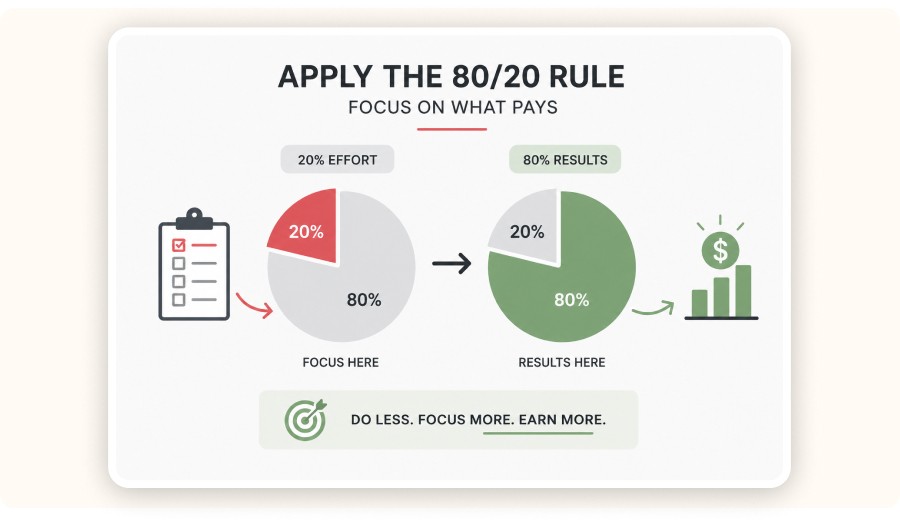
The 80/20 rule in email marketing is simple: a small set of segments, workflows, and offers drives most of your revenue. Use HubSpot reporting to identify what actually produces profit, then improve those assets first. This keeps your dropshipping email system lean and stops you from building workflows that look impressive but don’t pay.
Time: ~15 minutes
Cost: Free
Tool: HubSpot reporting
A dashboard that keeps you honest
Revenue by email type: workflows vs campaigns
Revenue by segment
Unsubscribes + spam complaint signals
HubSpot reports average marketing email open rates around 20.94%. You can beat that and still lose money if your offer and landing page don’t convert.
Common mistakes that kill HubSpot email results in dropshipping
Dropshipping email fails when it turns into a megaphone instead of a system. The fix isn’t sending more emails. It’s relevance, clear completion rules, and revenue measurement.
1) Blasting everyone with every promo
Fix: segment your audience and suppress unengaged contacts.
2) Discounting as the only offer
Fix: use bundles, free-shipping thresholds, and gifts that protect margin.
3) Workflows without clear completion rules
Fix: define what “done” means (e.g., purchase, second purchase, 7-day timeout) and remove buyers from promo paths automatically.
Alternatives to HubSpot for Dropshipping Email Marketing
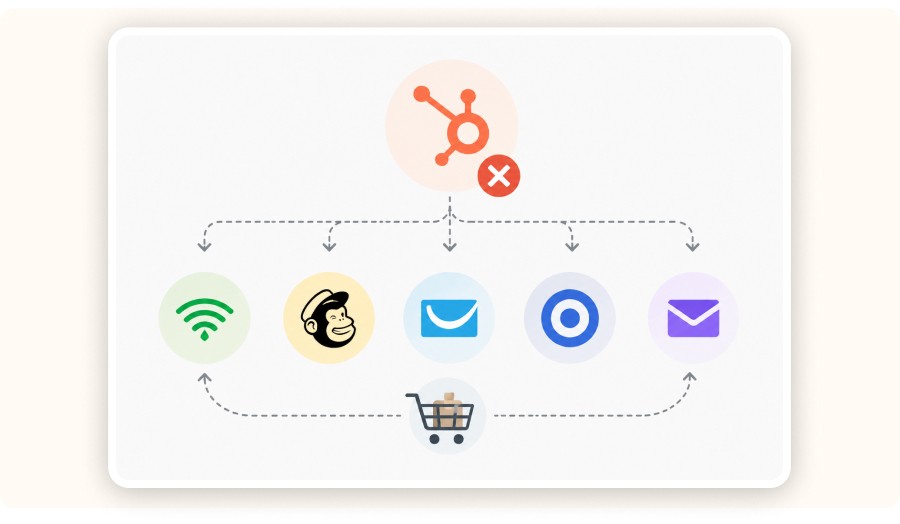
HubSpot is powerful, but it’s not always the best fit for every dropshipping store especially if you want a simpler setup or lower monthly costs. The best alternative depends on what you care about most: automation depth, Shopify-native data, deliverability, or price.
If your main goal is to run the core flows (welcome, abandoned checkout, post-purchase) and send weekly campaigns with clean segmentation, you can get strong results without the HubSpot ecosystem. Just make sure your tool supports event-based triggers, list hygiene, and basic revenue attribution otherwise you’ll end up optimizing clicks instead of profit.
Popular alternatives to consider:
Klaviyo: best for Shopify-first segmentation and ecommerce triggers
Mailchimp: solid for basic campaigns and simple automations
Omnisend: strong for email + SMS with ecommerce workflows
ActiveCampaign: great for advanced automation at a lower cost than HubSpot
Drip: built for ecommerce CRM and lifecycle messaging
Choose one tool, keep 3–5 segments, and focus on revenue per recipient, not fancy workflow complexity.
Verdict: When HubSpot is the right move for a dropshipping store
HubSpot makes sense for dropshipping when you want one system that connects CRM data, segmentation, and ecommerce-triggered automation and then ties your email activity back to revenue. If you build the three core workflows and keep a simple weekly cadence, you should start seeing more consistent results over the next 30–90 days.
If you want a clean starting point, pick one category you can commit to for a quarter, then segment around it. Minea can help you spot which product categories are trending and which angles are already working, making your email calendar and segmentation decisions much easier.
If you want to tighten product selection before you scale email, start by validating demand and creative angles first. Minea is built for that discovery step.
FAQ
Is email marketing good for dropshipping?
Yes. Email is high leverage for dropshipping because it monetizes traffic you already paid for. Workflows like abandoned checkout and post-purchase can generate revenue daily. Segmentation is the difference between a profit channel and a spam channel.
Is HubSpot good for email marketing for a dropshipping business?
HubSpot is strong when you want emails triggered by behavior and purchases, not just newsletters. It performs best with connected ecommerce data and clean segments. If you only need basic broadcasts, you can spend less, but you lose CRM depth and workflow power.
How do I integrate HubSpot with my dropshipping store?
Install the HubSpot Shopify integration and verify contacts and order events sync correctly. Build lists for key segments like new subscribers and first-time customers. Then trigger workflows from checkout activity and purchases, and confirm revenue attribution.
What is the 80/20 rule in email marketing?
It means a small number of emails, segments, and offers usually drive most of your revenue. In ecommerce dropshipping, that is often welcome, abandoned checkout, and one strong offer that you can repeat. Use revenue by email type and revenue by segment to find your 20%.
How much is a 1,000-email list worth for ecommerce?
It depends on buyer intent and engagement. Estimate value using revenue per subscriber over 30–90 days, then annualize it and apply your margin. A smaller list of buyers can outperform a bigger list of unengaged leads.
Step 5: Launch the three automations that drive most ecommerce email revenue
In most ecommerce stores, the bulk of email revenue comes from three automations: welcome, abandoned checkout, and post-purchase. Build these first with clean triggers and clear completion rules. Once they’re running smoothly (and you have enough volume), add a win-back flow later.
Time: 35–45 minutes
Cost: Tier-dependent
Tool: HubSpot Workflows
Workflow 1: Welcome series
Trigger: joins the “new subscribers” list
Send:
Immediate: your best-seller + why it works (quick value, no fluff)
Day 1: proof + reassurance on shipping and returns
Day 3: bundle offer or free shipping threshold
Completion: first purchase
Workflow 2: Abandoned checkout
Trigger: checkout started, no purchase
Send:
Hour 1: reminder with the product + CTA
Day 1: handle objections + reassurance (delivery, returns, support)
Day 2: a small incentive or an alternative offer
Completion: purchase, or suppress after 7 days
Workflow 3: Post-purchase retention
Trigger: purchase completed
Send:
Immediate: delivery expectations + support path
Day 3–5: how to use it + reduce buyer’s remorse
Day 10–14: cross-sell tied to category interest
Completion: second purchase or entry into your repeat-customer segment
Cross-sells: keep them margin-safe
Use real product research to choose cross-sells. If your average product price is around $29.99, margin-safe bundles matter. Pair one core product with a low-friction add-on (easy to say yes to, easy to ship, low return risk).
A tight workflow looks like this: Validate a category trend in Minea, mirror the winning angle in your welcome and post-purchase emails, then measure revenue per recipient by segment.
Step 6: Run weekly campaigns that protect margin
Weekly campaigns work in dropshipping when you commit to a consistent cadence and stop discounting by default. Send one focused email to one segment per week, keep automations always on, and test one variable at a time. That’s how you build repeatable revenue without burning your list health.
Time: ~20 minutes per week
Cost: Free
Tool: HubSpot Marketing Email
Cadence options
One promo email weekly to a single segment
One education email weekly, plus a promo every other week
What to test each week
Hook style: pain point vs social proof vs curiosity
Proof format: review snippet vs short story vs GIF
Offer type: bundle vs threshold vs gift
Completion criteria: a repeatable monthly offer that stays profitable.
Step 7: Apply the 80/20 rule to focus on what pays
The 80/20 rule in email marketing is simple: a small set of segments, workflows, and offers drives most of your revenue. Use HubSpot reporting to identify what actually produces profit, then improve those assets first. This keeps your dropshipping email system lean and stops you from building workflows that look impressive but don’t pay.
Time: ~15 minutes
Cost: Free
Tool: HubSpot reporting
A dashboard that keeps you honest
Revenue by email type: workflows vs campaigns
Revenue by segment
Unsubscribes + spam complaint signals
HubSpot reports average marketing email open rates around 20.94%. You can beat that and still lose money if your offer and landing page don’t convert.
Common mistakes that kill HubSpot email results in dropshipping
Dropshipping email fails when it turns into a megaphone instead of a system. The fix isn’t sending more emails. It’s relevance, clear completion rules, and revenue measurement.
1) Blasting everyone with every promo
Fix: segment your audience and suppress unengaged contacts.
2) Discounting as the only offer
Fix: use bundles, free-shipping thresholds, and gifts that protect margin.
3) Workflows without clear completion rules
Fix: define what “done” means (e.g., purchase, second purchase, 7-day timeout) and remove buyers from promo paths automatically.
Alternatives to HubSpot for Dropshipping Email Marketing
HubSpot is powerful, but it’s not always the best fit for every dropshipping store especially if you want a simpler setup or lower monthly costs. The best alternative depends on what you care about most: automation depth, Shopify-native data, deliverability, or price.
If your main goal is to run the core flows (welcome, abandoned checkout, post-purchase) and send weekly campaigns with clean segmentation, you can get strong results without the HubSpot ecosystem. Just make sure your tool supports event-based triggers, list hygiene, and basic revenue attribution otherwise you’ll end up optimizing clicks instead of profit.
Popular alternatives to consider:
Klaviyo: best for Shopify-first segmentation and ecommerce triggers
Mailchimp: solid for basic campaigns and simple automations
Omnisend: strong for email + SMS with ecommerce workflows
ActiveCampaign: great for advanced automation at a lower cost than HubSpot
Drip: built for ecommerce CRM and lifecycle messaging
Choose one tool, keep 3–5 segments, and focus on revenue per recipient, not fancy workflow complexity.
Verdict: When HubSpot is the right move for a dropshipping store
HubSpot makes sense for dropshipping when you want one system that connects CRM data, segmentation, and ecommerce-triggered automation and then ties your email activity back to revenue. If you build the three core workflows and keep a simple weekly cadence, you should start seeing more consistent results over the next 30–90 days.
If you want a clean starting point, pick one category you can commit to for a quarter, then segment around it. Minea can help you spot which product categories are trending and which angles are already working, making your email calendar and segmentation decisions much easier.
If you want to tighten product selection before you scale email, start by validating demand and creative angles first. Minea is built for that discovery step.
FAQ
Is email marketing good for dropshipping?
Yes. Email is high leverage for dropshipping because it monetizes traffic you already paid for. Workflows like abandoned checkout and post-purchase can generate revenue daily. Segmentation is the difference between a profit channel and a spam channel.
Is HubSpot good for email marketing for a dropshipping business?
HubSpot is strong when you want emails triggered by behavior and purchases, not just newsletters. It performs best with connected ecommerce data and clean segments. If you only need basic broadcasts, you can spend less, but you lose CRM depth and workflow power.
How do I integrate HubSpot with my dropshipping store?
Install the HubSpot Shopify integration and verify contacts and order events sync correctly. Build lists for key segments like new subscribers and first-time customers. Then trigger workflows from checkout activity and purchases, and confirm revenue attribution.
What is the 80/20 rule in email marketing?
It means a small number of emails, segments, and offers usually drive most of your revenue. In ecommerce dropshipping, that is often welcome, abandoned checkout, and one strong offer that you can repeat. Use revenue by email type and revenue by segment to find your 20%.
How much is a 1,000-email list worth for ecommerce?
It depends on buyer intent and engagement. Estimate value using revenue per subscriber over 30–90 days, then annualize it and apply your margin. A smaller list of buyers can outperform a bigger list of unengaged leads.
Step 5: Launch the three automations that drive most ecommerce email revenue
In most ecommerce stores, the bulk of email revenue comes from three automations: welcome, abandoned checkout, and post-purchase. Build these first with clean triggers and clear completion rules. Once they’re running smoothly (and you have enough volume), add a win-back flow later.
Time: 35–45 minutes
Cost: Tier-dependent
Tool: HubSpot Workflows
Workflow 1: Welcome series
Trigger: joins the “new subscribers” list
Send:
Immediate: your best-seller + why it works (quick value, no fluff)
Day 1: proof + reassurance on shipping and returns
Day 3: bundle offer or free shipping threshold
Completion: first purchase
Workflow 2: Abandoned checkout
Trigger: checkout started, no purchase
Send:
Hour 1: reminder with the product + CTA
Day 1: handle objections + reassurance (delivery, returns, support)
Day 2: a small incentive or an alternative offer
Completion: purchase, or suppress after 7 days
Workflow 3: Post-purchase retention
Trigger: purchase completed
Send:
Immediate: delivery expectations + support path
Day 3–5: how to use it + reduce buyer’s remorse
Day 10–14: cross-sell tied to category interest
Completion: second purchase or entry into your repeat-customer segment
Cross-sells: keep them margin-safe
Use real product research to choose cross-sells. If your average product price is around $29.99, margin-safe bundles matter. Pair one core product with a low-friction add-on (easy to say yes to, easy to ship, low return risk).
A tight workflow looks like this: Validate a category trend in Minea, mirror the winning angle in your welcome and post-purchase emails, then measure revenue per recipient by segment.
Step 6: Run weekly campaigns that protect margin
Weekly campaigns work in dropshipping when you commit to a consistent cadence and stop discounting by default. Send one focused email to one segment per week, keep automations always on, and test one variable at a time. That’s how you build repeatable revenue without burning your list health.
Time: ~20 minutes per week
Cost: Free
Tool: HubSpot Marketing Email
Cadence options
One promo email weekly to a single segment
One education email weekly, plus a promo every other week
What to test each week
Hook style: pain point vs social proof vs curiosity
Proof format: review snippet vs short story vs GIF
Offer type: bundle vs threshold vs gift
Completion criteria: a repeatable monthly offer that stays profitable.
Step 7: Apply the 80/20 rule to focus on what pays
The 80/20 rule in email marketing is simple: a small set of segments, workflows, and offers drives most of your revenue. Use HubSpot reporting to identify what actually produces profit, then improve those assets first. This keeps your dropshipping email system lean and stops you from building workflows that look impressive but don’t pay.
Time: ~15 minutes
Cost: Free
Tool: HubSpot reporting
A dashboard that keeps you honest
Revenue by email type: workflows vs campaigns
Revenue by segment
Unsubscribes + spam complaint signals
HubSpot reports average marketing email open rates around 20.94%. You can beat that and still lose money if your offer and landing page don’t convert.
Common mistakes that kill HubSpot email results in dropshipping
Dropshipping email fails when it turns into a megaphone instead of a system. The fix isn’t sending more emails. It’s relevance, clear completion rules, and revenue measurement.
1) Blasting everyone with every promo
Fix: segment your audience and suppress unengaged contacts.
2) Discounting as the only offer
Fix: use bundles, free-shipping thresholds, and gifts that protect margin.
3) Workflows without clear completion rules
Fix: define what “done” means (e.g., purchase, second purchase, 7-day timeout) and remove buyers from promo paths automatically.
Alternatives to HubSpot for Dropshipping Email Marketing
HubSpot is powerful, but it’s not always the best fit for every dropshipping store especially if you want a simpler setup or lower monthly costs. The best alternative depends on what you care about most: automation depth, Shopify-native data, deliverability, or price.
If your main goal is to run the core flows (welcome, abandoned checkout, post-purchase) and send weekly campaigns with clean segmentation, you can get strong results without the HubSpot ecosystem. Just make sure your tool supports event-based triggers, list hygiene, and basic revenue attribution otherwise you’ll end up optimizing clicks instead of profit.
Popular alternatives to consider:
Klaviyo: best for Shopify-first segmentation and ecommerce triggers
Mailchimp: solid for basic campaigns and simple automations
Omnisend: strong for email + SMS with ecommerce workflows
ActiveCampaign: great for advanced automation at a lower cost than HubSpot
Drip: built for ecommerce CRM and lifecycle messaging
Choose one tool, keep 3–5 segments, and focus on revenue per recipient, not fancy workflow complexity.
Verdict: When HubSpot is the right move for a dropshipping store
HubSpot makes sense for dropshipping when you want one system that connects CRM data, segmentation, and ecommerce-triggered automation and then ties your email activity back to revenue. If you build the three core workflows and keep a simple weekly cadence, you should start seeing more consistent results over the next 30–90 days.
If you want a clean starting point, pick one category you can commit to for a quarter, then segment around it. Minea can help you spot which product categories are trending and which angles are already working, making your email calendar and segmentation decisions much easier.
If you want to tighten product selection before you scale email, start by validating demand and creative angles first. Minea is built for that discovery step.
FAQ
Is email marketing good for dropshipping?
Yes. Email is high leverage for dropshipping because it monetizes traffic you already paid for. Workflows like abandoned checkout and post-purchase can generate revenue daily. Segmentation is the difference between a profit channel and a spam channel.
Is HubSpot good for email marketing for a dropshipping business?
HubSpot is strong when you want emails triggered by behavior and purchases, not just newsletters. It performs best with connected ecommerce data and clean segments. If you only need basic broadcasts, you can spend less, but you lose CRM depth and workflow power.
How do I integrate HubSpot with my dropshipping store?
Install the HubSpot Shopify integration and verify contacts and order events sync correctly. Build lists for key segments like new subscribers and first-time customers. Then trigger workflows from checkout activity and purchases, and confirm revenue attribution.
What is the 80/20 rule in email marketing?
It means a small number of emails, segments, and offers usually drive most of your revenue. In ecommerce dropshipping, that is often welcome, abandoned checkout, and one strong offer that you can repeat. Use revenue by email type and revenue by segment to find your 20%.
How much is a 1,000-email list worth for ecommerce?
It depends on buyer intent and engagement. Estimate value using revenue per subscriber over 30–90 days, then annualize it and apply your margin. A smaller list of buyers can outperform a bigger list of unengaged leads.
Similar articles
Omnisend Email Marketing for a Dropshipping Business : Setup That Actually Sells
Best Email Marketing Tools
Omnisend Email Marketing for a Dropshipping Business : Setup That Actually Sells
Best Email Marketing Tools
Omnisend Email Marketing for a Dropshipping Business : Setup That Actually Sells
Best Email Marketing Tools
Omnisend Email Marketing for a Dropshipping Business : Setup That Actually Sells
Best Email Marketing Tools
How to Use Privy Email Marketing for a Dropshipping Store in 60 Minutes (2026)
Best Email Marketing Tools
How to Use Privy Email Marketing for a Dropshipping Store in 60 Minutes (2026)
Best Email Marketing Tools
How to Use Privy Email Marketing for a Dropshipping Store in 60 Minutes (2026)
Best Email Marketing Tools
How to Use Privy Email Marketing for a Dropshipping Store in 60 Minutes (2026)
Best Email Marketing Tools


Our Free Adspys

Find winning products on our Tiktok adspy today!
Find winning products on our Facebook adspy today!
Find winning products on our Tiktok adspy today!
Find winning products on our Facebook adspy today!
Find winning products on our Tiktok adspy today!
Find winning products on our Facebook adspy today!
Find winning products on our Tiktok adspy today!
Find winning products on our Facebook adspy today!
1 winning product everyday.
Follow us!





Find out more
Read more
Minea © 2026
Find out more
Read more
Minea © 2026
Find out more
Read more
Minea © 2026
Find out more
Read more
Minea © 2026
Find out more
Read more
Minea © 2026
Find out more
Read more
Minea © 2026