ShipHero review : scaling ecommerce fulfillment
Best Ecommerce Fulfillment Center
Author: Elysa
Contents
If you’re running a Shopify dropshipping store that’s outgrowing spreadsheets, ShipHero is one of the best ecommerce fulfillment systems you’ll likely consider, especially if you’re looking for a more ops-first solution. And this shiphero fulfillment review focuses on whether it’s worth the setup once order volume and complexity increase.
Key takeaways :
It’s most useful when you’re handling a lot of orders, SKUs, or vendors and need tighter order + inventory control than standard Shopify workflows.
For pure dropshipping (supplier ships to customer), ShipHero supports drop shipments with vendor invoices, vendor email, and tracking updates.
On shiphero pricing, there usually isn’t a simple public sticker price. The Shopify app is free to install, but the underlying service can include additional charges depending on your setup and usage.
If you only test one workflow this week: validate a product + angle first (e.g., with Minea), then decide whether ShipHero’s ops overhead makes sense for your current order volume.
Is ShipHero good for dropshipping?

ShipHero can work for dropshipping when your real challenge is order operations, vendor routing, reliable tracking updates, and inventory visibility, not “finding suppliers.” It’s usually overkill for a brand-new store, but it becomes valuable once you’re managing multiple vendors, dealing with stock issues, and handling support tickets caused by late shipments.
ShipHero is closer to order fulfillment and inventory management than to dropshipping supplier marketplaces. That’s a plus if you already have suppliers and you’re losing margin (or sleep) due to operational errors.
Where it fits best in a typical seller workflow
Product selection: you spot demand and angles.
Offer + creative: you build the product page and ads.
Order flow: orders start coming in across channels.
Fulfillment + tracking: you keep delivery promises to customers.
In most setups, ShipHero mainly supports steps 3 to 4.
What ShipHero actually does ?
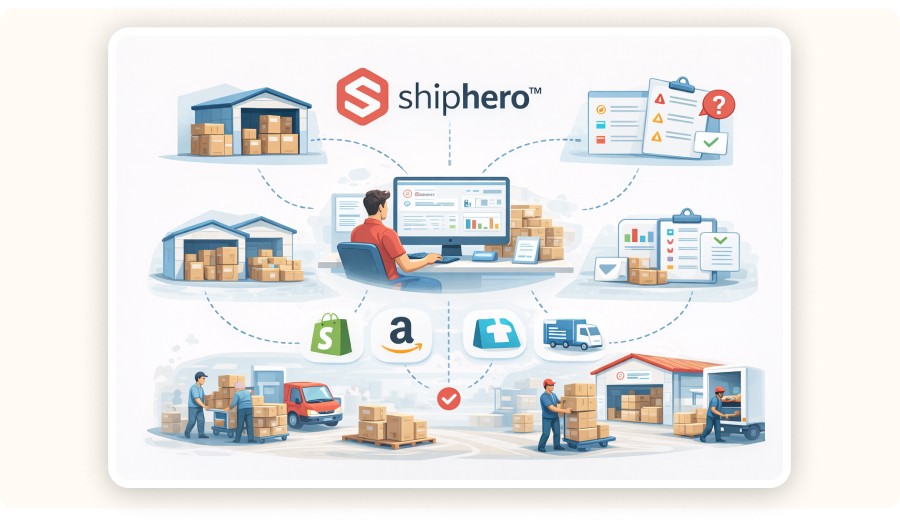
ShipHero is an operations system for managing orders, vendors, and inventory across sales channels. In a dropshipping setup, it can create drop shipments to vendors, generate vendor invoices, and help keep tracking information consistent for customers.
Most “dropshipping tools” focus on product sourcing or auto-ordering from a marketplace. ShipHero’s value is different: it helps reduce fulfillment chaos once you have more moving parts.
In practice, sellers start looking at ShipHero when they hit one (or more) of these pain points:
You’re managing multiple suppliers for the same store.
Tracking quality is inconsistent, so support tickets increase.
You’re mixing fulfillment methods (some items ship from vendors, some from your own stock, some via a 3PL).
You need cleaner inventory management than your current stack can handle.
Minea
Top 100 best-performing products this month
Detected in real time by our AI from market signals: real sales, advertising statistics, and performance

How ShipHero handles drop shipments
ShipHero supports drop shipments by letting you :
edit an order,
choose Drop Ship,
select a vendor associated with the product,
choose carrier/method,
optionally remove inventory quantities,
submit a drop shipment.
It then generates a PDF invoice, can email the vendor, and lets you mark it Complete with tracking.
Here’s the operational sequence :
Go to Orders → Manage Orders.
Open the order and select Drop Ship.
Choose a Vendor (only vendors linked to the product show up).
Select which line items to drop ship.
Choose shipping carrier and method.
Choose whether to remove quantities from inventory.
Submit to create the drop shipment.
ShipHero generates a PDF invoice.
Use Email Vendor to send the invoice.
When the vendor fulfills, mark the drop shipment Complete and add carrier + tracking.
This workflow rewards a disciplined catalog setup. If products aren’t correctly linked to vendors, you’ll feel friction immediately.
ShipHero integrations: what matters for ecommerce sellers
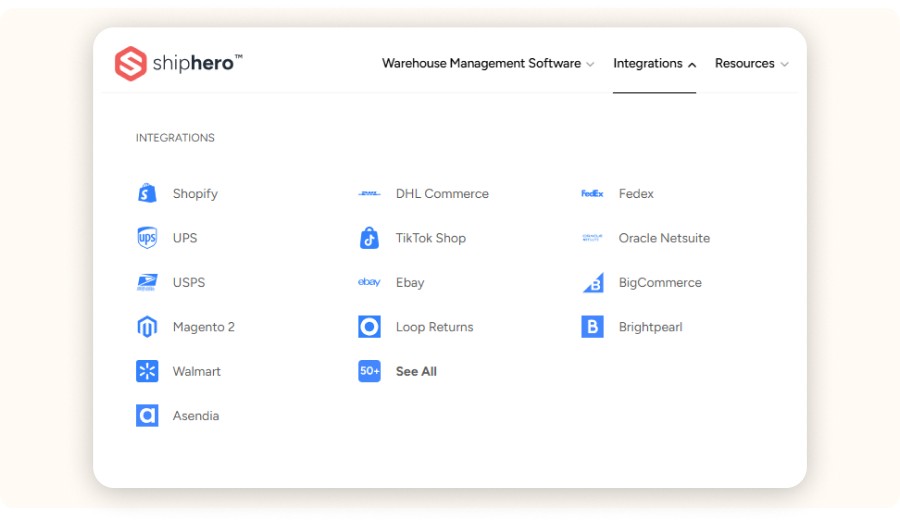
The real “make-or-break” factor is sync quality. You want ShipHero integrations to stay aligned with your store(s) and marketplaces without creating inventory errors. If the integration gets messy, you don’t scale smoothly. You just add new failure points.
For dropshipping sellers, integrations matter in three areas:
Order ingestion: do orders land in one place, fast and reliably?
Inventory truth: which system is the source of truth for stock levels?
Customer promises: can you keep shipping status consistent across Shopify, marketplaces, and your email/SMS flows?
On the Shopify App Store listing, ShipHero is positioned as inventory + shipping software. The app is typically free to install, but you may see external charges depending on the service and setup. Add one more check before connecting: review permissions. You’re granting access to real store data like orders, products, customers, and locations.
Pricing: how much does ShipHero cost per month?

ShipHero doesn’t show a simple “$X/month for everyone” price on its Shopify listing. The app is free to install, and it notes that external charges may apply outside your Shopify invoice.
For a clean budget, treat shiphero pricing like an ops vendor where cost usually depends on what you actually use. In practice, pricing often varies based on:
Warehouse management features vs. lighter order tools
Order volume and number of users
Whether you use ShipHero fulfillment (network/services) vs. software only
Any add-ons (returns, automation, pick/pack tooling)
What I’d do before you commit
First, write down your current monthly ops cost in time and money. Include support tickets, reshipments, refund leakage, and manual labor hours.
Then ask ShipHero for a quote and translate it into a cost per order. Compare that number to what you’re losing today from operational mistakes.
If you’re only doing a handful of orders per day, there’s a good chance the math won’t work yet, and that’s totally normal at the early stage.
Who ShipHero is (and isn’t) for in dropshipping?

ShipHero is for sellers who already have demand and now need operational control and stronger ShipHero logistics (routing, tracking discipline, and inventory rules). It won’t magically fix a weak product or a weak offer.
Good fit
You’re scaling past the point where manual order handling is safe.
You sell across channels and need more operational consistency.
You’re mixing fulfillment methods (dropship + stocked items + 3PL).
Bad fit
You’re still validating whether you can find a winning product.
You’re starting dropshipping with a tiny budget and no real demand signal.
Your supplier is unreliable and you think software will fix it.
If you’re running a Shopify dropshipping store that’s outgrowing spreadsheets, ShipHero is one of the best ecommerce fulfillment systems you’ll likely consider, especially if you’re looking for a more ops-first solution. And this shiphero fulfillment review focuses on whether it’s worth the setup once order volume and complexity increase.
Key takeaways :
It’s most useful when you’re handling a lot of orders, SKUs, or vendors and need tighter order + inventory control than standard Shopify workflows.
For pure dropshipping (supplier ships to customer), ShipHero supports drop shipments with vendor invoices, vendor email, and tracking updates.
On shiphero pricing, there usually isn’t a simple public sticker price. The Shopify app is free to install, but the underlying service can include additional charges depending on your setup and usage.
If you only test one workflow this week: validate a product + angle first (e.g., with Minea), then decide whether ShipHero’s ops overhead makes sense for your current order volume.
Is ShipHero good for dropshipping?
ShipHero can work for dropshipping when your real challenge is order operations, vendor routing, reliable tracking updates, and inventory visibility, not “finding suppliers.” It’s usually overkill for a brand-new store, but it becomes valuable once you’re managing multiple vendors, dealing with stock issues, and handling support tickets caused by late shipments.
ShipHero is closer to order fulfillment and inventory management than to dropshipping supplier marketplaces. That’s a plus if you already have suppliers and you’re losing margin (or sleep) due to operational errors.
Where it fits best in a typical seller workflow
Product selection: you spot demand and angles.
Offer + creative: you build the product page and ads.
Order flow: orders start coming in across channels.
Fulfillment + tracking: you keep delivery promises to customers.
In most setups, ShipHero mainly supports steps 3 to 4.
What ShipHero actually does ?
ShipHero is an operations system for managing orders, vendors, and inventory across sales channels. In a dropshipping setup, it can create drop shipments to vendors, generate vendor invoices, and help keep tracking information consistent for customers.
Most “dropshipping tools” focus on product sourcing or auto-ordering from a marketplace. ShipHero’s value is different: it helps reduce fulfillment chaos once you have more moving parts.
In practice, sellers start looking at ShipHero when they hit one (or more) of these pain points:
You’re managing multiple suppliers for the same store.
Tracking quality is inconsistent, so support tickets increase.
You’re mixing fulfillment methods (some items ship from vendors, some from your own stock, some via a 3PL).
You need cleaner inventory management than your current stack can handle.
Minea
Top 100 best-performing products this month
Detected in real time by our AI from market signals: real sales, advertising statistics, and performance
How ShipHero handles drop shipments
ShipHero supports drop shipments by letting you :
edit an order,
choose Drop Ship,
select a vendor associated with the product,
choose carrier/method,
optionally remove inventory quantities,
submit a drop shipment.
It then generates a PDF invoice, can email the vendor, and lets you mark it Complete with tracking.
Here’s the operational sequence :
Go to Orders → Manage Orders.
Open the order and select Drop Ship.
Choose a Vendor (only vendors linked to the product show up).
Select which line items to drop ship.
Choose shipping carrier and method.
Choose whether to remove quantities from inventory.
Submit to create the drop shipment.
ShipHero generates a PDF invoice.
Use Email Vendor to send the invoice.
When the vendor fulfills, mark the drop shipment Complete and add carrier + tracking.
This workflow rewards a disciplined catalog setup. If products aren’t correctly linked to vendors, you’ll feel friction immediately.
ShipHero integrations: what matters for ecommerce sellers
The real “make-or-break” factor is sync quality. You want ShipHero integrations to stay aligned with your store(s) and marketplaces without creating inventory errors. If the integration gets messy, you don’t scale smoothly. You just add new failure points.
For dropshipping sellers, integrations matter in three areas:
Order ingestion: do orders land in one place, fast and reliably?
Inventory truth: which system is the source of truth for stock levels?
Customer promises: can you keep shipping status consistent across Shopify, marketplaces, and your email/SMS flows?
On the Shopify App Store listing, ShipHero is positioned as inventory + shipping software. The app is typically free to install, but you may see external charges depending on the service and setup. Add one more check before connecting: review permissions. You’re granting access to real store data like orders, products, customers, and locations.
Pricing: how much does ShipHero cost per month?
ShipHero doesn’t show a simple “$X/month for everyone” price on its Shopify listing. The app is free to install, and it notes that external charges may apply outside your Shopify invoice.
For a clean budget, treat shiphero pricing like an ops vendor where cost usually depends on what you actually use. In practice, pricing often varies based on:
Warehouse management features vs. lighter order tools
Order volume and number of users
Whether you use ShipHero fulfillment (network/services) vs. software only
Any add-ons (returns, automation, pick/pack tooling)
What I’d do before you commit
First, write down your current monthly ops cost in time and money. Include support tickets, reshipments, refund leakage, and manual labor hours.
Then ask ShipHero for a quote and translate it into a cost per order. Compare that number to what you’re losing today from operational mistakes.
If you’re only doing a handful of orders per day, there’s a good chance the math won’t work yet, and that’s totally normal at the early stage.
Who ShipHero is (and isn’t) for in dropshipping?
ShipHero is for sellers who already have demand and now need operational control and stronger ShipHero logistics (routing, tracking discipline, and inventory rules). It won’t magically fix a weak product or a weak offer.
Good fit
You’re scaling past the point where manual order handling is safe.
You sell across channels and need more operational consistency.
You’re mixing fulfillment methods (dropship + stocked items + 3PL).
Bad fit
You’re still validating whether you can find a winning product.
You’re starting dropshipping with a tiny budget and no real demand signal.
Your supplier is unreliable and you think software will fix it.
If you’re running a Shopify dropshipping store that’s outgrowing spreadsheets, ShipHero is one of the best ecommerce fulfillment systems you’ll likely consider, especially if you’re looking for a more ops-first solution. And this shiphero fulfillment review focuses on whether it’s worth the setup once order volume and complexity increase.
Key takeaways :
It’s most useful when you’re handling a lot of orders, SKUs, or vendors and need tighter order + inventory control than standard Shopify workflows.
For pure dropshipping (supplier ships to customer), ShipHero supports drop shipments with vendor invoices, vendor email, and tracking updates.
On shiphero pricing, there usually isn’t a simple public sticker price. The Shopify app is free to install, but the underlying service can include additional charges depending on your setup and usage.
If you only test one workflow this week: validate a product + angle first (e.g., with Minea), then decide whether ShipHero’s ops overhead makes sense for your current order volume.
Is ShipHero good for dropshipping?
ShipHero can work for dropshipping when your real challenge is order operations, vendor routing, reliable tracking updates, and inventory visibility, not “finding suppliers.” It’s usually overkill for a brand-new store, but it becomes valuable once you’re managing multiple vendors, dealing with stock issues, and handling support tickets caused by late shipments.
ShipHero is closer to order fulfillment and inventory management than to dropshipping supplier marketplaces. That’s a plus if you already have suppliers and you’re losing margin (or sleep) due to operational errors.
Where it fits best in a typical seller workflow
Product selection: you spot demand and angles.
Offer + creative: you build the product page and ads.
Order flow: orders start coming in across channels.
Fulfillment + tracking: you keep delivery promises to customers.
In most setups, ShipHero mainly supports steps 3 to 4.
What ShipHero actually does ?
ShipHero is an operations system for managing orders, vendors, and inventory across sales channels. In a dropshipping setup, it can create drop shipments to vendors, generate vendor invoices, and help keep tracking information consistent for customers.
Most “dropshipping tools” focus on product sourcing or auto-ordering from a marketplace. ShipHero’s value is different: it helps reduce fulfillment chaos once you have more moving parts.
In practice, sellers start looking at ShipHero when they hit one (or more) of these pain points:
You’re managing multiple suppliers for the same store.
Tracking quality is inconsistent, so support tickets increase.
You’re mixing fulfillment methods (some items ship from vendors, some from your own stock, some via a 3PL).
You need cleaner inventory management than your current stack can handle.
Minea
Top 100 best-performing products this month
Detected in real time by our AI from market signals: real sales, advertising statistics, and performance
How ShipHero handles drop shipments
ShipHero supports drop shipments by letting you :
edit an order,
choose Drop Ship,
select a vendor associated with the product,
choose carrier/method,
optionally remove inventory quantities,
submit a drop shipment.
It then generates a PDF invoice, can email the vendor, and lets you mark it Complete with tracking.
Here’s the operational sequence :
Go to Orders → Manage Orders.
Open the order and select Drop Ship.
Choose a Vendor (only vendors linked to the product show up).
Select which line items to drop ship.
Choose shipping carrier and method.
Choose whether to remove quantities from inventory.
Submit to create the drop shipment.
ShipHero generates a PDF invoice.
Use Email Vendor to send the invoice.
When the vendor fulfills, mark the drop shipment Complete and add carrier + tracking.
This workflow rewards a disciplined catalog setup. If products aren’t correctly linked to vendors, you’ll feel friction immediately.
ShipHero integrations: what matters for ecommerce sellers
The real “make-or-break” factor is sync quality. You want ShipHero integrations to stay aligned with your store(s) and marketplaces without creating inventory errors. If the integration gets messy, you don’t scale smoothly. You just add new failure points.
For dropshipping sellers, integrations matter in three areas:
Order ingestion: do orders land in one place, fast and reliably?
Inventory truth: which system is the source of truth for stock levels?
Customer promises: can you keep shipping status consistent across Shopify, marketplaces, and your email/SMS flows?
On the Shopify App Store listing, ShipHero is positioned as inventory + shipping software. The app is typically free to install, but you may see external charges depending on the service and setup. Add one more check before connecting: review permissions. You’re granting access to real store data like orders, products, customers, and locations.
Pricing: how much does ShipHero cost per month?
ShipHero doesn’t show a simple “$X/month for everyone” price on its Shopify listing. The app is free to install, and it notes that external charges may apply outside your Shopify invoice.
For a clean budget, treat shiphero pricing like an ops vendor where cost usually depends on what you actually use. In practice, pricing often varies based on:
Warehouse management features vs. lighter order tools
Order volume and number of users
Whether you use ShipHero fulfillment (network/services) vs. software only
Any add-ons (returns, automation, pick/pack tooling)
What I’d do before you commit
First, write down your current monthly ops cost in time and money. Include support tickets, reshipments, refund leakage, and manual labor hours.
Then ask ShipHero for a quote and translate it into a cost per order. Compare that number to what you’re losing today from operational mistakes.
If you’re only doing a handful of orders per day, there’s a good chance the math won’t work yet, and that’s totally normal at the early stage.
Who ShipHero is (and isn’t) for in dropshipping?
ShipHero is for sellers who already have demand and now need operational control and stronger ShipHero logistics (routing, tracking discipline, and inventory rules). It won’t magically fix a weak product or a weak offer.
Good fit
You’re scaling past the point where manual order handling is safe.
You sell across channels and need more operational consistency.
You’re mixing fulfillment methods (dropship + stocked items + 3PL).
Bad fit
You’re still validating whether you can find a winning product.
You’re starting dropshipping with a tiny budget and no real demand signal.
Your supplier is unreliable and you think software will fix it.
Is $100 enough for dropshipping?

$100 can be enough to start learning, but it’s rarely enough to build a stable dropshipping business once you factor in ads, apps, and chargebacks/returns. On a $100 budget, your priority should be product validation and offer testing, not enterprise-grade operations software like ShipHero.
A more realistic starter breakdown usually includes:
Domain + basic theme (one-time / low monthly)
A few essential Shopify apps
A small ad test budget (Meta/TikTok)
A buffer for refunds and reships
If you’re choosing between spending limited budget on operations software vs. testing demand, demand wins. Software becomes leverage after you have a product that actually sells.
Minea
Reach $1,000 per day or get your money back

How Minea fits (3 concrete ways, not generic “use our tool”)
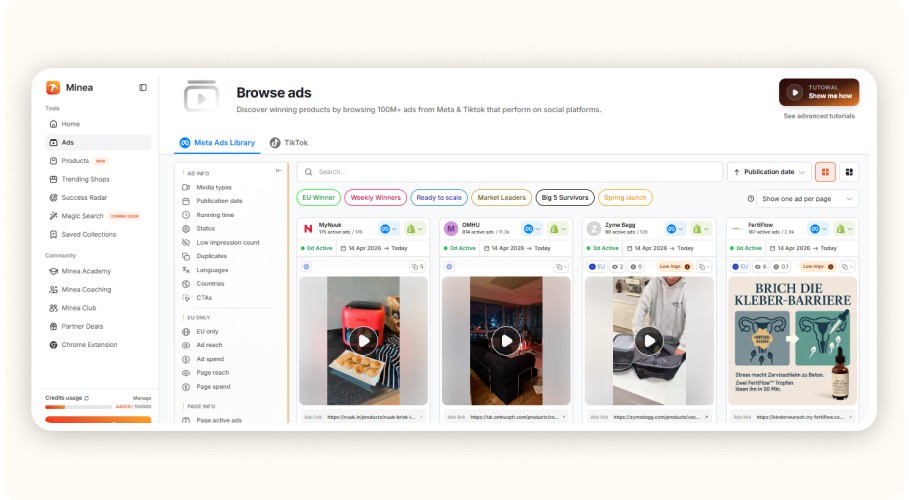
In Minea trend scans, many “fast test” products cluster around $29.99. Common supplier countries you’ll see include China, Turkey, and Vietnam. That mix directly changes your fulfillment risk (shipping times, tracking quality, returns).
Here are three practical moments where Minea helps you make a better ShipHero decision:
1) Angle validation before ops investment
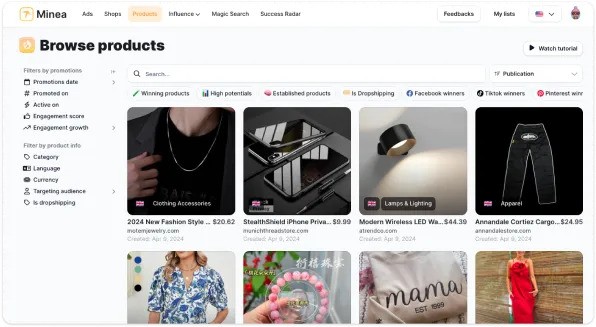
Use Minea to spot what’s selling right now. Pull the best-performing ad angles.
Examples you may see in trend lists: posture corrector belts, LED face masks, portable blenders, smart rings, heated eyelash curlers.
If you can’t find a repeatable angle, adding ShipHero won’t fix that.
2) Competitor reality check (workflow)
Find competitor stores and ads in Minea. Note their shipping promises (delivery times, processing times).
If competitors win with 5 to 8 day delivery, but your supplier averages 12 to 18 days, you’ll need a different supplier or a different offer.
3) Ops complexity forecast (numbers)
If your winning product needs variants (size/color) or bundles, your SKU count grows fast. That’s where Inventory Management and order routing tools start paying for themselves.
That’s the right way to think about ShipHero: it’s a response to complexity you can predict.
What companies use ShipHero?
ShipHero is used by ecommerce operators who need structured fulfillment and warehouse processes, typically brands (and teams) that care about inventory accuracy and shipping consistency.
The Shopify App Store listing also shows a real merchant footprint. As of April 2026, it has 115 reviews with an average rating of 4.5. That’s not “proof” by itself, but it’s a reasonable signal the tool is used in real stores.
If you’re doing due diligence, don’t anchor on logos. Anchor on fit:
Order volume (today, and in 90 days)
SKU count and variant complexity
Number of suppliers or fulfillment locations
Customer expectations: shipping speed and tracking quality
Pros and cons for dropshipping sellers

Pros
Clear drop shipment workflow with vendor selection, invoice generation, and tracking completion.
Strong ops-first framing: orders, vendors, inventory, and process.
Solid Shopify ecosystem presence and a real merchant feedback footprint.
Cons
Not a beginner dropshipping tool. The setup overhead is real.
Pricing can be harder to model upfront since external charges may apply.
If your root problem is supplier reliability, software won’t fix it.
Pros | Cons |
|---|---|
Clear drop-shipping workflow | Not beginner-friendly (setup takes time) |
Strong order + inventory control | Pricing can be unclear upfront |
Works well with Shopify ecosystem | Won’t fix bad suppliers |
ShipHero vs lighter dropshipping stacks
The honest comparison isn’t “ShipHero vs dropshipping.” It’s ShipHero vs your current ops layer: Shopify + basic apps + spreadsheets + inbox. The winner is the system that reduces errors per 100 orders.
Compare these dimensions:
Vendor routing: can you consistently route items to the right vendor?
Tracking discipline: do you reliably push tracking back to customers?
Inventory rules: can you prevent oversells when suppliers are out of sync?
Returns handling: can you keep returns and refunds from becoming chaos?
Team training: can a new hire follow the process without tribal knowledge?
If you can’t answer these cleanly today, ShipHero is at least worth a serious evaluation.
Which platform is best for dropshipping?

The best dropshipping platform is the one that matches your stage. Use Shopify to launch and iterate fast, build a supplier/fulfillment setup that matches your product category and shipping promises, and add an ops layer (like ShipHero) only when complexity forces it.
A practical “platform stack” for most US sellers looks like:
Shopify (store + checkout)
Minea (product + ad intelligence to avoid blind testing)
A supplier/agent or 3PL that fits your category
Ops software once you’re scaling (e.g., ShipHero if you need tighter order + inventory processes)
If you’re early-stage, keep your stack thin and spend on demand testing. If you’re scaling, paying for control starts to make sense.


Alternatives to ShipHero
If ShipHero feels too heavy for your current stage, go simpler. Look for tools that solve one problem well, shipping labels, basic inventory, or supplier ordering. When you don’t have demand yet, complexity is the enemy.
Common alternative directions:
Stay in Shopify and tighten the process: better SOPs, clearer vendor tracking, and cleaner support workflows.
Use a lighter shipping/inventory app if you mainly need labels and basic stock counts.
Use a supplier automation tool if your pain is ordering and supplier sync, not warehouse-grade operations.
The right alternative depends on the failure mode you’re trying to eliminate.
Option (tools) | Best for | What it solves | When it beats ShipHero |
|---|---|---|---|
ShipHero | Scaling / complex ops | Order ops + inventory control + process | When you have real order volume, multi-vendor, SKU/variant complexity, or mixed fulfillment (dropship + stocked + 3PL) |
Shopify + better process (Shopify Flow, Shopify Admin, Shopify Inbox, Google Sheets/Airtable, Gorgias or Zendesk) | Early-stage | SOPs, vendor tracking discipline, cleaner support workflows | When you can fix 80% with process + discipline without adding a heavy ops layer |
Light shipping/inventory apps (ShipStation, Shippo, Easyship, Pirate Ship, Veeqo) | Labels + basics | Shipping labels, tracking, simple rules | When you mainly need labels + tracking and basic inventory—not warehouse-grade ops |
Supplier automation tools (DSers, AutoDS, Dropified, Zendrop) | Ordering + supplier sync | Auto-ordering, supplier sync, tracking updates | When your pain is placing orders + supplier updates, not deeper inventory/warehouse workflows |
Bottom line verdict
ShipHero is a serious ops tool. If you’re doing meaningful order volume and your dropshipping business is suffering from vendor routing, tracking, or inventory confusion, it can be worth the onboarding effort. If you’re still trying to find a product that sells, it’s the wrong problem to solve.
My recommendation for most dropshipping sellers:
Under ~5 to 10 orders/day: keep your stack lean and focus on product/offer testing.
Consistently above that (especially multi-vendor): evaluate ShipHero, but demand a clear cost-per-order model before you commit.
FAQ
How does ShipHero integrate with my dropshipping store?
ShipHero integrates with major ecommerce platforms and pulls orders into one place so you can manage operations from a single workflow. For Shopify, the ShipHero app connects to core store data (including orders, products, and locations).
The practical test is simple: do orders sync reliably, and do tracking updates stay consistent for customers.
What are the benefits of using ShipHero for dropshipping?
The benefits are mostly operational: fewer missed vendor handoffs, more consistent tracking, and better visibility into inventory rules and exceptions.
If you’re juggling multiple vendors or mixed fulfillment methods, a structured ops layer can reduce the errors that lead to refunds, chargebacks, and repeat support tickets.
How much does ShipHero cost for dropshipping businesses?
The Shopify app is free to install, but the listing clearly states that additional/external charges may apply and can be billed separately from your Shopify invoice.
In practice, you should budget shiphero pricing based on what you actually use. The clean way to evaluate it is to request a quote, turn it into a cost per order, and compare that to your current ops leakage (refunds, reships, and labor hours).
Is ShipHero good for dropshipping beginners?
Usually not. Beginners get more ROI from validating demand, building a clean offer, and learning ad testing. Ops platforms pay off once you have enough order flow (and complexity) that mistakes are frequent and expensive.
What should I set up first: fulfillment software or product research?
Product research first. If you don’t have demand, software is a distraction. Use Minea to validate what’s selling and which angles work, then choose the fulfillment/ops stack that matches your shipping promise and vendor setup.
Is $100 enough for dropshipping?
$100 can be enough to start learning, but it’s rarely enough to build a stable dropshipping business once you factor in ads, apps, and chargebacks/returns. On a $100 budget, your priority should be product validation and offer testing, not enterprise-grade operations software like ShipHero.
A more realistic starter breakdown usually includes:
Domain + basic theme (one-time / low monthly)
A few essential Shopify apps
A small ad test budget (Meta/TikTok)
A buffer for refunds and reships
If you’re choosing between spending limited budget on operations software vs. testing demand, demand wins. Software becomes leverage after you have a product that actually sells.
Minea
Reach $1,000 per day or get your money back
How Minea fits (3 concrete ways, not generic “use our tool”)
In Minea trend scans, many “fast test” products cluster around $29.99. Common supplier countries you’ll see include China, Turkey, and Vietnam. That mix directly changes your fulfillment risk (shipping times, tracking quality, returns).
Here are three practical moments where Minea helps you make a better ShipHero decision:
1) Angle validation before ops investment
Use Minea to spot what’s selling right now. Pull the best-performing ad angles.
Examples you may see in trend lists: posture corrector belts, LED face masks, portable blenders, smart rings, heated eyelash curlers.
If you can’t find a repeatable angle, adding ShipHero won’t fix that.
2) Competitor reality check (workflow)
Find competitor stores and ads in Minea. Note their shipping promises (delivery times, processing times).
If competitors win with 5 to 8 day delivery, but your supplier averages 12 to 18 days, you’ll need a different supplier or a different offer.
3) Ops complexity forecast (numbers)
If your winning product needs variants (size/color) or bundles, your SKU count grows fast. That’s where Inventory Management and order routing tools start paying for themselves.
That’s the right way to think about ShipHero: it’s a response to complexity you can predict.
What companies use ShipHero?
ShipHero is used by ecommerce operators who need structured fulfillment and warehouse processes, typically brands (and teams) that care about inventory accuracy and shipping consistency.
The Shopify App Store listing also shows a real merchant footprint. As of April 2026, it has 115 reviews with an average rating of 4.5. That’s not “proof” by itself, but it’s a reasonable signal the tool is used in real stores.
If you’re doing due diligence, don’t anchor on logos. Anchor on fit:
Order volume (today, and in 90 days)
SKU count and variant complexity
Number of suppliers or fulfillment locations
Customer expectations: shipping speed and tracking quality
Pros and cons for dropshipping sellers
Pros
Clear drop shipment workflow with vendor selection, invoice generation, and tracking completion.
Strong ops-first framing: orders, vendors, inventory, and process.
Solid Shopify ecosystem presence and a real merchant feedback footprint.
Cons
Not a beginner dropshipping tool. The setup overhead is real.
Pricing can be harder to model upfront since external charges may apply.
If your root problem is supplier reliability, software won’t fix it.
Pros | Cons |
|---|---|
Clear drop-shipping workflow | Not beginner-friendly (setup takes time) |
Strong order + inventory control | Pricing can be unclear upfront |
Works well with Shopify ecosystem | Won’t fix bad suppliers |
ShipHero vs lighter dropshipping stacks
The honest comparison isn’t “ShipHero vs dropshipping.” It’s ShipHero vs your current ops layer: Shopify + basic apps + spreadsheets + inbox. The winner is the system that reduces errors per 100 orders.
Compare these dimensions:
Vendor routing: can you consistently route items to the right vendor?
Tracking discipline: do you reliably push tracking back to customers?
Inventory rules: can you prevent oversells when suppliers are out of sync?
Returns handling: can you keep returns and refunds from becoming chaos?
Team training: can a new hire follow the process without tribal knowledge?
If you can’t answer these cleanly today, ShipHero is at least worth a serious evaluation.
Which platform is best for dropshipping?
The best dropshipping platform is the one that matches your stage. Use Shopify to launch and iterate fast, build a supplier/fulfillment setup that matches your product category and shipping promises, and add an ops layer (like ShipHero) only when complexity forces it.
A practical “platform stack” for most US sellers looks like:
Shopify (store + checkout)
Minea (product + ad intelligence to avoid blind testing)
A supplier/agent or 3PL that fits your category
Ops software once you’re scaling (e.g., ShipHero if you need tighter order + inventory processes)
If you’re early-stage, keep your stack thin and spend on demand testing. If you’re scaling, paying for control starts to make sense.
Alternatives to ShipHero
If ShipHero feels too heavy for your current stage, go simpler. Look for tools that solve one problem well, shipping labels, basic inventory, or supplier ordering. When you don’t have demand yet, complexity is the enemy.
Common alternative directions:
Stay in Shopify and tighten the process: better SOPs, clearer vendor tracking, and cleaner support workflows.
Use a lighter shipping/inventory app if you mainly need labels and basic stock counts.
Use a supplier automation tool if your pain is ordering and supplier sync, not warehouse-grade operations.
The right alternative depends on the failure mode you’re trying to eliminate.
Option (tools) | Best for | What it solves | When it beats ShipHero |
|---|---|---|---|
ShipHero | Scaling / complex ops | Order ops + inventory control + process | When you have real order volume, multi-vendor, SKU/variant complexity, or mixed fulfillment (dropship + stocked + 3PL) |
Shopify + better process (Shopify Flow, Shopify Admin, Shopify Inbox, Google Sheets/Airtable, Gorgias or Zendesk) | Early-stage | SOPs, vendor tracking discipline, cleaner support workflows | When you can fix 80% with process + discipline without adding a heavy ops layer |
Light shipping/inventory apps (ShipStation, Shippo, Easyship, Pirate Ship, Veeqo) | Labels + basics | Shipping labels, tracking, simple rules | When you mainly need labels + tracking and basic inventory—not warehouse-grade ops |
Supplier automation tools (DSers, AutoDS, Dropified, Zendrop) | Ordering + supplier sync | Auto-ordering, supplier sync, tracking updates | When your pain is placing orders + supplier updates, not deeper inventory/warehouse workflows |
Bottom line verdict
ShipHero is a serious ops tool. If you’re doing meaningful order volume and your dropshipping business is suffering from vendor routing, tracking, or inventory confusion, it can be worth the onboarding effort. If you’re still trying to find a product that sells, it’s the wrong problem to solve.
My recommendation for most dropshipping sellers:
Under ~5 to 10 orders/day: keep your stack lean and focus on product/offer testing.
Consistently above that (especially multi-vendor): evaluate ShipHero, but demand a clear cost-per-order model before you commit.
FAQ
How does ShipHero integrate with my dropshipping store?
ShipHero integrates with major ecommerce platforms and pulls orders into one place so you can manage operations from a single workflow. For Shopify, the ShipHero app connects to core store data (including orders, products, and locations).
The practical test is simple: do orders sync reliably, and do tracking updates stay consistent for customers.
What are the benefits of using ShipHero for dropshipping?
The benefits are mostly operational: fewer missed vendor handoffs, more consistent tracking, and better visibility into inventory rules and exceptions.
If you’re juggling multiple vendors or mixed fulfillment methods, a structured ops layer can reduce the errors that lead to refunds, chargebacks, and repeat support tickets.
How much does ShipHero cost for dropshipping businesses?
The Shopify app is free to install, but the listing clearly states that additional/external charges may apply and can be billed separately from your Shopify invoice.
In practice, you should budget shiphero pricing based on what you actually use. The clean way to evaluate it is to request a quote, turn it into a cost per order, and compare that to your current ops leakage (refunds, reships, and labor hours).
Is ShipHero good for dropshipping beginners?
Usually not. Beginners get more ROI from validating demand, building a clean offer, and learning ad testing. Ops platforms pay off once you have enough order flow (and complexity) that mistakes are frequent and expensive.
What should I set up first: fulfillment software or product research?
Product research first. If you don’t have demand, software is a distraction. Use Minea to validate what’s selling and which angles work, then choose the fulfillment/ops stack that matches your shipping promise and vendor setup.
Is $100 enough for dropshipping?
$100 can be enough to start learning, but it’s rarely enough to build a stable dropshipping business once you factor in ads, apps, and chargebacks/returns. On a $100 budget, your priority should be product validation and offer testing, not enterprise-grade operations software like ShipHero.
A more realistic starter breakdown usually includes:
Domain + basic theme (one-time / low monthly)
A few essential Shopify apps
A small ad test budget (Meta/TikTok)
A buffer for refunds and reships
If you’re choosing between spending limited budget on operations software vs. testing demand, demand wins. Software becomes leverage after you have a product that actually sells.
Minea
Reach $1,000 per day or get your money back
How Minea fits (3 concrete ways, not generic “use our tool”)
In Minea trend scans, many “fast test” products cluster around $29.99. Common supplier countries you’ll see include China, Turkey, and Vietnam. That mix directly changes your fulfillment risk (shipping times, tracking quality, returns).
Here are three practical moments where Minea helps you make a better ShipHero decision:
1) Angle validation before ops investment
Use Minea to spot what’s selling right now. Pull the best-performing ad angles.
Examples you may see in trend lists: posture corrector belts, LED face masks, portable blenders, smart rings, heated eyelash curlers.
If you can’t find a repeatable angle, adding ShipHero won’t fix that.
2) Competitor reality check (workflow)
Find competitor stores and ads in Minea. Note their shipping promises (delivery times, processing times).
If competitors win with 5 to 8 day delivery, but your supplier averages 12 to 18 days, you’ll need a different supplier or a different offer.
3) Ops complexity forecast (numbers)
If your winning product needs variants (size/color) or bundles, your SKU count grows fast. That’s where Inventory Management and order routing tools start paying for themselves.
That’s the right way to think about ShipHero: it’s a response to complexity you can predict.
What companies use ShipHero?
ShipHero is used by ecommerce operators who need structured fulfillment and warehouse processes, typically brands (and teams) that care about inventory accuracy and shipping consistency.
The Shopify App Store listing also shows a real merchant footprint. As of April 2026, it has 115 reviews with an average rating of 4.5. That’s not “proof” by itself, but it’s a reasonable signal the tool is used in real stores.
If you’re doing due diligence, don’t anchor on logos. Anchor on fit:
Order volume (today, and in 90 days)
SKU count and variant complexity
Number of suppliers or fulfillment locations
Customer expectations: shipping speed and tracking quality
Pros and cons for dropshipping sellers
Pros
Clear drop shipment workflow with vendor selection, invoice generation, and tracking completion.
Strong ops-first framing: orders, vendors, inventory, and process.
Solid Shopify ecosystem presence and a real merchant feedback footprint.
Cons
Not a beginner dropshipping tool. The setup overhead is real.
Pricing can be harder to model upfront since external charges may apply.
If your root problem is supplier reliability, software won’t fix it.
Pros | Cons |
|---|---|
Clear drop-shipping workflow | Not beginner-friendly (setup takes time) |
Strong order + inventory control | Pricing can be unclear upfront |
Works well with Shopify ecosystem | Won’t fix bad suppliers |
ShipHero vs lighter dropshipping stacks
The honest comparison isn’t “ShipHero vs dropshipping.” It’s ShipHero vs your current ops layer: Shopify + basic apps + spreadsheets + inbox. The winner is the system that reduces errors per 100 orders.
Compare these dimensions:
Vendor routing: can you consistently route items to the right vendor?
Tracking discipline: do you reliably push tracking back to customers?
Inventory rules: can you prevent oversells when suppliers are out of sync?
Returns handling: can you keep returns and refunds from becoming chaos?
Team training: can a new hire follow the process without tribal knowledge?
If you can’t answer these cleanly today, ShipHero is at least worth a serious evaluation.
Which platform is best for dropshipping?
The best dropshipping platform is the one that matches your stage. Use Shopify to launch and iterate fast, build a supplier/fulfillment setup that matches your product category and shipping promises, and add an ops layer (like ShipHero) only when complexity forces it.
A practical “platform stack” for most US sellers looks like:
Shopify (store + checkout)
Minea (product + ad intelligence to avoid blind testing)
A supplier/agent or 3PL that fits your category
Ops software once you’re scaling (e.g., ShipHero if you need tighter order + inventory processes)
If you’re early-stage, keep your stack thin and spend on demand testing. If you’re scaling, paying for control starts to make sense.
Alternatives to ShipHero
If ShipHero feels too heavy for your current stage, go simpler. Look for tools that solve one problem well, shipping labels, basic inventory, or supplier ordering. When you don’t have demand yet, complexity is the enemy.
Common alternative directions:
Stay in Shopify and tighten the process: better SOPs, clearer vendor tracking, and cleaner support workflows.
Use a lighter shipping/inventory app if you mainly need labels and basic stock counts.
Use a supplier automation tool if your pain is ordering and supplier sync, not warehouse-grade operations.
The right alternative depends on the failure mode you’re trying to eliminate.
Option (tools) | Best for | What it solves | When it beats ShipHero |
|---|---|---|---|
ShipHero | Scaling / complex ops | Order ops + inventory control + process | When you have real order volume, multi-vendor, SKU/variant complexity, or mixed fulfillment (dropship + stocked + 3PL) |
Shopify + better process (Shopify Flow, Shopify Admin, Shopify Inbox, Google Sheets/Airtable, Gorgias or Zendesk) | Early-stage | SOPs, vendor tracking discipline, cleaner support workflows | When you can fix 80% with process + discipline without adding a heavy ops layer |
Light shipping/inventory apps (ShipStation, Shippo, Easyship, Pirate Ship, Veeqo) | Labels + basics | Shipping labels, tracking, simple rules | When you mainly need labels + tracking and basic inventory—not warehouse-grade ops |
Supplier automation tools (DSers, AutoDS, Dropified, Zendrop) | Ordering + supplier sync | Auto-ordering, supplier sync, tracking updates | When your pain is placing orders + supplier updates, not deeper inventory/warehouse workflows |
Bottom line verdict
ShipHero is a serious ops tool. If you’re doing meaningful order volume and your dropshipping business is suffering from vendor routing, tracking, or inventory confusion, it can be worth the onboarding effort. If you’re still trying to find a product that sells, it’s the wrong problem to solve.
My recommendation for most dropshipping sellers:
Under ~5 to 10 orders/day: keep your stack lean and focus on product/offer testing.
Consistently above that (especially multi-vendor): evaluate ShipHero, but demand a clear cost-per-order model before you commit.
FAQ
How does ShipHero integrate with my dropshipping store?
ShipHero integrates with major ecommerce platforms and pulls orders into one place so you can manage operations from a single workflow. For Shopify, the ShipHero app connects to core store data (including orders, products, and locations).
The practical test is simple: do orders sync reliably, and do tracking updates stay consistent for customers.
What are the benefits of using ShipHero for dropshipping?
The benefits are mostly operational: fewer missed vendor handoffs, more consistent tracking, and better visibility into inventory rules and exceptions.
If you’re juggling multiple vendors or mixed fulfillment methods, a structured ops layer can reduce the errors that lead to refunds, chargebacks, and repeat support tickets.
How much does ShipHero cost for dropshipping businesses?
The Shopify app is free to install, but the listing clearly states that additional/external charges may apply and can be billed separately from your Shopify invoice.
In practice, you should budget shiphero pricing based on what you actually use. The clean way to evaluate it is to request a quote, turn it into a cost per order, and compare that to your current ops leakage (refunds, reships, and labor hours).
Is ShipHero good for dropshipping beginners?
Usually not. Beginners get more ROI from validating demand, building a clean offer, and learning ad testing. Ops platforms pay off once you have enough order flow (and complexity) that mistakes are frequent and expensive.
What should I set up first: fulfillment software or product research?
Product research first. If you don’t have demand, software is a distraction. Use Minea to validate what’s selling and which angles work, then choose the fulfillment/ops stack that matches your shipping promise and vendor setup.
Similar articles
Easyship Fulfillment Review 2026: A Practical Ecommerce Pick for Dropshipping
Best Ecommerce Fulfillment Center
Easyship Fulfillment Review 2026: A Practical Ecommerce Pick for Dropshipping
Best Ecommerce Fulfillment Center
Easyship Fulfillment Review 2026: A Practical Ecommerce Pick for Dropshipping
Best Ecommerce Fulfillment Center
Easyship Fulfillment Review 2026: A Practical Ecommerce Pick for Dropshipping
Best Ecommerce Fulfillment Center
Amazon Fulfillment (FBA) in 2026: How It Works, Real Costs, Fulfillment Centers & TikTok Shop
Best Ecommerce Fulfillment Center
Amazon Fulfillment (FBA) in 2026: How It Works, Real Costs, Fulfillment Centers & TikTok Shop
Best Ecommerce Fulfillment Center
Amazon Fulfillment (FBA) in 2026: How It Works, Real Costs, Fulfillment Centers & TikTok Shop
Best Ecommerce Fulfillment Center
Amazon Fulfillment (FBA) in 2026: How It Works, Real Costs, Fulfillment Centers & TikTok Shop
Best Ecommerce Fulfillment Center
Fulfillman Dropshipping Services Review (2026): Speed, Costs, and Fit
Best Ecommerce Fulfillment Center
Fulfillman Dropshipping Services Review (2026): Speed, Costs, and Fit
Best Ecommerce Fulfillment Center
Fulfillman Dropshipping Services Review (2026): Speed, Costs, and Fit
Best Ecommerce Fulfillment Center
Fulfillman Dropshipping Services Review (2026): Speed, Costs, and Fit
Best Ecommerce Fulfillment Center



Our Free Adspys

Find winning products on our Tiktok adspy today!
Find winning products on our Facebook adspy today!
Find winning products on our Tiktok adspy today!
Find winning products on our Facebook adspy today!
Find winning products on our Tiktok adspy today!
Find winning products on our Facebook adspy today!
Find winning products on our Tiktok adspy today!
Find winning products on our Facebook adspy today!
1 winning product everyday.
Follow us!






Find out more
Read more
Minea © 2026
Find out more
Read more
Minea © 2026
Find out more
Read more
Minea © 2026
Find out more
Read more
Minea © 2026
Find out more
Read more
Minea © 2026
Find out more
Read more
Minea © 2026