What Is ShipBob ? Ecommerce Fulfillment Explained (2026)
Best Ecommerce Fulfillment Center
Author: Baptiste
Contents
If you’re running an online store and orders are starting to pile up, you’re probably asking yourself one simple question: should I keep packing boxes on my own, or outsource fulfillment to a 3PL?
ShipBob is a third-party logistics (3PL) company that stores your inventory, picks and packs orders, ships them to your customers, and sends tracking information back to your store. As of June 2025, ShipBob reported operating 60+ fulfillment centers worldwide and fulfilling 200M+ orders.
Key Takeaways
ShipBob is a 3PL that handles storage, pick and pack, shipping, and returns for ecommerce brands.
You send your inventory to ShipBob’s warehouses, and orders are then processed automatically through Shopify and other sales channels.
Packages marked “from ShipBob” usually mean the brand or seller you ordered from uses ShipBob as its fulfillment partner.
ShipBob can be a strong option if you have steady order volume and want faster delivery, but it may not be the most cost-effective choice for stores with fewer orders.
What is ShipBob used for?
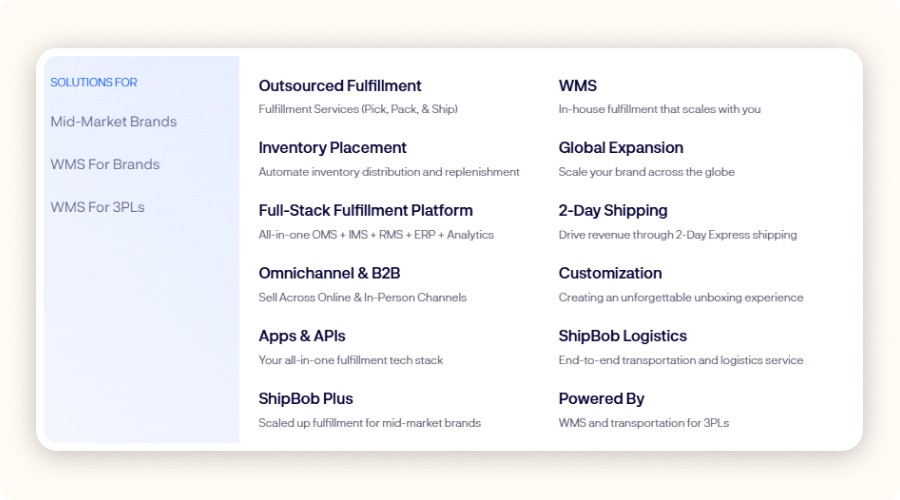
ShipBob is used to outsource ecommerce fulfillment: a brand stores inventory in ShipBob’s warehouses, and ShipBob then picks, packs, and ships each order while automatically sending tracking information back to the store.
Sellers typically use ShipBob for four main tasks they don’t want to manage in-house as they grow:
Warehousing: paying for space only as inventory grows.
Daily fulfillment: pick, pack, labeling, and shipping for every order.
Faster delivery times: by storing inventory closer to customers through multi-warehouse placement.
Operations automation: connecting orders, inventory, and tracking to Shopify and other platforms so fulfillment doesn’t turn into a manual spreadsheet.
For a Shopify seller, the main reason usually comes down to margin and time. When you’re shipping from your garage, the cost shows up in labor and lost time. With a 3PL, you pay fees, but you also free up time to focus on ads, product expansion, and customer experience.
The most common use case is simple: reducing delivery times while staying profitable. A distributed inventory setup can reduce shipping zones, which often helps lower both delivery times and shipping costs per order.
Minea
Reach $1,000 per day or get your money back

How does ShipBob work (step-by-step)?
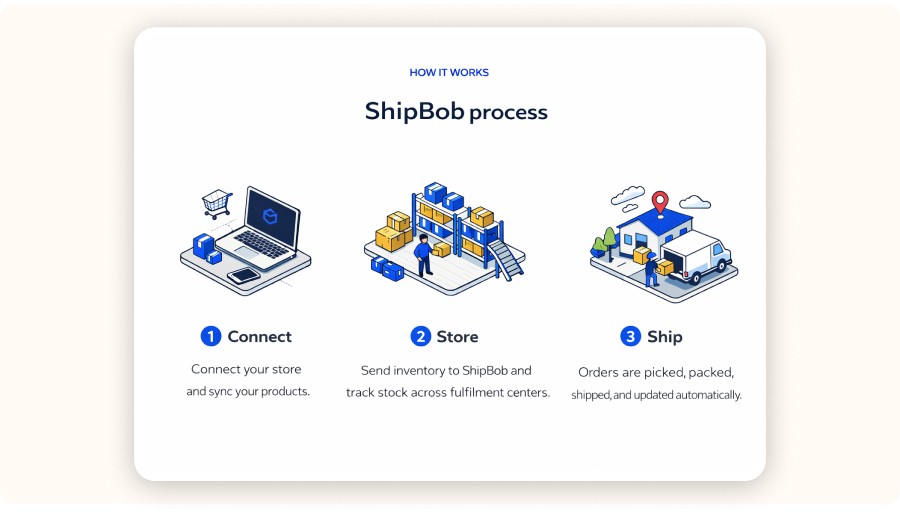
ShipBob works by receiving your inventory into its warehouses, keeping stock counts synced with your store, then automatically fulfilling orders as they come in pick, pack, label, and ship, while updating tracking and inventory in your ecommerce platform.
Here’s what does shipbob do.
1) You connect your store
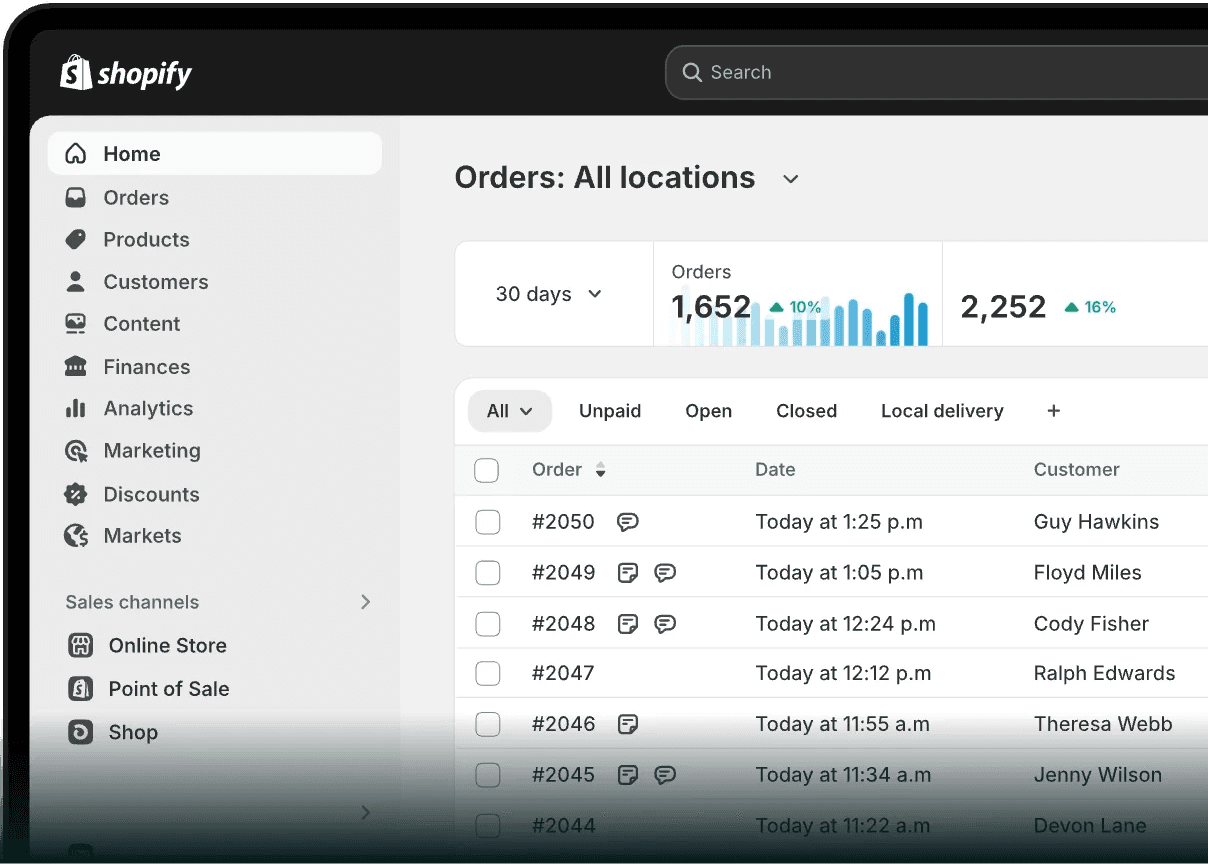
Most sellers start with Shopify because order and fulfillment status sync smoothly. Once connected, ShipBob can import products and SKUs and match them to what is physically stored in its warehouses.
What to watch: SKU hygiene. If your variants, barcodes, or SKU naming are messy, it can create issues later, from “missing inventory” to mis-picks.
2) You send inventory to ShipBob (inbound)
You create an inbound shipment, label cartons or pallets, and then ShipBob receives the inventory.
This is often where sellers underestimate the time involved. If your products aren’t prep-ready, whether that means polybagging, labeling, or bundling, you’ll either need to handle it yourself or pay additional prep fees.
A common question is: will ShipBob adjust my item to their fulfillment center? In many cases, yes. But it’s usually handled as paid prep or special handling (like labeling, polybagging, bundling, or kitting), so you’ll want to confirm requirements and fees before your first inbound shipment.
3) ShipBob stores and tracks inventory
Once inventory is received, ShipBob tracks stock levels by fulfillment center. Inventory placement matters because it directly affects:
shipping zones and delivery speed
shipping cost
split shipments (when one customer order ships from multiple locations)
4) Orders flow in automatically
When a customer places an order on your store, it can be pushed directly to ShipBob for fulfillment. The goal is to keep the process as hands-off as possible.
5) Pick, pack, ship
ShipBob picks the items, packs them according to your packaging rules if those are set up, purchases the shipping label, and ships the order. Tracking is then pushed back to Shopify.
How many fulfillment centers does shipbob have (and where are they located)?
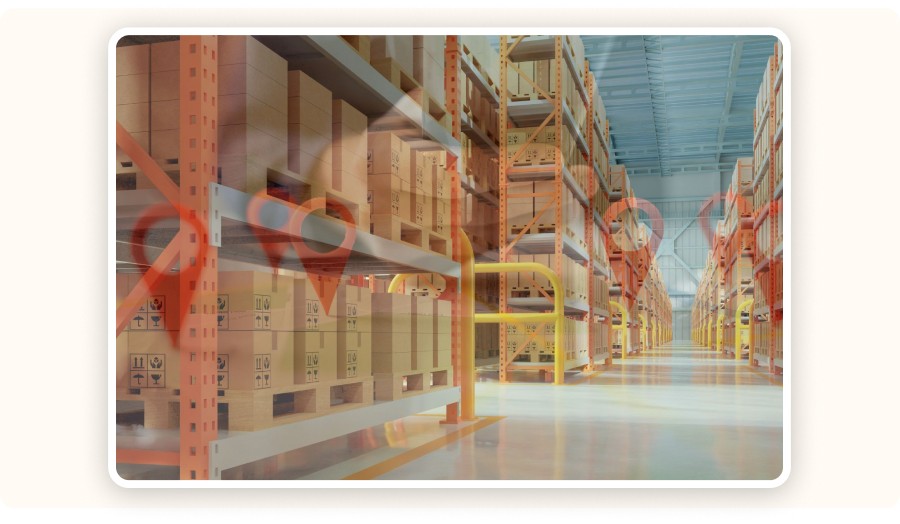
ShipBob operates a network of fulfillment centers across several countries, allowing ecommerce brands to store inventory closer to customers, reduce shipping zones, and offer faster delivery.
ShipBob has continued to highlight the scale of its network: the company reported 60+ fulfillment centers worldwide as of June 2025 (compared with 50+ in December 2024). The exact list can change as the network expands, but the core idea stays the same.
For sellers, the real question usually isn’t, “How many warehouses do they have?” It’s more about this:
Do they have a fulfillment center close to your customers? (US East and US West is the baseline for many US brands.)
Can you distribute inventory without creating too many split shipments?
Do they support your sales channels? (DTC Shopify only or a more omnichannel setup.)
In Minea’s current product watchlist, fast-shipping-friendly price points cluster around an average of ~$29.99 for impulse-friendly products, including examples like posture corrector belts, LED face masks, and portable blenders. When your margins are tight in that price range, fulfillment fees and shipping-zone costs become a major business decision, not just an operational detail.
What packages come from ShipBob?
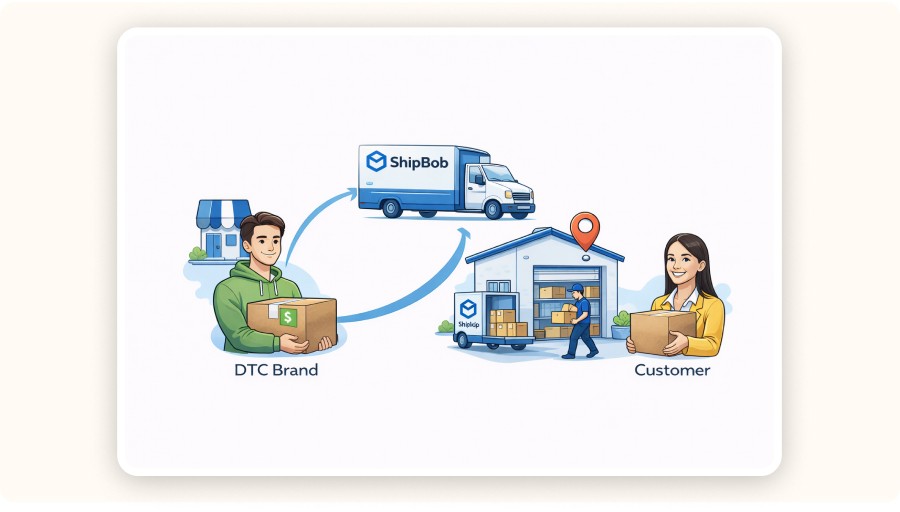
Packages that come from ShipBob are usually orders placed with a brand that uses ShipBob as its fulfillment provider. In other words, ShipBob handles the warehousing and shipping, even though you purchased from a different store.
People usually ask this when they notice “ShipBob” on a shipping label, tracking update, or return address, and don’t recognize the name.
Common reasons you might see ShipBob include:
You ordered from a Shopify or DTC brand that outsources fulfillment.
The seller uses ShipBob only for certain SKUs, so some packages come from ShipBob while others do not.
The store is growing and moved fulfillment to a 3PL, but the branding on the label stayed the same.
If you’re the seller, the main takeaway is customer support: make sure your support team is ready for this kind of confusion.
Put a note in your order confirmation emails, such as: “Your package may ship from our fulfillment partner.”
Also make sure your return address and RMA messaging are clear enough that customers won’t be confused.
What companies use ShipBob?

If you’re wondering, “what companies does ShipBob fulfill for?” ShipBob is most commonly used by SMB and mid-market ecommerce brands that want to outsource fulfillment while keeping a strong software layer that plugs into their storefront (like Shopify) and marketplaces, so orders, inventory, and tracking stay synced automatically.
Most 3PLs don’t publish a full customer list, for obvious reasons. In practice, what matters more is the type of brand that tends to do well with this model.
You’ll usually see ShipBob used by brands that:
sell physical products with repeatable SKUs
have a fairly predictable weekly order volume
care about delivery speed and reducing support load
want a stronger tech layer, such as integrations and inventory visibility, rather than a warehouse run mostly through manual processes
Does Amazon use ShipBob?
Amazon generally fulfills its own marketplace orders through its own logistics network, using FBA and FBM workflows. So, in most cases, Amazon using ShipBob is not the standard model. ShipBob is more commonly used by independent ecommerce brands selling through their own websites and other marketplaces.
This question comes up often because Amazon is the most obvious reference point for fast shipping. But Amazon’s fulfillment network is also one of its biggest competitive advantages.
Two useful clarifications:
FBA (Fulfillment by Amazon) is Amazon’s own 3PL-like service within its ecosystem.
ShipBob is an independent 3PL that integrates with multiple sales channels.
If a large share of your revenue comes from the Amazon Marketplace, you’ll usually look at ShipBob for non-Amazon channels like DTC, while continuing to use FBA for Amazon-specific inventory. The real challenge is deciding whether it makes more sense to split inventory or keep things simple.


If you’re running an online store and orders are starting to pile up, you’re probably asking yourself one simple question: should I keep packing boxes on my own, or outsource fulfillment to a 3PL?
ShipBob is a third-party logistics (3PL) company that stores your inventory, picks and packs orders, ships them to your customers, and sends tracking information back to your store. As of June 2025, ShipBob reported operating 60+ fulfillment centers worldwide and fulfilling 200M+ orders.
Key Takeaways
ShipBob is a 3PL that handles storage, pick and pack, shipping, and returns for ecommerce brands.
You send your inventory to ShipBob’s warehouses, and orders are then processed automatically through Shopify and other sales channels.
Packages marked “from ShipBob” usually mean the brand or seller you ordered from uses ShipBob as its fulfillment partner.
ShipBob can be a strong option if you have steady order volume and want faster delivery, but it may not be the most cost-effective choice for stores with fewer orders.
What is ShipBob used for?
ShipBob is used to outsource ecommerce fulfillment: a brand stores inventory in ShipBob’s warehouses, and ShipBob then picks, packs, and ships each order while automatically sending tracking information back to the store.
Sellers typically use ShipBob for four main tasks they don’t want to manage in-house as they grow:
Warehousing: paying for space only as inventory grows.
Daily fulfillment: pick, pack, labeling, and shipping for every order.
Faster delivery times: by storing inventory closer to customers through multi-warehouse placement.
Operations automation: connecting orders, inventory, and tracking to Shopify and other platforms so fulfillment doesn’t turn into a manual spreadsheet.
For a Shopify seller, the main reason usually comes down to margin and time. When you’re shipping from your garage, the cost shows up in labor and lost time. With a 3PL, you pay fees, but you also free up time to focus on ads, product expansion, and customer experience.
The most common use case is simple: reducing delivery times while staying profitable. A distributed inventory setup can reduce shipping zones, which often helps lower both delivery times and shipping costs per order.
Minea
Reach $1,000 per day or get your money back
How does ShipBob work (step-by-step)?
ShipBob works by receiving your inventory into its warehouses, keeping stock counts synced with your store, then automatically fulfilling orders as they come in pick, pack, label, and ship, while updating tracking and inventory in your ecommerce platform.
Here’s what does shipbob do.
1) You connect your store
Most sellers start with Shopify because order and fulfillment status sync smoothly. Once connected, ShipBob can import products and SKUs and match them to what is physically stored in its warehouses.
What to watch: SKU hygiene. If your variants, barcodes, or SKU naming are messy, it can create issues later, from “missing inventory” to mis-picks.
2) You send inventory to ShipBob (inbound)
You create an inbound shipment, label cartons or pallets, and then ShipBob receives the inventory.
This is often where sellers underestimate the time involved. If your products aren’t prep-ready, whether that means polybagging, labeling, or bundling, you’ll either need to handle it yourself or pay additional prep fees.
A common question is: will ShipBob adjust my item to their fulfillment center? In many cases, yes. But it’s usually handled as paid prep or special handling (like labeling, polybagging, bundling, or kitting), so you’ll want to confirm requirements and fees before your first inbound shipment.
3) ShipBob stores and tracks inventory
Once inventory is received, ShipBob tracks stock levels by fulfillment center. Inventory placement matters because it directly affects:
shipping zones and delivery speed
shipping cost
split shipments (when one customer order ships from multiple locations)
4) Orders flow in automatically
When a customer places an order on your store, it can be pushed directly to ShipBob for fulfillment. The goal is to keep the process as hands-off as possible.
5) Pick, pack, ship
ShipBob picks the items, packs them according to your packaging rules if those are set up, purchases the shipping label, and ships the order. Tracking is then pushed back to Shopify.
How many fulfillment centers does shipbob have (and where are they located)?
ShipBob operates a network of fulfillment centers across several countries, allowing ecommerce brands to store inventory closer to customers, reduce shipping zones, and offer faster delivery.
ShipBob has continued to highlight the scale of its network: the company reported 60+ fulfillment centers worldwide as of June 2025 (compared with 50+ in December 2024). The exact list can change as the network expands, but the core idea stays the same.
For sellers, the real question usually isn’t, “How many warehouses do they have?” It’s more about this:
Do they have a fulfillment center close to your customers? (US East and US West is the baseline for many US brands.)
Can you distribute inventory without creating too many split shipments?
Do they support your sales channels? (DTC Shopify only or a more omnichannel setup.)
In Minea’s current product watchlist, fast-shipping-friendly price points cluster around an average of ~$29.99 for impulse-friendly products, including examples like posture corrector belts, LED face masks, and portable blenders. When your margins are tight in that price range, fulfillment fees and shipping-zone costs become a major business decision, not just an operational detail.
What packages come from ShipBob?
Packages that come from ShipBob are usually orders placed with a brand that uses ShipBob as its fulfillment provider. In other words, ShipBob handles the warehousing and shipping, even though you purchased from a different store.
People usually ask this when they notice “ShipBob” on a shipping label, tracking update, or return address, and don’t recognize the name.
Common reasons you might see ShipBob include:
You ordered from a Shopify or DTC brand that outsources fulfillment.
The seller uses ShipBob only for certain SKUs, so some packages come from ShipBob while others do not.
The store is growing and moved fulfillment to a 3PL, but the branding on the label stayed the same.
If you’re the seller, the main takeaway is customer support: make sure your support team is ready for this kind of confusion.
Put a note in your order confirmation emails, such as: “Your package may ship from our fulfillment partner.”
Also make sure your return address and RMA messaging are clear enough that customers won’t be confused.
What companies use ShipBob?
If you’re wondering, “what companies does ShipBob fulfill for?” ShipBob is most commonly used by SMB and mid-market ecommerce brands that want to outsource fulfillment while keeping a strong software layer that plugs into their storefront (like Shopify) and marketplaces, so orders, inventory, and tracking stay synced automatically.
Most 3PLs don’t publish a full customer list, for obvious reasons. In practice, what matters more is the type of brand that tends to do well with this model.
You’ll usually see ShipBob used by brands that:
sell physical products with repeatable SKUs
have a fairly predictable weekly order volume
care about delivery speed and reducing support load
want a stronger tech layer, such as integrations and inventory visibility, rather than a warehouse run mostly through manual processes
Does Amazon use ShipBob?
Amazon generally fulfills its own marketplace orders through its own logistics network, using FBA and FBM workflows. So, in most cases, Amazon using ShipBob is not the standard model. ShipBob is more commonly used by independent ecommerce brands selling through their own websites and other marketplaces.
This question comes up often because Amazon is the most obvious reference point for fast shipping. But Amazon’s fulfillment network is also one of its biggest competitive advantages.
Two useful clarifications:
FBA (Fulfillment by Amazon) is Amazon’s own 3PL-like service within its ecosystem.
ShipBob is an independent 3PL that integrates with multiple sales channels.
If a large share of your revenue comes from the Amazon Marketplace, you’ll usually look at ShipBob for non-Amazon channels like DTC, while continuing to use FBA for Amazon-specific inventory. The real challenge is deciding whether it makes more sense to split inventory or keep things simple.
If you’re running an online store and orders are starting to pile up, you’re probably asking yourself one simple question: should I keep packing boxes on my own, or outsource fulfillment to a 3PL?
ShipBob is a third-party logistics (3PL) company that stores your inventory, picks and packs orders, ships them to your customers, and sends tracking information back to your store. As of June 2025, ShipBob reported operating 60+ fulfillment centers worldwide and fulfilling 200M+ orders.
Key Takeaways
ShipBob is a 3PL that handles storage, pick and pack, shipping, and returns for ecommerce brands.
You send your inventory to ShipBob’s warehouses, and orders are then processed automatically through Shopify and other sales channels.
Packages marked “from ShipBob” usually mean the brand or seller you ordered from uses ShipBob as its fulfillment partner.
ShipBob can be a strong option if you have steady order volume and want faster delivery, but it may not be the most cost-effective choice for stores with fewer orders.
What is ShipBob used for?
ShipBob is used to outsource ecommerce fulfillment: a brand stores inventory in ShipBob’s warehouses, and ShipBob then picks, packs, and ships each order while automatically sending tracking information back to the store.
Sellers typically use ShipBob for four main tasks they don’t want to manage in-house as they grow:
Warehousing: paying for space only as inventory grows.
Daily fulfillment: pick, pack, labeling, and shipping for every order.
Faster delivery times: by storing inventory closer to customers through multi-warehouse placement.
Operations automation: connecting orders, inventory, and tracking to Shopify and other platforms so fulfillment doesn’t turn into a manual spreadsheet.
For a Shopify seller, the main reason usually comes down to margin and time. When you’re shipping from your garage, the cost shows up in labor and lost time. With a 3PL, you pay fees, but you also free up time to focus on ads, product expansion, and customer experience.
The most common use case is simple: reducing delivery times while staying profitable. A distributed inventory setup can reduce shipping zones, which often helps lower both delivery times and shipping costs per order.
Minea
Reach $1,000 per day or get your money back
How does ShipBob work (step-by-step)?
ShipBob works by receiving your inventory into its warehouses, keeping stock counts synced with your store, then automatically fulfilling orders as they come in pick, pack, label, and ship, while updating tracking and inventory in your ecommerce platform.
Here’s what does shipbob do.
1) You connect your store
Most sellers start with Shopify because order and fulfillment status sync smoothly. Once connected, ShipBob can import products and SKUs and match them to what is physically stored in its warehouses.
What to watch: SKU hygiene. If your variants, barcodes, or SKU naming are messy, it can create issues later, from “missing inventory” to mis-picks.
2) You send inventory to ShipBob (inbound)
You create an inbound shipment, label cartons or pallets, and then ShipBob receives the inventory.
This is often where sellers underestimate the time involved. If your products aren’t prep-ready, whether that means polybagging, labeling, or bundling, you’ll either need to handle it yourself or pay additional prep fees.
A common question is: will ShipBob adjust my item to their fulfillment center? In many cases, yes. But it’s usually handled as paid prep or special handling (like labeling, polybagging, bundling, or kitting), so you’ll want to confirm requirements and fees before your first inbound shipment.
3) ShipBob stores and tracks inventory
Once inventory is received, ShipBob tracks stock levels by fulfillment center. Inventory placement matters because it directly affects:
shipping zones and delivery speed
shipping cost
split shipments (when one customer order ships from multiple locations)
4) Orders flow in automatically
When a customer places an order on your store, it can be pushed directly to ShipBob for fulfillment. The goal is to keep the process as hands-off as possible.
5) Pick, pack, ship
ShipBob picks the items, packs them according to your packaging rules if those are set up, purchases the shipping label, and ships the order. Tracking is then pushed back to Shopify.
How many fulfillment centers does shipbob have (and where are they located)?
ShipBob operates a network of fulfillment centers across several countries, allowing ecommerce brands to store inventory closer to customers, reduce shipping zones, and offer faster delivery.
ShipBob has continued to highlight the scale of its network: the company reported 60+ fulfillment centers worldwide as of June 2025 (compared with 50+ in December 2024). The exact list can change as the network expands, but the core idea stays the same.
For sellers, the real question usually isn’t, “How many warehouses do they have?” It’s more about this:
Do they have a fulfillment center close to your customers? (US East and US West is the baseline for many US brands.)
Can you distribute inventory without creating too many split shipments?
Do they support your sales channels? (DTC Shopify only or a more omnichannel setup.)
In Minea’s current product watchlist, fast-shipping-friendly price points cluster around an average of ~$29.99 for impulse-friendly products, including examples like posture corrector belts, LED face masks, and portable blenders. When your margins are tight in that price range, fulfillment fees and shipping-zone costs become a major business decision, not just an operational detail.
What packages come from ShipBob?
Packages that come from ShipBob are usually orders placed with a brand that uses ShipBob as its fulfillment provider. In other words, ShipBob handles the warehousing and shipping, even though you purchased from a different store.
People usually ask this when they notice “ShipBob” on a shipping label, tracking update, or return address, and don’t recognize the name.
Common reasons you might see ShipBob include:
You ordered from a Shopify or DTC brand that outsources fulfillment.
The seller uses ShipBob only for certain SKUs, so some packages come from ShipBob while others do not.
The store is growing and moved fulfillment to a 3PL, but the branding on the label stayed the same.
If you’re the seller, the main takeaway is customer support: make sure your support team is ready for this kind of confusion.
Put a note in your order confirmation emails, such as: “Your package may ship from our fulfillment partner.”
Also make sure your return address and RMA messaging are clear enough that customers won’t be confused.
What companies use ShipBob?
If you’re wondering, “what companies does ShipBob fulfill for?” ShipBob is most commonly used by SMB and mid-market ecommerce brands that want to outsource fulfillment while keeping a strong software layer that plugs into their storefront (like Shopify) and marketplaces, so orders, inventory, and tracking stay synced automatically.
Most 3PLs don’t publish a full customer list, for obvious reasons. In practice, what matters more is the type of brand that tends to do well with this model.
You’ll usually see ShipBob used by brands that:
sell physical products with repeatable SKUs
have a fairly predictable weekly order volume
care about delivery speed and reducing support load
want a stronger tech layer, such as integrations and inventory visibility, rather than a warehouse run mostly through manual processes
Does Amazon use ShipBob?
Amazon generally fulfills its own marketplace orders through its own logistics network, using FBA and FBM workflows. So, in most cases, Amazon using ShipBob is not the standard model. ShipBob is more commonly used by independent ecommerce brands selling through their own websites and other marketplaces.
This question comes up often because Amazon is the most obvious reference point for fast shipping. But Amazon’s fulfillment network is also one of its biggest competitive advantages.
Two useful clarifications:
FBA (Fulfillment by Amazon) is Amazon’s own 3PL-like service within its ecosystem.
ShipBob is an independent 3PL that integrates with multiple sales channels.
If a large share of your revenue comes from the Amazon Marketplace, you’ll usually look at ShipBob for non-Amazon channels like DTC, while continuing to use FBA for Amazon-specific inventory. The real challenge is deciding whether it makes more sense to split inventory or keep things simple.
How much does ShipBob cost?

ShipBob pricing usually combines storage fees (based on space and time), fulfillment fees (pick and pack per order), and shipping label costs, with additional fees possible for inbound receiving, returns, and special handling.
Here’s a practical breakdown
Storage: usually based on the amount of space used, and it can vary depending on the season.
Fulfillment (pick/pack): charged per order, sometimes with a number of picks included and then an extra cost for each additional item.
Shipping labels: carrier costs passed through, sometimes with negotiated rates.
Inbound receiving: fees for receiving cartons or pallets and putting inventory away.
Returns: charged per return processed, sometimes with additional restocking or inspection fees.
Kitting/bundling: fees for assembling multi-item bundles.
Fee bucket | Example price (USD) | Example monthly cost (scenario) |
|---|---|---|
Onboarding / setup | $0 (often waived) | $0 |
Inbound receiving | $25/hr (first 2 hrs) | $50 (2 hrs) |
Storage | $5 / bin / month | $50 (10 bins) |
Pick & pack (base) | $3.00 / order | $1,500 (500 orders) |
Additional picks | $0.75 / extra item | $75 (100 extra picks) |
Custom packaging handling (optional) | $0.30 / order | $150 (500 orders) |
Returns processing (optional) | $3 / return | $60 (20 returns) |
Shipping labels (postage) | $6.50 / shipment (assumption) | $3,250 (500 shipments) |
TOTAL (example) | $5,135 / month |
Your decision math (simple version)
If your gross margin per order is $15 and fulfillment + shipping adds up to $9, you only have $6 left to cover ads, apps, chargebacks, and profit.
If you’re selling dropshipping-style impulse products around the $29.99 price point, the fee structure can end up determining whether scaling paid traffic is even realistic.
Expert note
In day-to-day ecommerce operations, the biggest pricing surprises usually come from
inbound receiving during restocks
returns processing when a product becomes more impulse-driven and support-heavy.
It’s worth modeling both before committing.
What integrations does ShipBob offer?
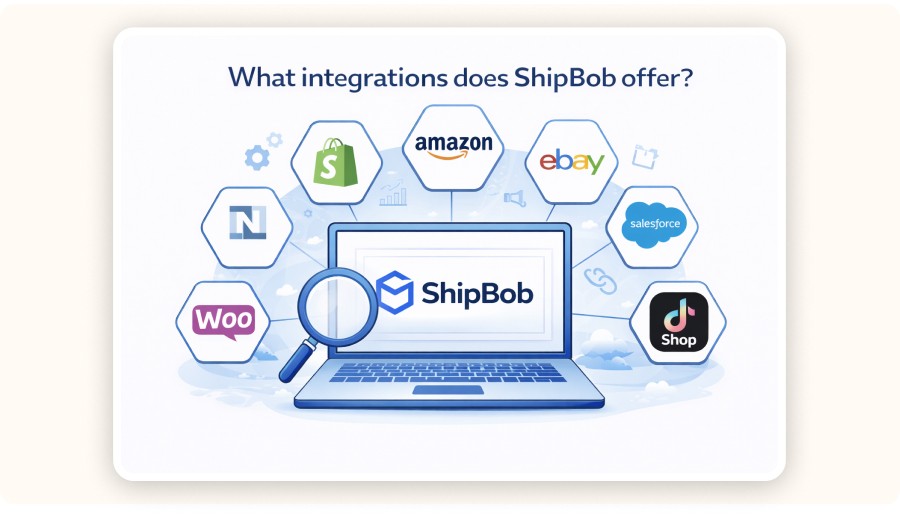
ShipBob integrations connect your storefront and marketplaces to your fulfillment operations so that orders, inventory, and tracking updates sync automatically.
Integrations are not just a bonus. They’re often the difference between successfully outsourcing fulfillment and accidentally creating a second job for yourself.
Here’s what you should verify:
Shopify integration depth: order import, fulfillment status updates, tracking sync, and partial fulfillment behavior
Inventory sync rules: how stock updates are handled when you sell across multiple channels
Returns workflow: whether returns can sync with your support stack
Reporting: whether you can track fulfillment time, shipping time, and exception rates
If you’re serious about scaling, you’ll also want to look at failure modes. Ask what happens when:
an order can’t be fulfilled because of a stock mismatch
an address is invalid
an order needs to be split
A good 3PL gives you clear exception handling, instead of turning every issue into a support ticket that takes days to resolve.
Is ShipBob good for dropshipping or small ecommerce stores?

ShipBob can be a good fit for small ecommerce stores when you have stable product demand and want faster delivery with fewer operational headaches. That said, it’s usually not the best fit for classic supplier-to-customer dropshipping, where you don’t hold any inventory.
This is where the distinction matters.
Classic dropshipping: your supplier ships each order directly to the customer. You don’t own inventory.
3PL fulfillment (ShipBob style): you buy inventory upfront and store it in a warehouse.
ShipBob tends to become more relevant when you move from testing to scaling. A common path for sellers looks like this:
test a product with a lightweight setup to prove demand
once sales become consistent, buy inventory in bulk
move that inventory into a 3PL to improve delivery speed and customer experience
Minea workflow fit:
Use Minea to validate demand and marketing angles before placing a large inventory order.
Once a product is clearly working, 3PL fulfillment can help you deliver more like a real brand.
How to decide if ShipBob is worth it for your store

ShipBob is worth it when the time you save and the delivery speed you gain generate more profit than the added fulfillment fees, especially once your order volume reaches the point where packing in-house starts to slow you down.
Use this checklist to decide quickly:
A) Your order volume is predictable
If you go from 5 orders one day to 80 the next with no clear pattern, any 3PL can start to feel expensive because inventory and shipping become harder to plan.
B) Your unit economics can absorb 3PL fees
Build a simple per-order model using:
AOV
product cost
expected return rate
ad cost (or blended CAC)
fulfillment + shipping
If the remaining contribution margin is too thin, the issue usually isn’t just finding a cheaper 3PL. It’s more often a product or pricing strategy problem.
C) You need faster delivery to compete
In a crowded niche, delivery speed becomes part of the marketing. Faster shipping can improve your conversion rate, even when your ads and landing pages stay the same.
D) You’re ready to operate like a brand
ShipBob is usually most useful once you’re beyond the “testing everything” stage and starting to build a more repeatable catalog.


Create and test your Shopify store for only $1 per day during 90 days
ShipBob alternatives: other ways to fulfill ecommerce orders
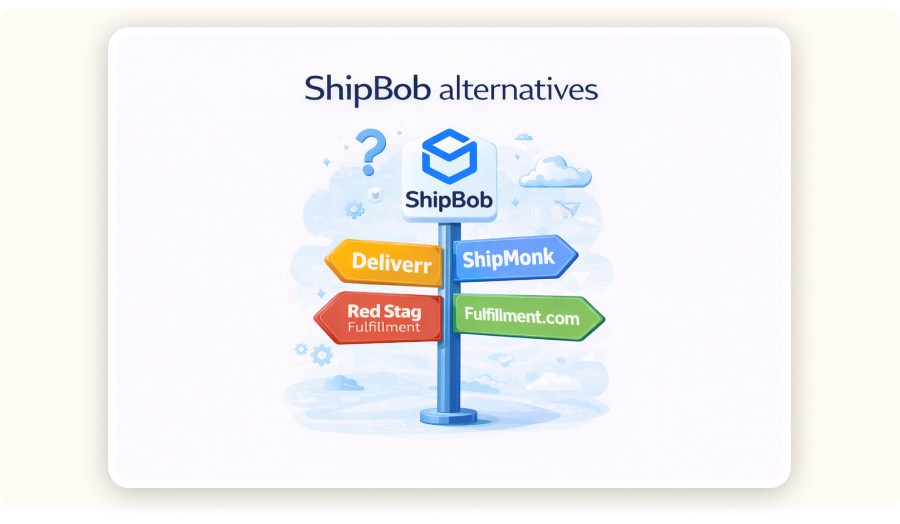
ShipBob isn’t the only path once you outgrow the “pack-from-home” phase. The best alternative depends on your order volume, product size, and how fast customers expect delivery.
Other tech-enabled 3PLs (ShipHero, Shipmonk fulfillment,...)
Look for strong Shopify integrations, inventory syncing, clear dashboards, and multi-warehouse placement options.Local or regional 3PLs (often better for cost control)
These can be cheaper and more flexible if most of your customers are in one region and you don’t need a large distributed network.Amazon Multi-Channel Fulfillment (MCF) (speed-first, marketplace-friendly)
This can work well when delivery speed matters and you’re comfortable with more “Amazon-style” ops and constraints.Specialized 3PLs (best for tricky products)
If you sell fragile, oversized, regulated, or temperature-sensitive items, a specialist often beats a generalist network.
Analyst Verdict
ShipBob is a solution to a common ecommerce bottleneck: fulfillment often becomes a problem long before marketing does. If you’re shipping a consistent volume and your margins can absorb 3PL fees, outsourcing to a network like ShipBob can help you deliver faster and deal with fewer operational headaches.
If you’re still in classic dropshipping mode and not holding inventory, ShipBob is usually not the right fit. It makes more sense to validate demand first, then move to bulk inventory + 3PL fulfillment once the product has proven itself.
FAQ : What is ShipBob
Is ShipBob a carrier like USPS or FedEx?
ShipBob isn’t a carrier. It’s a 3PL that fulfills orders and buys shipping labels from carriers. Your package may be delivered by USPS, UPS, FedEx, or another carrier, but ShipBob coordinates the fulfillment steps.
Is ShipBob only for Shopify stores?
No. Shopify is common because the integration is straightforward, but ShipBob is positioned for multi-channel ecommerce, which can include other storefronts and marketplaces depending on your setup.
Does shipbob ship internationally ?
ShipBob positions itself as a global fulfillment network, which can support international shipping depending on your inventory placement and carrier options. The operational question is whether you want cross-border shipping from one country or local fulfillment in multiple regions.
How long does ShipBob take to ship an order?
Fulfillment time depends on cutoffs, inventory accuracy, and warehouse workload. What matters is your end-to-end promise: processing time + carrier transit time. Ask for SLA-style metrics (same-day/next-day fulfillment rates) before committing.
Why does my tracking say ShipBob when I ordered from another store?
Because the store you bought from likely uses ShipBob as its fulfillment partner. ShipBob appears on labels, tracking, or return addresses even though the brand you purchased from is the merchant of record.
Disclosure: This article is published by Minea. The product data referenced comes from the Minea platform.
How much does ShipBob cost?
ShipBob pricing usually combines storage fees (based on space and time), fulfillment fees (pick and pack per order), and shipping label costs, with additional fees possible for inbound receiving, returns, and special handling.
Here’s a practical breakdown
Storage: usually based on the amount of space used, and it can vary depending on the season.
Fulfillment (pick/pack): charged per order, sometimes with a number of picks included and then an extra cost for each additional item.
Shipping labels: carrier costs passed through, sometimes with negotiated rates.
Inbound receiving: fees for receiving cartons or pallets and putting inventory away.
Returns: charged per return processed, sometimes with additional restocking or inspection fees.
Kitting/bundling: fees for assembling multi-item bundles.
Fee bucket | Example price (USD) | Example monthly cost (scenario) |
|---|---|---|
Onboarding / setup | $0 (often waived) | $0 |
Inbound receiving | $25/hr (first 2 hrs) | $50 (2 hrs) |
Storage | $5 / bin / month | $50 (10 bins) |
Pick & pack (base) | $3.00 / order | $1,500 (500 orders) |
Additional picks | $0.75 / extra item | $75 (100 extra picks) |
Custom packaging handling (optional) | $0.30 / order | $150 (500 orders) |
Returns processing (optional) | $3 / return | $60 (20 returns) |
Shipping labels (postage) | $6.50 / shipment (assumption) | $3,250 (500 shipments) |
TOTAL (example) | $5,135 / month |
Your decision math (simple version)
If your gross margin per order is $15 and fulfillment + shipping adds up to $9, you only have $6 left to cover ads, apps, chargebacks, and profit.
If you’re selling dropshipping-style impulse products around the $29.99 price point, the fee structure can end up determining whether scaling paid traffic is even realistic.
Expert note
In day-to-day ecommerce operations, the biggest pricing surprises usually come from
inbound receiving during restocks
returns processing when a product becomes more impulse-driven and support-heavy.
It’s worth modeling both before committing.
What integrations does ShipBob offer?
ShipBob integrations connect your storefront and marketplaces to your fulfillment operations so that orders, inventory, and tracking updates sync automatically.
Integrations are not just a bonus. They’re often the difference between successfully outsourcing fulfillment and accidentally creating a second job for yourself.
Here’s what you should verify:
Shopify integration depth: order import, fulfillment status updates, tracking sync, and partial fulfillment behavior
Inventory sync rules: how stock updates are handled when you sell across multiple channels
Returns workflow: whether returns can sync with your support stack
Reporting: whether you can track fulfillment time, shipping time, and exception rates
If you’re serious about scaling, you’ll also want to look at failure modes. Ask what happens when:
an order can’t be fulfilled because of a stock mismatch
an address is invalid
an order needs to be split
A good 3PL gives you clear exception handling, instead of turning every issue into a support ticket that takes days to resolve.
Is ShipBob good for dropshipping or small ecommerce stores?
ShipBob can be a good fit for small ecommerce stores when you have stable product demand and want faster delivery with fewer operational headaches. That said, it’s usually not the best fit for classic supplier-to-customer dropshipping, where you don’t hold any inventory.
This is where the distinction matters.
Classic dropshipping: your supplier ships each order directly to the customer. You don’t own inventory.
3PL fulfillment (ShipBob style): you buy inventory upfront and store it in a warehouse.
ShipBob tends to become more relevant when you move from testing to scaling. A common path for sellers looks like this:
test a product with a lightweight setup to prove demand
once sales become consistent, buy inventory in bulk
move that inventory into a 3PL to improve delivery speed and customer experience
Minea workflow fit:
Use Minea to validate demand and marketing angles before placing a large inventory order.
Once a product is clearly working, 3PL fulfillment can help you deliver more like a real brand.
How to decide if ShipBob is worth it for your store
ShipBob is worth it when the time you save and the delivery speed you gain generate more profit than the added fulfillment fees, especially once your order volume reaches the point where packing in-house starts to slow you down.
Use this checklist to decide quickly:
A) Your order volume is predictable
If you go from 5 orders one day to 80 the next with no clear pattern, any 3PL can start to feel expensive because inventory and shipping become harder to plan.
B) Your unit economics can absorb 3PL fees
Build a simple per-order model using:
AOV
product cost
expected return rate
ad cost (or blended CAC)
fulfillment + shipping
If the remaining contribution margin is too thin, the issue usually isn’t just finding a cheaper 3PL. It’s more often a product or pricing strategy problem.
C) You need faster delivery to compete
In a crowded niche, delivery speed becomes part of the marketing. Faster shipping can improve your conversion rate, even when your ads and landing pages stay the same.
D) You’re ready to operate like a brand
ShipBob is usually most useful once you’re beyond the “testing everything” stage and starting to build a more repeatable catalog.
Create and test your Shopify store for only $1 per day during 90 days
ShipBob alternatives: other ways to fulfill ecommerce orders
ShipBob isn’t the only path once you outgrow the “pack-from-home” phase. The best alternative depends on your order volume, product size, and how fast customers expect delivery.
Other tech-enabled 3PLs (ShipHero, Shipmonk fulfillment,...)
Look for strong Shopify integrations, inventory syncing, clear dashboards, and multi-warehouse placement options.Local or regional 3PLs (often better for cost control)
These can be cheaper and more flexible if most of your customers are in one region and you don’t need a large distributed network.Amazon Multi-Channel Fulfillment (MCF) (speed-first, marketplace-friendly)
This can work well when delivery speed matters and you’re comfortable with more “Amazon-style” ops and constraints.Specialized 3PLs (best for tricky products)
If you sell fragile, oversized, regulated, or temperature-sensitive items, a specialist often beats a generalist network.
Analyst Verdict
ShipBob is a solution to a common ecommerce bottleneck: fulfillment often becomes a problem long before marketing does. If you’re shipping a consistent volume and your margins can absorb 3PL fees, outsourcing to a network like ShipBob can help you deliver faster and deal with fewer operational headaches.
If you’re still in classic dropshipping mode and not holding inventory, ShipBob is usually not the right fit. It makes more sense to validate demand first, then move to bulk inventory + 3PL fulfillment once the product has proven itself.
FAQ : What is ShipBob
Is ShipBob a carrier like USPS or FedEx?
ShipBob isn’t a carrier. It’s a 3PL that fulfills orders and buys shipping labels from carriers. Your package may be delivered by USPS, UPS, FedEx, or another carrier, but ShipBob coordinates the fulfillment steps.
Is ShipBob only for Shopify stores?
No. Shopify is common because the integration is straightforward, but ShipBob is positioned for multi-channel ecommerce, which can include other storefronts and marketplaces depending on your setup.
Does shipbob ship internationally ?
ShipBob positions itself as a global fulfillment network, which can support international shipping depending on your inventory placement and carrier options. The operational question is whether you want cross-border shipping from one country or local fulfillment in multiple regions.
How long does ShipBob take to ship an order?
Fulfillment time depends on cutoffs, inventory accuracy, and warehouse workload. What matters is your end-to-end promise: processing time + carrier transit time. Ask for SLA-style metrics (same-day/next-day fulfillment rates) before committing.
Why does my tracking say ShipBob when I ordered from another store?
Because the store you bought from likely uses ShipBob as its fulfillment partner. ShipBob appears on labels, tracking, or return addresses even though the brand you purchased from is the merchant of record.
Disclosure: This article is published by Minea. The product data referenced comes from the Minea platform.
How much does ShipBob cost?
ShipBob pricing usually combines storage fees (based on space and time), fulfillment fees (pick and pack per order), and shipping label costs, with additional fees possible for inbound receiving, returns, and special handling.
Here’s a practical breakdown
Storage: usually based on the amount of space used, and it can vary depending on the season.
Fulfillment (pick/pack): charged per order, sometimes with a number of picks included and then an extra cost for each additional item.
Shipping labels: carrier costs passed through, sometimes with negotiated rates.
Inbound receiving: fees for receiving cartons or pallets and putting inventory away.
Returns: charged per return processed, sometimes with additional restocking or inspection fees.
Kitting/bundling: fees for assembling multi-item bundles.
Fee bucket | Example price (USD) | Example monthly cost (scenario) |
|---|---|---|
Onboarding / setup | $0 (often waived) | $0 |
Inbound receiving | $25/hr (first 2 hrs) | $50 (2 hrs) |
Storage | $5 / bin / month | $50 (10 bins) |
Pick & pack (base) | $3.00 / order | $1,500 (500 orders) |
Additional picks | $0.75 / extra item | $75 (100 extra picks) |
Custom packaging handling (optional) | $0.30 / order | $150 (500 orders) |
Returns processing (optional) | $3 / return | $60 (20 returns) |
Shipping labels (postage) | $6.50 / shipment (assumption) | $3,250 (500 shipments) |
TOTAL (example) | $5,135 / month |
Your decision math (simple version)
If your gross margin per order is $15 and fulfillment + shipping adds up to $9, you only have $6 left to cover ads, apps, chargebacks, and profit.
If you’re selling dropshipping-style impulse products around the $29.99 price point, the fee structure can end up determining whether scaling paid traffic is even realistic.
Expert note
In day-to-day ecommerce operations, the biggest pricing surprises usually come from
inbound receiving during restocks
returns processing when a product becomes more impulse-driven and support-heavy.
It’s worth modeling both before committing.
What integrations does ShipBob offer?
ShipBob integrations connect your storefront and marketplaces to your fulfillment operations so that orders, inventory, and tracking updates sync automatically.
Integrations are not just a bonus. They’re often the difference between successfully outsourcing fulfillment and accidentally creating a second job for yourself.
Here’s what you should verify:
Shopify integration depth: order import, fulfillment status updates, tracking sync, and partial fulfillment behavior
Inventory sync rules: how stock updates are handled when you sell across multiple channels
Returns workflow: whether returns can sync with your support stack
Reporting: whether you can track fulfillment time, shipping time, and exception rates
If you’re serious about scaling, you’ll also want to look at failure modes. Ask what happens when:
an order can’t be fulfilled because of a stock mismatch
an address is invalid
an order needs to be split
A good 3PL gives you clear exception handling, instead of turning every issue into a support ticket that takes days to resolve.
Is ShipBob good for dropshipping or small ecommerce stores?
ShipBob can be a good fit for small ecommerce stores when you have stable product demand and want faster delivery with fewer operational headaches. That said, it’s usually not the best fit for classic supplier-to-customer dropshipping, where you don’t hold any inventory.
This is where the distinction matters.
Classic dropshipping: your supplier ships each order directly to the customer. You don’t own inventory.
3PL fulfillment (ShipBob style): you buy inventory upfront and store it in a warehouse.
ShipBob tends to become more relevant when you move from testing to scaling. A common path for sellers looks like this:
test a product with a lightweight setup to prove demand
once sales become consistent, buy inventory in bulk
move that inventory into a 3PL to improve delivery speed and customer experience
Minea workflow fit:
Use Minea to validate demand and marketing angles before placing a large inventory order.
Once a product is clearly working, 3PL fulfillment can help you deliver more like a real brand.
How to decide if ShipBob is worth it for your store
ShipBob is worth it when the time you save and the delivery speed you gain generate more profit than the added fulfillment fees, especially once your order volume reaches the point where packing in-house starts to slow you down.
Use this checklist to decide quickly:
A) Your order volume is predictable
If you go from 5 orders one day to 80 the next with no clear pattern, any 3PL can start to feel expensive because inventory and shipping become harder to plan.
B) Your unit economics can absorb 3PL fees
Build a simple per-order model using:
AOV
product cost
expected return rate
ad cost (or blended CAC)
fulfillment + shipping
If the remaining contribution margin is too thin, the issue usually isn’t just finding a cheaper 3PL. It’s more often a product or pricing strategy problem.
C) You need faster delivery to compete
In a crowded niche, delivery speed becomes part of the marketing. Faster shipping can improve your conversion rate, even when your ads and landing pages stay the same.
D) You’re ready to operate like a brand
ShipBob is usually most useful once you’re beyond the “testing everything” stage and starting to build a more repeatable catalog.
Create and test your Shopify store for only $1 per day during 90 days
ShipBob alternatives: other ways to fulfill ecommerce orders
ShipBob isn’t the only path once you outgrow the “pack-from-home” phase. The best alternative depends on your order volume, product size, and how fast customers expect delivery.
Other tech-enabled 3PLs (ShipHero, Shipmonk fulfillment,...)
Look for strong Shopify integrations, inventory syncing, clear dashboards, and multi-warehouse placement options.Local or regional 3PLs (often better for cost control)
These can be cheaper and more flexible if most of your customers are in one region and you don’t need a large distributed network.Amazon Multi-Channel Fulfillment (MCF) (speed-first, marketplace-friendly)
This can work well when delivery speed matters and you’re comfortable with more “Amazon-style” ops and constraints.Specialized 3PLs (best for tricky products)
If you sell fragile, oversized, regulated, or temperature-sensitive items, a specialist often beats a generalist network.
Analyst Verdict
ShipBob is a solution to a common ecommerce bottleneck: fulfillment often becomes a problem long before marketing does. If you’re shipping a consistent volume and your margins can absorb 3PL fees, outsourcing to a network like ShipBob can help you deliver faster and deal with fewer operational headaches.
If you’re still in classic dropshipping mode and not holding inventory, ShipBob is usually not the right fit. It makes more sense to validate demand first, then move to bulk inventory + 3PL fulfillment once the product has proven itself.
FAQ : What is ShipBob
Is ShipBob a carrier like USPS or FedEx?
ShipBob isn’t a carrier. It’s a 3PL that fulfills orders and buys shipping labels from carriers. Your package may be delivered by USPS, UPS, FedEx, or another carrier, but ShipBob coordinates the fulfillment steps.
Is ShipBob only for Shopify stores?
No. Shopify is common because the integration is straightforward, but ShipBob is positioned for multi-channel ecommerce, which can include other storefronts and marketplaces depending on your setup.
Does shipbob ship internationally ?
ShipBob positions itself as a global fulfillment network, which can support international shipping depending on your inventory placement and carrier options. The operational question is whether you want cross-border shipping from one country or local fulfillment in multiple regions.
How long does ShipBob take to ship an order?
Fulfillment time depends on cutoffs, inventory accuracy, and warehouse workload. What matters is your end-to-end promise: processing time + carrier transit time. Ask for SLA-style metrics (same-day/next-day fulfillment rates) before committing.
Why does my tracking say ShipBob when I ordered from another store?
Because the store you bought from likely uses ShipBob as its fulfillment partner. ShipBob appears on labels, tracking, or return addresses even though the brand you purchased from is the merchant of record.
Disclosure: This article is published by Minea. The product data referenced comes from the Minea platform.
Similar articles
Easyship Fulfillment Review 2026: A Practical Ecommerce Pick for Dropshipping
Best Ecommerce Fulfillment Center
Easyship Fulfillment Review 2026: A Practical Ecommerce Pick for Dropshipping
Best Ecommerce Fulfillment Center
Easyship Fulfillment Review 2026: A Practical Ecommerce Pick for Dropshipping
Best Ecommerce Fulfillment Center
Easyship Fulfillment Review 2026: A Practical Ecommerce Pick for Dropshipping
Best Ecommerce Fulfillment Center
Amazon Fulfillment (FBA) in 2026: How It Works, Real Costs, Fulfillment Centers & TikTok Shop
Best Ecommerce Fulfillment Center
Amazon Fulfillment (FBA) in 2026: How It Works, Real Costs, Fulfillment Centers & TikTok Shop
Best Ecommerce Fulfillment Center
Amazon Fulfillment (FBA) in 2026: How It Works, Real Costs, Fulfillment Centers & TikTok Shop
Best Ecommerce Fulfillment Center
Amazon Fulfillment (FBA) in 2026: How It Works, Real Costs, Fulfillment Centers & TikTok Shop
Best Ecommerce Fulfillment Center
Fulfillman Dropshipping Services Review (2026): Speed, Costs, and Fit
Best Ecommerce Fulfillment Center
Fulfillman Dropshipping Services Review (2026): Speed, Costs, and Fit
Best Ecommerce Fulfillment Center
Fulfillman Dropshipping Services Review (2026): Speed, Costs, and Fit
Best Ecommerce Fulfillment Center
Fulfillman Dropshipping Services Review (2026): Speed, Costs, and Fit
Best Ecommerce Fulfillment Center


Our Free Adspys

Find winning products on our Tiktok adspy today!
Find winning products on our Facebook adspy today!
Find winning products on our Tiktok adspy today!
Find winning products on our Facebook adspy today!
Find winning products on our Tiktok adspy today!
Find winning products on our Facebook adspy today!
Find winning products on our Tiktok adspy today!
Find winning products on our Facebook adspy today!
1 winning product everyday.
Follow us!






Find out more
Read more
Minea © 2026
Find out more
Read more
Minea © 2026
Find out more
Read more
Minea © 2026
Find out more
Read more
Minea © 2026
Find out more
Read more
Minea © 2026
Find out more
Read more
Minea © 2026